Is there a way to set all nodes to terrain height? #32

Replies: 3 comments 1 reply

-
|
You can do it a few ways.
1. If you want all the nodes at the same height you can use the depth align
option
2. If the nodes have a green triangle above them you can use the fix height
menu option ( if the height map for the config is loaded)
3. You can try putting the nodes above the vehicle height in game and you
may be able to move them and they should align to the terrain
4. Try enabling debug mode from the help menu and select 'show node
location' and when you hover over the nodes look at the Y value, you can
manually edit the location and adjust them to the correct location, but you
will have to do each node in turn
Hope this helps
…On Mon, 17 Jan 2022, 22:37 evenmorestupiderhats, ***@***.***> wrote:
After copying and pasting some nodes, some nodes are above the terrain and
others are below the terrain. Is there a feature in Course Editor to set
node height to the terrain height?
—
Reply to this email directly, view it on GitHub
<#32>, or
unsubscribe
<https://github.com/notifications/unsubscribe-auth/AB4MIXLAR5Z5V4IRLCNRWTDUWSK4JANCNFSM5MFWZDLA>
.
Triage notifications on the go with GitHub Mobile for iOS
<https://apps.apple.com/app/apple-store/id1477376905?ct=notification-email&mt=8&pt=524675>
or Android
<https://play.google.com/store/apps/details?id=com.github.android&referrer=utm_campaign%3Dnotification-email%26utm_medium%3Demail%26utm_source%3Dgithub>.
You are receiving this because you are subscribed to this thread.Message
ID: ***@***.***>
|
Beta Was this translation helpful? Give feedback.

-
|
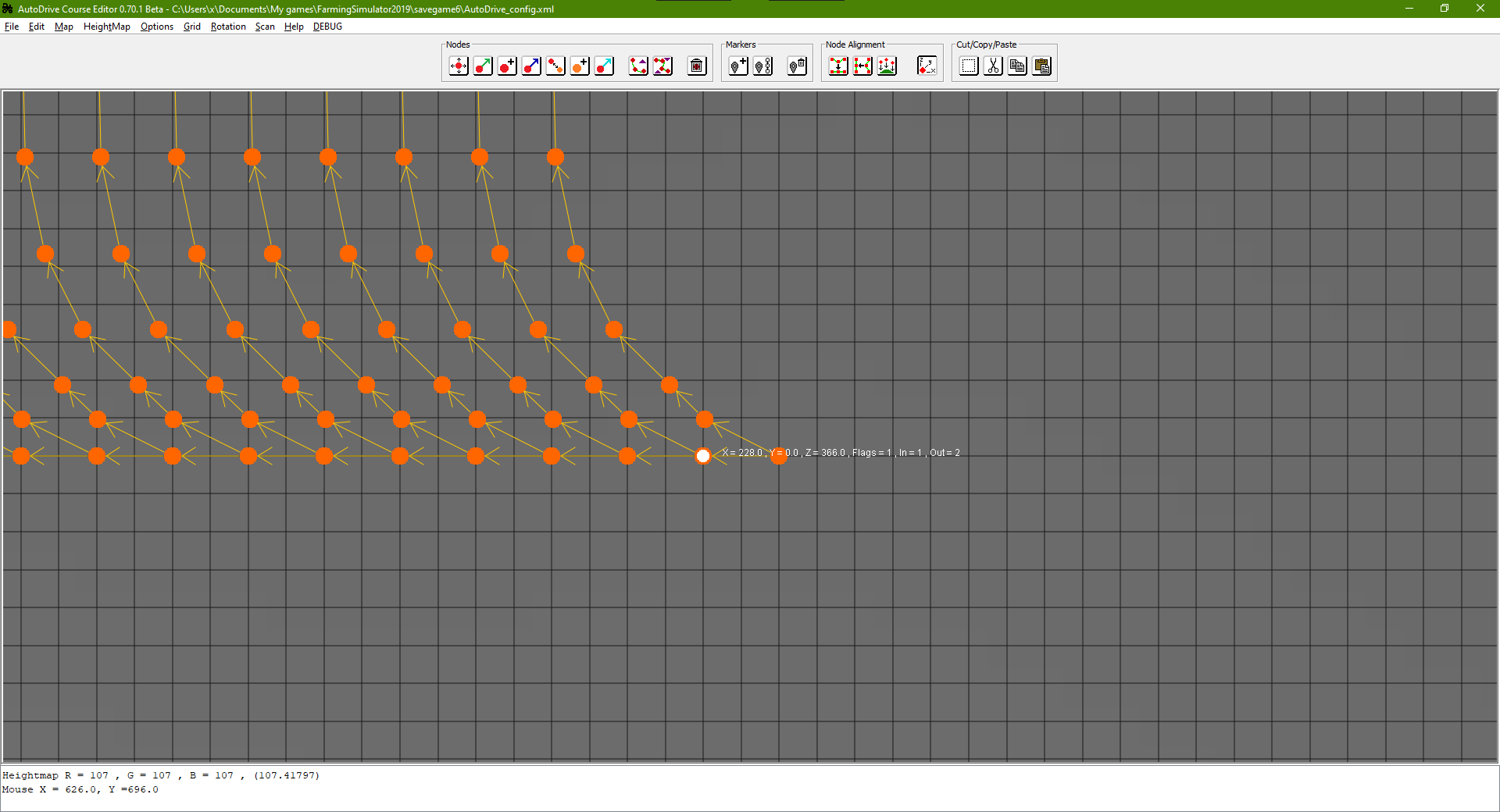
Option 2 doesn't seem to be working even if I set a node's Y value to 0.0. The program seems to show the heightmap correctly, but there aren't any nodes that have a green triangle. |
Beta Was this translation helpful? Give feedback.

-
|
"if the height map for the config is loaded"
I think this is what I'm missing. Thank you! I'll try this.
…On Mon, Jan 17, 2022, 4:07 PM KillBait ***@***.***> wrote:
You can do it a few ways.
1. If you want all the nodes at the same height you can use the depth align
option
2. If the nodes have a green triangle above them you can use the fix height
menu option ( if the height map for the config is loaded)
3. You can try putting the nodes above the vehicle height in game and you
may be able to move them and they should align to the terrain
4. Try enabling debug mode from the help menu and select 'show node
location' and when you hover over the nodes look at the Y value, you can
manually edit the location and adjust them to the correct location, but you
will have to do each node in turn
Hope this helps
On Mon, 17 Jan 2022, 22:37 evenmorestupiderhats, ***@***.***>
wrote:
> After copying and pasting some nodes, some nodes are above the terrain
and
> others are below the terrain. Is there a feature in Course Editor to set
> node height to the terrain height?
>
> —
> Reply to this email directly, view it on GitHub
> <#32>, or
> unsubscribe
> <
https://github.com/notifications/unsubscribe-auth/AB4MIXLAR5Z5V4IRLCNRWTDUWSK4JANCNFSM5MFWZDLA
>
> .
> Triage notifications on the go with GitHub Mobile for iOS
> <
https://apps.apple.com/app/apple-store/id1477376905?ct=notification-email&mt=8&pt=524675
>
> or Android
> <
https://play.google.com/store/apps/details?id=com.github.android&referrer=utm_campaign%3Dnotification-email%26utm_medium%3Demail%26utm_source%3Dgithub
>.
>
> You are receiving this because you are subscribed to this thread.Message
> ID: ***@***.***>
>
—
Reply to this email directly, view it on GitHub
<#32 (comment)>,
or unsubscribe
<https://github.com/notifications/unsubscribe-auth/APMEKRMDSBURRJXMMVKR4ZDUWSVLTANCNFSM5MFWZDLA>
.
Triage notifications on the go with GitHub Mobile for iOS
<https://apps.apple.com/app/apple-store/id1477376905?ct=notification-email&mt=8&pt=524675>
or Android
<https://play.google.com/store/apps/details?id=com.github.android&referrer=utm_campaign%3Dnotification-email%26utm_medium%3Demail%26utm_source%3Dgithub>.
You are receiving this because you authored the thread.Message ID:
<KillBait/AutoDrive_Course_Editor/repo-discussions/32/comments/1986990@
github.com>
|
Beta Was this translation helpful? Give feedback.
-
|
Try setting 1 node to the correct Y value and use the depth align on all the others, that should temporary fix them. I will take a look at the copy paste code when I have time today,, im at work currently so I can't check right now |
Beta Was this translation helpful? Give feedback.


Uh oh!
There was an error while loading. Please reload this page.
-
After copying and pasting some nodes, some nodes are above the terrain and others are below the terrain. Is there a feature in Course Editor to set node height to the terrain height?
Beta Was this translation helpful? Give feedback.
All reactions