PrefaceRegex
The Tabular CSV plugin supports regular expressions to provide some powerful options for extacting text from nearly anywhere in your file.
Internet law requires any online discussion of regular expressions to include these two XKCD comics.
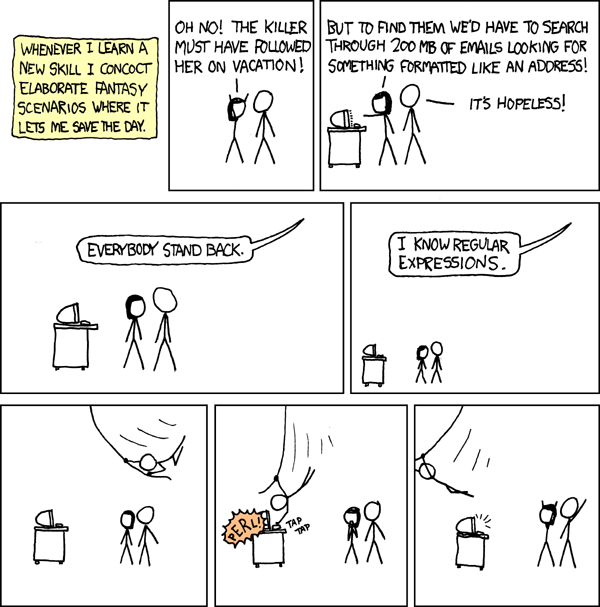
And finally, this one too.

Thanks Randall!
Sometimes the preface area of the CSV contains text that you need to extract. Maybe the location identifier, or the party name, or the units of measure. The extracted value would be the same for every data row, but it still needs to be extracted.
This is what the PrefaceRegex source is used for.
In the Tabular CSV plugin, a regular expression is typically a string that starts and ends with a forward slash / and contains the regular expression pattern text in between the two slashes.
A regular expression is a text pattern matching syntax that is common to many programming languages, including the .NET language used to write the Tabular CSV plugin.
# Capture the location from the preface area
Location = '/^Location:\s*(?<value>[^ ]*)\s*$/'
The syntax is very punctuation-heavy, often looking like a cat just walked over your keyboard, but the syntax is quite learnable and common enough that a quick Google search can get you started.
The required part of any PrefaceRegex source is what is called a "named capture group" using the specific name "value".
This means your regular expression will have:
- Some pattern before the text you want to capture. This pattern may be completely empty
- The start of the named capture group called "value", which is these exact 9 characters:
(?<value> - The pattern to capture, which can be as complex as needed.
- The end of the named capture group, which is a single right parenthesis:
) - And optional pattern that follows the capture text
If your regular expression is missing a (?<value> capture group, the plugin will fail with an error message.
Configuration 'readings.toml' is invalid: 1 invalid column definition:
Location.PrefaceRegex='^Location: ': A named capture group is missing. Use something like: (?<value>PATTERN)
Consider this CSV, which has a 4-line preface area, a 1-line header area, and 2 data rows.
Location: LOC1
Parameter: TA (Air Temperature)
Unit: degC (Celcius degress)
Date: 2020-Jan-05
Time, Value
08:53, 12.5
13:45, 12.8
This configuration will parse the above CSV file:
# Parse many items from the 4-line preface using regular expressions
Location = '/^Location:\s*(?<value>[^ ]*)\s*$/'
Time = '/^Date: (?<value>.*)$/ | DateOnly | yyyy-MMM-d'

[[Times]]
ColumnHeader = 'Time'
Format = 'H:m'
Type = 'TimeOnly'

[Reading]
Value = '@Value'
ParameterId = '/^Parameter: (?<value>[^ ]*) \(/'
UnitId = '/^Unit:\s*(?<value>[^ ]*)\s+\(/'
Click this link to play with the inner workings of the UnitId regex on http://regexstorm.net, a great online regular expression testing tool.
The Tabular CSV plugin supports easy enabling or disabling of 4 powerful Regular Expression Options. These options can be specified after the trailing backslash which delimits a regular expression.
- You can precede an option with a minus
-to disable it. - You can group option letters together.
- Option letters are not case sensitive.
| Letter | Default | Description |
|---|---|---|
i |
Enabled | IgnoreCase option. Enabled by default for your convenience. |
s |
Disabled |
Singleline option. Use single-line mode, where the period . matches every character (instead of every character except \n). |
m |
Disabled |
Multiline option. Use multiline mode, where ^ and $ match the beginning and end of each line (instead of the beginning and end of the input string). |
x |
Disabled | IgnorePatternWhitespace option. Exclude unescaped white space from the pattern, and enable comments after a number sign (#). Ignores whitespace within your regex. Useful when you want to document your regex inline. See the section below. |
So with the example above, if the data file contained a preface like this:
PARAMETER: WHY IS THE FILE YELLING AT ME?
Location: LOC1
Parameter: TA (Air Temperature)
Unit: degC (Celcius degress)
Date: 2020-Jan-05
Time, Value
08:53, 12.5
13:45, 12.8
We need to perform a case-sensitive match of "Parameter: " but skip over the first upper-case garbage line. Here, we just throw a -i after the regex to disable the IgnoreCase option.
ParameterId = '/^Parameter: (?<value>[^ ]*) \(/-i' # Disable the IgnoreCase optionRegular expression are powerful, but they sure can be cryptic, especially if you didn't write the expression and you are just trying to understand it.
You can always add a comment in preceding line, but if the regular expression is complex, with lots of punctuation, that might not be enough.
Fortunately, .NET regular expressions support a common extension called the IgnorePatternWhitespace option, which allows you to document your expression inside the pattern itself.
The Tabular plugin will enable this option when the x character follows the trailing slash /. When the x option is enabled, the # character can be used to add a comment.
The x option is best used in conjunction with a triple-quoted multiline literal TOML string.
# This is a regular expression without the IgnorePatternWhitespace option enabled
ParameterId = '/^Parameter: (?<value>[^ ]*) \(/'

# This is the same expression, with IgnorePatternWhitespace enabled, but still on a single line.
# Note how the blank spaces had to be changed to a \s pattern,
# This still is super cryptic and not very helpful.
ParameterId = '/^Parameter:\s(?<value>[^\s]*)\s\( # Wow I can add a comment here, but who cares?/x'

# Now let's use a multiline literal string with IgnorePatternWhitespace to better document this beast.
ParameterId = '''/

^           # Match the beginning of a line
Parameter:  # Followed by "Parameter:" label
\s          # Followed by a single space
(?<value>   # Start the "value" named capture group
  [^\s]     # Match every character except for a space
  *         # Match the previous expression zero-or-more times
)           # End the named capture group
\s          # Followed by a single space
\(          # Followed by a left parenthesis

/x''' # The trailing slash and the IgnorePatternWhitespace optionRemember that TOML supports two types of strings.
Literal strings (enclosed in single quotes) and basic strings (enclosed in double quotes).
This entire wiki is written almost exclusively with literal string in single quotes, since that is the pattern least likely to have weird surprises lurking in the corners.
When specifying a regular expression, the single-quote literal string format is almost always the right choice.
You almost never use a multiline basic string (with triple double-quotes) for a regular expression, because TOML basic strings enclosed in double-quotes treat the backslash \ as special, but so do regular expressions! You would need to use double backslashes \\ everywhere inside a basic string, and regular expressions are cryptic enough without adding extra complexity!
So the ParameterId regular expression from above works fine as a literal string, even though it includes a backslash to escape the left parenthesis, which normally is part of a regular expression capture group. But our CSV preface uses parenthesis to surround the unit Id, and our regex needs to use that as an anchoring character.
ParameterId = '/^Parameter: (?<value>[^ ]*) \(/'If we just change the outer quotes from single to double, (ie. change that string from a literal to a basic TOML string), the regex will fail with a message like String '/^Parameter: (?<value>[^ ]*) \(/' contains the invalid escape sequence '\('. The TOML parser gets confused, because \( is not a valid escape sequence for TOML.
ParameterId = "/^Parameter: (?<value>[^ ]*) \(/"  # Fails as a basic string, because TOML consumes that backslash

ParameterId = "/^Parameter: (?<value>[^ ]*) \\(/" # Works, because we have double-escaped that backslash.