

Advance Mass Web Crawler For ClearWeb & DeepWeb
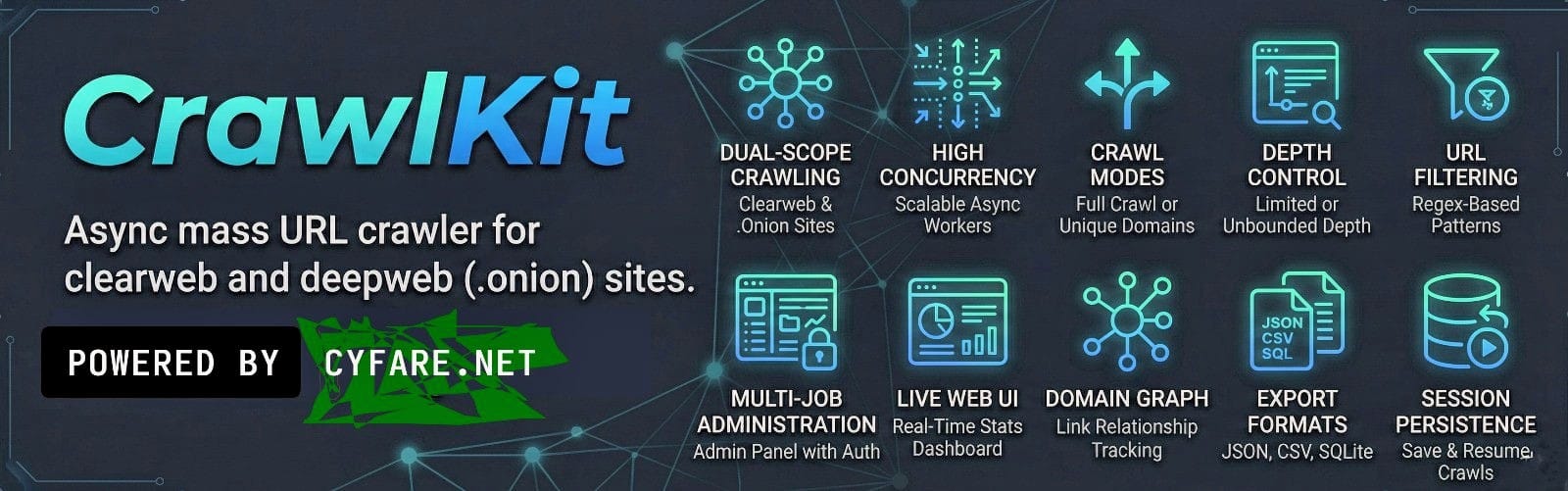
- Dual-scope crawling -- clearweb (
cw) and deepweb/Tor (dw) modes - High concurrency -- configurable async workers with per-host connection limits
- Crawl modes --
full_crawl(all URLs) orunique_domains(one URL per domain) - Depth control -- limit crawl depth or crawl without bounds
- URL filtering -- regex-based include/exclude patterns
- Multiple export formats -- JSON, JSONL, CSV, SQLite
- Session persistence -- save and resume crawls across restarts
- Web Admin panel -- multi-job campaign management with authentication
- Live Web UI -- real-time stats dashboard via WebSocket
- Domain graph -- tracks link relationships between domains
# Install
pip install -e .

# Crawl from a seed file
crawlkit crawl -s seeds.txt --scope cw

# Crawl specific URLs
crawlkit crawl --url https://example.com --scope cw

# Resume a previous crawl
crawlkit resume

# Launch the web admin panel
crawlkit webadminCrawlKit reads crawlkit.toml from the working directory. CLI flags override config file values.
[crawl]
concurrency = 20
timeout = 20
scope = "dw"                    # "dw" (deepweb/.onion) or "cw" (clearweb)
mode = "full_crawl"             # "full_crawl" or "unique_domains"
max_depth = 0                   # 0 = unlimited
user_agent = "Mozilla/5.0 (Windows NT 10.0; rv:102.0) Gecko/20100101 Firefox/102.0"
include_pattern = ""            # regex, empty = match all
exclude_pattern = ""            # regex, empty = exclude none

[output]
formats = ["json"]
directory = "."

[session]
auto_save = true| Flag | Description |
|---|---|
-s, --seeds |
Seed file(s) with one URL per line |
--url |
Direct seed URL(s) |
-c, --concurrency |
Number of concurrent workers |
--timeout |
Request timeout in seconds |
--scope |
cw (clearweb) or dw (deepweb) |
--mode |
full_crawl or unique_domains |
--max-depth |
Maximum crawl depth (0 = unlimited) |
-f, --format |
Output format(s): json, jsonl, csv, sqlite |
-o, --output-dir |
Output directory |
--include |
Regex pattern -- only crawl matching URLs |
--exclude |
Regex pattern -- skip matching URLs |
--config |
Path to config file (default: crawlkit.toml) |
--webui |
Enable live stats Web UI |
--webui-port |
Port for the Web UI |
Resume from a session file. Pass the path as an argument or let CrawlKit find the latest session automatically.
| Flag | Description |
|---|---|
--port |
Server port (default: 8471) |
--host |
Bind address (default: 127.0.0.1) |
--username |
Admin username (default: admin) |
--password |
Admin password (auto-generated if omitted) |
aiohttp-- async HTTP client/serverbeautifulsoup4+lxml-- HTML parsingtldextract-- domain extractionrich-- terminal UItyper-- CLI frameworkaiosqlite-- async SQLite
See the docs/ directory for detailed guides:
- User Guide -- installation, configuration, and usage
- Developer Guide -- architecture, modules, and contributing
- Testing Guide -- running and writing tests
To report a vulnerability, see SECURITY.md.
GNU Affero General Public License v3 (AGPL-3.0). See LICENSE.