As part of the KDAN ecosystem, ComPDF SDK for Web is a powerful JavaScript-based PDF Library with a slick out-of-the-box responsive UI, which is ideal for developers looking to enhance web apps with powerful PDF features. It enables you to develop a Webviewer in multiple frameworks, including Vanilla JavaScript, Vue.js, React, Angular, Next.js, Nuxt.js, Svelte, etc.
ComPDF SDK seamlessly operates on Web, Windows, Android, iOS, Mac, and Server, with support for cross-platform frameworks such as React Native, Flutter, etc.
If you find this library helpful, please consider giving us a ⭐ Star on GitHub! Have feedback or questions? Join the conversation in our Discussions.
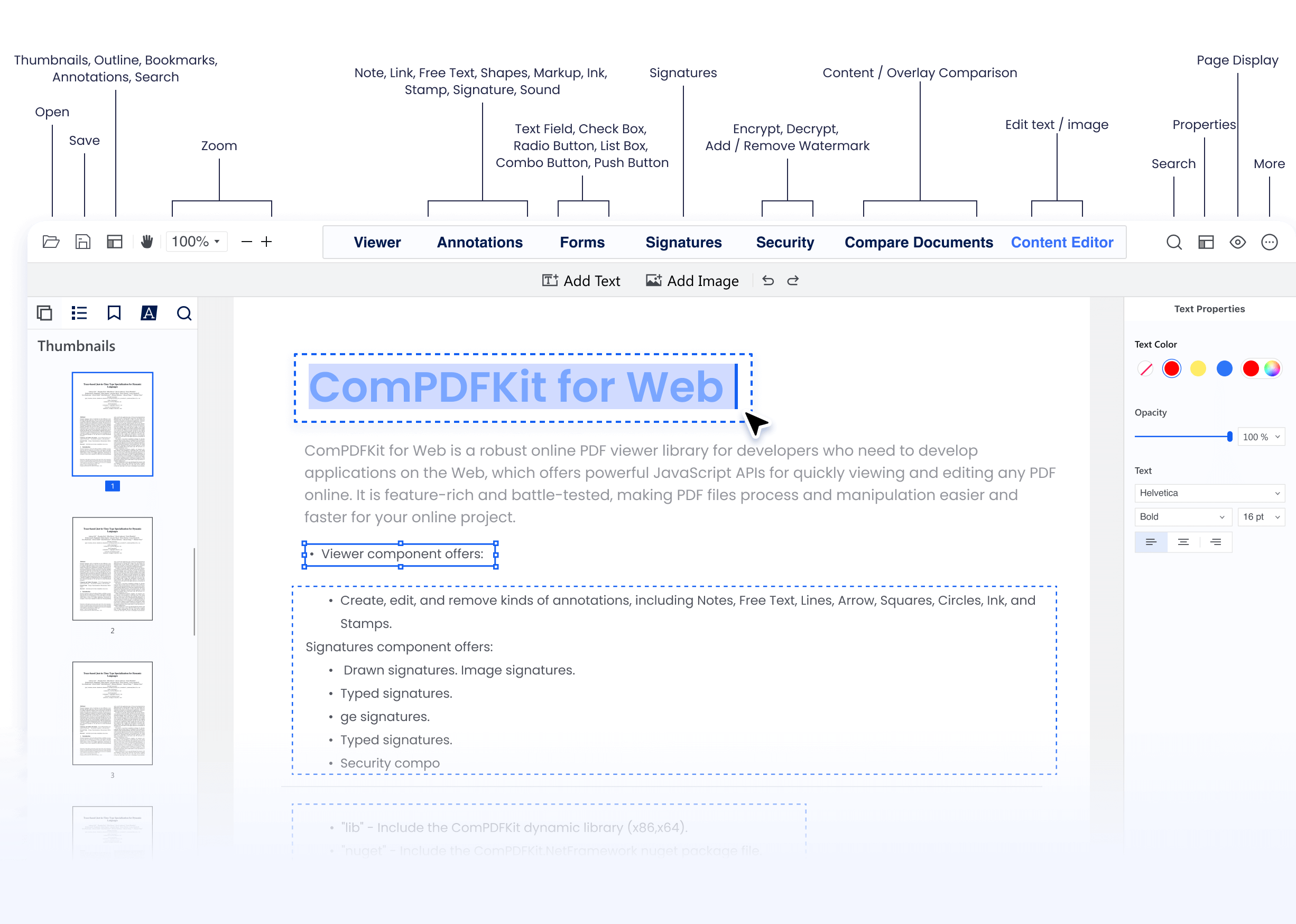
Why ComPDF SDK?
-
Easy to Integrate: Integrate PDF functionalities easily with our powerful SDK and clear documentation and guides with few lines of code.
-
Fully Customizable UI: Design a unique interface for your products with fully customizable UI source code by a high-performing SDK.
-
Comprehensive PDF Features: Supports generation, viewing, annotation, page editing, content editing, conversion, OCR, redaction, signing, forms, parsing, measurement, compression, comparison, color separation, batch processing, and more.
-
Faster Time-to-Market: Comprehensive SDK libraries save your time and expenses and roll out your applications and projects.
-
High-quality Service: We provide 24/7 professional one-to-one technical support, including onsite service and remote assistance via phone and email.
-
Download ComPDF SDK for Web in npm.
-
Go to the Onlin Demo of ComPDF SDK to experience how our WebViewer performs.
-
Integrate ComPDF SDK for Web into Salesforce, SharePoint, Microsoft Teams, etc.
-
Recognize and extract data from PDFs with our online Extract Demo.
To get started, you'll need:
- The latest stable version of Node.js.
- A package manager compatible with npm.
- Apply for a license online (Free for 30 days).
-
Clone the repository:
git clone https://github.com/ComPDFKit/compdfkit-web-example-nextjs.git cd compdfkit-web-example-nextjs
-
Install the dependencies of the example project with npm:
npm install
For more information and operations, please visit our development documentation.
Replace the <Input your license here> field in the pages/index.js with the license you get from our Team.
ComPDF SDK for Web supports flexible licensing options. You can apply for a license online to use it, reducing the process of contacting the service team and saving you time. If you need more information, you can contact our sales team. Each license is valid only for the root domain name and any of its subdomains.
Please note that it is not allowed to distribute any documents, sample code, or source code from the ComPDF SDK package to third parties.
Note: The license we provide on Github can only run the demo. If you want to integrate our Web PDF SDK into your own Next.js project, please apply for a free trial license on the website.
npm run dev
You can visit http://localhost:3000 on your browser. Then you will be able to see the PDF file you want to display.
Go to our changelog to keep up with the latest updates, improvements, and bug fixes.
ComPDF has a professional R&D team that produces comprehensive technical documentation and guides to help developers. Also, you can get an immediate response when reporting your problems to our support team.
-
For detailed information, please visit our Guides page.
-
For technical assistance, please reach out to our Technical Support.
-
To get more details and an accurate quote, please contact our Sales Team.
We are glad to announce that you can register a ComPDF API account for a free trial to process 200+ API calls per month for free.