Skip to content

Allow dismissing the copy settings progress modal so failures reach Concierge - #101394

Draft
MelvinBot wants to merge 2 commits into
mainfrom
claude-copyPolicySettingsFailureNotification
Draft

MelvinBot wants to merge 2 commits into
mainfrom
claude-copyPolicySettingsFailureNotification

Conversation

@MelvinBot

Copy link
Copy Markdown
Contributor

Explanation of Change

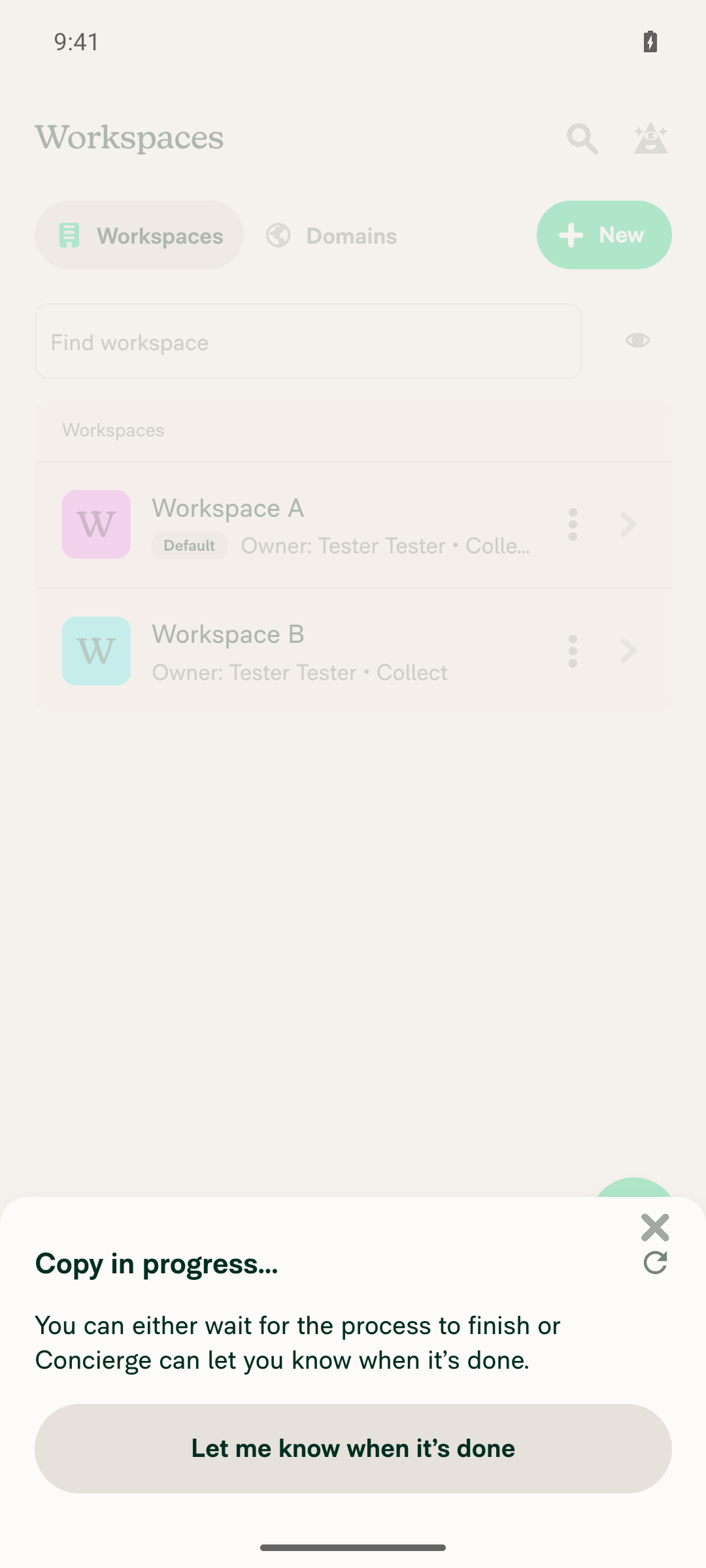
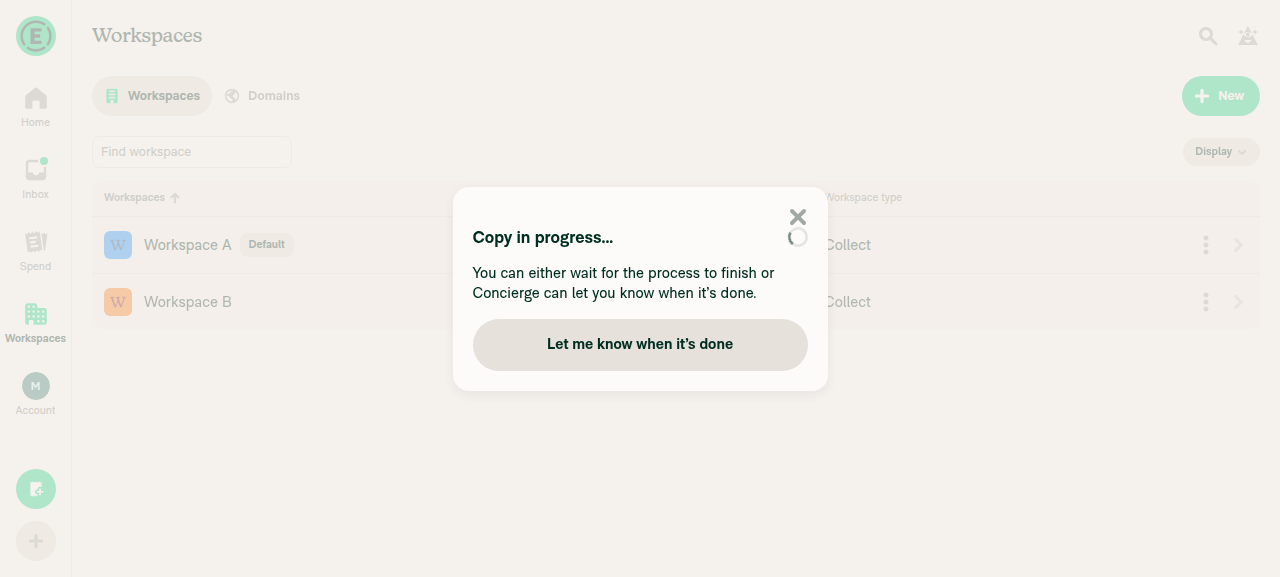
The Concierge failure notification for a bulk "Copy settings" run is requested from exactly one place: the in-progress step's onCancel, which calls requestCopyPolicySettingsNotification(true) (shouldOnlyNotifyOnFailure). That step rendered with shouldShowCancelButton: false, an empty cancelText, and no shouldShowDismissIcon, so it had no X and no Cancel button. onCancel was reachable only by backdrop press, Escape, or browser back — a user who closes the modal the normal way never got there, so the failure-only notification was never requested and no Concierge message arrived.

The one visible button, "Let me know when it's done", calls requestCopyPolicySettingsNotification() with the default false. That is the notify-either-way path, not the failure-only path, and it swaps the modal to the "we'll ping you in Concierge" step instead of closing it.

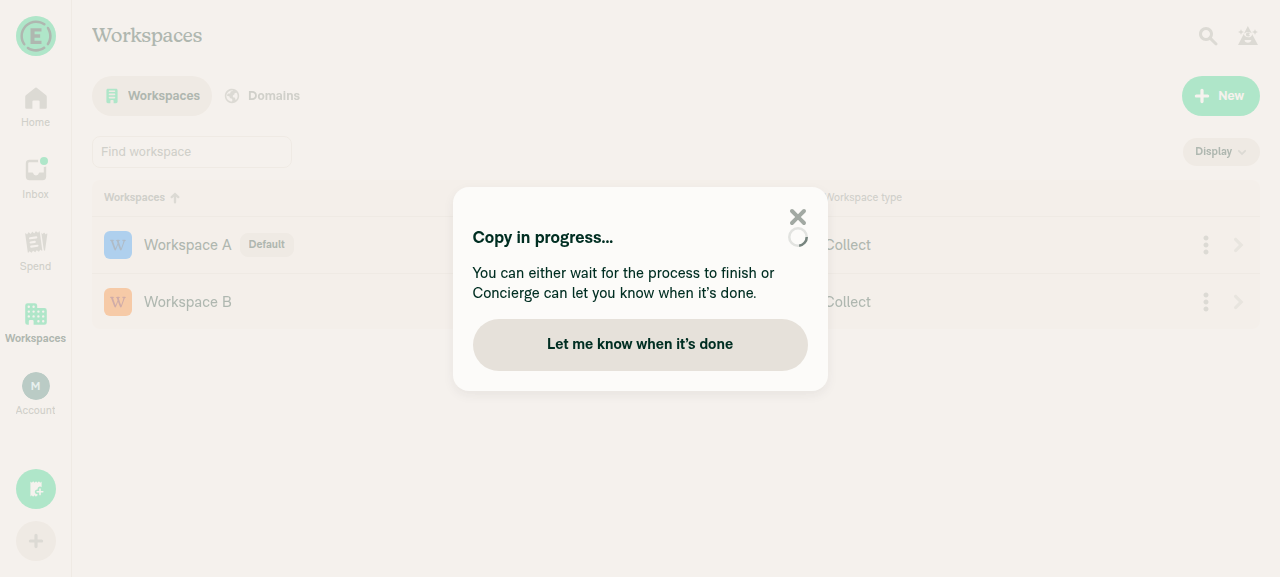
This PR passes shouldShowDismissIcon: true on the in-progress step (and threads the prop through to ConfirmModal, which already wires the X to onCancel). Closing the progress modal while the copy is still running now requests the failure-only Concierge notification, which is what the QA step expects.

Behavior on the other steps is unchanged. The failure step still dismisses without requesting a notification, because the error is already on screen.

AI Tests

Run locally against the changed files, per the App test matrix:

  • npm test -- tests/unit/CopyPolicySettingsProgressModalTest.tsx — passed (28 tests, including 3 new/tightened assertions)
  • npm run lint-changed — passed
  • npm run typecheck — passed
  • npm run spell-changed — passed (2 files, 0 issues)
  • npm run react-compiler-compliance-check check <changed component> — passed

Could not run: browser verification of the new X. The automated web session handed to this run was already broken before it started (onboarding replay divergence, app rendered a blank page), so the in-progress modal was never reached. The screenshots in the sections below still need to be captured by a human.

Fixed Issues

$ #100864
PROPOSAL: #100864 (comment)

Tests

// TODO: The human co-author must fill out the tests they ran before marking this PR as "ready for review".
// Suggested starting point, based on the repro in the linked issue:
// 1. Create Workspace A and Workspace B on the same account.
// 2. Open Workspace A > Copy settings, pick Workspace B as the target, select Profile / Overview, and continue to the confirm page.
// 3. Click Copy, then verify the "Copy in progress" modal now shows an X in the top-right corner.
// 4. In a second tab (OldDot), delete Workspace B so the copy fails.
// 5. Click the X to close the progress modal before the job finishes, then open Concierge and verify a message about the failed copy arrives.
// 6. Repeat steps 1-4 but leave the modal open, and verify the failure modal still shows Try again / Dismiss, and that dismissing it does NOT post a Concierge message.

  • Verify that no errors appear in the JS console

Offline tests

// TODO: The human co-author must fill this out. Note that the notification request is a normal queued write with no conflict resolver, so it is expected to be sent once connectivity returns.

QA Steps

// TODO: These must be filled out, or the issue title must include "[No QA]."
// TODO: The human co-author must fill out the QA steps before marking this PR as "ready for review".
// Note for whoever writes these: steps 12 and 13 of the original repro cannot both be satisfied in a single run. Step 12 needs the modal open when the job fails; step 13 needs it closed before the job finishes. They should be split into two separate QA runs.

  • Verify that no errors appear in the JS console

PR Author Checklist

  • I linked the correct issue in the ### Fixed Issues section above
  • I wrote clear testing steps that cover the changes made in this PR
    • I added steps for local testing in the Tests section
    • I added steps for the expected offline behavior in the Offline steps section
    • I added steps for Staging and/or Production testing in the QA steps section
    • I added steps to cover failure scenarios (i.e. verify an input displays the correct error message if the entered data is not correct)
    • I turned off my network connection and tested it while offline to ensure it matches the expected behavior (i.e. verify the default avatar icon is displayed if app is offline)
    • I tested this PR with a High Traffic account against the staging or production API to ensure there are no regressions (e.g. long loading states that impact usability).
  • I included screenshots or videos for tests on all platforms
  • I ran the tests on all platforms & verified they passed on:
    • Android: Native
    • Android: mWeb Chrome
    • iOS: Native
    • iOS: mWeb Safari
    • MacOS: Chrome / Safari
  • I verified there are no console errors (if there's a console error not related to the PR, report it or open an issue for it to be fixed)
  • I followed proper code patterns (see Reviewing the code)
    • I verified that comments were added to code that is not self explanatory
    • I verified that any new or modified comments were clear, correct English, and explained "why" the code was doing something instead of only explaining "what" the code was doing.
    • I verified any copy / text that was added to the app is grammatically correct in English. It adheres to proper capitalization guidelines (note: only the first word of header/labels should be capitalized), and is either coming verbatim from figma or has been approved by marketing (in order to get marketing approval, ask the Bug Zero team member to add the Waiting for copy label to the issue)
  • If a new code pattern is added I verified it was agreed to be used by multiple Expensify engineers
  • I followed the guidelines as stated in the Review Guidelines
  • I tested other components that can be impacted by my changes (i.e. if the PR modifies a shared library or component like Avatar, I verified the components using Avatar are working as expected)
  • If a new CSS style is added I verified that:
    • A similar style doesn't already exist
    • The style can't be created with an existing StyleUtils function (i.e. StyleUtils.getBackgroundAndBorderStyle(theme.componentBG))
  • If new assets were added or existing ones were modified, I verified that:
    • The assets are optimized and compressed (for SVG files, run npm run compress-svg)
    • The assets load correctly across all supported platforms.
  • If the PR modifies code that runs when editing or sending messages, I tested and verified there is no unexpected behavior for all supported markdown - URLs, single line code, code blocks, quotes, headings, bold, strikethrough, and italic.
  • If the PR modifies a generic component, I tested and verified that those changes do not break usages of that component in the rest of the App (i.e. if a shared library or component like Avatar is modified, I verified that Avatar is working as expected in all cases)
  • If the PR modifies a component related to any of the existing Storybook stories, I tested and verified all stories for that component are still working as expected.
  • If the PR modifies a component or page that can be accessed by a direct deeplink, I verified that the code functions as expected when the deeplink is used - from a logged in and logged out account.
  • If the PR modifies the UI (e.g. new buttons, new UI components, changing the padding/spacing/sizing, moving components, etc) or modifies the form input styles:
    • I verified that all the inputs inside a form are aligned with each other.
    • I added Design label and/or tagged @Expensify/design so the design team can review the changes.
  • I added unit tests for any new feature or bug fix in this PR to help automatically prevent regressions in this user flow.
  • If the main branch was merged into this PR after a review, I tested again and verified the outcome was still expected according to the Test steps.

Screenshots/Videos

Android: Native
Android: mWeb Chrome
iOS: Native
iOS: mWeb Safari
MacOS: Chrome / Safari

…ach Concierge

Co-authored-by: Chavda Sachin <ChavdaSachin@users.noreply.github.com>
@MelvinBot
MelvinBot requested a review from a team September 17, 2026 00:59
@melvin-bot melvin-bot Bot added Melvin-Test-Android Melvin-Test-Web Triggers Melvin to run the testing steps of the PR on web labels Sep 17, 2026
Co-authored-by: Chavda Sachin <ChavdaSachin@users.noreply.github.com>
@MelvinBot

Copy link
Copy Markdown
Contributor Author

Fixed and pushed — Oxfmt check now passes.

What was failing: Oxfmt check flagged one file, src/pages/workspace/copyPolicySettings/CopyPolicySettingsProgressModal.tsx. Adding shouldShowDismissIcon to the destructuring pushed that line past the 190-char printWidth in .oxfmtrc.json, so npm run fmt wanted to wrap it.

Fix: ran npm run fmt and committed the result — a single line break after the =. No behavior change.

The other red check, Check independent approval, is a process gate, not a code failure — it needs a human reviewer, not a code push.

Verification

Run locally after the fix:

  • npx eslint <changed file> — passed
  • npm run typecheck — passed (all 5 tsconfigs)
  • npm test -- tests/unit/CopyPolicySettingsProgressModalTest.tsx — passed (28/28)
  • npm run react-compiler-compliance-check check <changed file> — passed

Could not run: npm run lint-changed, which fails with git merge-base failed because this CI checkout has no merge base with main. Ran npx eslint directly on the changed file instead.

CI after the push confirms Oxfmt check = pass.


view run

@MelvinBot

MelvinBot commented Sep 17, 2026

Copy link
Copy Markdown
Contributor Author

🤖 Android test steps verification results: ⚠️ partial

Verified on standalone Android NewDot: the Copy settings in-progress modal now shows an X (Close) dismiss icon in the top-right corner, as this PR intends. I could not complete the failure-induction steps (VERIFY 4-6): deleting the target workspace mid-copy requires a second session/tab, which is out of scope for a single-session mobile run, and the copy job in this environment also completes too fast (sub-second, often under 100ms) for any multi-step UI flow to interrupt it.

Copy in progress modal with X close icon top-right

Step Status
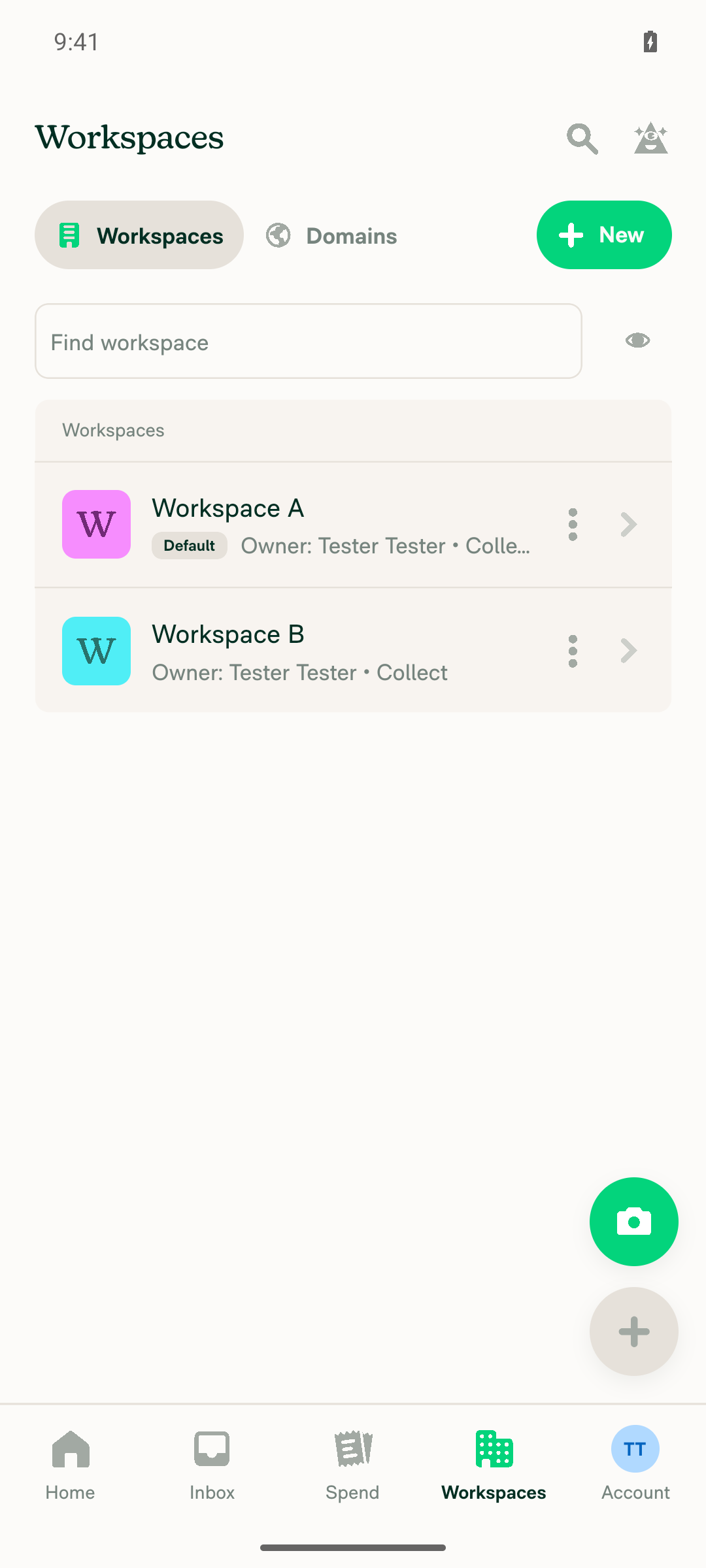
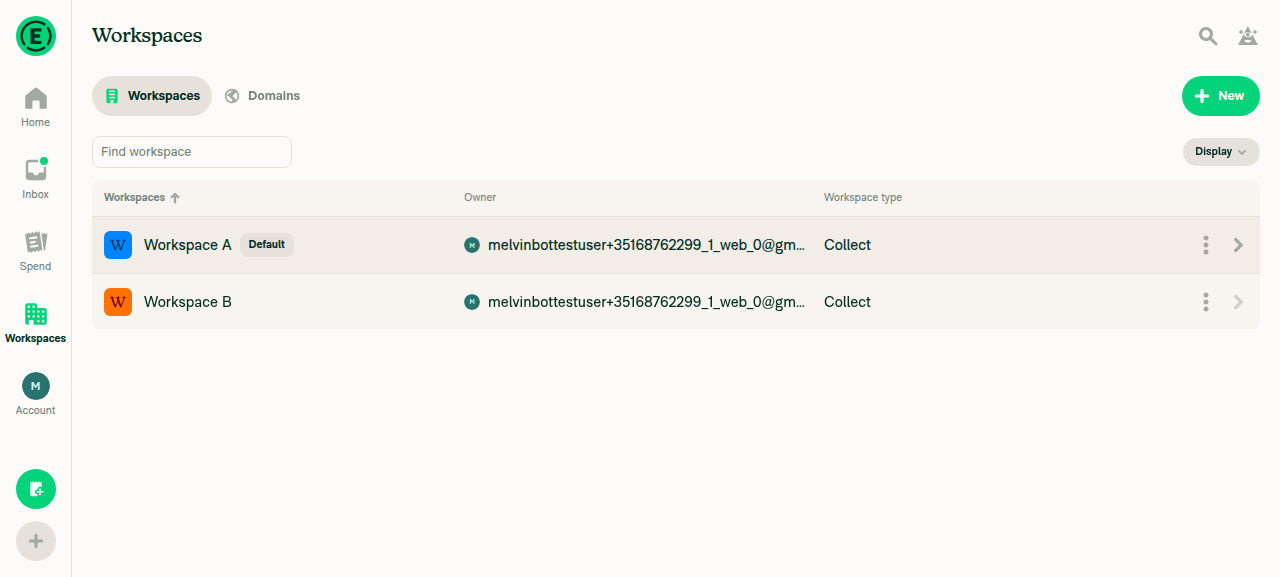
VERIFY 1: Create Workspace A and Workspace B on the signed-in accountCreated two new workspaces named "Workspace A" and "Workspace B"; both appear in the Workspaces list with owner Tester Tester.
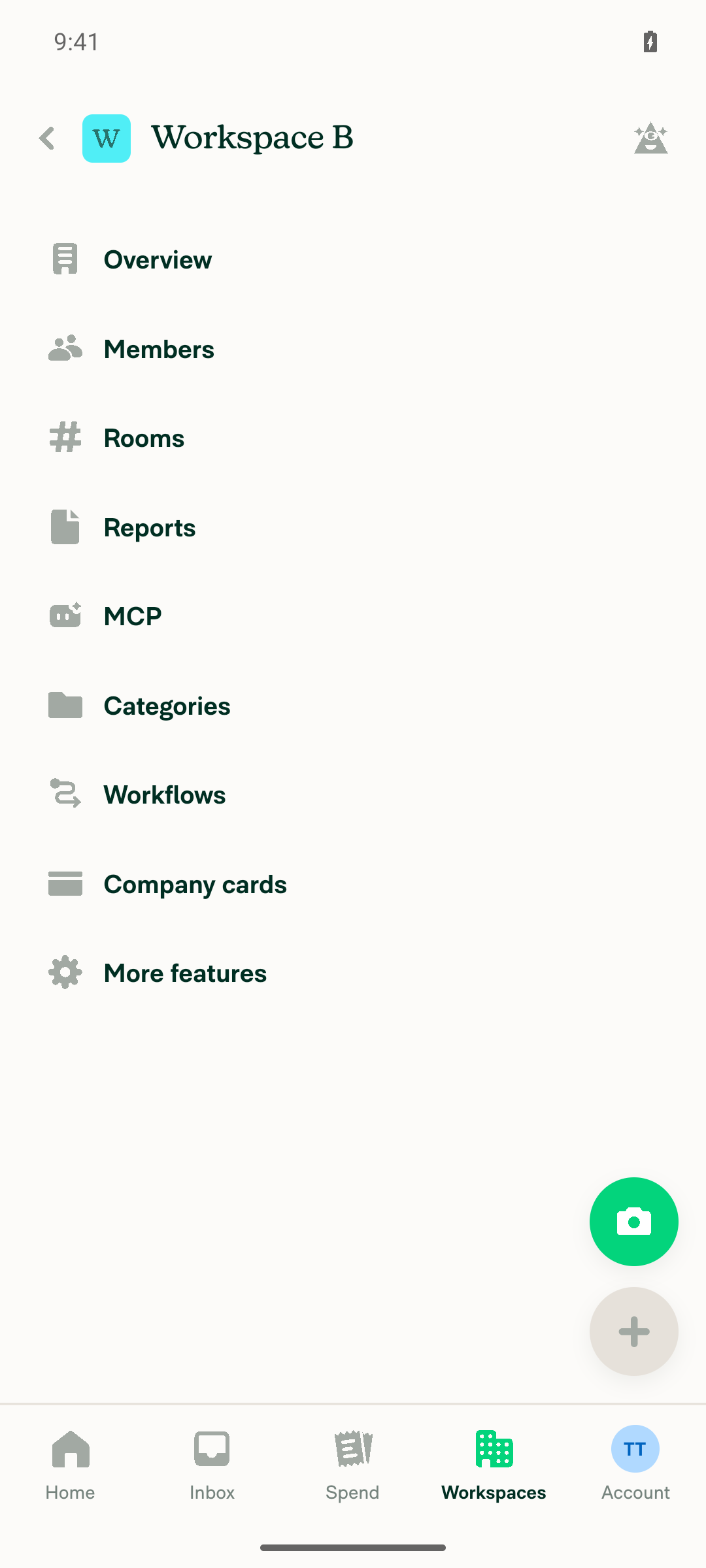
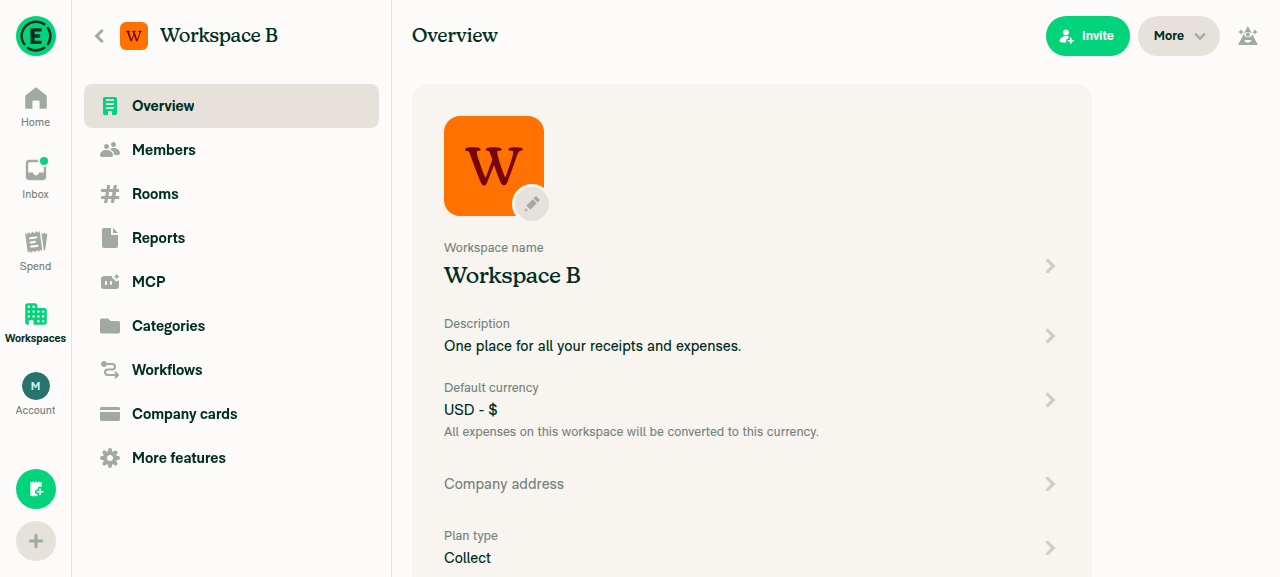
Workspace B settings page confirming workspace exists
Workspaces list showing both Workspace A and Workspace B
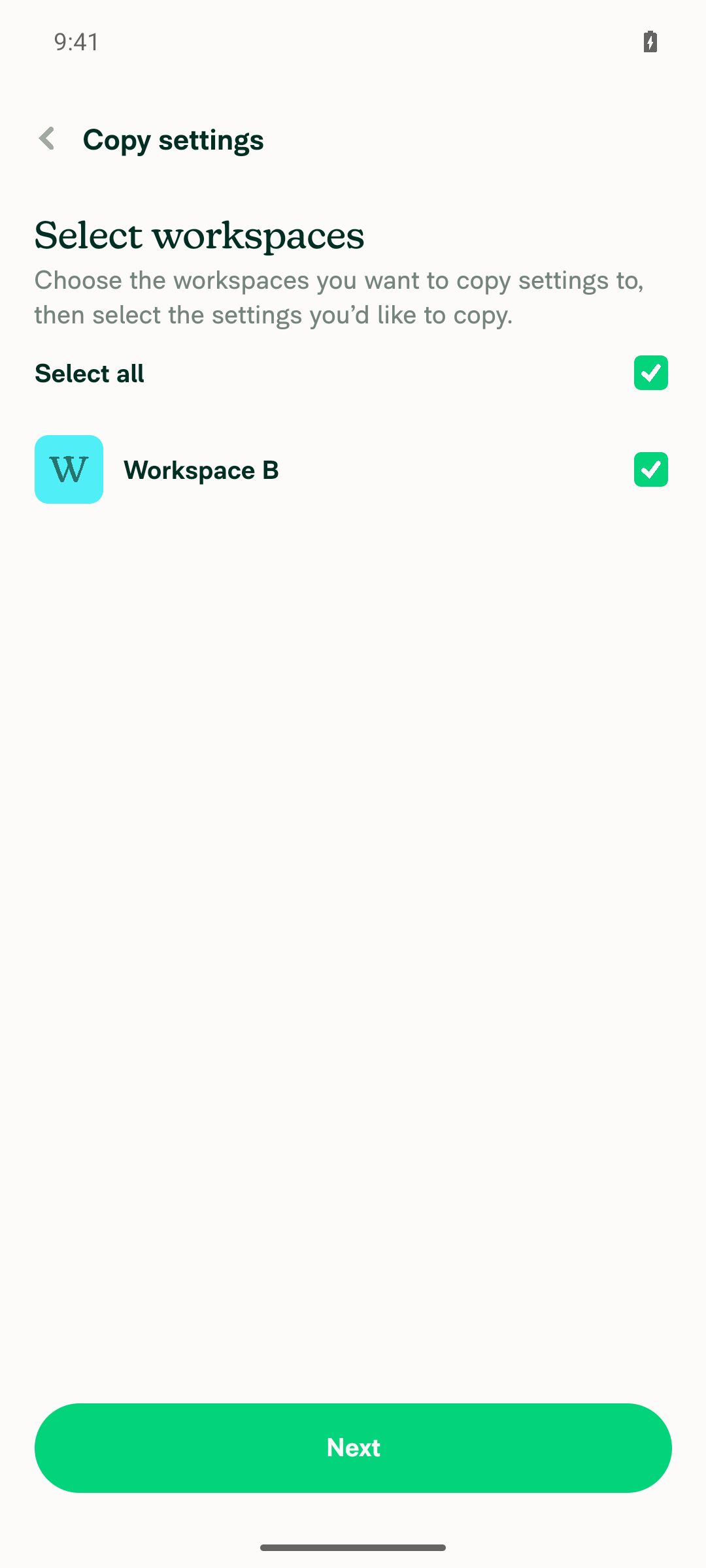
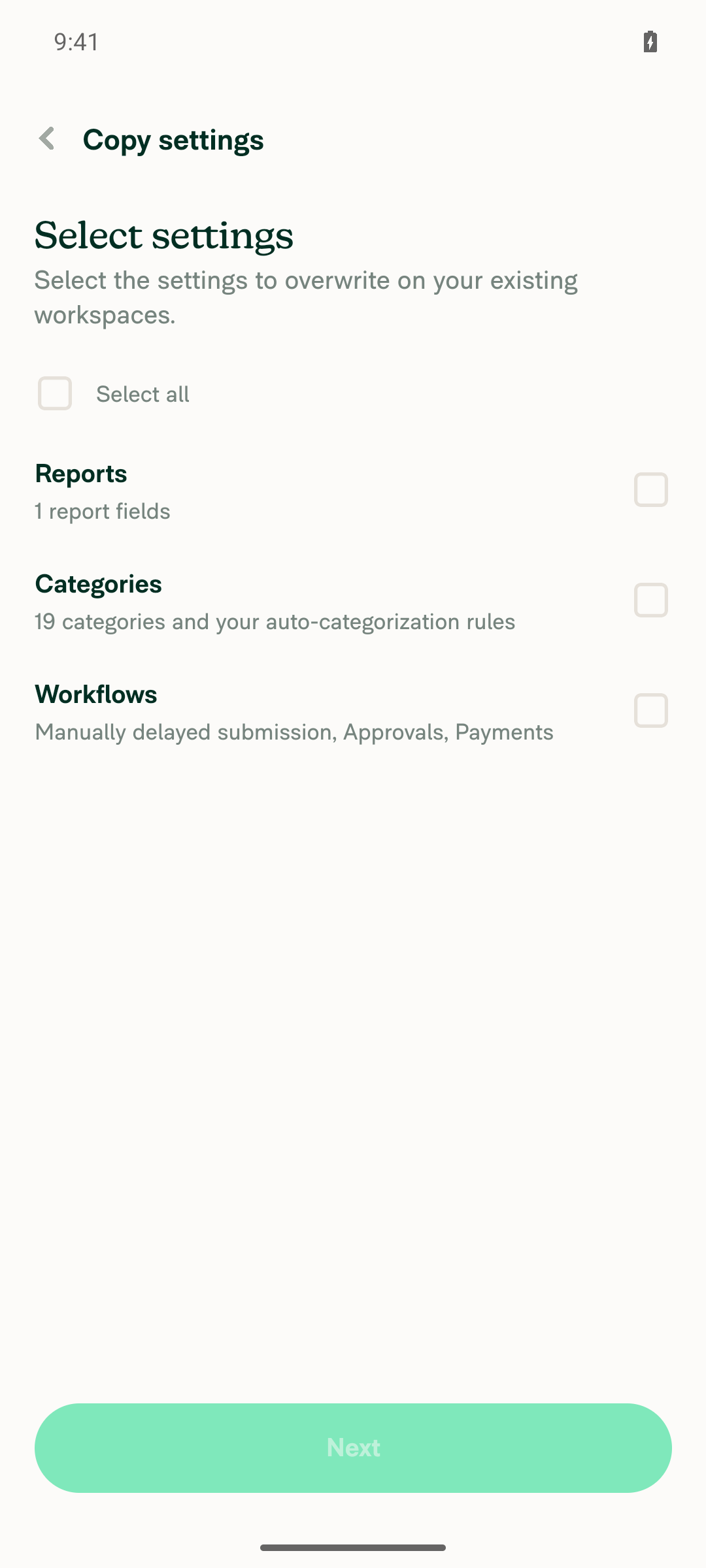
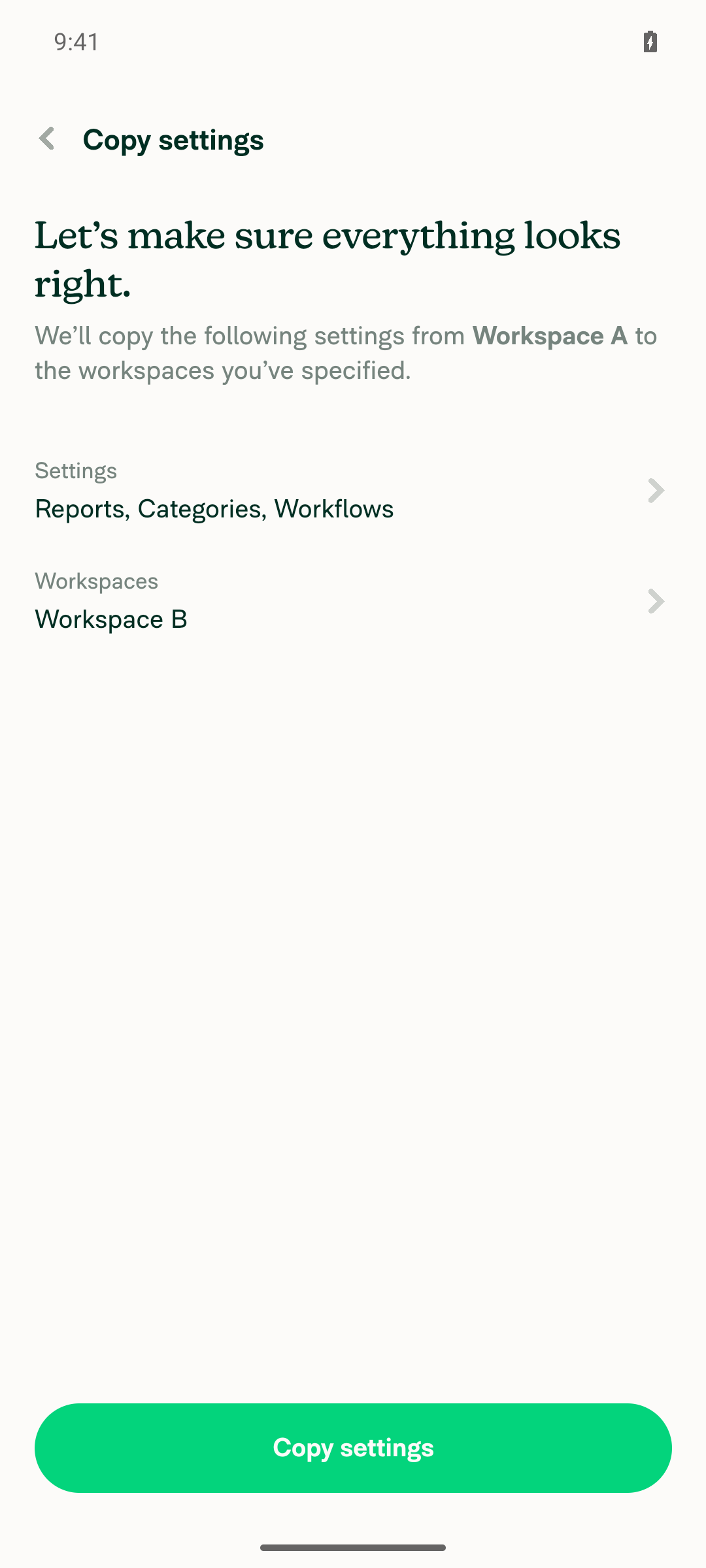
VERIFY 2: Open Workspace A > Copy settings, pick Workspace B, select settings, reach confirm pageWorkspace A's More menu exposed "Copy settings". Selected Workspace B as target, selected all offered settings (Reports, Categories, Workflows), and reached the confirm page reading "We'll copy the following settings from Workspace A to the workspaces you've specified." Note: this build's feature-selection screen only offered Reports/Categories/Workflows for this fresh workspace — no separate "Profile / Overview" checkbox was present, so all available settings were selected instead to reach the confirm page.
Workspace B selected as copy target
Select settings screen with Reports/Categories/Workflows
Confirm page: copy from Workspace A to Workspace B
VERIFY 3: Tap Copy and verify the in-progress modal shows an X in the top-right cornerSnapshot captured immediately after tapping "Copy settings" showed a "Close" button (53x52px) at the top-right of the "Copy in progress..." modal (rect x=976, y=1853 in a 1080-wide frame), alongside "Let me know when it's done". The screenshot visually confirms an X icon in the top-right corner of the sheet.
Copy in progress modal with X close icon top-right
VERIFY 4: Delete Workspace B while the copy is running to force a failureNot achievable in this run. Deleting the target workspace mid-copy requires a second tab/session (the PR's own test notes say "a second tab (OldDot)"), and this mobile path is restricted to one session/device. Across ~6 repeated copy attempts, the copy job resolved in well under a second — frequently under 100ms between the tap and the modal already showing "All Set!"/"Done" — so even a second surface would have almost no window to complete a delete-workspace flow first. What I could observe instead: every un-interrupted run completed successfully and posted a workspace chat note ("Workspace B • copied 19 categories from Workspace A") but no Concierge message, since no notification was ever requested.
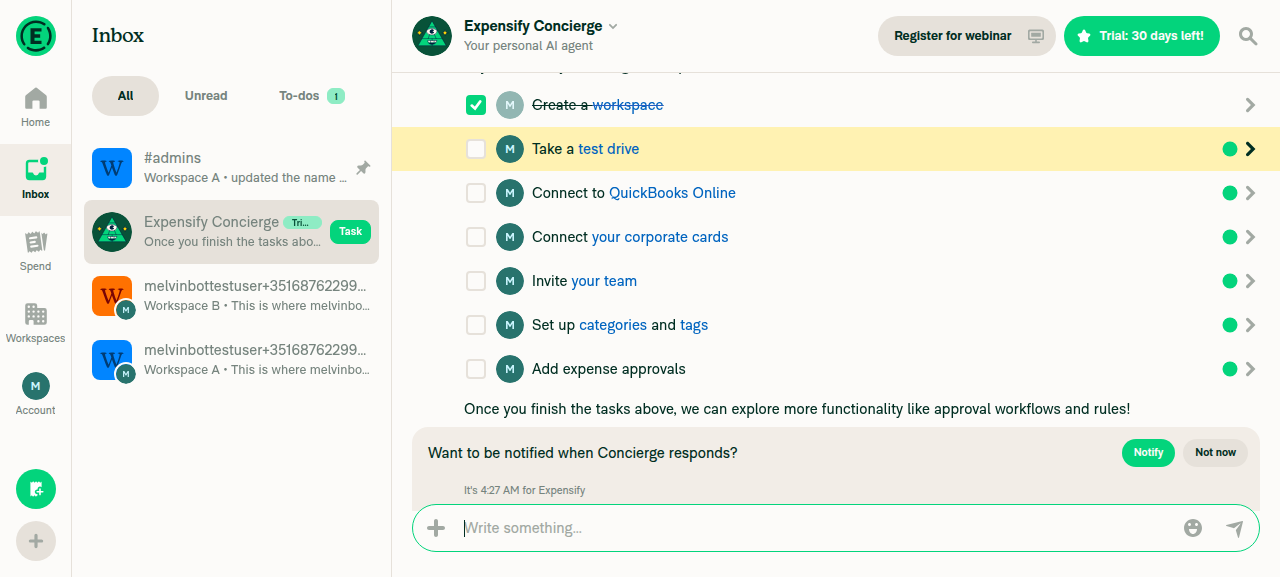
VERIFY 5: Tap X to close the progress modal before the job finishes; verify a Concierge failure message arrivesCould not reliably tap the X before the job completed — repeated batched attempts (click Copy settings followed immediately by click Close, both in the same request) consistently failed with Selector did not match: label="Close" because the job had already finished and the modal had advanced to the "Done"/"All Set!" state. Checked the Concierge chat after all runs: it still only contains the original "Welcome to Expensify" message — no copy-failure or copy-success notification, consistent with never having actually triggered a failure or a notification request.
VERIFY 6: Repeat copy-and-fail with modal left open; verify failure modal shows Try again / Dismiss, and Dismiss does not post to ConciergeNot exercised — this step depends on actually inducing a failed copy (same blocker as VERIFY 4). No "Try again / Dismiss" failure state was ever reached to inspect.

To close out VERIFY 4-6, you need either a second surface (one session holding the progress modal open, another deleting the target workspace via OldDot, as the PR's own suggested steps describe), or a way to slow down the CopyPolicySettings command server-side so the in-progress window is long enough to act on.


view run · view recording

@codecov

codecov Bot commented Sep 17, 2026

Copy link
Copy Markdown

Codecov Report

✅ Changes either increased or maintained existing code coverage, great job!

Files with missing lines Coverage Δ
...PolicySettings/CopyPolicySettingsProgressModal.tsx 100.00% <100.00%> (ø)
... and 12 files with indirect coverage changes

@MelvinBot

MelvinBot commented Sep 17, 2026

Copy link
Copy Markdown
Contributor Author

🤖 Web test steps verification results: ⚠️ partial

The "Copy in progress" modal now shows a working X (Close) icon that dismisses the modal. The failure / Concierge-notification path (VERIFY 4-6) could not be exercised, because deleting the target workspace mid-copy requires a second browser tab, which is out of scope for this single-session web test.

Concierge chat with no new failure message after both test runs

Step Status
VERIFY 1: Create Workspace A and Workspace B on the signed-in accountWorkspaces list shows both "Workspace A" (the renamed default workspace) and "Workspace B", both owned by the test account.
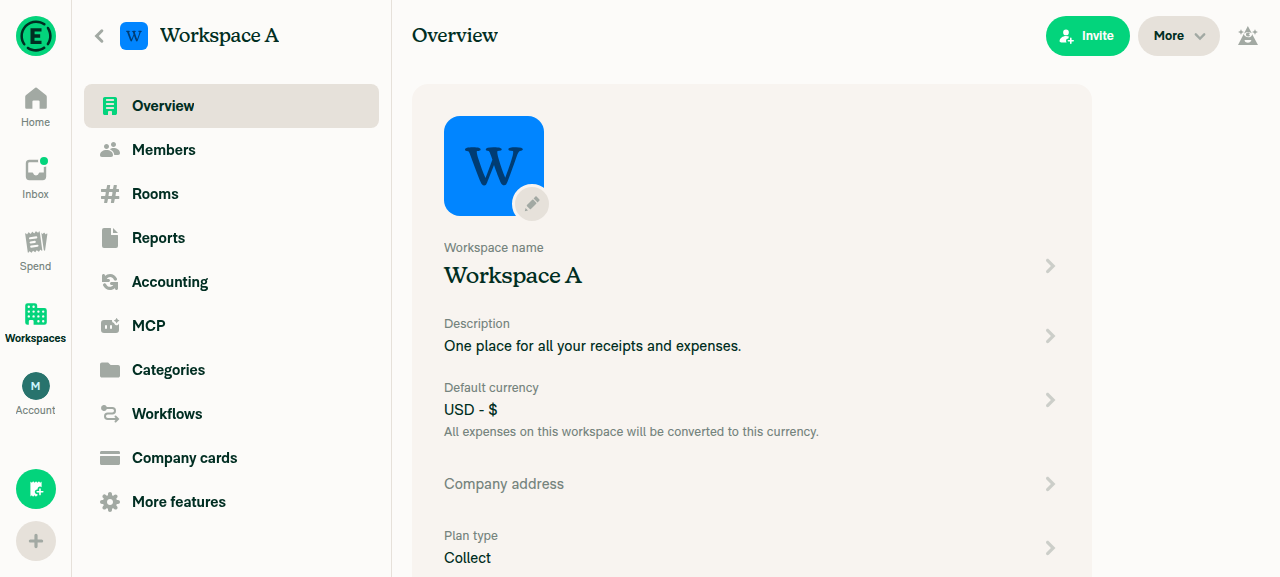
Workspace A overview after rename
Workspace B just after creation
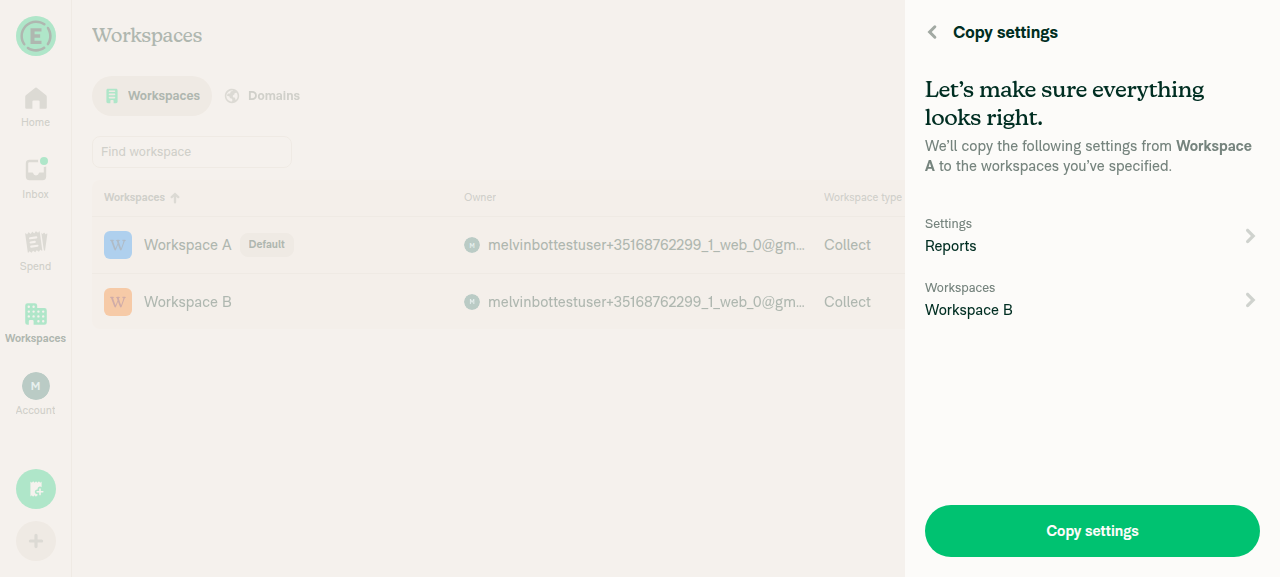
VERIFY 2: Open Workspace A > Copy settings, pick Workspace B, select settings, reach confirm pageCopy settings is reached via the Workspaces list row > "More" > "Copy settings" — not from the Overview page's More menu, which only has Share/Delete. Selected Workspace B as target. Note: the feature-selection screen only offered "Reports", "Categories", "Workflows" — there was no separate "Profile / Overview" toggle, since only enabled add-on features appear in that list. Selected "Reports" to proceed, and reached the confirm page showing "Settings: Reports" and "Workspaces: Workspace B".
Copy settings confirm page with Reports/Workspace B
VERIFY 3: Clicking Copy shows an X in the top-right of the "Copy in progress" modalAfter clicking "Copy settings" on the confirm page, the "Copy in progress..." modal appeared with a clearly visible X (Close) icon in its top-right corner, alongside "Let me know when it's done".
Copy in progress modal showing X icon top-right
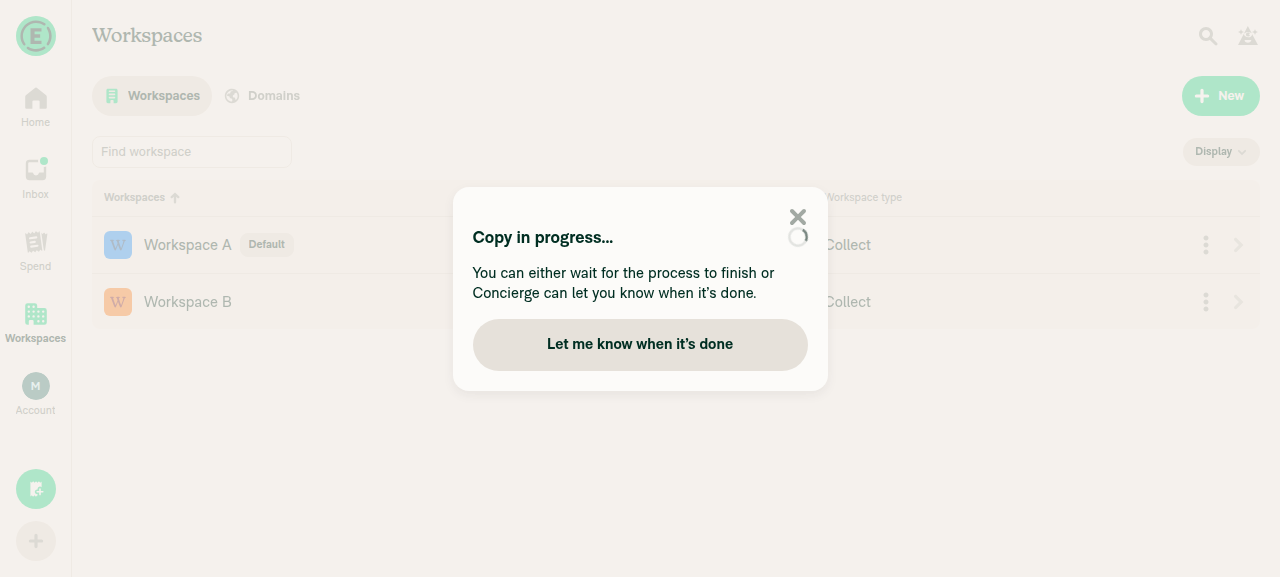
VERIFY 4: Make the copy fail by deleting Workspace B while the copy is runningNot possible within this single-tab web session. While the "Copy in progress" modal was open, clicking the Workspace B row's "More" button (to reach Delete workspace) was refused with "Ref is covered by another visible element and cannot be tapped safely" — the modal is a genuine blocking overlay over the workspace list. Deleting the target mid-copy needs a second tab/window while the modal blocks the first, exactly as this PR's own suggested steps describe with "a second tab (OldDot)". No single-tab workaround exists, since the target row cannot be reached while the modal is up.
Copy in progress modal blocking interaction with the workspace list underneath
VERIFY 5: Click the X before the job finishes, then check Concierge for a failure messageClicked the X while the modal still read "Copy in progress..."; the modal closed and control returned to the Workspaces list. Checked the Expensify Concierge chat immediately and again after a 5s wait — no new message about the copy. That is the expected outcome given VERIFY 4 could not be completed: Workspace B was never deleted, so the copy job had no reason to fail and the failure-only notification produced no visible message. The step could not be completed end-to-end because its precondition (a real failure) was unreachable here.
Workspaces list after closing progress modal via X
VERIFY 6: Repeat copy-and-fail leaving the modal open; verify failure modal shows Try again / Dismiss and dismissing does not post to ConciergeStarted a second fresh Copy settings run and left the "Copy in progress..." modal open, waiting ~40s. The modal never transitioned to a failure state — no "Try again"/"Dismiss" buttons ever appeared — because Workspace B remained intact and the job had nothing to fail on. Same single-tab blocker as VERIFY 4. Closed the modal via X afterward and re-checked Concierge: no new message, consistent with no failure ever occurring.
Modal still showing Copy in progress after ~40s wait, never reaching a failure state
Concierge chat with no new failure message after both test runs

Setup note: the handed-off session was mid-onboarding, so I completed the onboarding wizard first, renamed the resulting default workspace to "Workspace A", and created "Workspace B". No console errors were observed.

To close out VERIFY 4-6 you need either a second tab/session to delete the target workspace mid-copy, or a way to force the copy-settings command to fail from a single tab.


view run · view recording

Sign up for free to join this conversation on GitHub. Already have an account? Sign in to comment

Labels

Melvin-Test-Android Melvin-Test-Web Triggers Melvin to run the testing steps of the PR on web

Projects

None yet

Development

Successfully merging this pull request may close these issues.

2 participants