Skip to content

Stop routing group workspace members to the reports upgrade screen - #101465

Draft
MelvinBot wants to merge 1 commit into
mainfrom
claude-reportUpgradeHydrationGuard
Draft

MelvinBot wants to merge 1 commit into
mainfrom
claude-reportUpgradeHydrationGuard

Conversation

@MelvinBot

Copy link
Copy Markdown
Contributor

Explanation of Change

Members of a group workspace were sometimes shown the "Reports are available on the Collect plan, starting at $5 per member per month" upgrade screen, even though their workspace already supports reports. This is not a plan gate — reports has no requiredPlan and is not in SUBMIT_FEATURE_IDS. The screen is the App's "you have no eligible group workspace" prompt, and UpgradeIntro is rendered without a policyID, so it always shows the hardcoded Collect wording no matter what plan the user is actually on.

usePolicyForMovingExpenses gates that prompt, and it treated "I could not resolve a policy" as "this user has no workspace" in three ways that are wrong for a real member:

  1. No hydration guard. The policy collection read at the top of the hook discarded its load status, so the moment the collection read back empty — including during Onyx cold start — the hook returned shouldNavigateToUpgradePath: true. useCreateReport already guards the identical situation about 40 lines away, with a comment describing this exact bug. This change reads the load status off the same useOnyx call (so the value and the status always come from the same source, including when the search-snapshot redirect is in play) and no longer claims "no workspace" before we know.

  2. The active-workspace fallback was unreachable. The activePolicy fallback sat below the unconditional early return, so a fully loaded, valid active workspace could never rescue the user. It now runs before the upgrade path. It is validated with isPolicyValidForMovingExpenses rather than the looser check the old fallback used, so an active workspace is only used when it is genuinely a valid destination — this cannot select something the old code would have rejected.

  3. EmptySearchView dropped the login. getGroupPoliciesWhereReportCanBeCreated was called without currentUserLogin. getPolicyRole returns early when there is no login, which makes its employeeList[login].role fallback dead code, so any policy that carries the member's role only in employeeList was filtered out and the user looked workspace-less. This was the only one of seven call sites that omitted the login; the FAB, Search router, workspace selector, and navigation guard all pass it.

One more ordering fix came out of this: the isUnreportedManagedCardTransaction branch never depends on a locally resolved policy — it deliberately returns an empty policyID so the backend auto-selects — but it sat below the early return, so that flow also hit the upgrade screen whenever no policy resolved. It is now answered first.

Reviewer note on the hydration guard: during the brief window where shouldNavigateToUpgradePath is now false instead of true, the call sites fall through instead of no-op'ing. I checked each one and they all land on already-supported paths (the workspace selector, the report picker, or the same backend-auto-select path used for managed card transactions) rather than the wrong paywall, so no caller changes were needed. If you would rather have the entry points no-op while policies load — the way useCreateReport does with if (!arePoliciesLoaded) return; — the hook can expose arePoliciesLoaded and the ~8 acting call sites can gate on it. Happy to do that in this PR if you prefer it.

Also worth noting: isLoadingOnyxValue only reflects the local cache read, not network hydration. The guard closes the cold-start window; the active-workspace fallback in item 2 is what covers the longer "response has not landed yet" window.

Fixed Issues

$ https://github.com/Expensify/Expensify/issues/681029
PROPOSAL: https://github.com/Expensify/Expensify/issues/681029#issuecomment-5702368350

AI Tests

Required local AI tests for this repo and these files could not be run in this environment, so CI is the only signal so far. This is a limitation of where the change was authored, not a skipped step:

  • package.json pins node to 26.5.0; only 22.20.0 is installed here, and .npmrc sets engine-strict=true, so npm ci fails with EBADENGINE and no node_modules could be installed.
  • With no dependencies, none of npm run lint-changed, npm run typecheck, npm run prettier, npm test, or npm run react-compiler-compliance-check check-changed could execute.

What was verified instead, by reading the code:

  • isLoadingOnyxValue is a default export taking ResultMetadata, and the second element of a useOnyx tuple is exactly that — the same pattern useCreateReport already uses.
  • Types line up: activePolicy is OnyxEntry<Policy> and activePolicyID is string | undefined, matching isPolicyValidForMovingExpenses and PolicyForMovingExpenses. PersonalDetails['login'] is string | undefined, matching the optional currentUserLogin parameter.
  • No hooks were added, and every useOnyx call still runs before the first early return, so the rules of hooks and React Compiler compliance are unaffected.
  • All 20+ shouldNavigateToUpgradePath consumers were read to confirm the fall-through behavior described in the Explanation above.

Please run the standard checks locally before marking this ready for review.

Tests

// TODO: The human co-author must fill out the tests you ran before marking this PR as "ready for review"
// Please describe what tests you performed that validates your changed worked.

  • Verify that no errors appear in the JS console

Offline tests

QA Steps

// TODO: The human co-author must fill out the QA tests you ran before marking this PR as "ready for review".
// Please describe what QA needs to do to validate your changes and what areas do they need to test for regressions.

  • Verify that no errors appear in the JS console

PR Author Checklist

  • I linked the correct issue in the ### Fixed Issues section above
  • I wrote clear testing steps that cover the changes made in this PR
    • I added steps for local testing in the Tests section
    • I added steps for the expected offline behavior in the Offline steps section
    • I added steps for Staging and/or Production testing in the QA steps section
    • I added steps to cover failure scenarios (i.e. verify an input displays the correct error message if the entered data is not correct)
    • I turned off my network connection and tested it while offline to ensure it matches the expected behavior (i.e. verify the default avatar icon is displayed if app is offline)
    • I tested this PR with a High Traffic account against the staging or production API to ensure there are no regressions (e.g. long loading states that impact usability).
  • I included screenshots or videos for tests on all platforms
  • I ran the tests on all platforms & verified they passed on:
    • Android: Native
    • Android: mWeb Chrome
    • iOS: Native
    • iOS: mWeb Safari
    • MacOS: Chrome / Safari
  • I verified there are no console errors (if there's a console error not related to the PR, report it or open an issue for it to be fixed)
  • I followed proper code patterns (see Reviewing the code)
    • I verified that comments were added to code that is not self explanatory
    • I verified that any new or modified comments were clear, correct English, and explained "why" the code was doing something instead of only explaining "what" the code was doing.
    • I verified any copy / text that was added to the app is grammatically correct in English. It adheres to proper capitalization guidelines (note: only the first word of header/labels should be capitalized), and is either coming verbatim from figma or has been approved by marketing (in order to get marketing approval, ask the Bug Zero team member to add the Waiting for copy label to the issue)
  • If a new code pattern is added I verified it was agreed to be used by multiple Expensify engineers
  • I followed the guidelines as stated in the Review Guidelines
  • I tested other components that can be impacted by my changes (i.e. if the PR modifies a shared library or component like Avatar, I verified the components using Avatar are working as expected)
  • If a new CSS style is added I verified that:
    • A similar style doesn't already exist
    • The style can't be created with an existing StyleUtils function (i.e. StyleUtils.getBackgroundAndBorderStyle(theme.componentBG))
  • If new assets were added or existing ones were modified, I verified that:
    • The assets are optimized and compressed (for SVG files, run npm run compress-svg)
    • The assets load correctly across all supported platforms.
  • If the PR modifies code that runs when editing or sending messages, I tested and verified there is no unexpected behavior for all supported markdown - URLs, single line code, code blocks, quotes, headings, bold, strikethrough, and italic.
  • If the PR modifies a generic component, I tested and verified that those changes do not break usages of that component in the rest of the App (i.e. if a shared library or component like Avatar is modified, I verified that Avatar is working as expected in all cases)
  • If the PR modifies a component related to any of the existing Storybook stories, I tested and verified all stories for that component are still working as expected.
  • If the PR modifies a component or page that can be accessed by a direct deeplink, I verified that the code functions as expected when the deeplink is used - from a logged in and logged out account.
  • If the PR modifies the UI (e.g. new buttons, new UI components, changing the padding/spacing/sizing, moving components, etc) or modifies the form input styles:
    • I verified that all the inputs inside a form are aligned with each other.
    • I added Design label and/or tagged @Expensify/design so the design team can review the changes.
  • I added unit tests for any new feature or bug fix in this PR to help automatically prevent regressions in this user flow.
  • If the main branch was merged into this PR after a review, I tested again and verified the outcome was still expected according to the Test steps.

Screenshots/Videos

Android: Native
Android: mWeb Chrome
iOS: Native
iOS: mWeb Safari
MacOS: Chrome / Safari

Guard the upgrade path on policy hydration, let a valid active workspace
rescue the user before the upgrade early return, and pass the current
user login so the employeeList role fallback is reachable.

Co-authored-by: MitchExpensify <MitchExpensify@users.noreply.github.com>
@MelvinBot
MelvinBot requested a review from a team September 17, 2026 20:20
@melvin-bot melvin-bot Bot added Melvin-Test-Android Melvin-Test-Web Triggers Melvin to run the testing steps of the PR on web labels Sep 17, 2026
@codecov

codecov Bot commented Sep 17, 2026

Copy link
Copy Markdown

Codecov Report

❌ Looks like you've decreased code coverage for some files. Please write tests to increase, or at least maintain, the existing level of code coverage. See our documentation here for how to interpret this table.

Files with missing lines Coverage Δ
src/pages/Search/EmptySearchView.tsx 74.82% <100.00%> (ø)
src/hooks/usePolicyForMovingExpenses.ts 94.91% <83.33%> (-1.52%) ⬇️
... and 13 files with indirect coverage changes

@MelvinBot

MelvinBot commented Sep 17, 2026

Copy link
Copy Markdown
Contributor Author

🤖 Android test steps verification results: ⚠️ partial

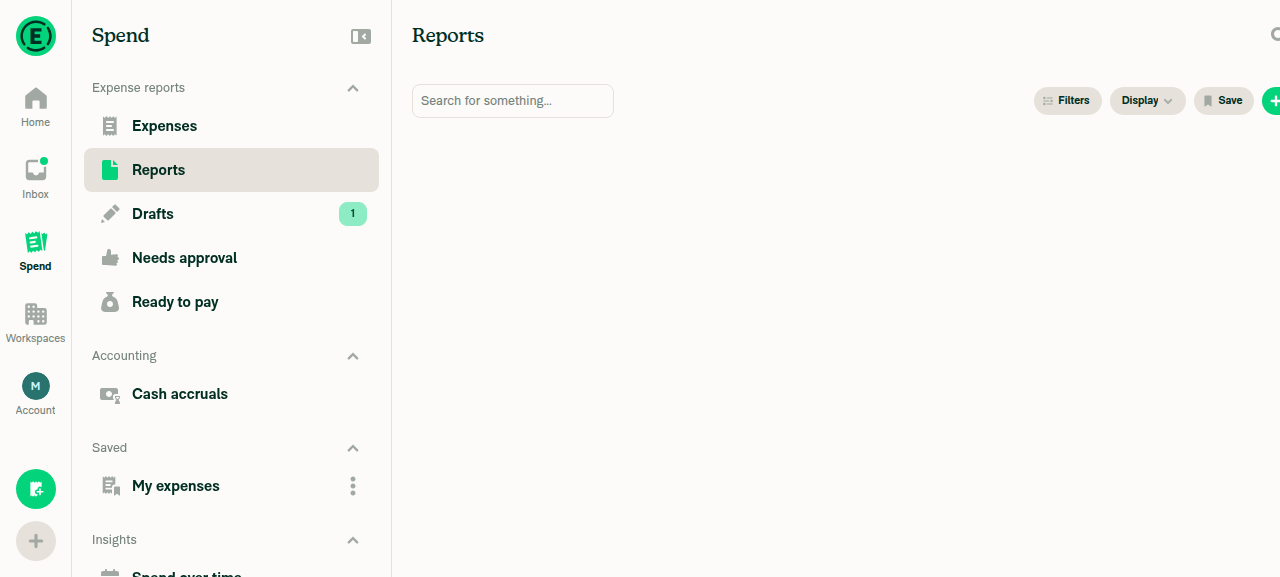
This PR has no documented testing steps — the Tests and QA Steps sections are still // TODO placeholders — so I derived the test cases from the Explanation of Change and ran those instead. On a group-workspace member on the Collect trial, the Reports tab and the FAB → Create report flow both behaved normally, with no "Reports are available on the Collect plan, starting at $5 per member per month" upgrade screen anywhere, and no JS or console errors. One derived case (the cold-start hydration race) could not be run because relaunching the app is outside what this session is allowed to do.

The handed-off account had no workspaces, so I created a group workspace first — it came up on a Collect free trial, which is the account shape the bug affects.

Draft report created after tapping Create report, no paywall

Step Status
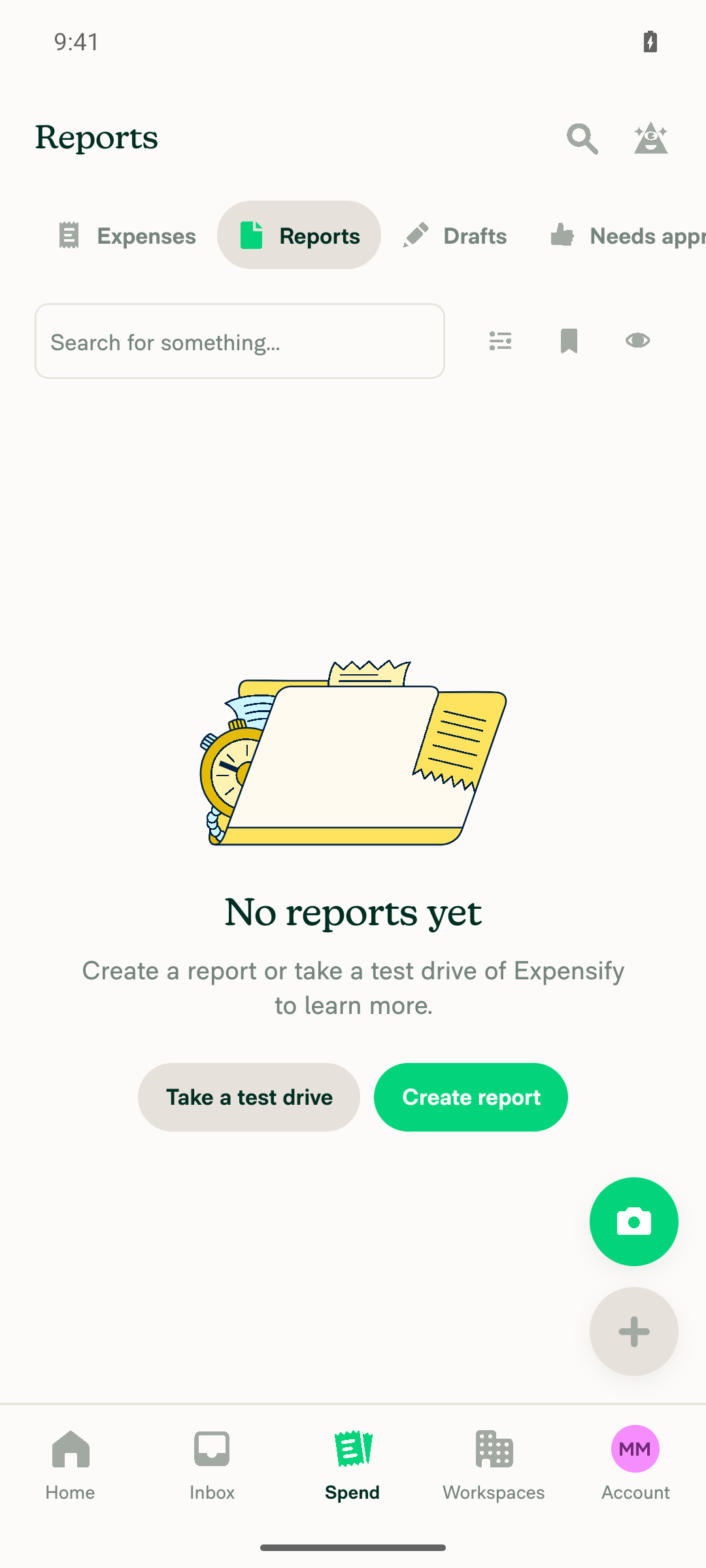
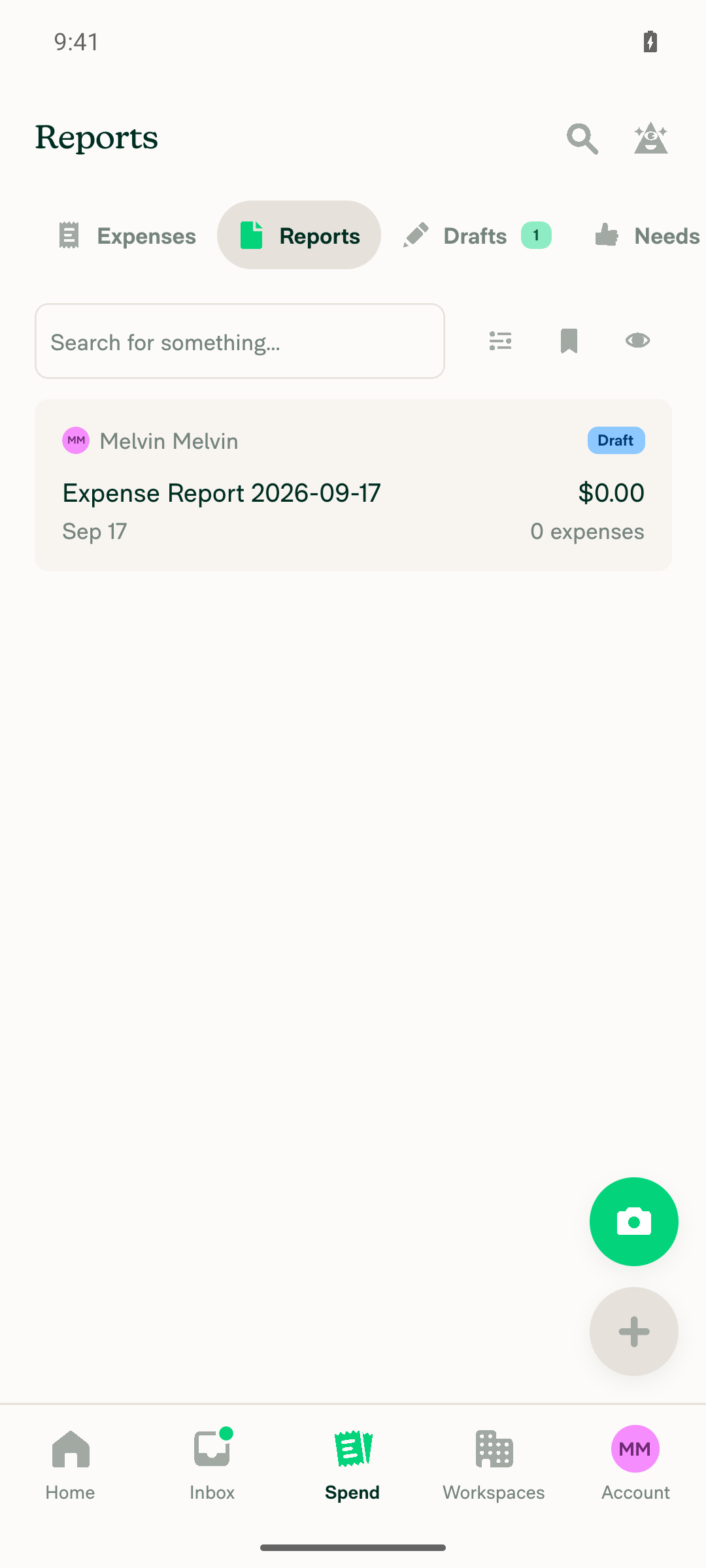
VERIFY 1: Search > Reports shows the normal state, not the Collect plan upgrade screenReports tab first showed the standard "No reports yet / Create a report or take a test drive" empty state, and after creating a draft report it showed the real report list ("Expense Report 2026-09-17", $0.00, 0 expenses). A visibility check for the exact paywall string "Reports are available on the Collect plan, starting at $5 per member per month" found no matching element on this screen.
Reports tab showing normal empty state, no Collect-plan paywall
Reports tab showing the created draft report in the list, no paywall
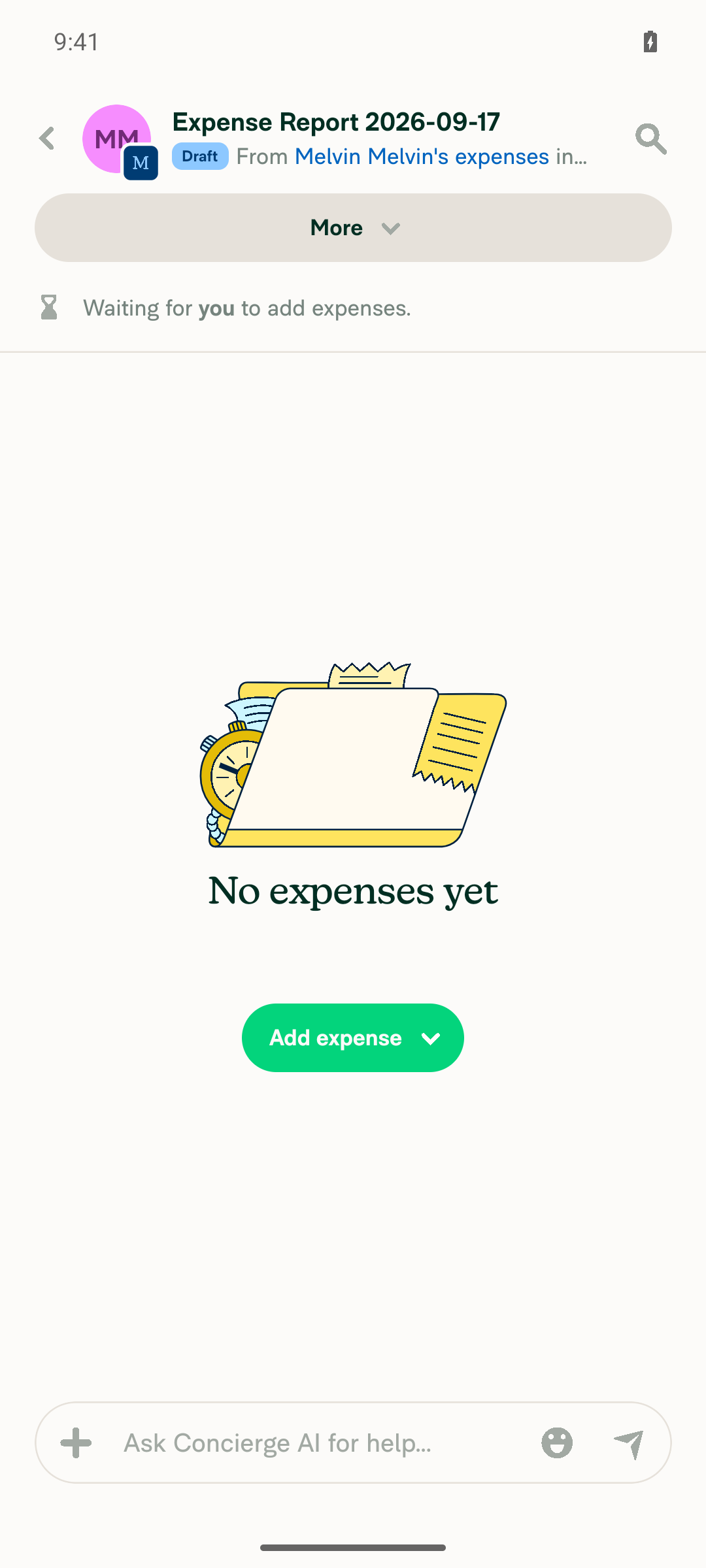
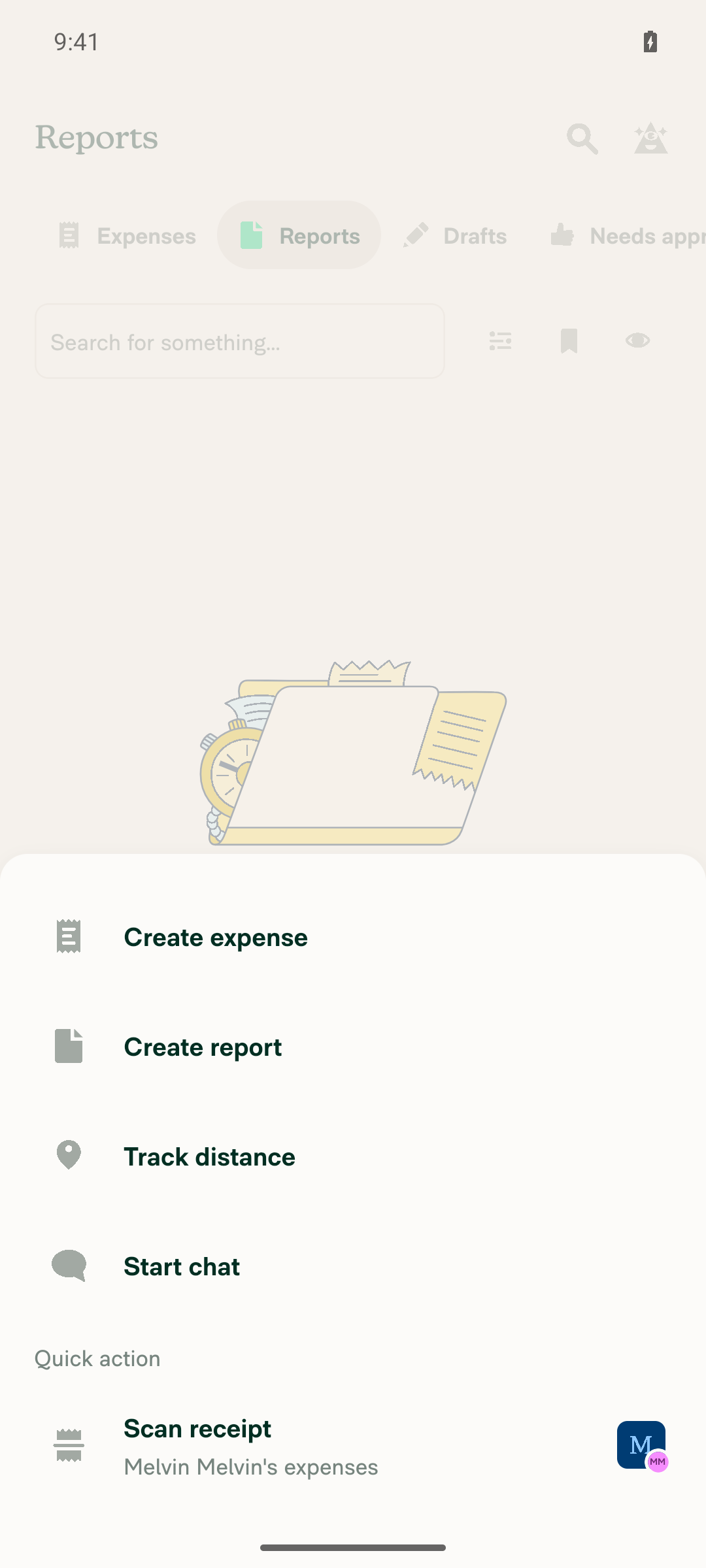
VERIFY 2: FAB > Create report opens the report creation flow, not the upgrade screenTapping the FAB opened the actions menu (Create expense, Create report, Track distance, Start chat, Scan receipt). Tapping "Create report" navigated straight to a new draft "Expense Report 2026-09-17" under the workspace with an "Add expense" CTA — no upgrade screen at any point.
FAB actions menu with Create report option
Draft report created after tapping Create report, no paywall
VERIFY 3: Force-stop + relaunch, then hit Reports and the FAB during hydration — no paywall flashNot executed. Force-stopping and relaunching the app requires session lifecycle control this run does not own, so the cold-start hydration window — the case the new arePoliciesLoaded guard targets — is still unverified. This needs a manual QA pass or an automation run that owns app relaunch.
VERIFY 4: No JS errors, red boxes, or console errors during the flows aboveReviewed the session app log covering workspace creation, Reports tab navigation, and the FAB > Create report flow. No fatal exceptions, crashes, red boxes, or JS exceptions. Only benign emulator warnings (missing camera, EGL format) and normal Onyx state logging.

Two caveats worth noting: this ran on standalone Android NewDot, not HybridApp, and the account I tested with was a single-workspace Collect-trial member, so the EmptySearchView login fix (case 3 in the Explanation) wasn't exercised against a policy that carries the member's role only in employeeList. If you want that covered, point me at an account in that state.


view run · view recording

@MelvinBot

MelvinBot commented Sep 17, 2026

Copy link
Copy Markdown
Contributor Author

🤖 Web test steps verification results: ⚠️ partial

The reports empty state and the FAB create-report flow both show the correct non-paywall UI for a Collect-plan group workspace member. The hard-reload/cold-start race (VERIFY 3) could not be exercised, because a page reload during a driven web session risks dropping client auth into a magic-code wall this run cannot clear.

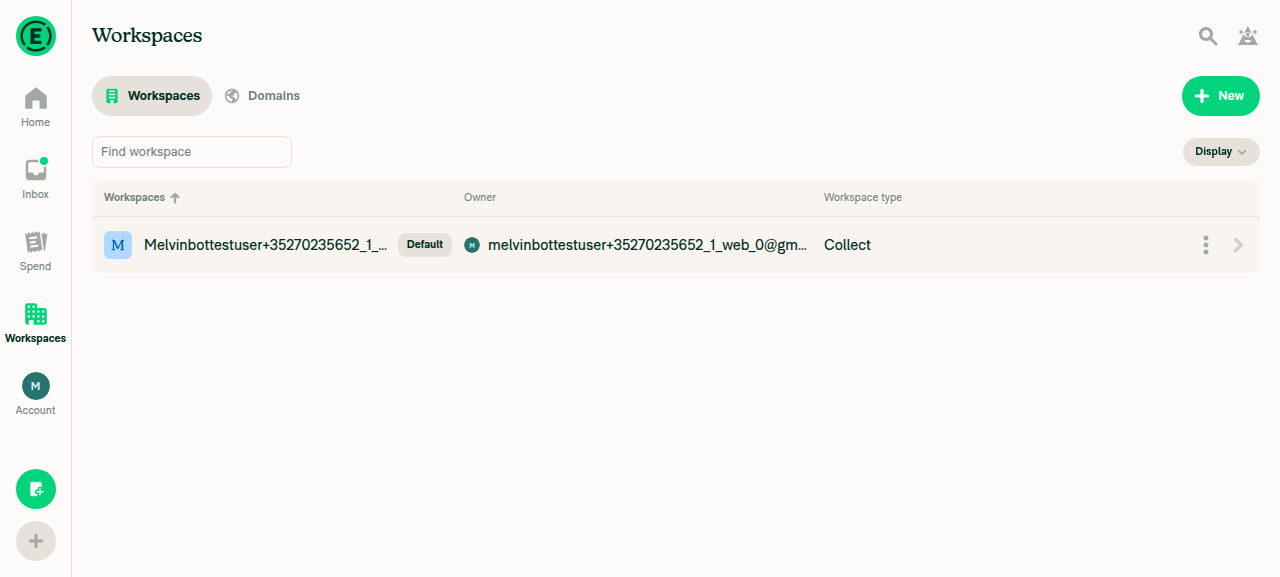
This PR still has no documented testing steps — the Tests and QA Steps sections are // TODO placeholders — so I derived the cases from the Explanation of Change, the same four I ran on Android. The account started mid-onboarding; completing onboarding auto-created a group workspace on the Collect plan, which is the account shape the bug affects.

Reports tab showing the created draft report in the list, no paywall

Step Status
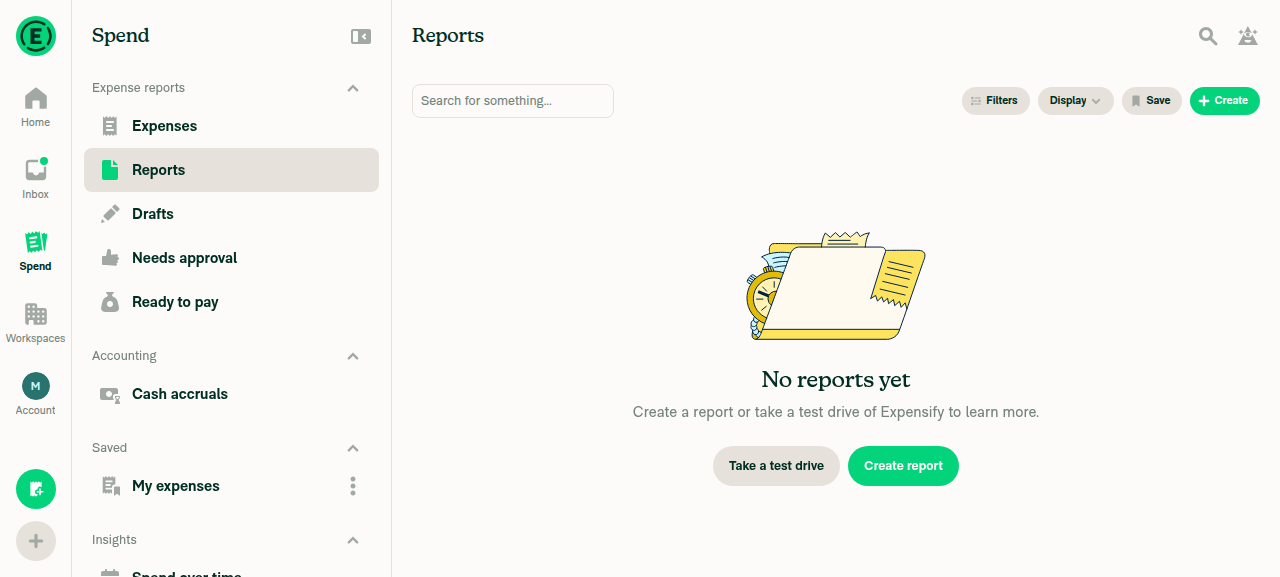
VERIFY 1: Reports tab does not show the Collect-plan upgrade screen; empty state is the normal reports empty stateSpend > Reports rendered heading "No reports yet" with "Create a report or take a test drive of Expensify to learn more", plus "Take a test drive" and "Create report" buttons — the standard empty state. A text search for "Reports are available on the Collect plan" returned no match.
Reports tab showing normal 'No reports yet' empty state, not the Collect plan upgrade screen
Settings > Workspaces confirming a Collect-plan group workspace exists
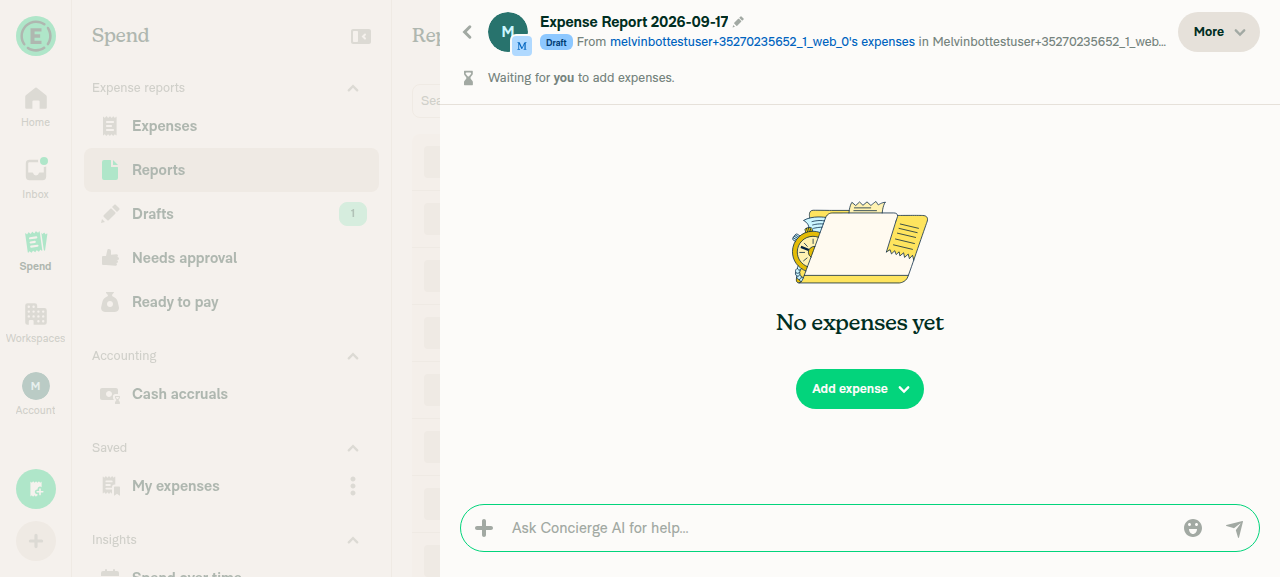
VERIFY 2: FAB > Create report opens report creation, not the Collect plan upgrade screenClicking the FAB opened a menu with Create expense, Create report, Track distance, Start chat, Scan receipt. Clicking "Create report" created a draft "Expense Report 2026-09-17" directly in the group workspace with a "No expenses yet" / "Add expense" state — no upgrade or paywall screen at any point.
FAB Create report opened a draft expense report, not the Collect plan upgrade screen
VERIFY 3: Hard reload then immediate navigation to Reports/FAB shows no Collect-plan upgrade screen, even as a brief flash during hydrationNot exercised. Reloading during a driven web session drops client auth and can hit a magic-code wall this read-only run cannot clear, so the cold-start hydration window could not be safely triggered. This is the window the new arePoliciesLoaded guard specifically targets, so it remains the one unverified case — it needs manual QA or a dedicated e2e test that can tolerate a real page reload.
VERIFY 4: No JS console errors during the above flowsThe web backend does not expose a browser-console log command, so this was verified by proxy rather than directly: every HTTP request captured during the flows (OpenSearchPage, Search, CreateAppReport, OpenReport, Ping, Log, SetNameValuePair) returned 200, and no error or "Something went wrong" text appeared in any accessibility snapshot or screenshot. Treat this as indicative, not conclusive.
⚠️

Same result shape as the Android run: the reachable flows are clean on both platforms, and the cold-start hydration race is unverified on both — blocked by app relaunch on Android and by page reload on Web. Since that race is the case the hydration guard exists to fix, it's worth covering with a unit test on the hook rather than through UI automation. Also note the EmptySearchView login fix (case 3 in the Explanation) wasn't exercised here either — this account's workspace was one where the role resolves without the employeeList fallback. Point me at an account whose role lives only in employeeList and I can cover that one.


view run · view recording

@MitchExpensify
MitchExpensify requested review from a team and removed request for a team September 18, 2026 03:25
Sign up for free to join this conversation on GitHub. Already have an account? Sign in to comment

Labels

Melvin-Test-Android Melvin-Test-Web Triggers Melvin to run the testing steps of the PR on web

Projects

None yet

Development

Successfully merging this pull request may close these issues.

2 participants