
GitSync is a macOS app for visual Git/GitHub management directly from a graphical interface. You can sync local projects with GitHub, clone repositories, create new repositories, and run common Git workflows without using the terminal. Version 1.0 – developed by Kevin Tobler 🌐 www.kevintobler.ch
- 1.0
- First Release
- Visual Git and GitHub management for macOS
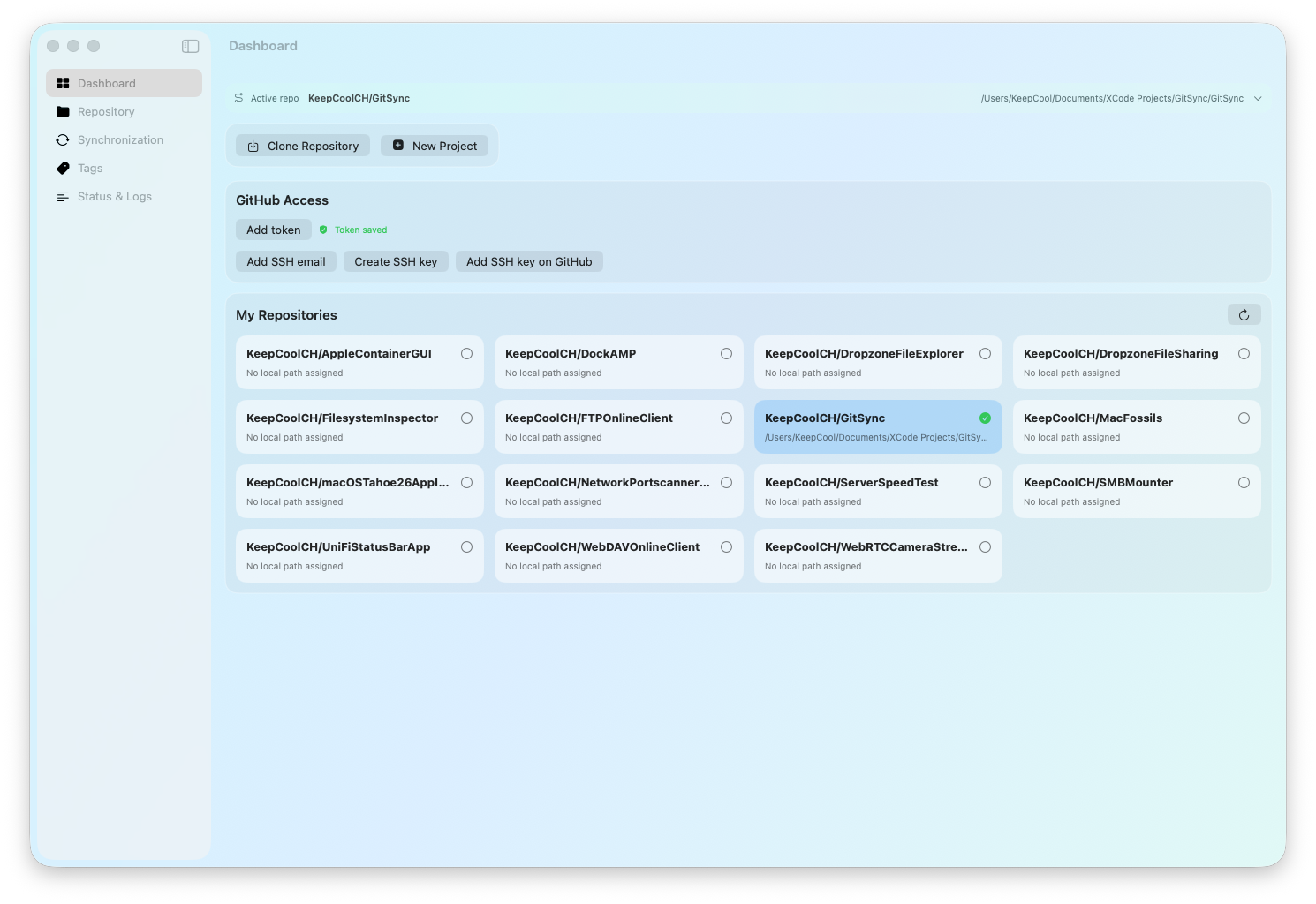
- GitHub repository dashboard with repository cards
- Clone existing repositories from GitHub
- Create new local projects and publish them directly to GitHub
- Automatic SSH remote configuration
- Secure GitHub token storage in macOS Keychain
- SSH key generation with GitHub integration support
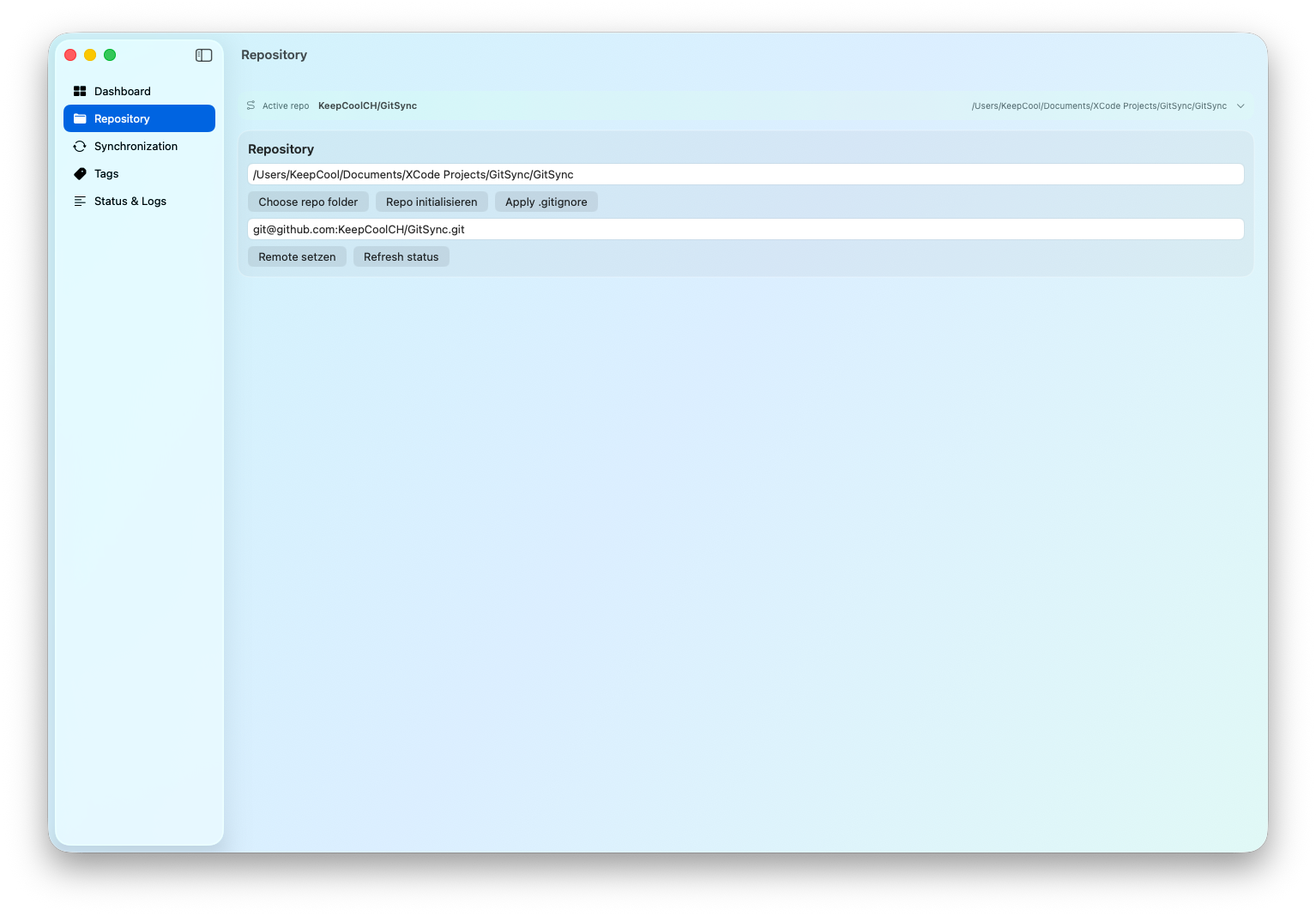
- Repository-specific local folder assignments
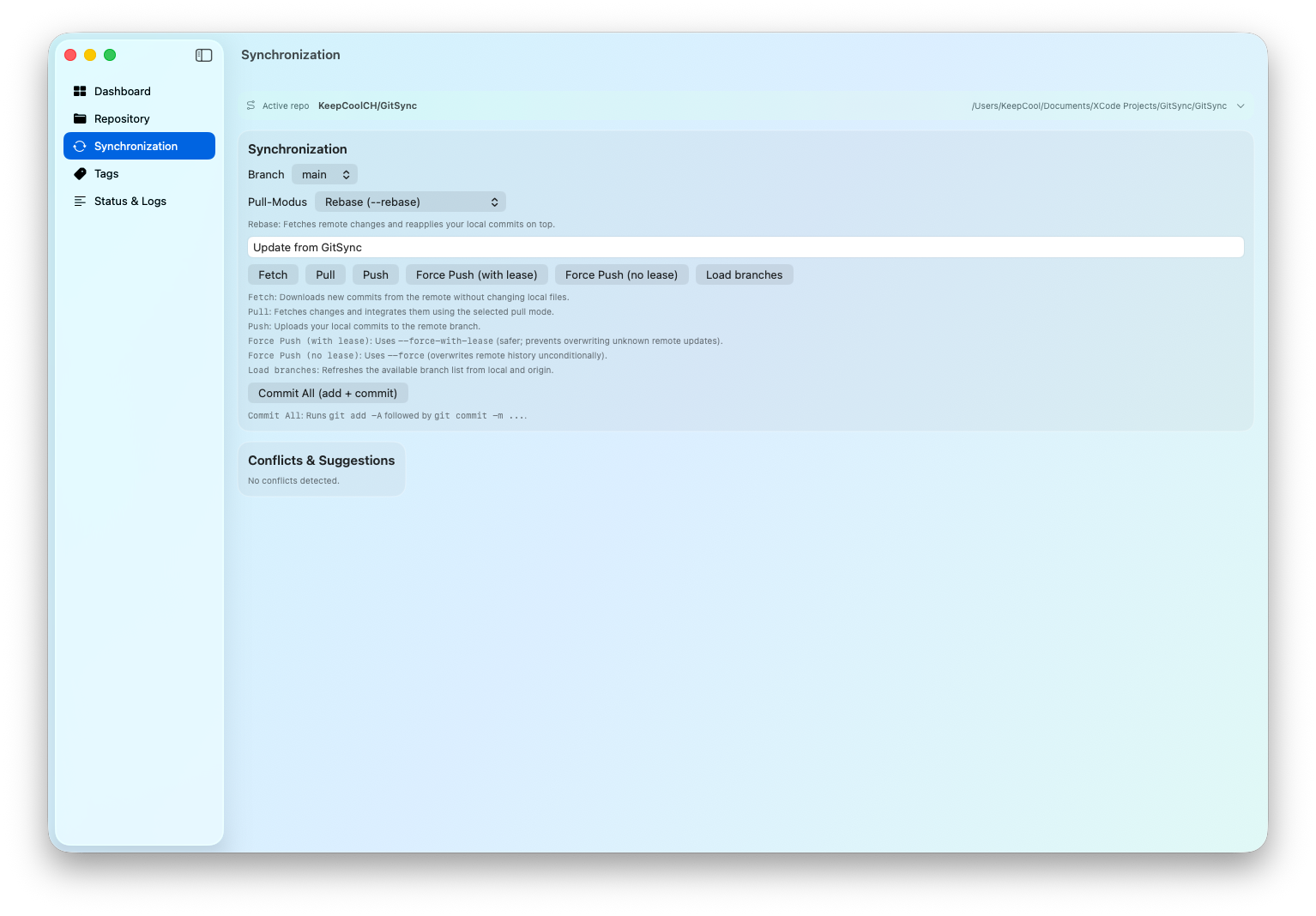
- Fetch, Pull, Push and Commit actions from the graphical interface
- Multiple pull strategies with explanations: Merge, Rebase, Fast-forward only, Rebase with auto-stash
- Built-in .gitignore editor with templates
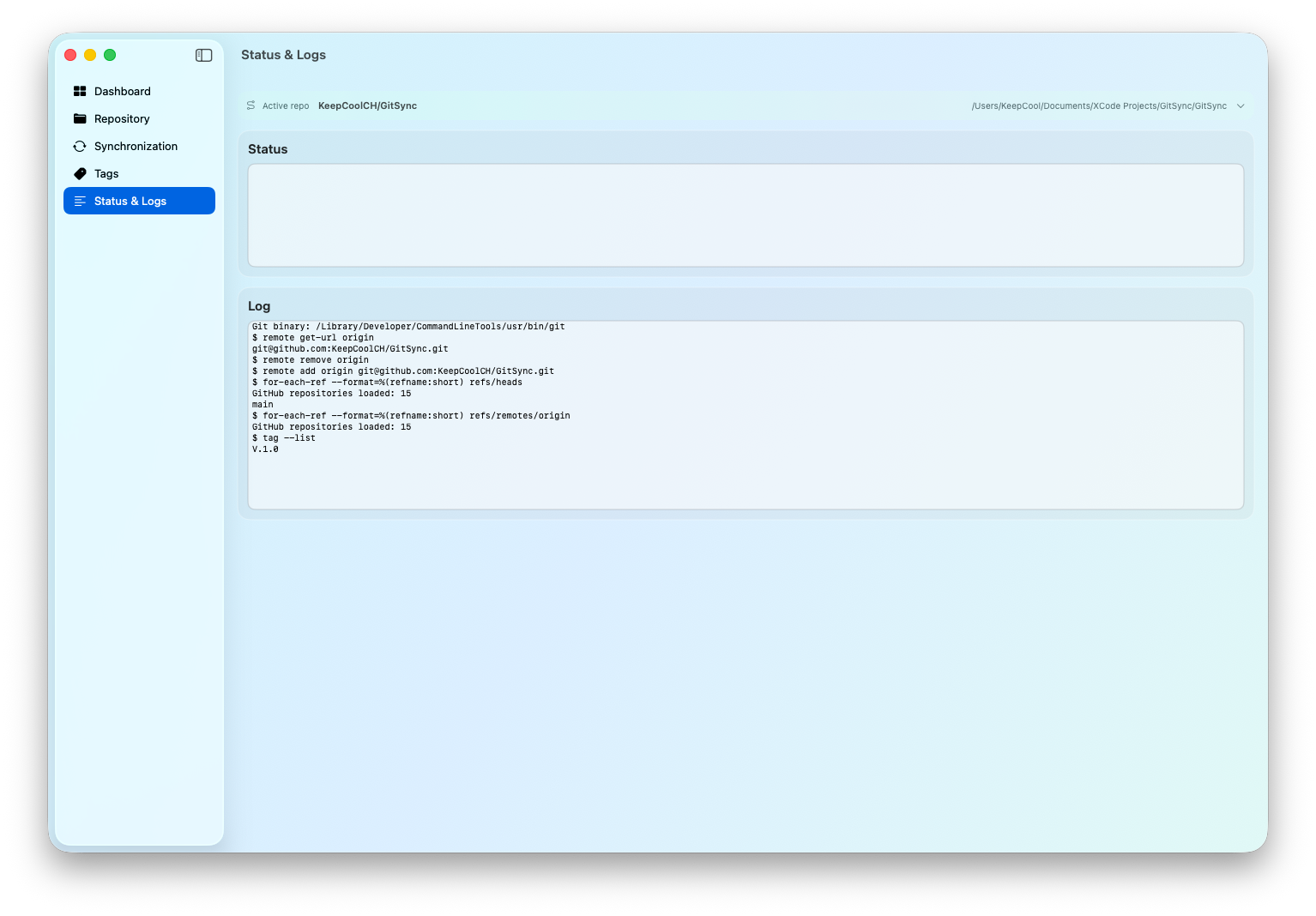
- Git status and commit log viewer
- Conflict detection with resolution suggestions
- Quick repository switching via active repository bar
- Automatic loading of GitHub repositories through the GitHub API
- Native macOS interface
- Dashboard with your GitHub repositories (card layout)
- Active repository bar with quick switching
- Save and reuse a local repo folder per GitHub repository
- Clone repository (separate window)
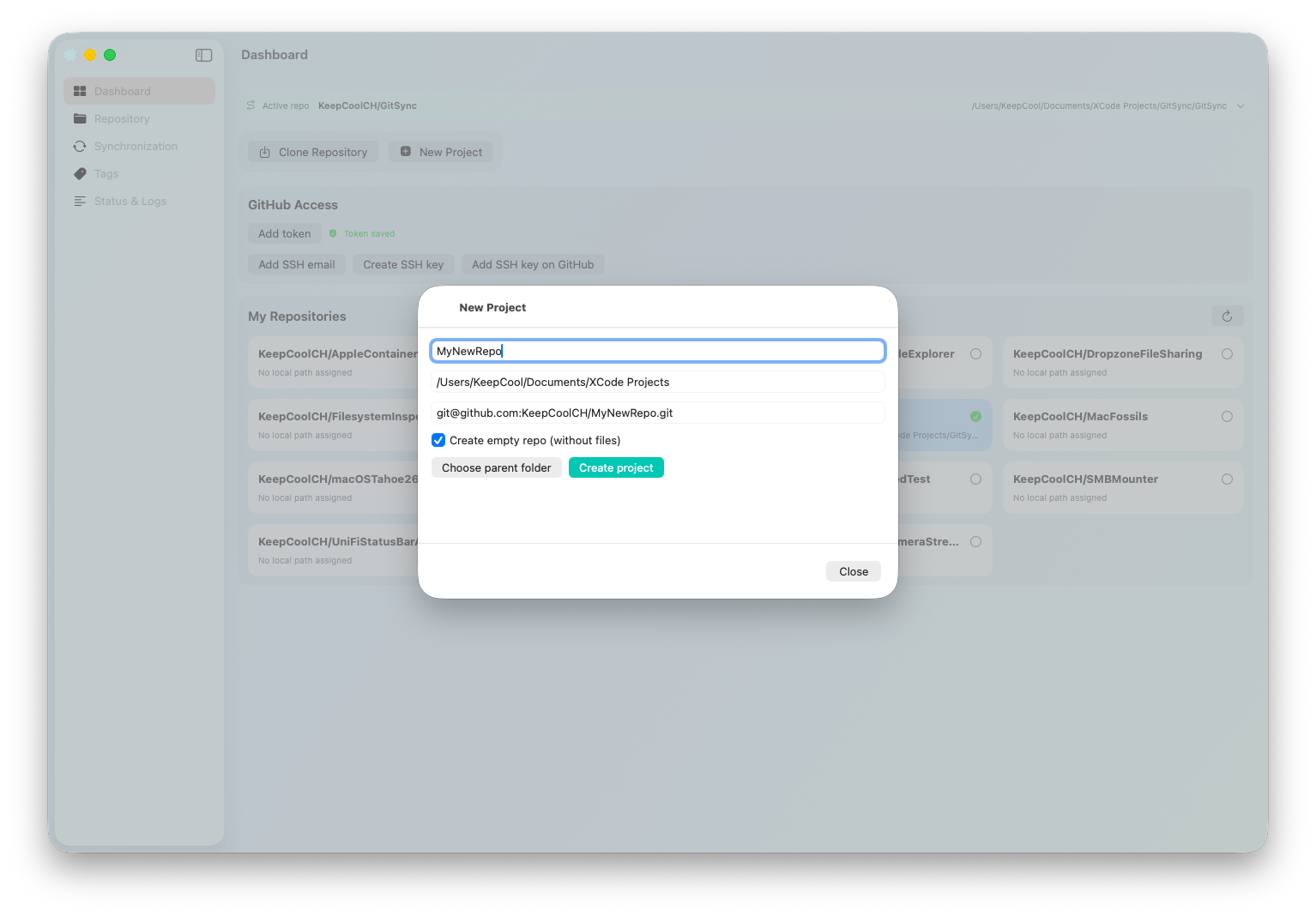
- Create a new project and publish to GitHub (separate window)
- Automatic SSH remote URL setup
.gitignoreeditor with a default template before applying- Sync tools with
fetch,pull,push,force push, and commit actions - Pull modes with explanations (
merge,rebase,ff-only,rebase --autostash) - Conflict detection from
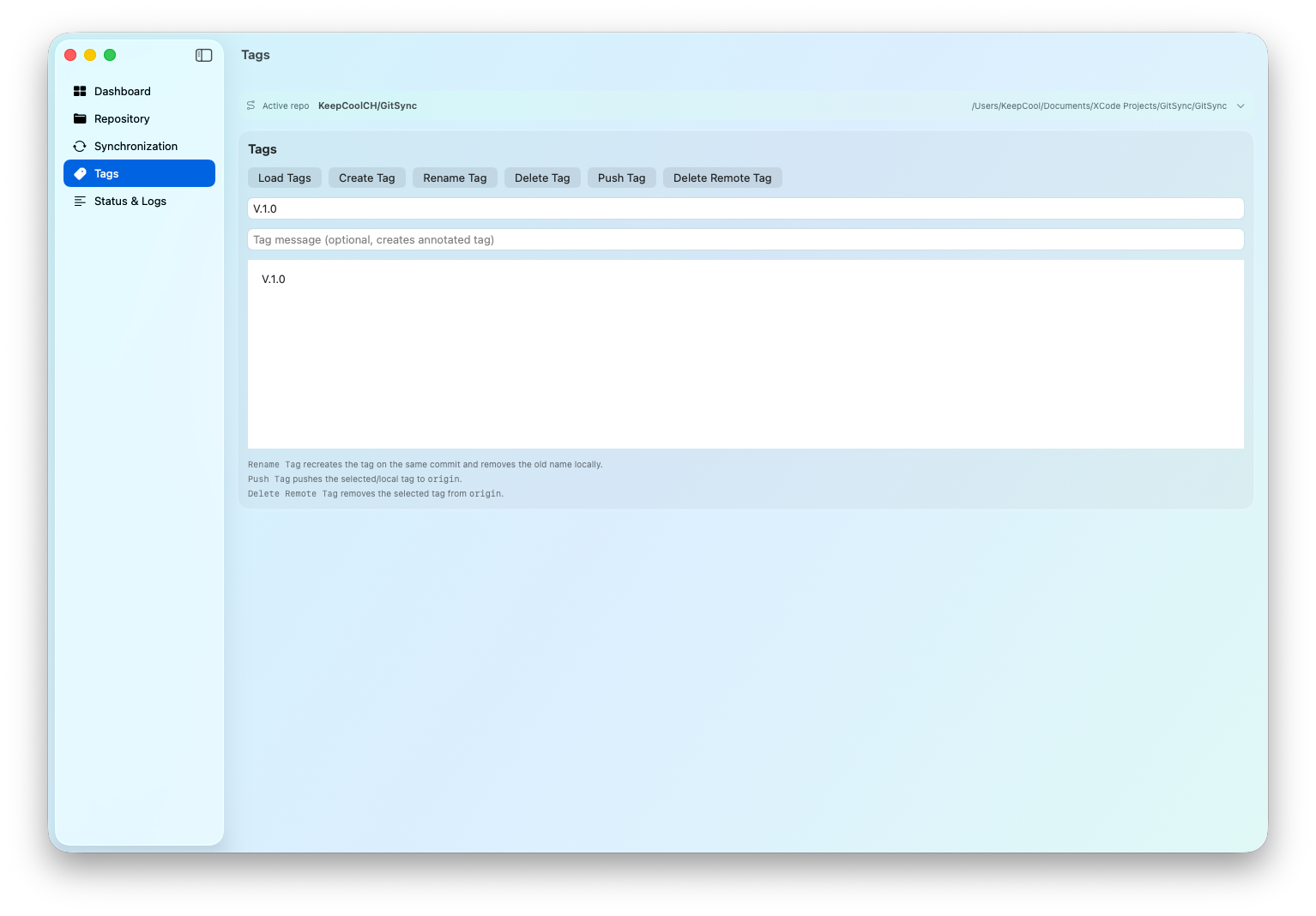
git statuswith suggestions (ours/theirs) - Create/Delete Tags
- Status and log views
- Secure GitHub token storage in macOS Keychain
- SSH key creation and GitHub handoff support
GitSync supports two methods:
- SSH (recommended)
- Create an SSH key in the app
- Add the public key on GitHub under
Settings > SSH and GPG keys - Use SSH remotes (
git@github.com:owner/repo.git)
- GitHub Token (for API features)
- Add your token in GitSync (stored in macOS Keychain)
- Repositories load automatically when a token is available
- Used for GitHub API operations (for example repository creation)
- macOS 14.6 Sonoma or newer
- Git installed (for example via Homebrew or Command Line Tools)
- GitHub account
- Download the latest GitSync release from GitHub.
- Open the downloaded DMG file.
- Drag GitSync.app into the Applications folder.
- Launch GitSync.
- If macOS displays a security warning:
- Open System Settings → Privacy & Security
- Click Open Anyway
- Configure authentication: Create or import an SSH key (recommended), or Add a GitHub Personal Access Token for GitHub API features.
- Select or clone your first repository and start syncing.
Option 1: SSH Authentication (Recommended)
- Open Settings → SSH Keys
- Create a new SSH key pair
- Copy the generated public key
- Add it to GitHub:
- GitHub → Settings → SSH and GPG Keys
- Click New SSH Key
- Paste the public key and save
- GitSync will use SSH URLs for repository operations
Option 2: GitHub Token
- Create a Personal Access Token on GitHub
- Open Settings → GitHub Token in GitSync
- Paste the token
- The token is securely stored in the macOS Keychain
- Your repositories will automatically load from GitHub
- Add your GitHub token
- Repositories load automatically
- Select a repository
- Assign the local folder
- Sync with
Fetch,Pull,Push - Commit changes and push
- Open
New Project - Enter project name and parent folder
- Optionally create an empty repo
- GitSync can automatically create the GitHub repository via API (private by default) and run the initial push
The app detects conflicts from Git status codes (for example UU, AA) and provides quick actions. For complex conflicts, manual review is still required.
- Some advanced Git edge cases still require manual handling
- Network/API propagation delays may cause newly created repositories to appear in the list after a short wait
Kevin Tobler
🌐 www.kevintobler.ch
This project is licensed under the MIT License – feel free to use, modify, and distribute.