Class Section Overview
The class section is broken down in 5 pages. Each performing a specific functionality but all interrelated and connected. The flowchart below gives a visual overview of how all the pages interconnect.
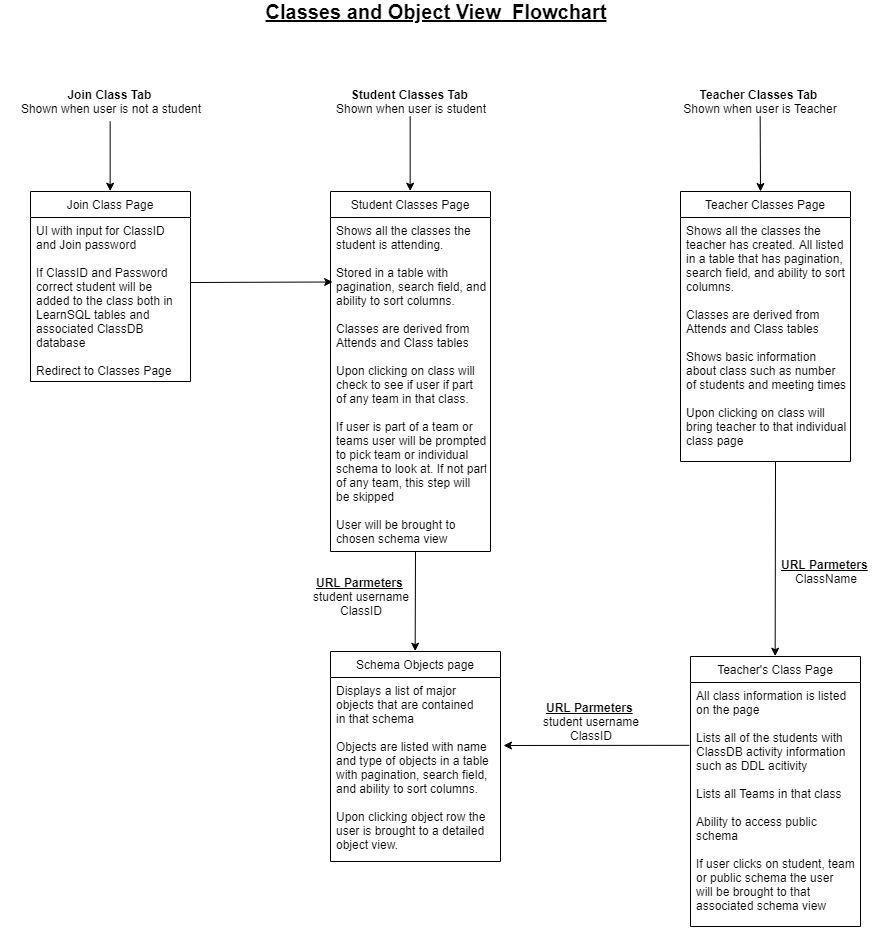
As seen above both the teacher and student will be brought to the same "schema" page for view individual user's objects in a given class. In order for a user to view these objects the user has to be either the teacher of the associated class or the user that owns the objects.