Export Unity Package
This is a short guide on how to export the Azure project as a Unity Package file (.unitypackage).
-
Open the project in Unity.
-
Navigate to the Project view.
-
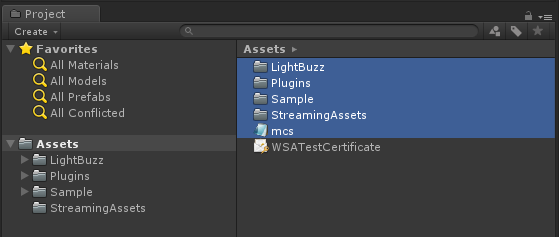
Select the following directories and files:
- LightBuzz
- Plugins
- Sample
- StreamingAssets
- mcs.rsp
-
Right-click the selected items and select "Export package".
-
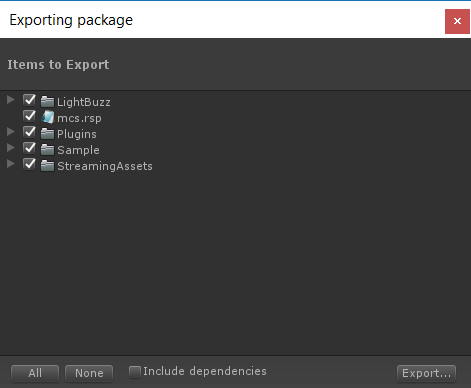
Uncheck the "Include dependencies" option.
-
Leave all of the files and folders selected.
-
Click "Export...".
-
Select the destination folder and provide a friendly .unitypackage name.