View git history for selected lines in Neovim.
Select a range of lines in visual mode, use the :GitLineage command, or
press the keymap in normal mode to see how they evolved through git commits
using git log -L.
-
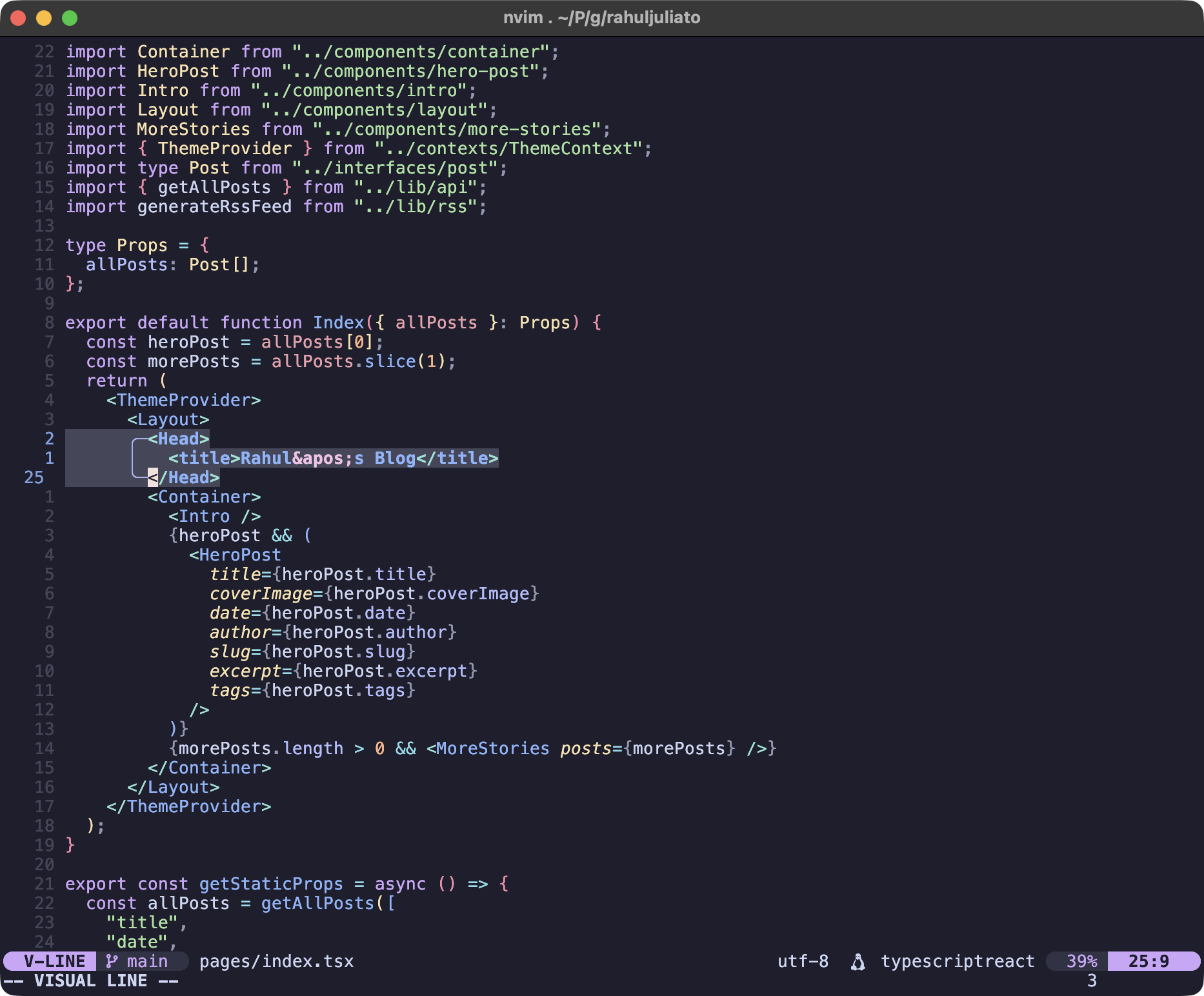
Select a range of lines in visual mode, or just place your cursor on a line.
-
Press
<leader>gl(all bindings are customizable, see the Installation section below), or run:GitLineage. A new split window opens with the git history of the selected lines (or current line if no selection).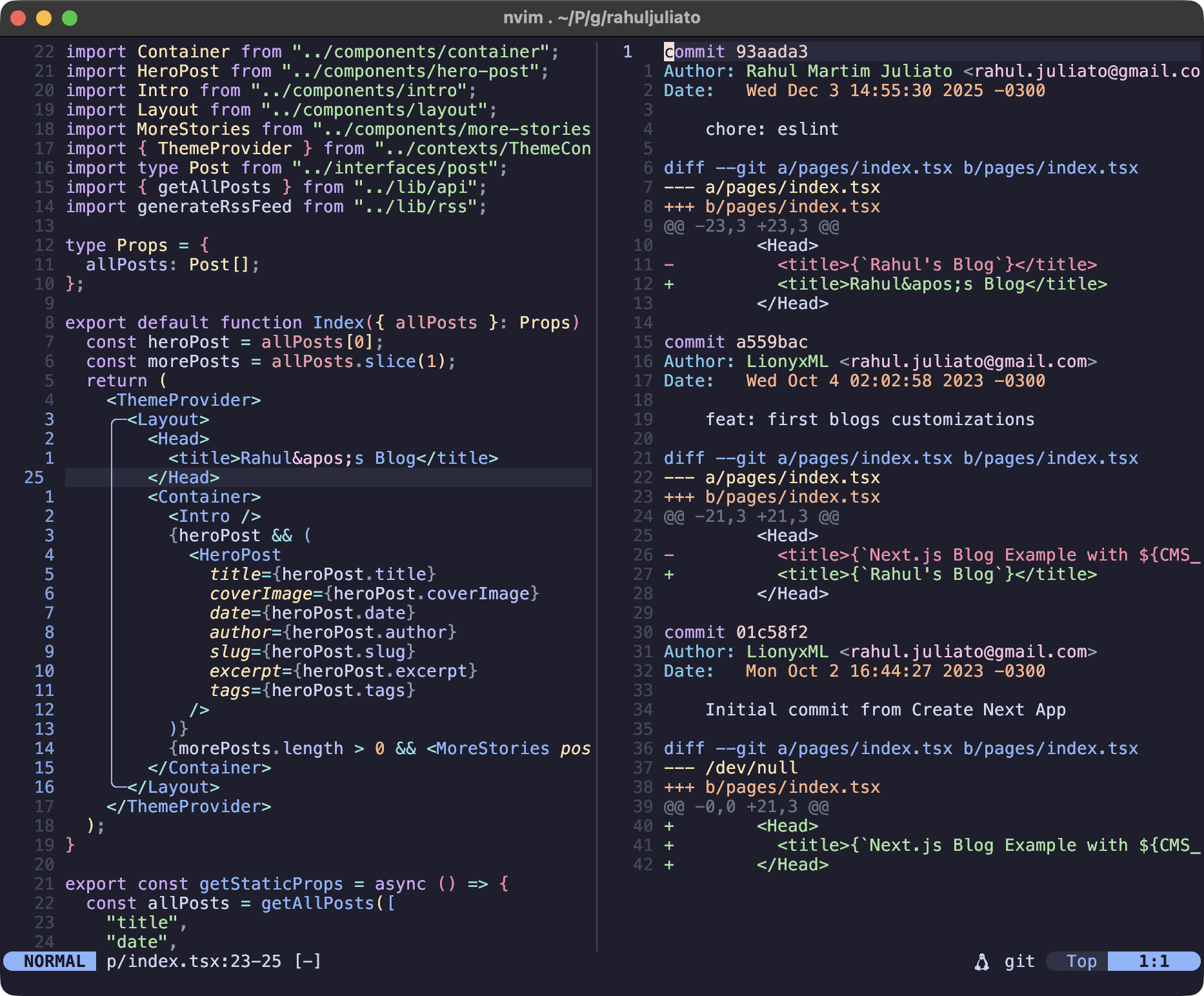
-
Advance through commits with
]c.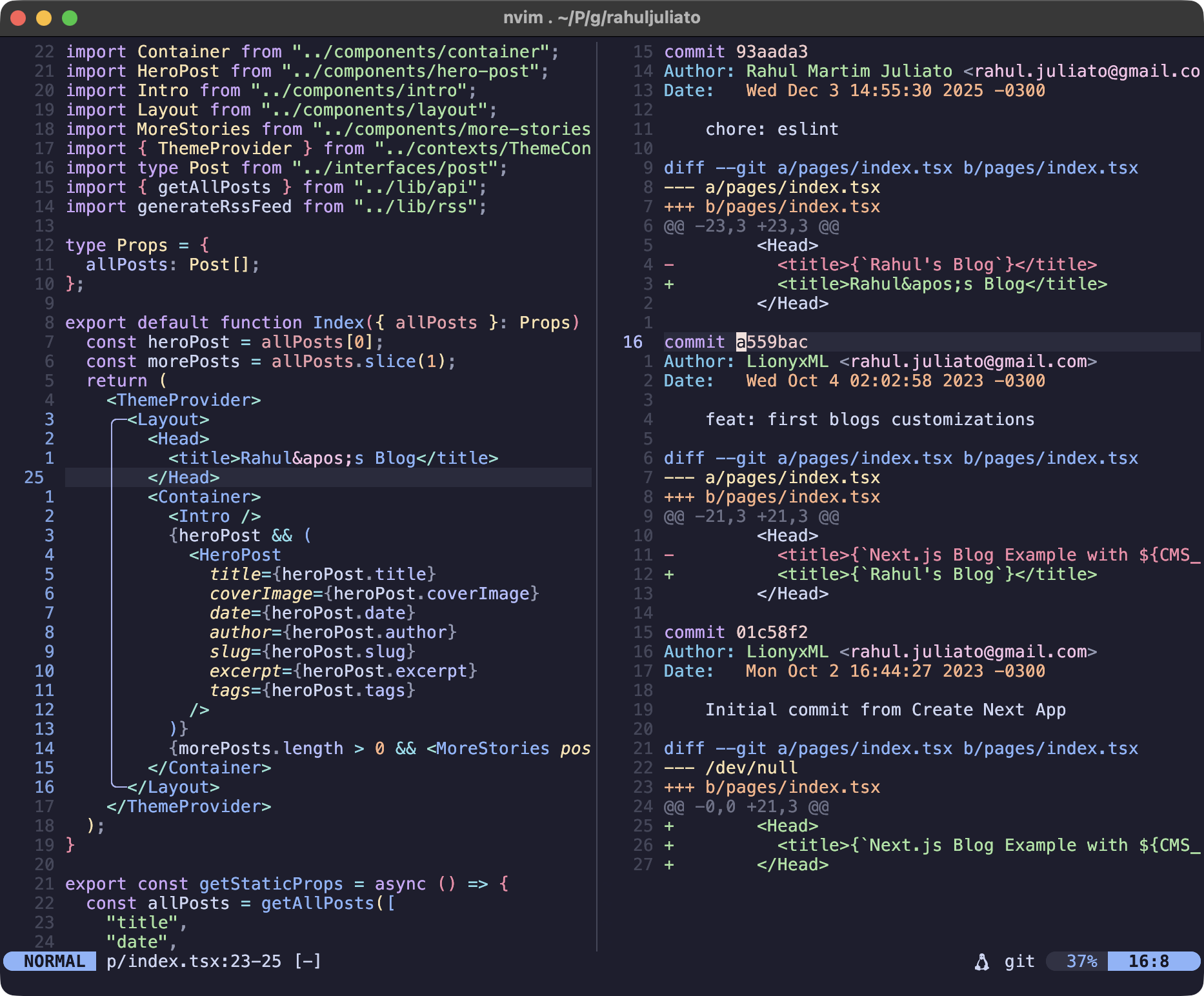
-
Quickly yank the commit SHA with
yc.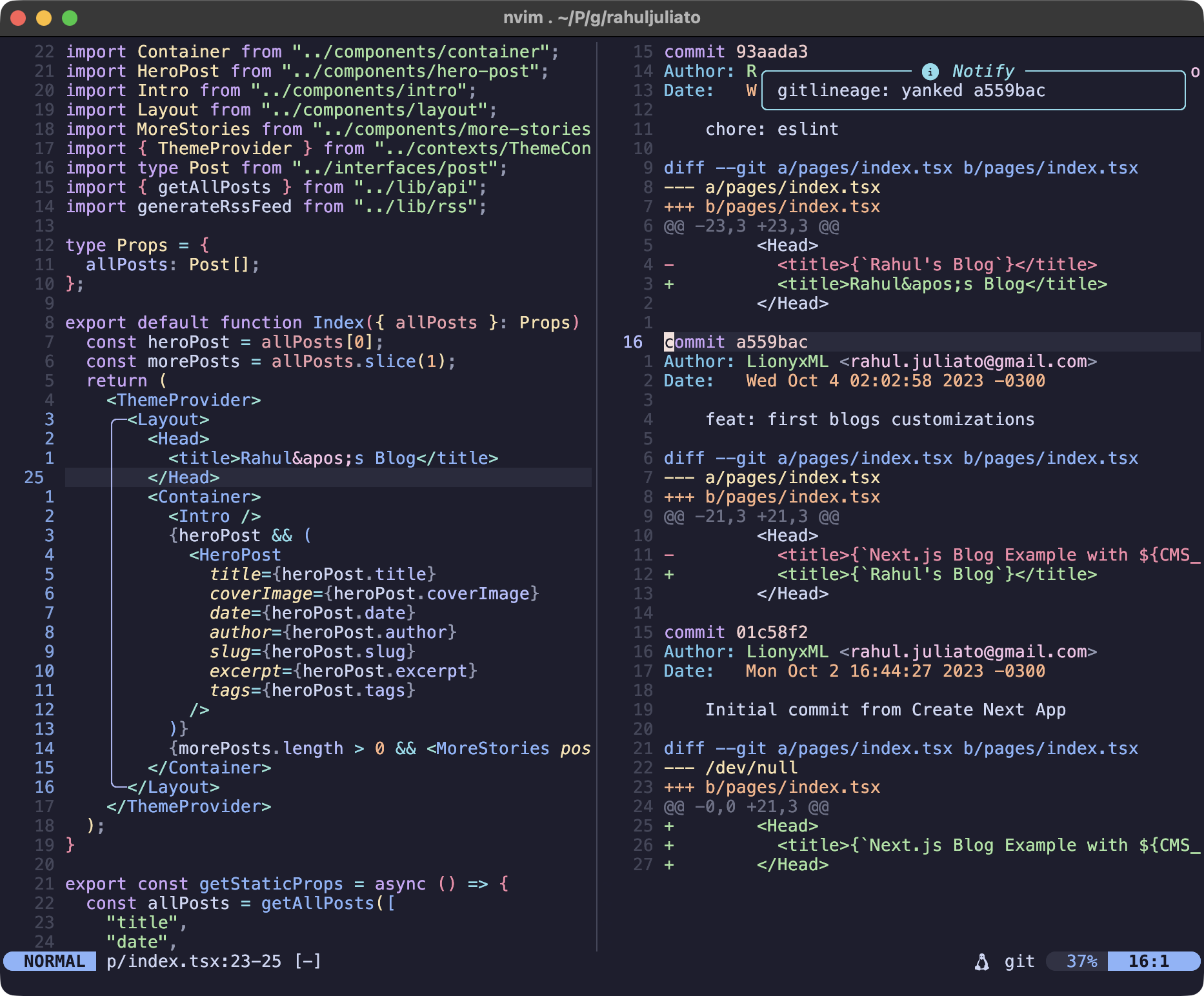
-
Go back to previous commits with
[c.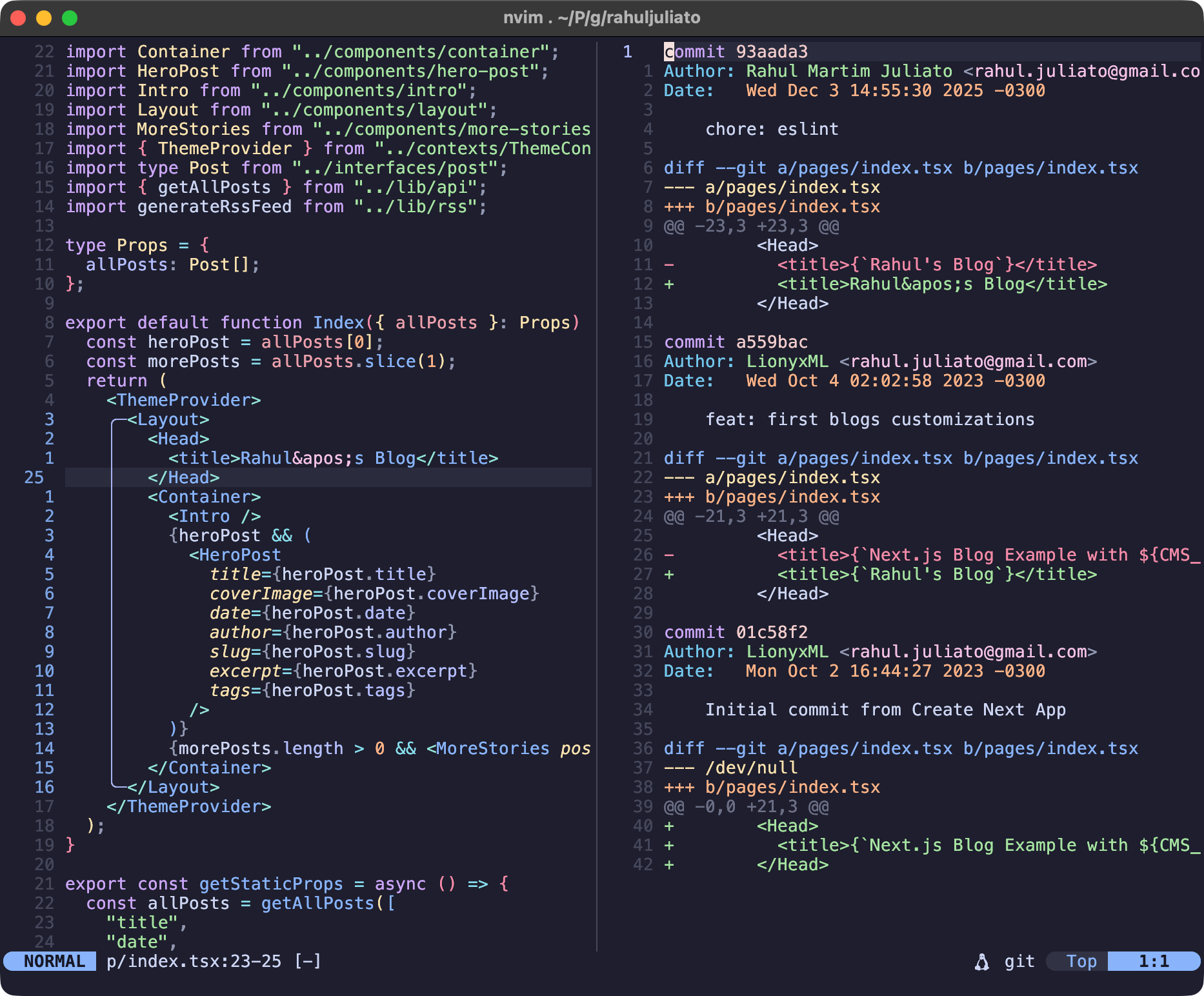
-
If
diffview.nvimis installed, open the full commit diff by hitting<CR>on a commit line.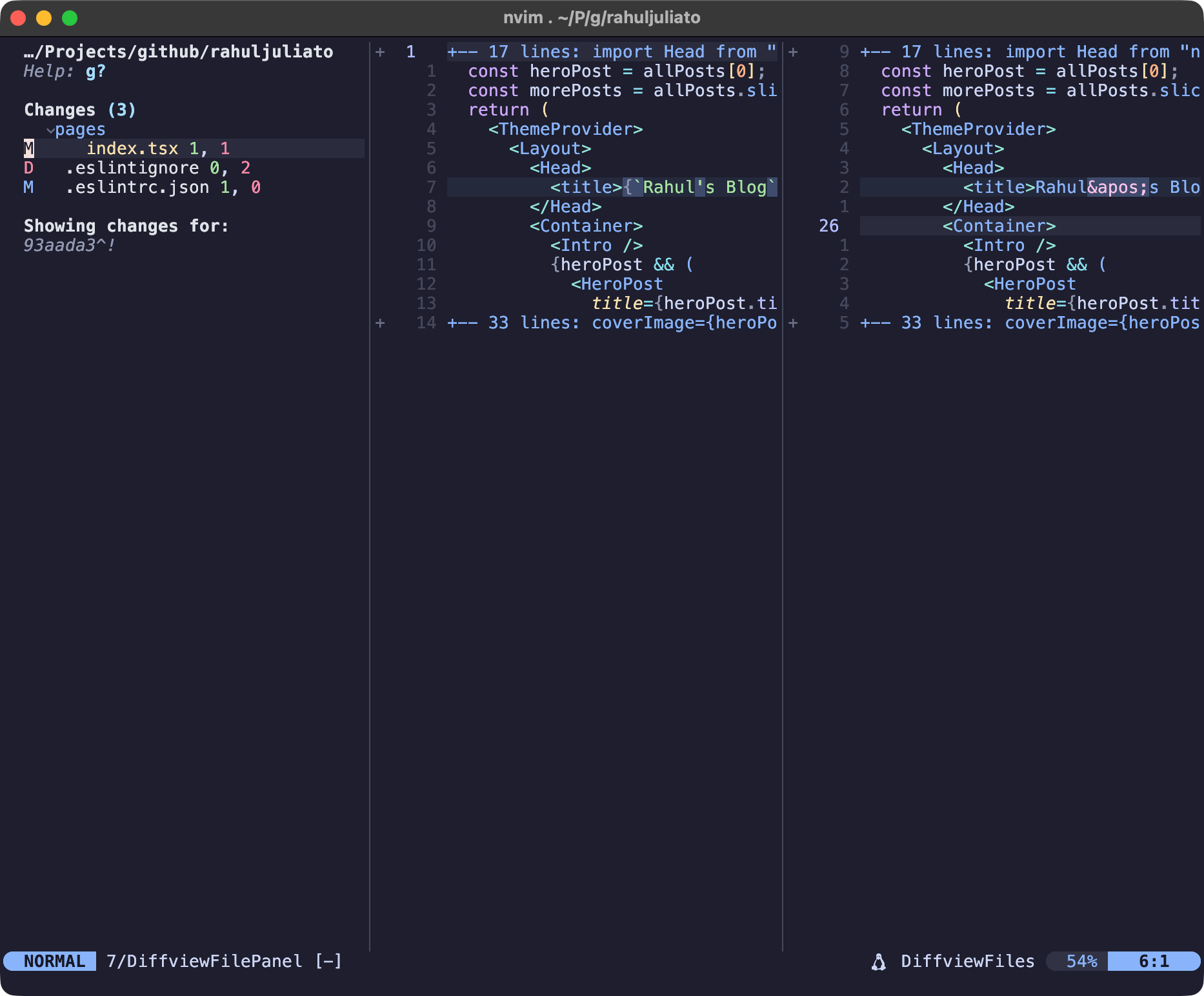
Required:
- Neovim >= 0.7.0
- Git
Optional:
- diffview.nvim - for viewing full commit diffs
{
    "lionyxml/gitlineage.nvim",
    dependencies = {
        "sindrets/diffview.nvim", -- optional, for open_diff feature
    },
    config = function()
        require("gitlineage").setup()
    end
}Using mini.deps:
local add = require("mini.deps").add

add("sindrets/diffview.nvim") -- optional, for open_diff feature
add("lionyxml/gitlineage.nvim")

require("gitlineage").setup()Using native vim.pack.add():
vim.pack.add({
	"https://github.com/sindrets/diffview.nvim", -- optional, for open_diff feature
	"https://github.com/lionyxml/gitlineage.nvim",
})

require("gitlineage").setup()call plug#begin()
Plug 'sindrets/diffview.nvim' " optional, for open_diff feature
Plug 'lionyxml/gitlineage.nvim'
call plug#end()
lua require("gitlineage").setup()require("gitlineage").setup({
split = "auto", -- "vertical", "horizontal", or "auto"
keymap = "<leader>gl", -- set to nil to disable default keymap
keys = {
close = "q", -- set to nil to disable
next_commit = "]c", -- set to nil to disable
prev_commit = "[c", -- set to nil to disable
yank_commit = "yc", -- set to nil to disable
open_diff = "<CR>", -- set to nil to disable (requires diffview.nvim)
},
})| Option | Default | Description |
|---|---|---|
split |
auto |
How to open the history buffer. auto picks vertical for wide windows, horizontal for tall. |
keymap |
<leader>gl |
Normal and visual mode keymap. Set to nil to define your own. |
keys.close |
q |
Close the history buffer. |
keys.next_commit |
]c |
Jump to next commit. |
keys.prev_commit |
[c |
Jump to previous commit. |
keys.yank_commit |
yc |
Yank commit SHA when on a commit line. |
keys.open_diff |
<CR> |
Open full commit diff (requires diffview.nvim). |
require("gitlineage").setup({
    keymap = "<leader>gh",
    keys = {
        close = "<Esc>",
        next_commit = "<C-n>",
        prev_commit = "<C-p>",
        yank_commit = "y",
        open_diff = "d",
    },
})- In normal mode, press
<leader>glto show history for the current line - In visual mode, select lines and press
<leader>glto show history for the selection
:GitLineage— show history for the current line:'<,'>GitLineage— show history for the visual selection (just type:GitLineagewhile in visual mode):10,20GitLineage— show history for an explicit line range
Once the history buffer is open, navigate using:
| Key | Action |
|---|---|
q |
Close the history buffer |
]c |
Jump to next commit |
[c |
Jump to previous commit |
yc |
Yank commit SHA (on commit line) |
<CR> |
Open full commit diff (requires diffview.nvim) |
Verify your setup:
:checkhealth gitlineageThis checks:
- Neovim version
- Git availability
- Git repository status
- diffview.nvim availability (optional)
- Plugin configuration
:h gitlineage
MIT
- mini-git -
MiniGit.show_range_history() - diffview.nvim -
:DiffviewFileHistory