Deterministic renderer + validator for the Strategic Mind Map skill: a small typed JSON in, a standalone interactive Markmap HTML5 document out.
This replaces an earlier ad hoc workflow where an LLM was asked to hand-reproduce a ~500-line HTML/CSS/JS template verbatim on every run. Here the template is a static asset and a Node.js CLI does the substitution, validation, and escaping — so the output is byte-reproducible from its JSON source and immune to the LLM subtly corrupting the template.
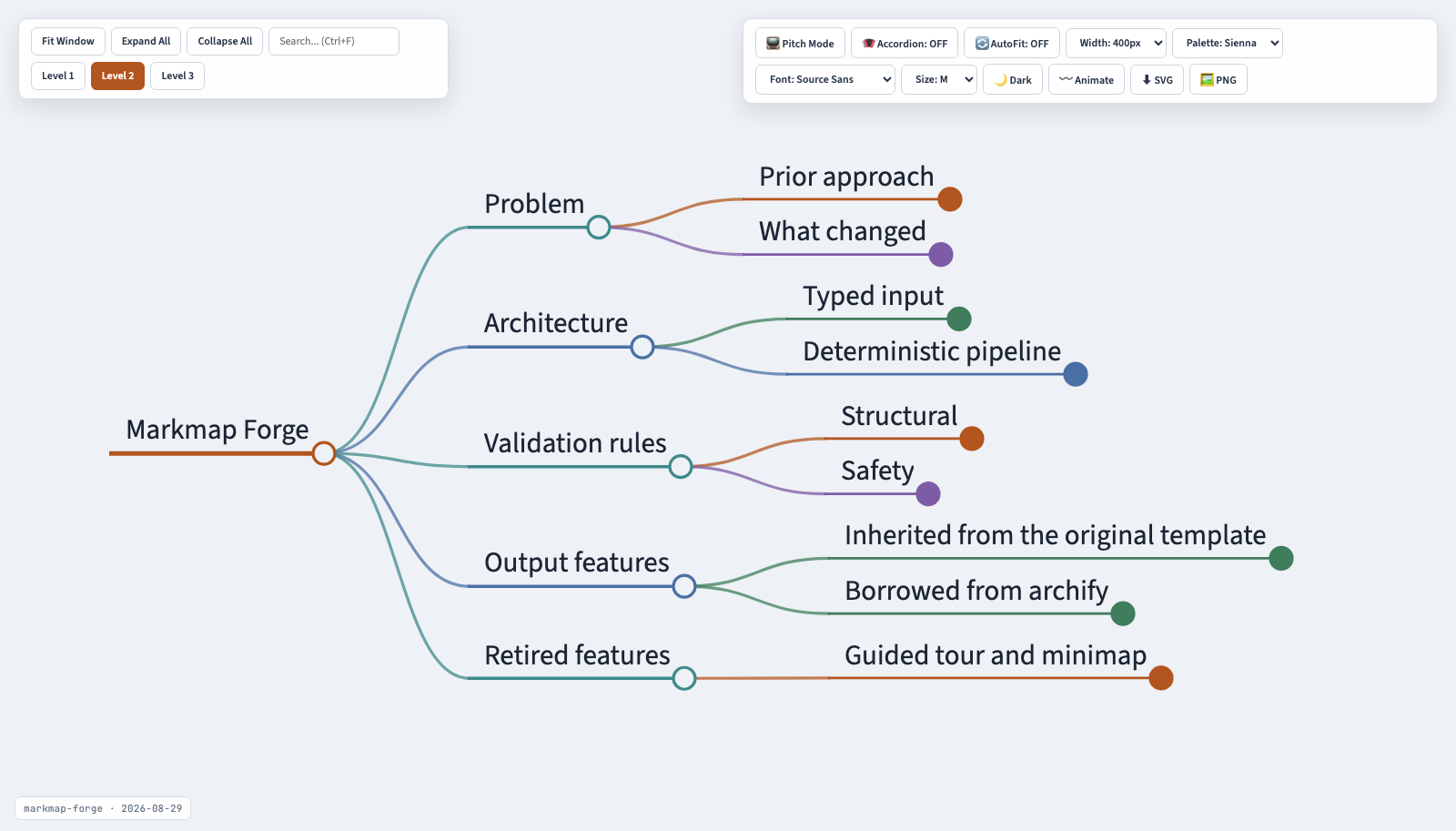
The document above is examples/example.html, produced by the CLI from examples/example.mindmap.json. Regenerate the screenshot with npm run capture:preview so it never drifts from the template.
Every output is a single self-contained HTML file: no build step, no network fetch at view time, with search, level folding, pitch mode, dark mode, palette/font/size controls and SVG/PNG export built in.
See SKILL.md for the authoring contract (how an agent should use this).
npm installnode bin/markmap-forge.mjs validate <input.json> [--json]
node bin/markmap-forge.mjs render <input.json> [output.html] [--json]
node bin/markmap-forge.mjs deliver <input.json> [output.html] [--json]deliver validates, renders, and prints a SHA-256 receipt for both the JSON source and the HTML artifact.
See schemas/mindmap.schema.json and examples/example.mindmap.json:
{
  "schema_version": 1,
  "source_name": "Human-readable original title or filename",
  "generation_date": "2026-08-29",
  "markdown": "# Title\n## Pillar\n### Entity\n- detail\n"
}
markdown is a strict outline: # title (exactly one), ## pillars, ### entities, - nested bullets. No tables, no stray arrows/pipes, no heading-level skips — the validator enforces all three as hard errors.
One self-contained HTML file (no build step, no server) with:
- Live search with match count and Ctrl+F
- Expand/Collapse and one button per detected heading depth
- Dark/light theme with persisted state (localStorage)
- SVG export
- PNG export — a full-resolution, high-DPI (2x) raster of the whole map's bounding box, distinct from the raw SVG export. Renders through a foreignObject-free clone of the SVG (Chrome taints canvas exports of SVGs containing
<foreignObject>HTML, even same-origin) so the rasterization never fails on real content. - Pitch Mode (fullscreen focus-and-zoom on click) — automatically engages AutoFit so expanded nodes are framed instantly, no manual "Fit Window" needed.
- Decorative animated links — a toggleable subtle flowing dash along branches. Purely visual: unlike archify's flow animation, a mind map's branches are hierarchy, not directional dataflow, so this is honestly decorative, not a flow indicator.
- Overlap-safe fitting — the floating menu panels are fixed overlays with no native collision avoidance against the tree; every "fit" pans the tree clear of them once the fit animation has actually settled, instead of letting a node render (and stay hidden) underneath a panel.
Rendering is powered by markmap + d3, loaded from a CDN inside the generated HTML.
Removed, 2026-08-30: Guided Tour and the minimap were both ported from archify, then iterated on across several sessions to fix real bugs — but never worked reliably enough to justify the ongoing maintenance cost, so they were cut rather than kept as a half-working feature. See the vault project note's Changelog for the full postmortem.
npm testUnit tests cover the validator only. npm run test:live additionally renders examples/example.mindmap.json and loads it in a real headless Chrome (via raw CDP — no puppeteer dependency) to assert the interactive JS actually works: no node renders underneath the fixed menu panels after a fit, Tour Mode and the minimap are confirmed absent (removed 2026-08-30), and dark-mode/PNG-export both run without console errors. Needs a local Chrome install; skips with a message if none is found.
npm run render:exampleRenders examples/example.mindmap.json (a mind map describing this tool itself) to examples/example.html.