
A caching and execution layer that sits between your app and any LLM API — saving cost, surviving network loss, and giving developers full control.


- Why Memo Exists
- See It In Action
- How It Works
- Features
- Installation
- Quick Start
- Configuration
- API Reference
- Architecture
- The Demo App
- Running the Project Locally
- Project Structure
- Status
- FAQ
- Related Projects
- License
Every team integrating an LLM API into their app eventually runs into the same three problems:
- Redundant cost. The same question gets asked repeatedly — by the same user, or different users — and every single one silently re-bills tokens, even when the answer was already known seconds ago.
- Fragile UX. The moment the network drops, most apps simply fail. No fallback, no degraded experience — just a broken screen.
- One-size-fits-all models. A high-end phone and a budget device get shipped the exact same model size, regardless of what each can actually run well.
Memo is a small, focused library that solves all three — as a drop-in layer, not a rewrite of how your app talks to AI.
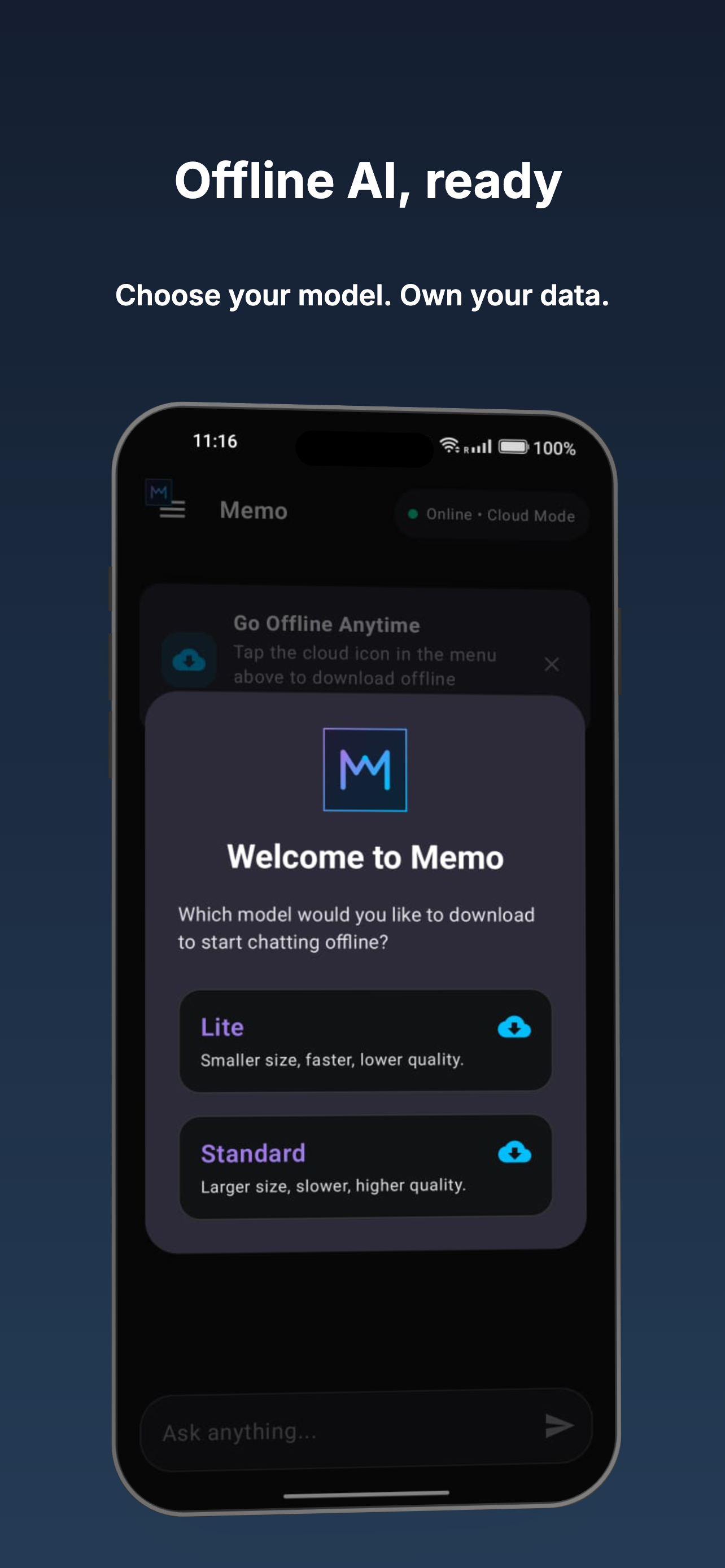 |
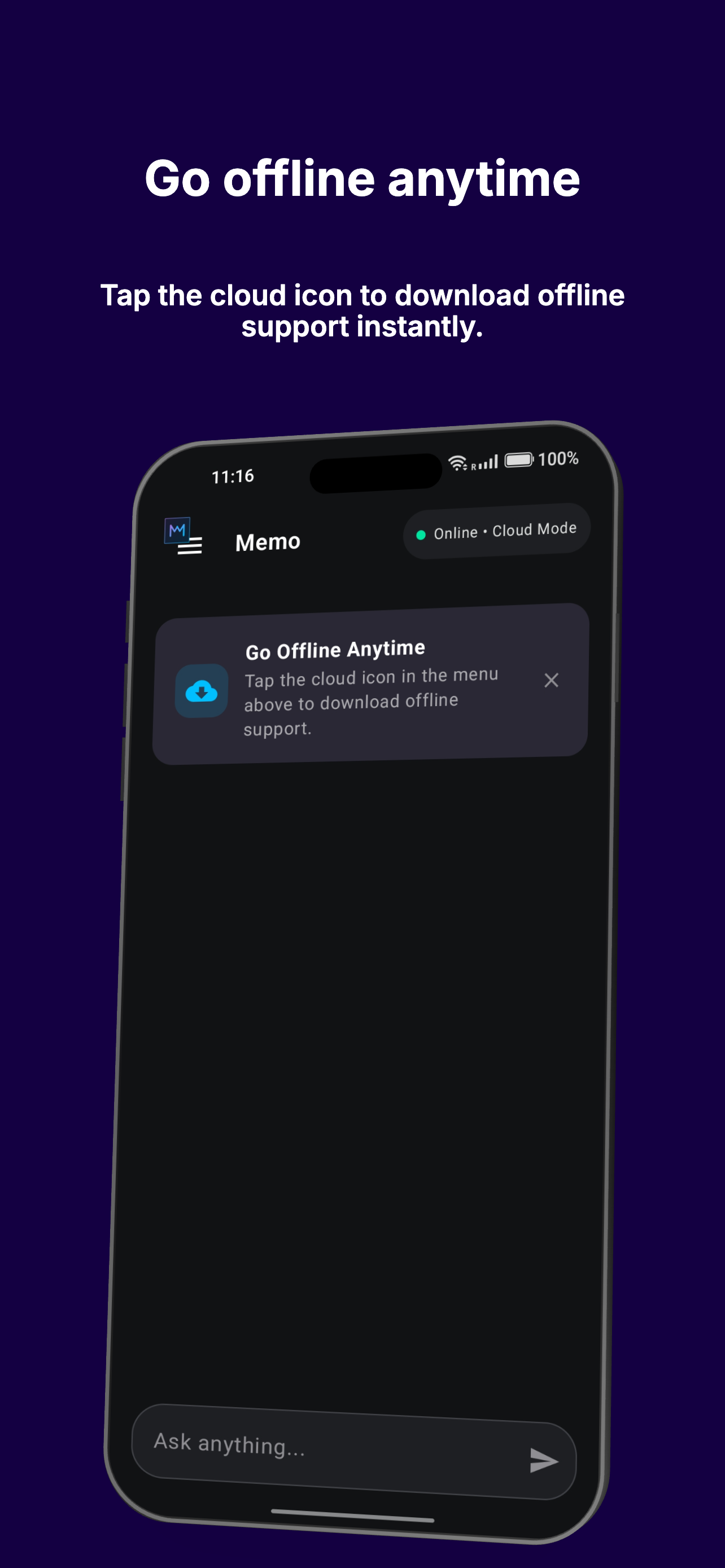 |
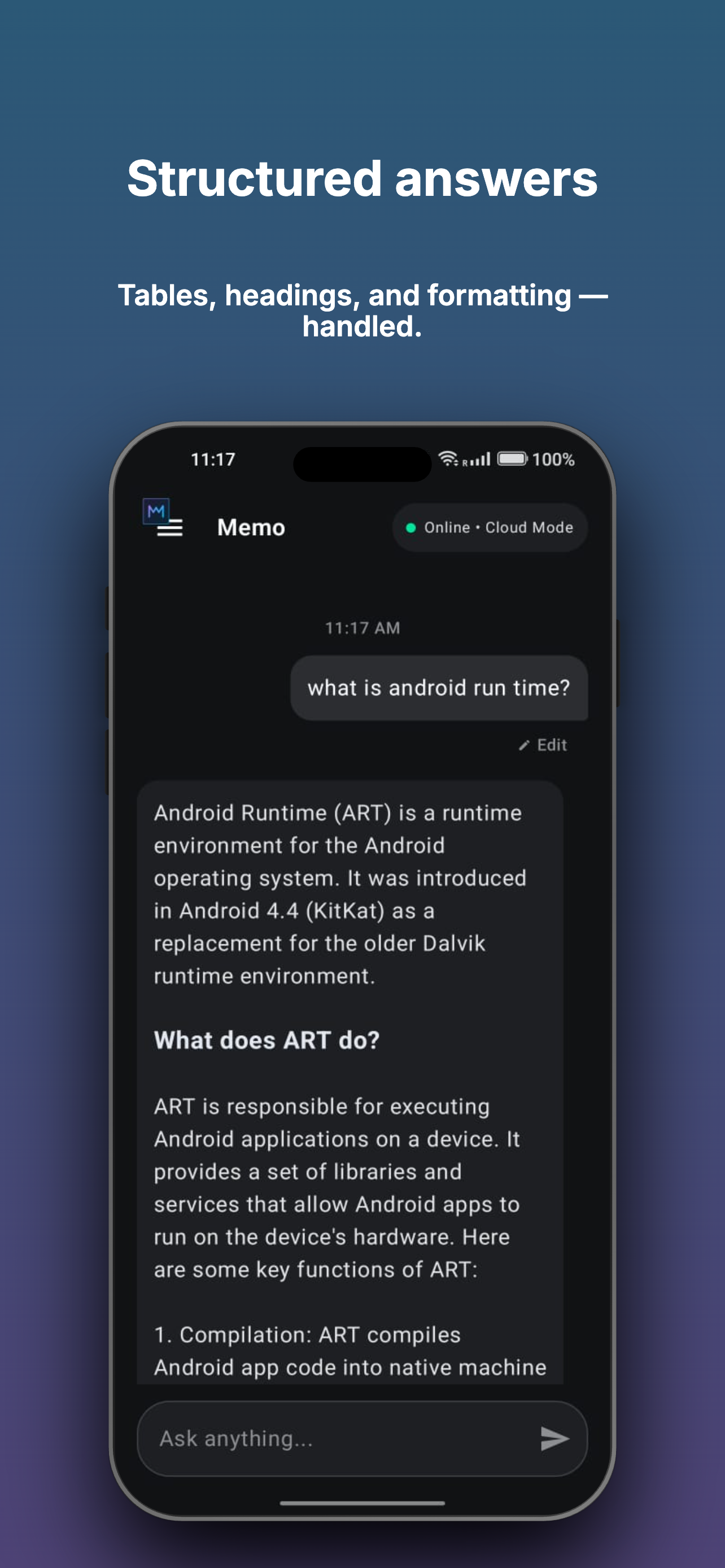 |
| Choose your model Pick Lite or Standard on first launch |
Go offline anytime Download offline support instantly |
Smart rendering Tables, headings, formatting — handled |
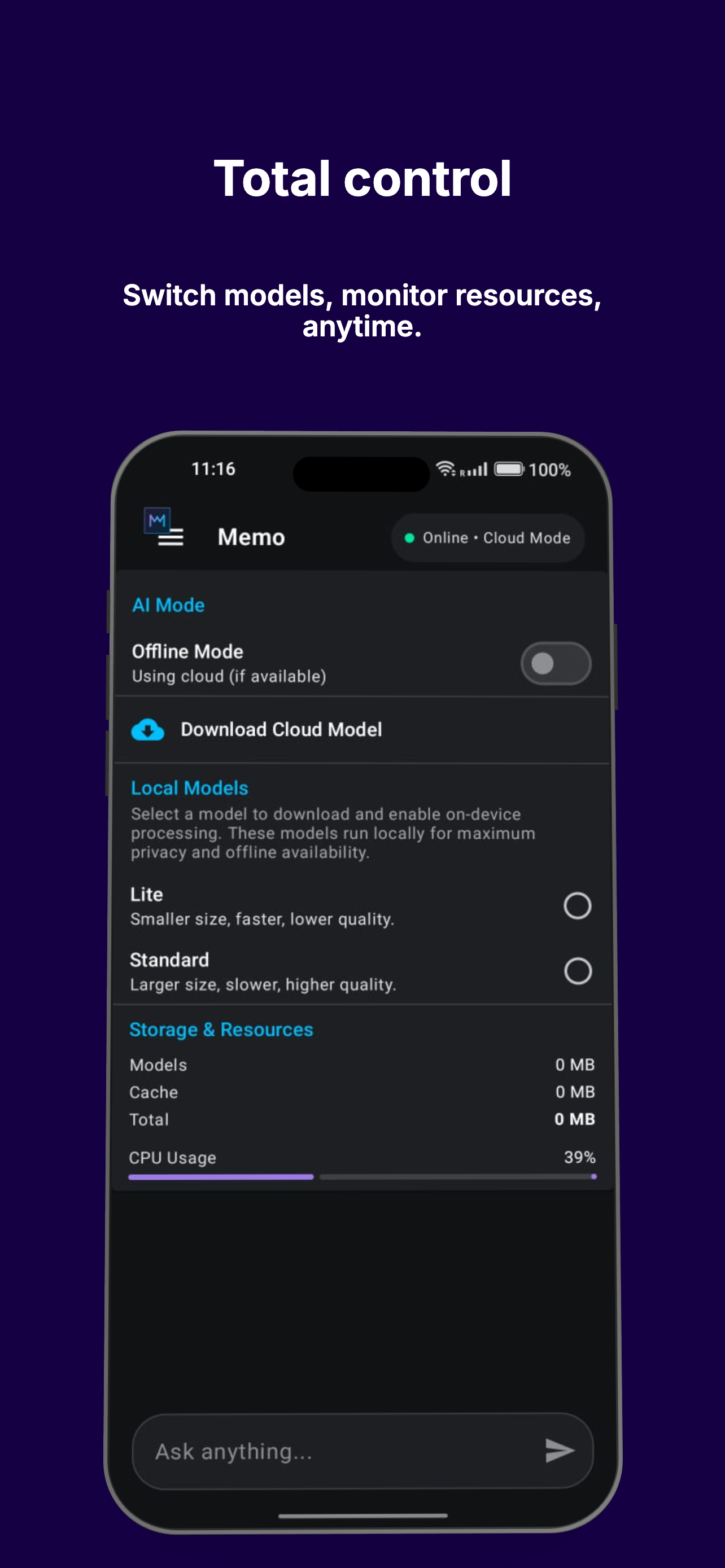 |
 |
 |
| Full control Switch models, monitor resources, anytime |
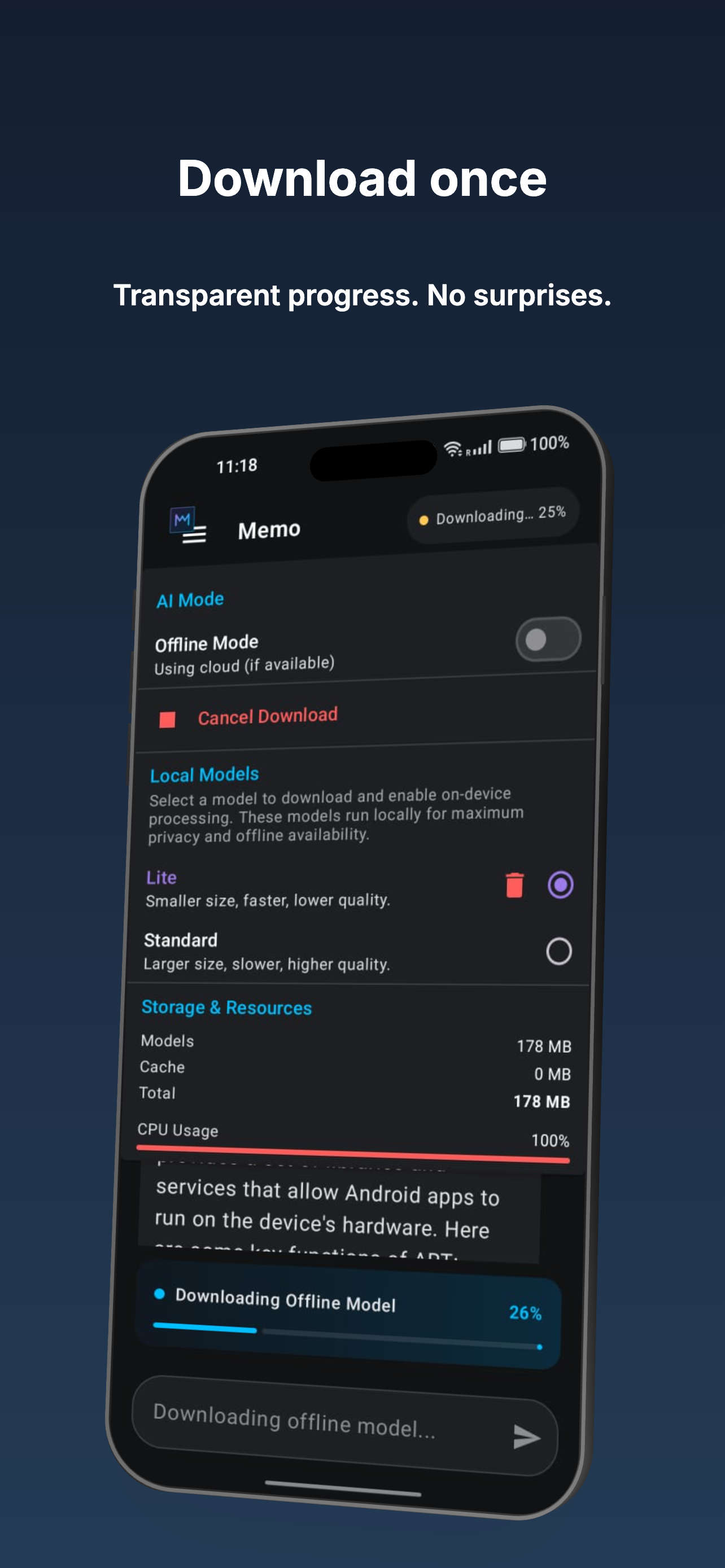
Transparent downloads Live progress, fully visible |
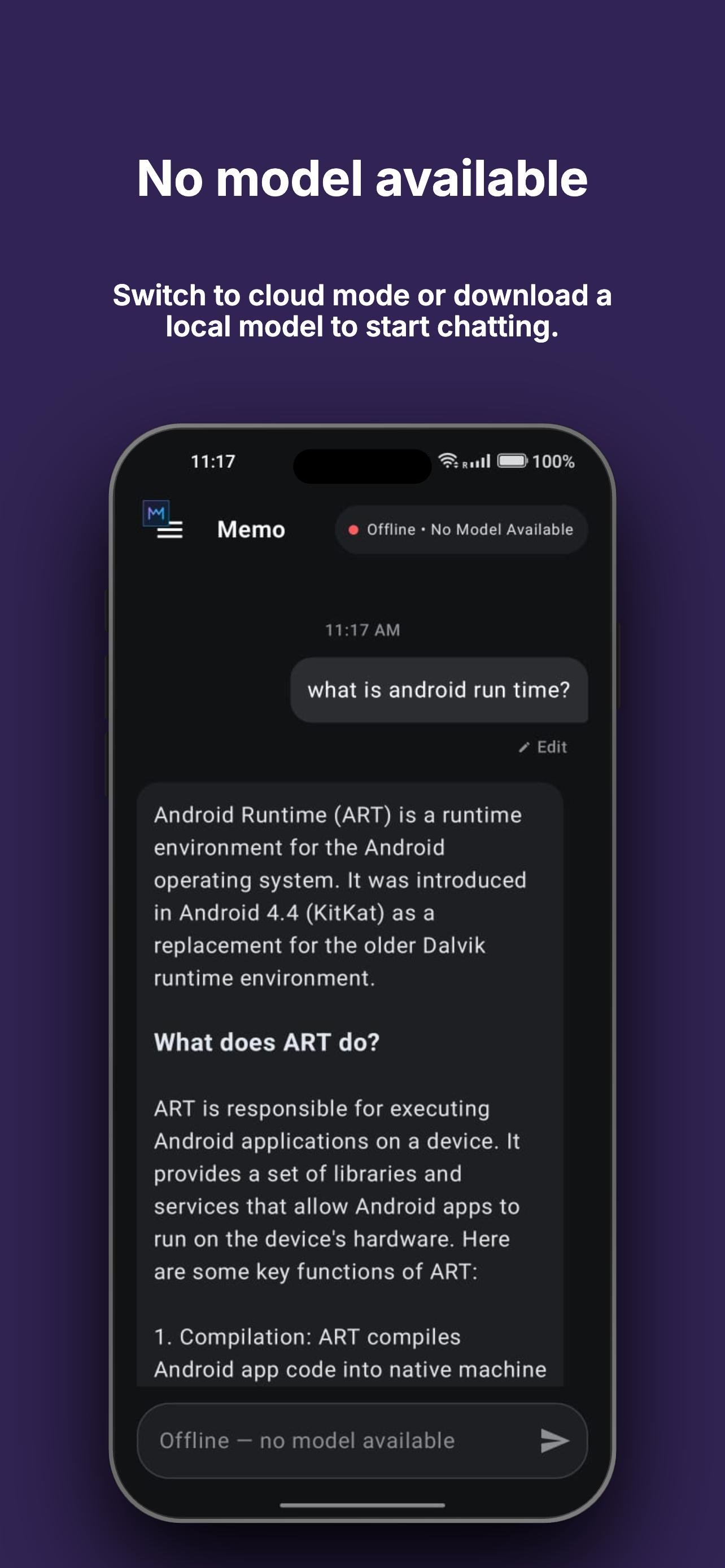
Model required status Alerts you when a local model needs loading |
 |
||
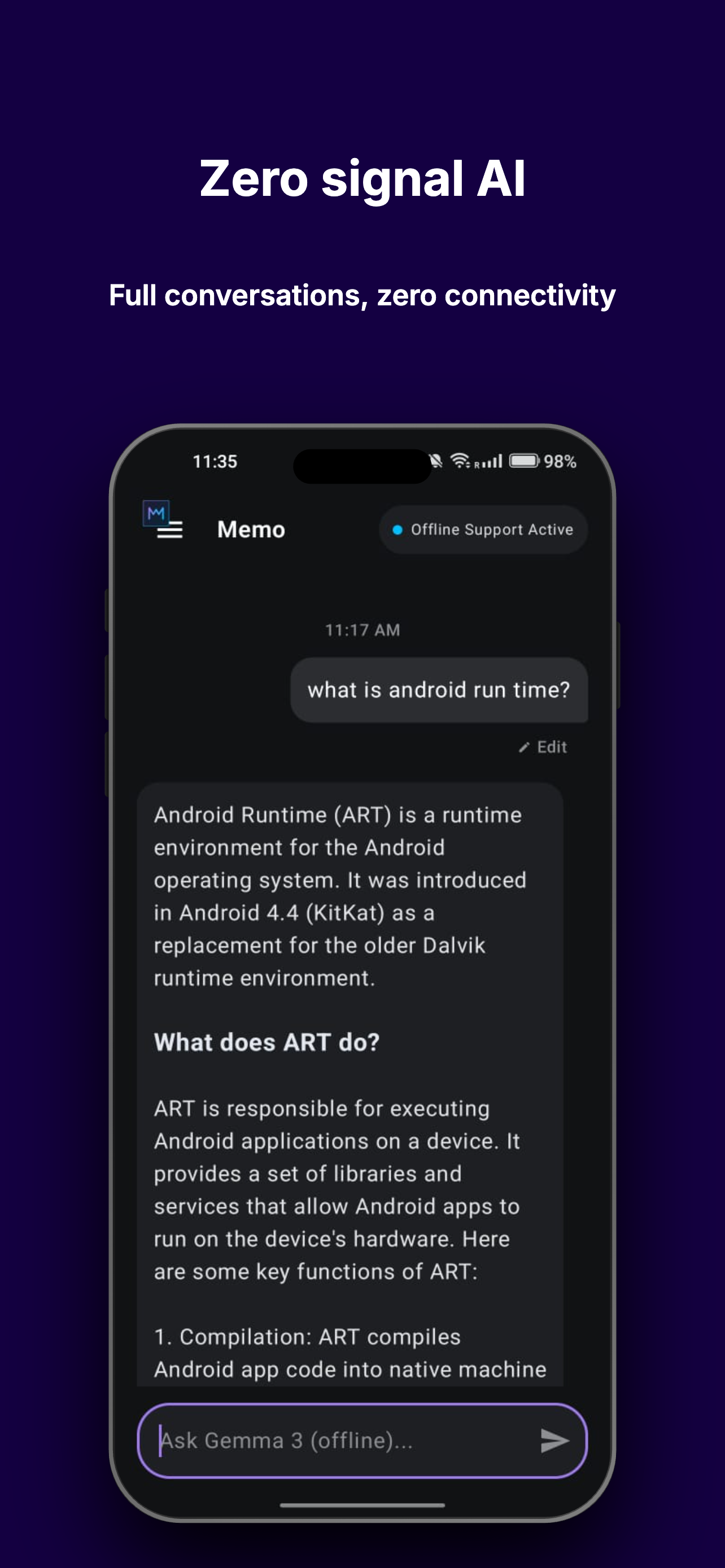
| True offline support Full conversations, zero connectivity |
All the screenshots are from the included Compose demo app, included in this repo and runnable out of the box.
flowchart TD
    A["memo.resolve(prompt, model)"] --> B["Hash prompt + model<br/>(SHA-256, normalized)"]
    B --> C{"Check local cache<br/>(Room DB)"}
    C -->|"Cache HIT"| D["Return cached response<br/>— zero cost, zero latency"]
    C -->|"Cache MISS"| E{"Network available?"}
    E -->|"Yes"| F["Call your cloud API<br/>Store result for next time"]
    E -->|"No"| G{"Offline model downloaded?"}
    G -->|"Yes"| H["Run on-device<br/>(Gemma via LiteRT-LM)"]
    G -->|"No"| I["Graceful fallback<br/>— never a silent crash"]
Every response tells you exactly where it came from — cache, cloud, or on-device — via MemoResponse.source, so your app and your analytics always know what happened.
The whole decision tree above is handled internally by Memo.resolve(). Your app calls one function; Memo handles the routing.
| Feature | Description |
|---|---|
| Transparent caching | SHA-256 hashed, TTL-based, Room-persisted. Identical prompts return instantly with zero network cost. |
| Cost estimation | Built-in pricing table estimates real dollars saved per cache hit, exposed via MemoStats. |
| True offline fallback | Runs a real quantized LLM (Gemma, via Google's LiteRT-LM) directly on-device — not a stub, a working model. |
| Hardware-aware tiers | Lite and Standard model tiers, selectable by the user or resolved automatically based on device RAM and storage. |
| Live network observability | A reactive Kotlin Flow built on ConnectivityManager.NetworkCallback, exposing real-time state your UI can subscribe to. |
| Bring your own provider | Works with any cloud API — OpenAI-compatible, Gemini, Claude, Groq, or a fully custom endpoint. |
| Full developer control | Override model URLs, disable auto-download, swap the cache backend, or plug in your own tier-resolution logic. |
| Pure Kotlin core | memo-core has zero Android dependencies — fully unit tested, portable, KMP-ready. |
Add JitPack to your project's repositories:
dependencyResolutionManagement {
    repositories {
        maven("https://jitpack.io")
    }
}
Add the dependency:
dependencies {
  implementation("com.github.Majid460.memo-cache-android:memo-android:1.0.0")
}
Requirements: minSdk 24+, Kotlin 1.9+, AndroidX.
val memo = Memo.Builder(context)
    .autoDownloadModel(true)
    .build()

lifecycleScope.launch {
    memo.resolve(
        prompt = "Summarize this article...",
        model = "your-model-name",
        cloudApiCall = { prompt -> yourApiClient.chat(prompt) }
    ).collect { token ->
        // Tokens stream in — from cache (instant),
        // your cloud API, or the on-device model.
        // No need to know which; Memo handles it.
    }
}
Don't forget to release resources when done:
override fun onCleared() {
    super.onCleared()
    memo.close()
}Memo needs to know where to download its offline fallback model from. You have three options, in order of simplicity:
1. Direct URL — simplest, no backend required:
val memo = Memo.Builder(context)
    .autoDownloadModel(true, downloadUrl = "https://your-cdn.com/your-model.task")
    .build()
2. Local file you manage yourself:
val memo = Memo.Builder(context)
    .modelPath("/data/local/tmp/llm/your-model.task")
    .build()
3. Hardware-aware resolver backend (see below) — automatically picks the right model tier per device.
For apps that want to serve different model sizes to different devices (e.g., a smaller model on low-RAM phones, a larger one on flagships), point Memo at a resolver backend:
val memo = Memo.Builder(context)
    .modelResolverEndpoint("https://your-backend.vercel.app/api/resolve-model")
    .autoDownloadModel(true)
    .build()
Memo's HardwareProfiler automatically collects device RAM and available storage, sends them to your endpoint, and downloads whichever model URL comes back.
A full reference backend (Vercel + Cloudflare R2) is included in this repo's sibling project, memo-backend — complete with deployment instructions. You are not required to use it. Point to your own backend, your own static URL, or skip tiering entirely.
Expected request/response contract for a custom resolver:
// POST request body
{ "totalRamMb": 8000, "availableStorageMb": 3000 }

// Expected response
{
  "tier": "STANDARD",
  "downloadUrl": "https://your-cdn.com/your-model.task"
}By default, Memo persists its cache via Room. To use your own storage backend (e.g., a different database, an in-memory store for testing):
class MyCustomCacheStore : CacheStore {
    override suspend fun get(key: String): CacheEntry? { /* ... */ }
    override suspend fun put(entry: CacheEntry) { /* ... */ }
    override suspend fun evictExpired() { /* ... */ }
    override suspend fun clear() { /* ... */ }
}

val memo = Memo.Builder(context)
    .cacheStore(MyCustomCacheStore())
.build()Never hardcode URLs or API keys in source code. Use local.properties, which Android Studio gitignores by default in every project:
# local.properties (never committed)
memo.model.resolver.endpoint=https://your-backend.vercel.app/api/resolve-model
memo.cloud.api.key=your_api_key_here
Read these into BuildConfig in your app's build.gradle.kts:
import java.util.Properties

android {
    defaultConfig {
        val localProps = Properties()
        val localPropsFile = rootProject.file("local.properties")
        if (localPropsFile.exists()) {
            localProps.load(localPropsFile.inputStream())
        }

        buildConfigField(
            "String", "MODEL_RESOLVER_ENDPOINT",
            "\"${localProps.getProperty("memo.model.resolver.endpoint", "")}\""
        )
        buildConfigField(
            "String", "CLOUD_API_KEY",
            "\"${localProps.getProperty("memo.cloud.api.key", "")}\""
        )
    }
    buildFeatures { buildConfig = true }
}
Then reference safely in code: BuildConfig.MODEL_RESOLVER_ENDPOINT, BuildConfig.CLOUD_API_KEY.
| Method | Description |
|---|---|
Memo.Builder(context) |
Start building a Memo instance |
.autoDownloadModel(enabled, downloadUrl?) |
Enable automatic offline model download, optionally with a direct URL |
.modelResolverEndpoint(url) |
Use a hardware-aware backend to resolve the right model tier per device |
.modelPath(path) |
Point to a manually-managed local model file |
.cacheStore(store) |
Provide a custom CacheStore implementation |
.build() |
Returns a fully configured Memo instance |
| Member | Description |
|---|---|
resolve(prompt, model, cloudApiCall) |
Returns Flow<String> — streamed response from cache, cloud, or on-device |
networkState |
StateFlow<MemoNetworkState> — observe live connectivity/model state |
downloadModel() |
Manually trigger a model download |
isModelDownloaded |
Boolean — whether an offline model is ready to use |
close() |
Releases resources (call from onCleared() or equivalent lifecycle end) |
sealed class MemoNetworkState {
    object Online
    object OfflineReady
    object OfflineNoModel
    object DownloadingModel
    data class DownloadProgress(val percent: Int)
}data class MemoResponse(
val text: String,
val source: ResponseSource, // CACHE, NETWORK, or OFFLINE_FALLBACK
val tokensSaved: Int = 0
)data class MemoStats(
val totalCalls: Int,
val cacheHits: Int,
val networkCalls: Int,
val offlineFallbacks: Int,
val totalDollarsSaved: Double
) {
val cacheHitRate: Double // percentage, 0-100
}Access via memo.getStats() on the underlying MemoCache (exposed for analytics/debugging purposes).
Memo is built as three independent layers:
graph TD
    App["Your App\ncalls memo.resolve()"]

    App --> Memo

    subgraph Memo["Memo Facade"]
        direction TB
        SM["MemoStateManager\nnetwork + model state"]
        MC["MemoCache\ncaching + TTL"]
        OD["OnDeviceFallback\nlocal LiteRT engine"]
    end

    Memo --> Core
    Memo --> Lib

    Core["memo-core\npure Kotlin\nhashing · TTL · cost"]
    Lib["memo-android\nRoom · LiteRT · Network"]

    style App fill:#1a1a2e,stroke:#9F7AEA,stroke-width:2px,color:#fff
    style Memo fill:#0d1117,stroke:#00BFFF,stroke-width:1px,color:#fff
    style SM fill:#161b22,stroke:#00BFFF,stroke-width:1px,color:#ccc
    style MC fill:#161b22,stroke:#00BFFF,stroke-width:1px,color:#ccc
    style OD fill:#161b22,stroke:#00BFFF,stroke-width:1px,color:#ccc
    style Core fill:#161b22,stroke:#9F7AEA,stroke-width:1px,color:#fff
    style Lib fill:#161b22,stroke:#9F7AEA,stroke-width:1px,color:#fff
memo-core is intentionally Android-free — every caching decision (hashing, TTL expiry, cost estimation) is plain, portable Kotlin, fully unit tested in isolation. memo-android wires this logic into real Android APIs: Room for persistence, ConnectivityManager for network state, and Google's LiteRT-LM for on-device inference.
This repo includes a complete, production-quality Jetpack Compose reference app (/demo) demonstrating every feature:
- Real-time streaming chat with both cloud (Groq) and on-device (Gemma) inference
- Live, animated network status indicator with smooth state transitions
- Full Markdown rendering — headings, bold, bullet lists, and horizontally-scrollable tables
- Hardware-aware model tier selection with live storage and CPU monitoring
- Complete download lifecycle: progress, cancellation, and per-tier deletion
- Graceful degradation — a clear, actionable dialog when offline with no model downloaded
This is not a toy example — it's the same app the screenshots above were taken from, and a realistic template for integrating Memo into a real product.
git clone https://github.com/Majid460/memo-cache-android.git
cd memo-cache-android
Add your own secrets to local.properties (see Secrets & API Keys):
memo.model.resolver.endpoint=YOUR_BACKEND_URL
memo.cloud.api.key=YOUR_GROQ_OR_OTHER_API_KEY
Open in Android Studio, sync Gradle, and run the demo module on a device or emulator (API 24+).
memo-cache-android/
├── memo-core/                  Pure Kotlin module
│   └── src/main/kotlin/
│       ├── cache/                CacheEntry, CacheKeyGenerator, CacheStore, MemoCache
│       ├── cost/                 CostEstimator
│       └── stats/                MemoStats, StatsTracker
│
├── memo-android/                Android-specific module
│   └── src/main/kotlin/
│       ├── cache/                Room entities, DAO, RoomCacheStore
│       ├── network/               NetworkObserver, NetworkStatus
│       ├── state/                 MemoNetworkState, MemoStateManager
│       ├── hardware/              HardwareProfiler
│       ├── model/                 ModelFileManager, OnDeviceFallback, ModelResolverApi
│       └── Memo.kt                Public facade
│
├── demo/                        Full Compose reference app
│   └── src/main/
│       ├── assets/llm/             Bundled offline model (optional)
│       └── kotlin/.../ui/chat/     Chat screen, components, ViewModel
│
└── docs/
    ├── assets/                   Logo, branding
    └── screenshots/               README screenshots
- Core hashing + TTL caching logic
- Room-backed persistent cache
- Cost estimator + stats tracking
- On-device offline fallback (LiteRT-LM / Gemma)
- Hardware-aware tiered model selection
- Live network observability with auto-fallback
- Model download, cancellation, and per-tier deletion
- Full Compose demo app
- JitPack publishing (currently build-from-source)
- Background downloads via WorkManager
- Kotlin Multiplatform support (Compose Multiplatform)
- Persisted chat history (planned, not yet implemented)
Does Memo require Cloudflare or Vercel?
No. Those are used only in the included reference backend (memo-backend) for demonstrating hardware-aware model tiers. Memo itself works with any direct URL or no backend at all.
Does this work with OpenAI / Gemini / Claude?
Yes — cloudApiCall accepts any suspend function that takes a prompt and returns a string. Memo doesn't care which provider you use.
How large is the on-device model?
The reference Gemma models used in the demo range from ~690MB (Lite) to ~1GB (Standard). You can supply any LiteRT-LM-compatible .task model of your choosing.
Is the cache encrypted?
Not by default — RoomCacheStore uses standard Room/SQLite storage. If you need encryption, provide a custom CacheStore implementation (e.g., backed by SQLCipher).
What Android versions are supported? minSdk 24 (Android 7.0) and above.
- memo-backend — Reference Vercel + Cloudflare R2 backend for hardware-aware model resolution. Optional; not required to use Memo.
MIT — see LICENSE for details.