English · 简体中文
First-class Neovim plugin for Basilisk — zero-config Python type checking, debugging, profiling, and test exploration.
Basilisk is an open-source Python type checker and language server built in Rust: diagnostics, autocomplete, refactoring, debugging, and profiling, with strictness configured per rule.
The type checker still contains code that isn't doing real type checking, and it is not yet trustworthy. Some rules decide from the way code is spelled rather than what it means, so they can be wrong in both directions — a false error on correct code, or silence where there is a genuine bug. Don't gate CI on it, and don't read a clean run as a clean codebase. Our former conformance claim and our benchmark figures are withdrawn, and Basilisk was removed from the official results at our request.
This was a mistake and a failure to verify. We published on a green run without ever checking whether our rules survived a semantics-preserving change. Basilisk's author has published a personal account and apology.
We are auditing every rule and deleting the ones that don't hold up — not rewriting them, not patching them, with a failing test left behind so the gap stays visible. Where a rule can't be made reliable in a straightforward way, we will depend on a different, established type checker rather than ship our own unreliable version of it.
Basilisk is much more than a type checker. The language server, refactoring, formatting, debugging, and profiling don't rest on the rules under audit — those are what we are sharpening while it runs, removing anything that could hand you a misleading result. We are doing this to restore trust and turn Basilisk back into a tool you can believe. Read the correction.
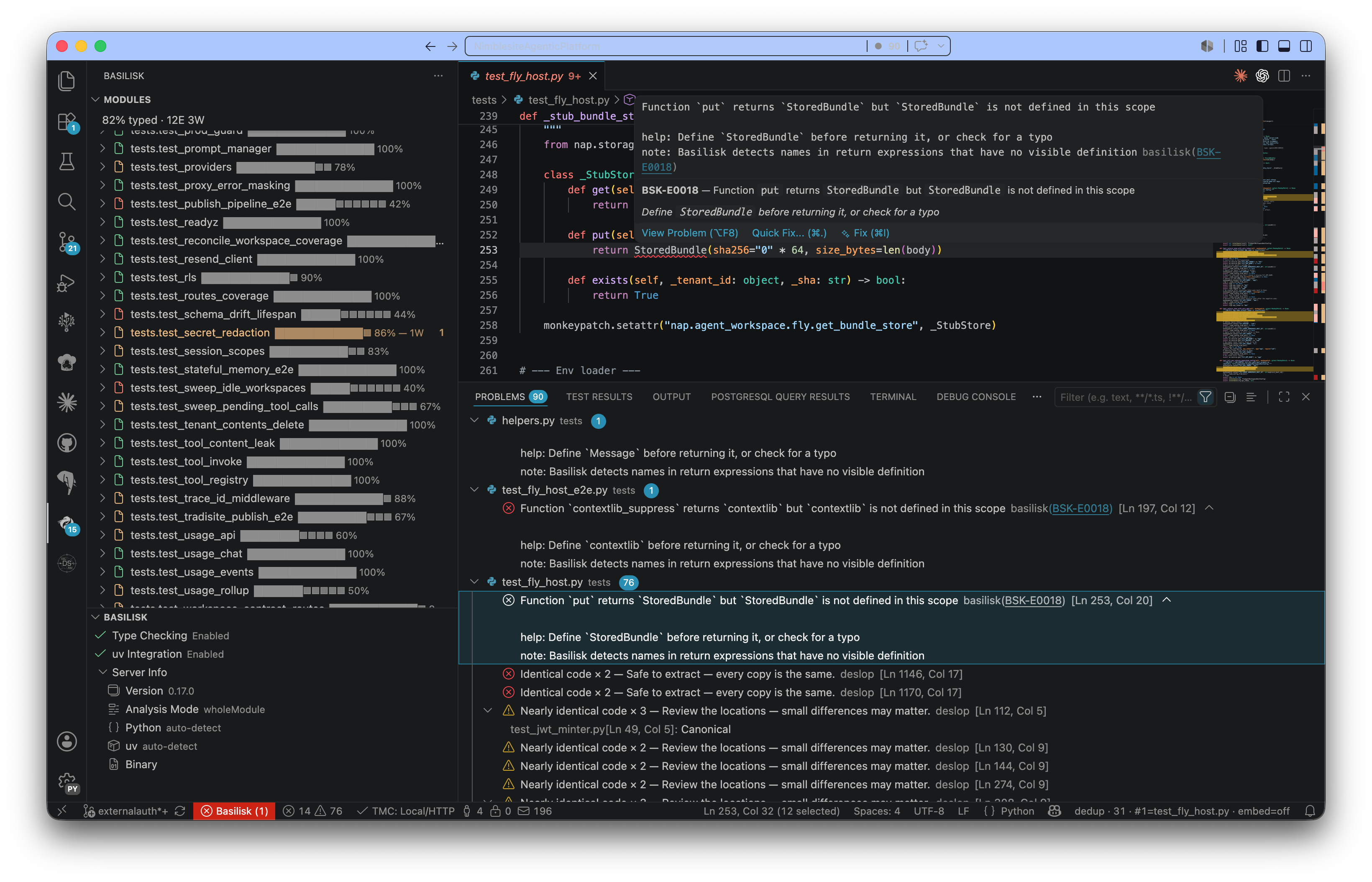
This is the Neovim editor integration. It connects Neovim's built-in LSP client to the Basilisk language server, providing the same feature set as the VS Code extension: real-time diagnostics, hover, go-to-definition, code actions, inlay hints, integrated debugging, and profiling.
- Zero-config setup — detects the
basiliskbinary and connects automatically - Real-time diagnostics — errors appear inline as you type
- Go-to-definition, hover, find references — full LSP navigation
- Code actions & refactoring — extract, rename, move, inline
- Inlay hints — parameter names and inferred types
- Integrated debugging — nvim-dap compatible, F5 to debug
- Test explorer — discover and run pytest tests from the editor
- Python profiling — py-spy heatmaps directly in the editor
- Memory leak tracking — detect leaks during development
- uv integration —
uv syncanduv addcommands - Status line — LSP status in your status line
- Health checks —
:checkhealth basiliskfor diagnostics
- Neovim 0.11+ (the plugin uses the built-in
vim.lsp.config/vim.lsp.enableAPI) curl(used once, to download thebasiliskbinary — see below)
Two parts get installed: the plugin (this repo, via your plugin manager) and the basilisk binary (downloaded automatically — you normally never install it yourself).
lazy.nvim
{
  "Nimblesite/basilisk.nvim",
  ft = "python",
  dependencies = { "mfussenegger/nvim-dap" }, -- optional, for debugging
  opts = {},
}
packer.nvim
use {
  "Nimblesite/basilisk.nvim",
  ft = "python",
  config = function()
    require("basilisk").setup({})
  end,
}
vim-plug
Plug 'Nimblesite/basilisk.nvim'then somewhere after plug#end():
lua require("basilisk").setup({})vim.pack (built-in, Neovim 0.12+)
vim.pack.add({
  { src = "https://github.com/Nimblesite/basilisk.nvim",
    version = vim.version.range("*") }, -- latest stable tag; or pin "v0.33.0"
})
require("basilisk").setup({})Open any Python file. If no basilisk binary is found, the plugin downloads the latest GitHub release for your platform into Neovim's data directory and starts the LSP — no PATH setup, no manual step. You can also trigger it explicitly with :BasiliskInstall.
Prefer a package manager? The plugin picks up existing installs automatically:
# macOS (Apple Silicon) / Linux
brew tap Nimblesite/tap && brew install basilisk

# Windows
scoop bucket add nimblesite https://github.com/Nimblesite/scoop-bucket
scoop install basilisk

# anywhere with a Python toolchain
uv tool install basilisk-python

# anywhere with a Rust toolchain (builds from source)
cargo install --git https://github.com/Nimblesite/Basilisk basilisk-cli
That's it — diagnostics, hover, completions, formatting, debugging, tests, and profiling all run through this one plugin. Verify with :checkhealth basilisk.
- Plugin: update like any other plugin —
:Lazy update(lazy.nvim),:PackerSync(packer),:PlugUpdate(vim-plug). - Binary: when a new release is out, the plugin notifies you on startup. Run
:BasiliskUpdate— it confirms, downloads the new version, and restarts the LSP in place. Installs owned by a package manager are never overwritten; the notice tells you to runbrew upgrade basilisk/scoop update basilisk/cargo install --git https://github.com/Nimblesite/Basilisk basilisk-cliinstead.
Zero-config works out of the box:
require("basilisk").setup()All options (analysis mode, inlay hints, formatter, debugger, test explorer, uv, keymaps…) are documented in doc/basilisk.txt — :h basilisk-configuration.
MIT.