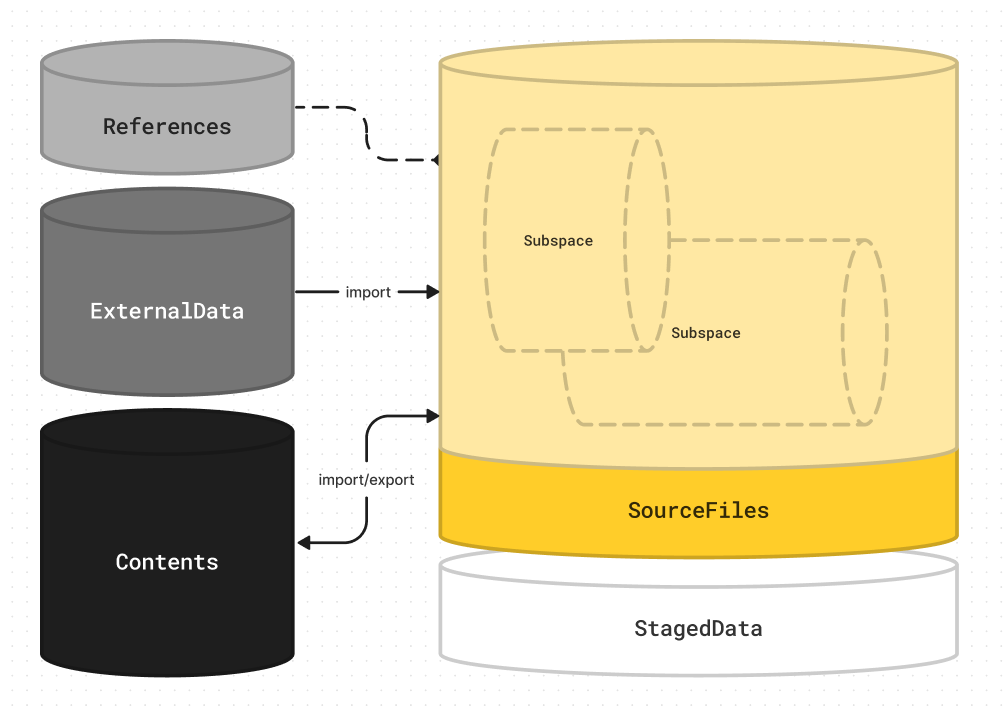
Omoospace is a universal folder structure guideline for creative projects. Its goals are universality, flexibility, and semantic clarity. It works for complex projects and team collaboration, as well as simple projects and individual work. Why Omoospace?
- Create a new folder as the project root.
- Create
Omoospace.ymlin the root. - Create
Contents/in the root and put your resource files in it. - (Optional) Create
Subspaces/in the root and put your source files in it. - (Optional) Add other folders as needed and place the corresponding file types in them.
-
Create
Omoospace.ymlin the project root. -
Edit
Omoospace.ymland add:contents_dir: <resource_folder_name>
Example:
contents_dir: Assets
-
(Optional) Edit
Omoospace.ymland add:subspaces_dir: <source_folder_name>
Example:
subspaces_dir: ProjectFiles
https://docs.astral.sh/uv/getting-started/installation/
uv tool install omoospace[cli]omoos create <Name>cd <project folder>
omoos init