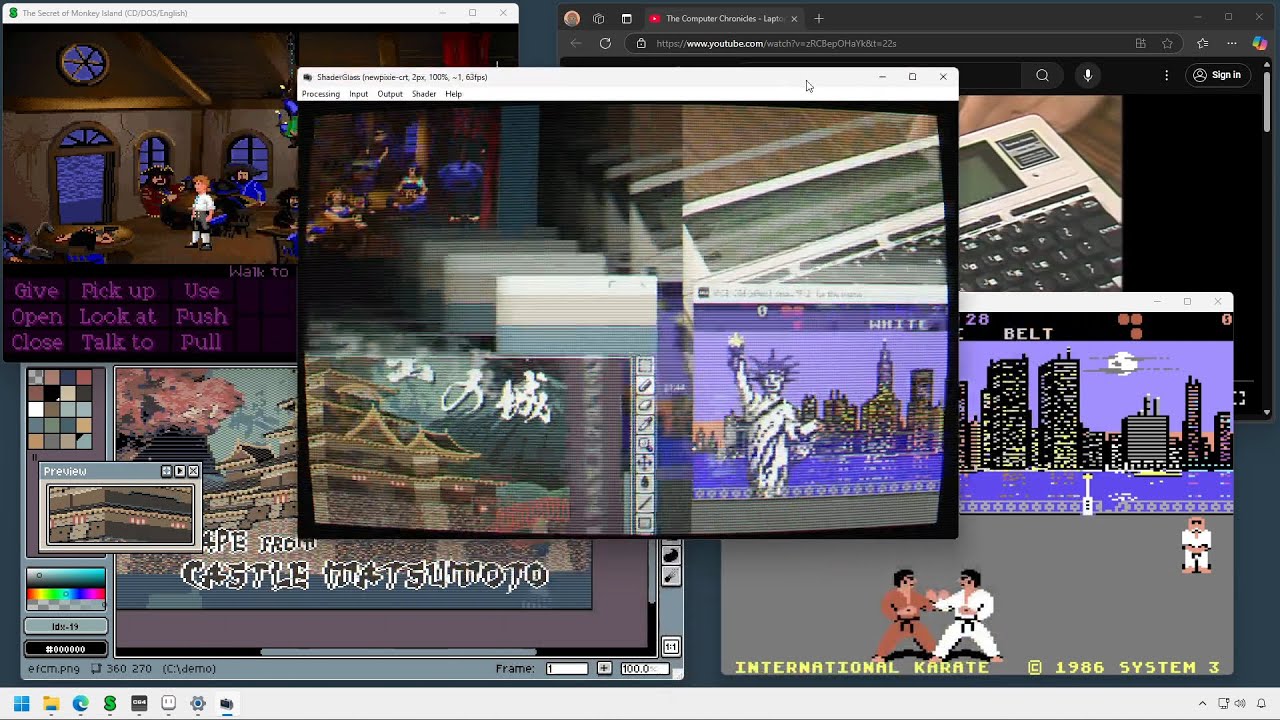
Overlay for running GPU shaders on top of Windows desktop. This fork adds saving the size of the shader window and its position on profiles, so you can now create profiles for different apps with different sizes and window positions and restore them automatically when loading the profile.
- applies shader effects on top of desktop, in a floating window or full-screen
- built-in RetroArch shader library (1200+ shaders!) covering:
- CRT monitor simulation
- image upscaling
- TV, VHS and handheld simulation
- softening, denoising, blur, sharpen and many more
- you can even use it on top of YouTube, Twitch or modern games
- allows capture from a USB source (webcam or capture card)
- saving and loading profiles
- import of external .slangp/.slang shaders
- high customizability with various options, operating modes and shader parameters
- can be captured by OBS (using Game Capture source)
- saving window size and position on profiles for easy load <-- This fork🤓
Check out Online Manual
- Windows 10, version 2004 (build 19041) or Windows 11
- will work on version 1903 but in limited capacity (no Desktop Glass mode)
- Windows 11 allows the removal of yellow border (see FAQ for tips on avoiding it on Windows 10)
- DirectX 11-capable GPU
Click to view on YouTube
There are 2 reasons I made this fork:
1- While DLL injection is superior when available, games running on SDL/SDL2/SDL3 have a terrible time with DLL injection. Playing mods for old games like Augustus or KeeperFX with shader effects would be impossible.
2- The original app had limitations with profiles not saving the states of the window of the app, meaning that for using it you had to launch the game, then launch ShaderGlass, then load the profile for the app you want, then move the window in place, then resize its window to fit the game.
Magpie and other shader apps, are fine but they always lack something. Magpie is hardcoded to upscale the game window no matter what. I saw potential in this app, since it can bypass the DLL injection drama like Magpie but also respected the orignal window size of games (I play on windowed mode always on a big screen). I felt frustrated because it was always so close to being good enough but these apps always lacked something. As said, in this case it was a little tiresome to have to manually set it up everytime I wanted to use the CRT shaders. So I came up with the idea of saving those parameters into the profile files instead of overwriting those options in windows registry. And it turned out to work as I wanted. This fork comes to fill a small gap.
Important
All modifications are made with LLM's as I am not a developer.
Some people may feel this is bad so I'm warning you just in case.
-
ShaderGlass application is provided under GNU General Public License v3.0
-
Includes precompiled shaders from libretro/RetroArch shader repository. Please refer to copyright notes within shader code for detailed copyright and license information about each shader.
-
App icon courtesy of Icons-Land
-
Big kudos to RetroArch team, emulator developers and the wide retro community!
-
Thanks to @mausimus for his permission to fork his app.