StackageApp is a community-powered, self-policing fully mobile social media platform for sharing information about technology. In the application, authenticated users can make and share posts, view and filter a feed of others' posts, approve posts for inclusion in the feed, make a profile, view and connect with other users, message connections, and more. Limited features are also available to unauthenticated users when they sign in as a guest. StackageApp is an open source project.






Additional Images
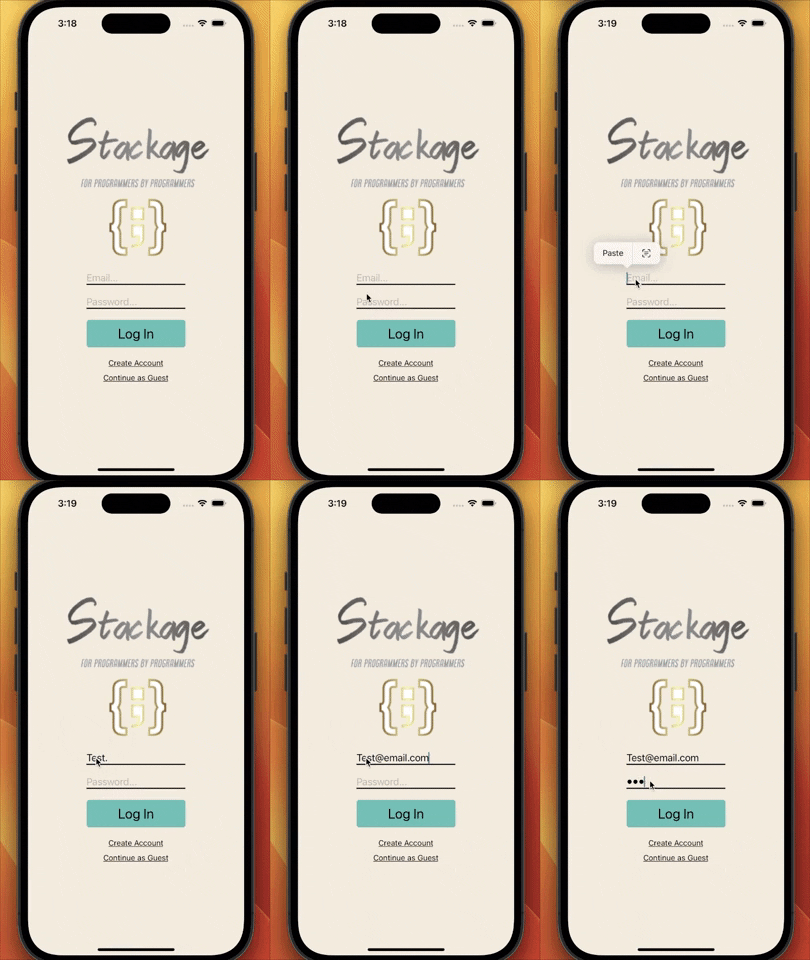
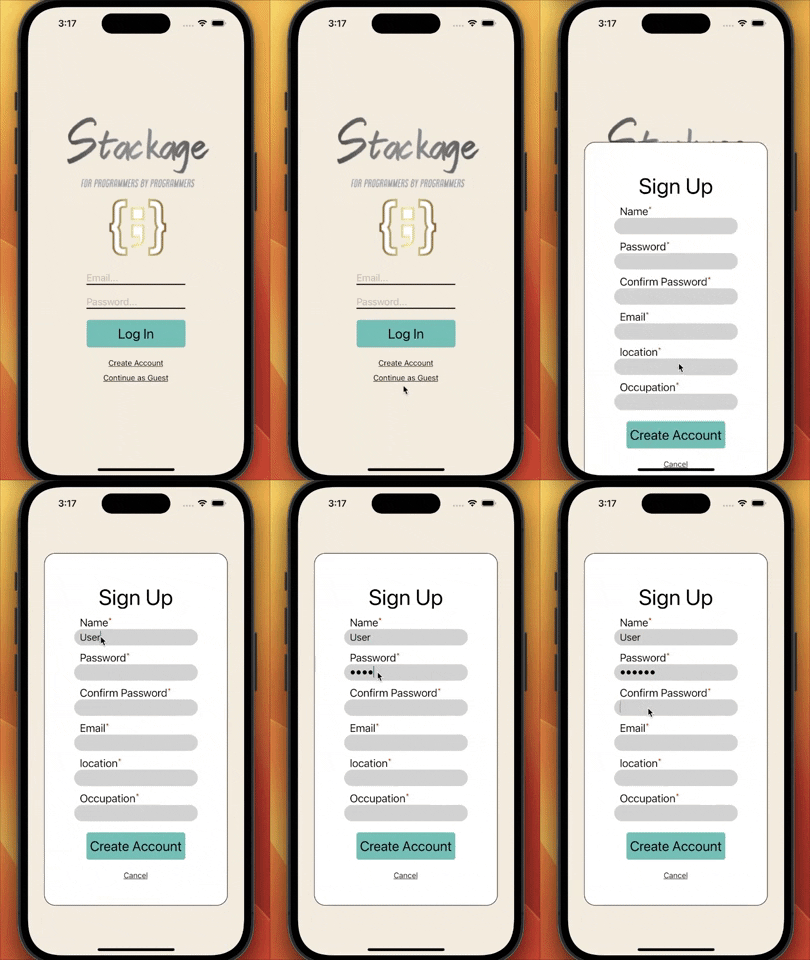
- User sign-in and authentication
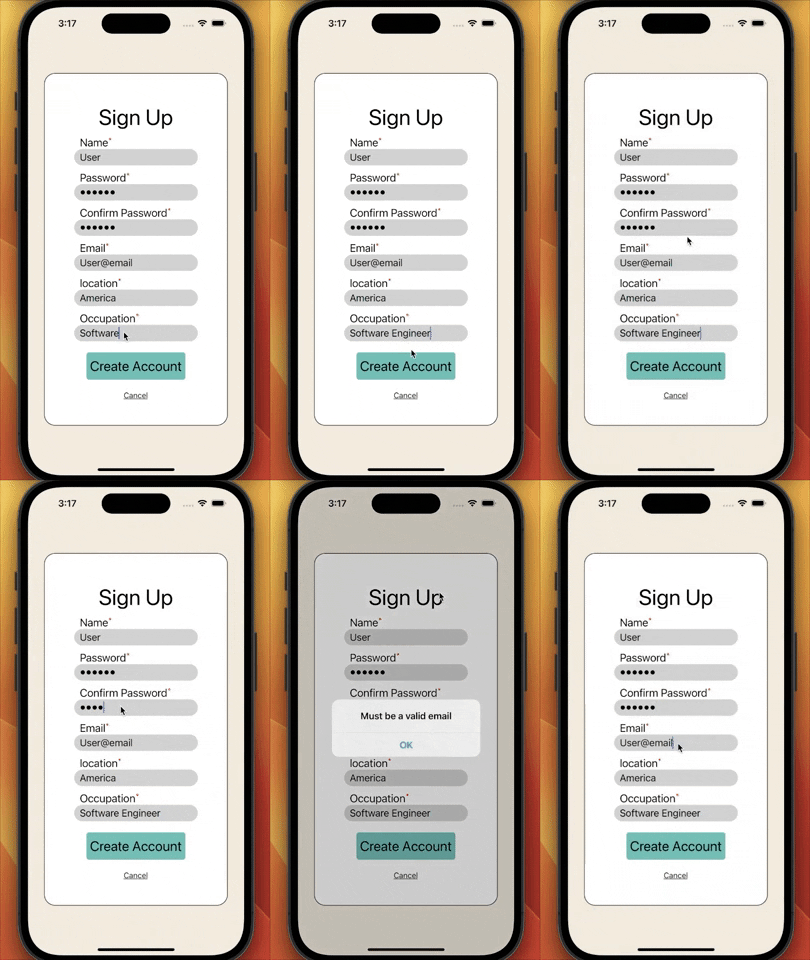
- Account creation
- Input type validation
- Guest mode option
Additional Images
- Live updating feed
- Filtering available by category, top, and hot
- Like and comment features
Additional Images
- Live updating feed
- Community members approve or disapprove posts
- Community approvals requirement met when 5 members approve a post
Additional Images
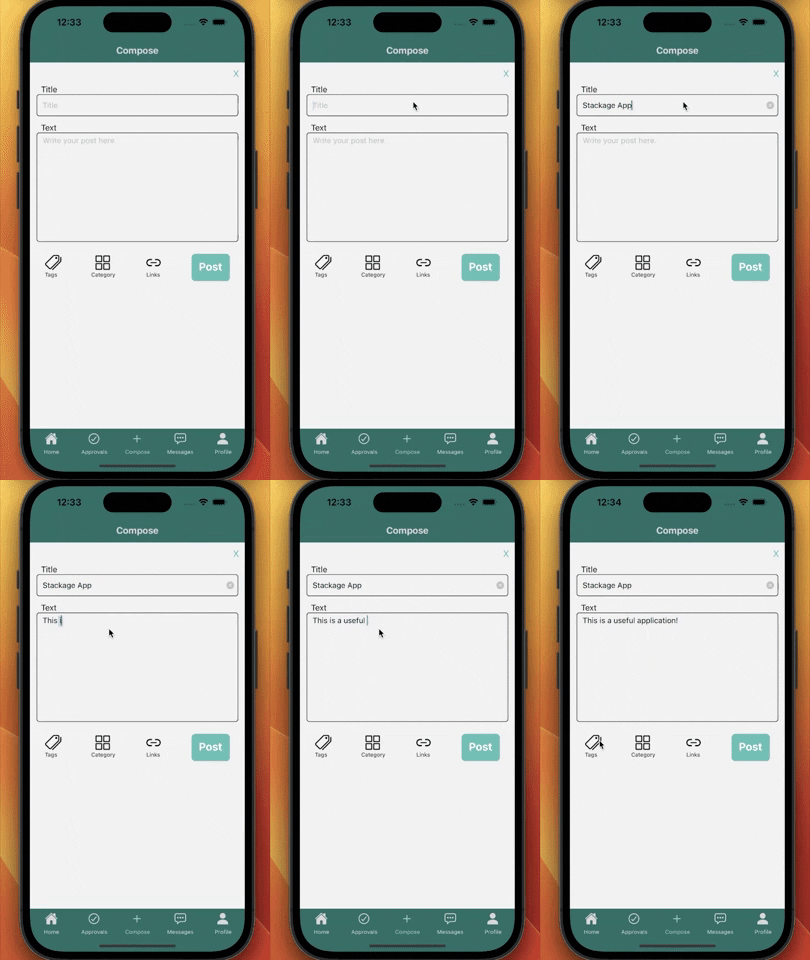
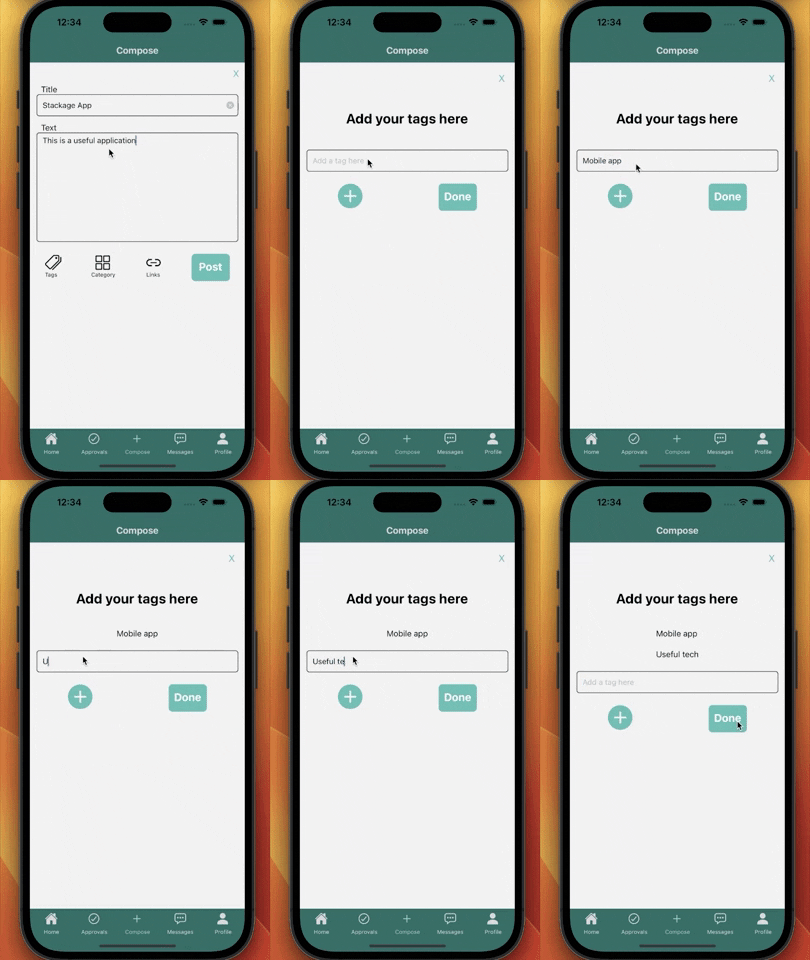
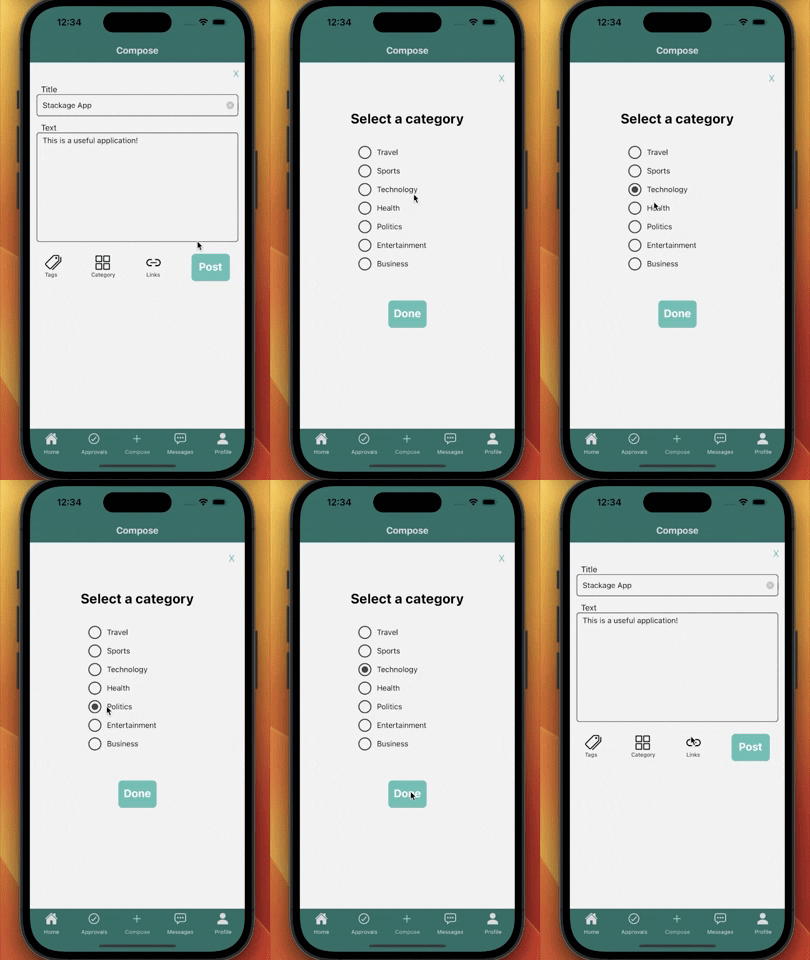
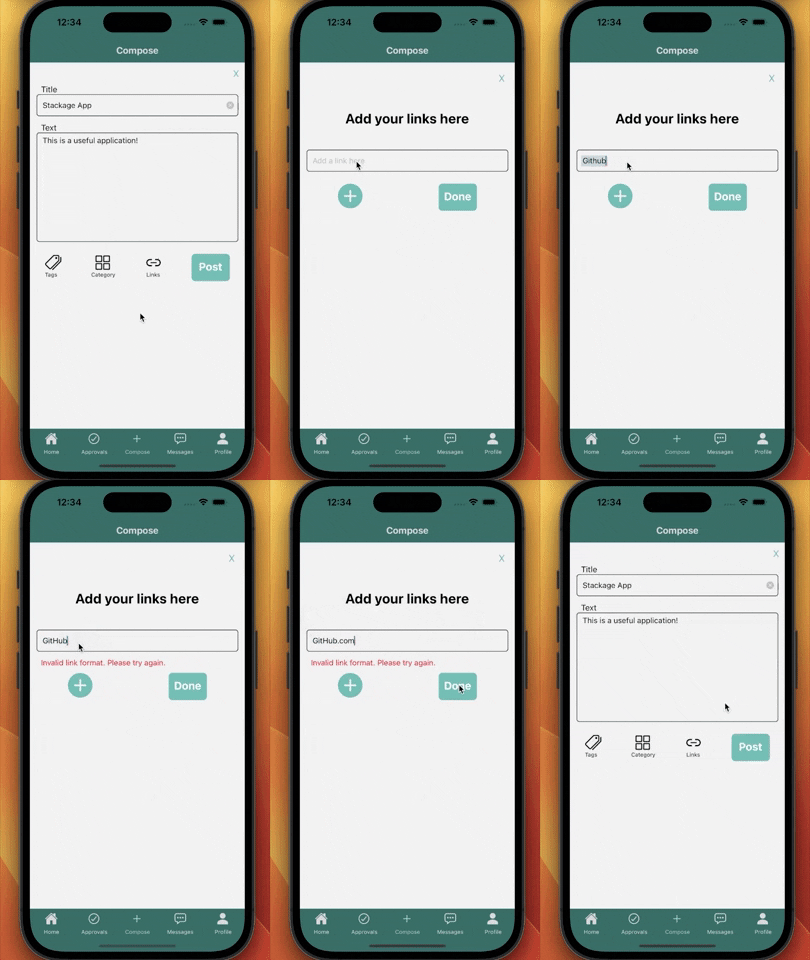
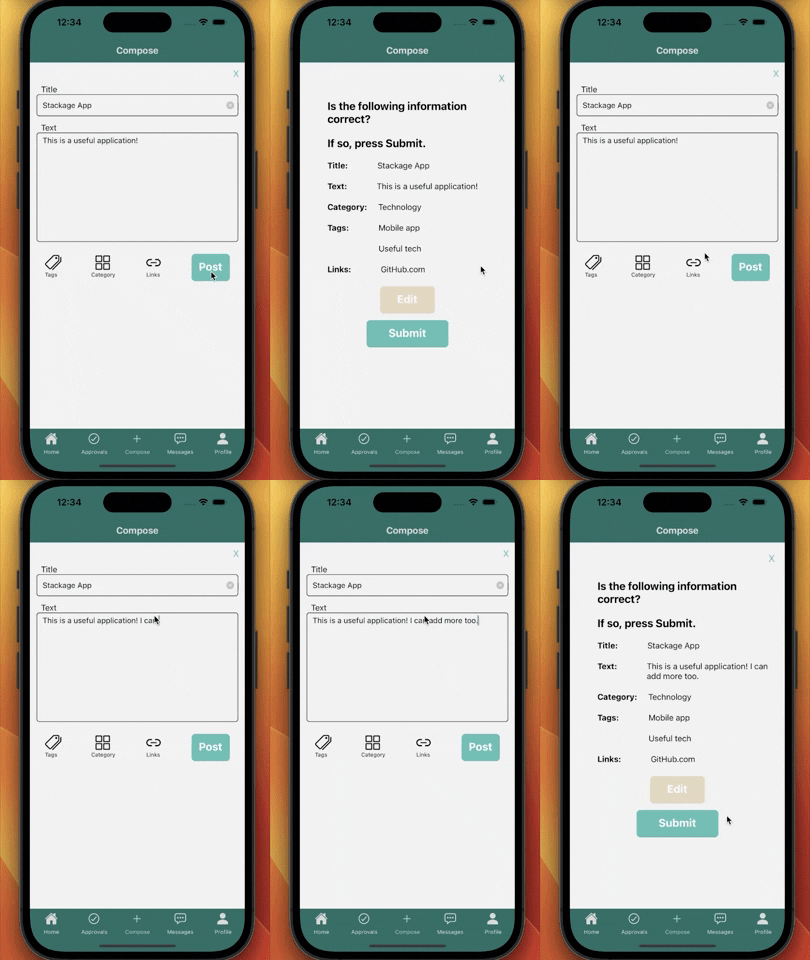
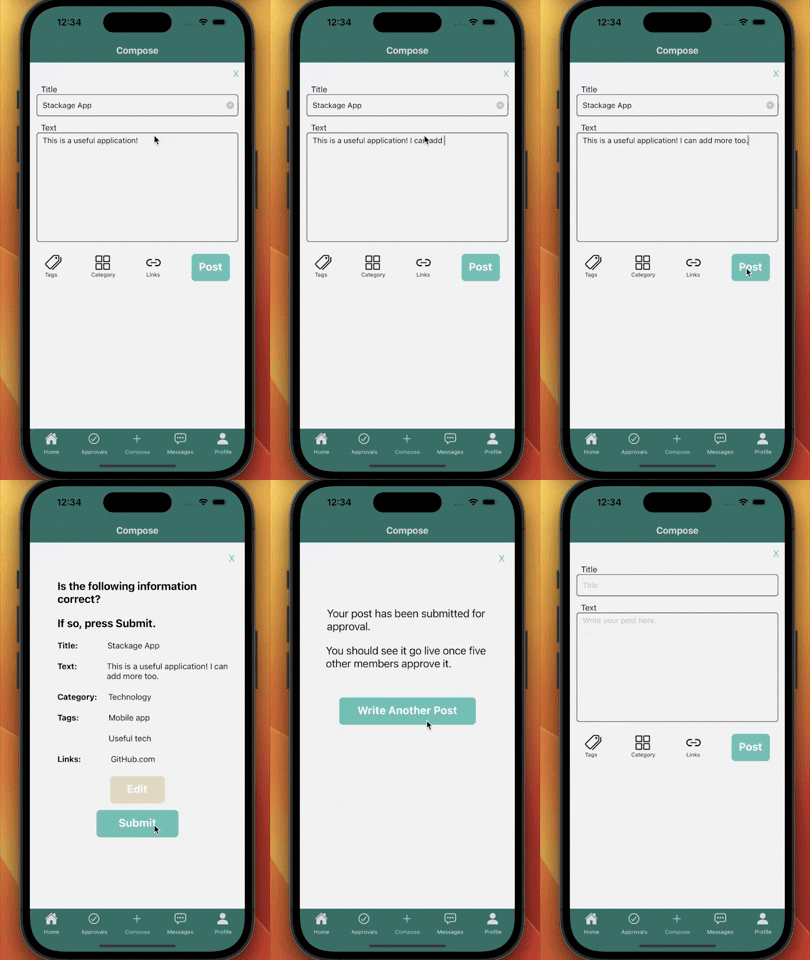
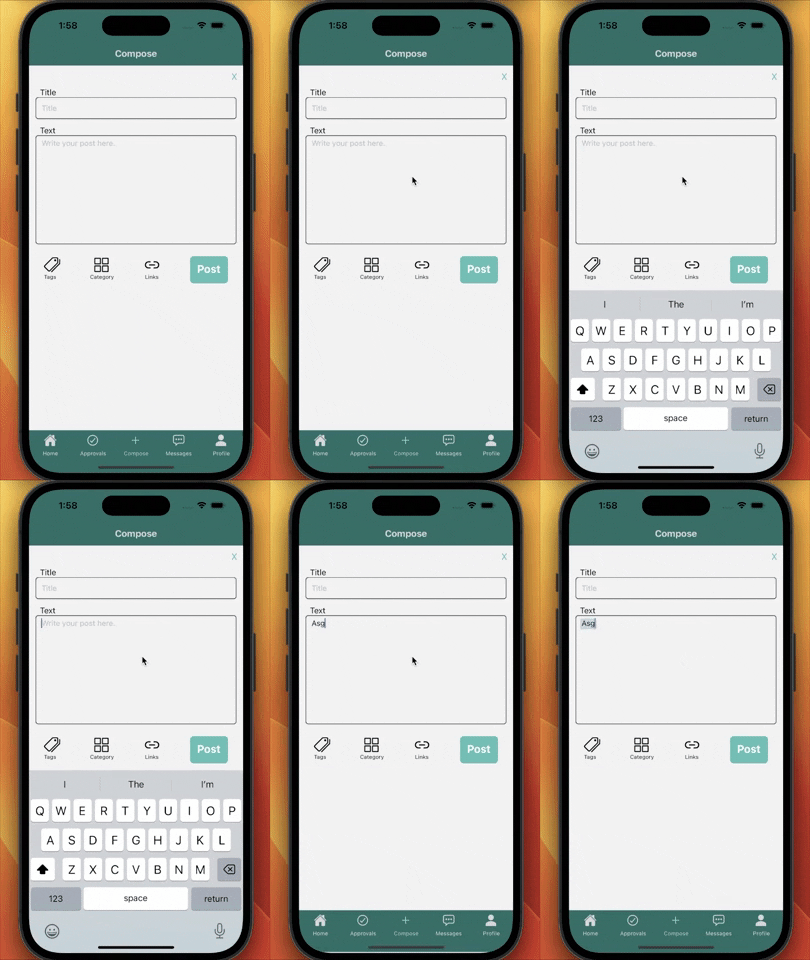
- Write posts and add tags, category, and links
- Radio button category selection
- Input validation in links component
- Confirmation screen and editing capabilities
Additional Images


- The user can message any of his contacts and view previous conversation threads
- In the messaging landing page the user will view all the messages threads
- Clicking on any of the conversation tiles will open a chat page
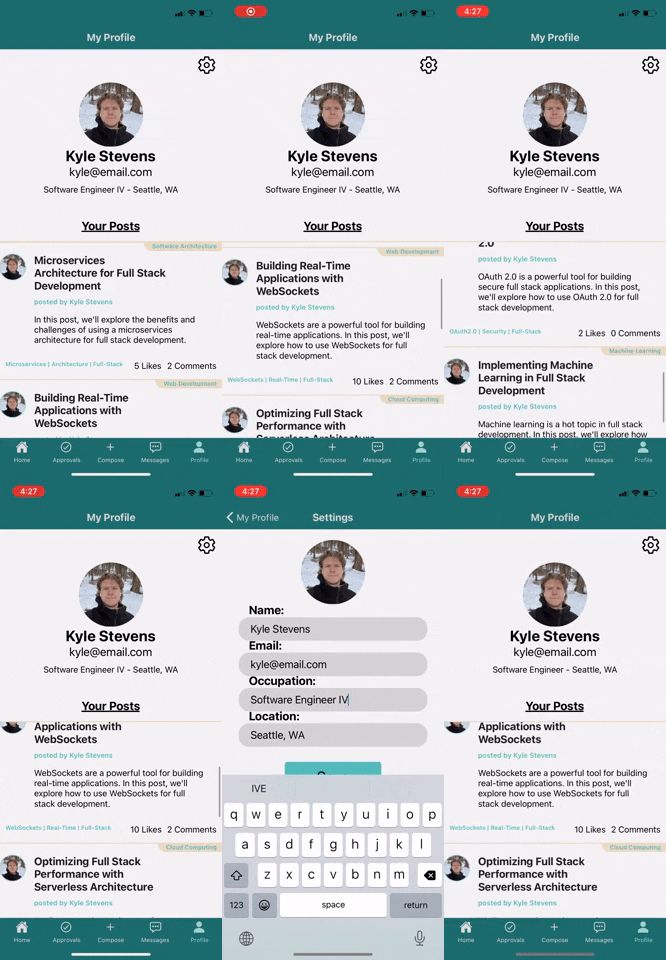
- The user can see their profile information as well as a feed of their posts
- Can access the settings to update their profile information
To install and run StackageApp, you will need to have Node.js installed on your computer.
Once you have Node.js installed, you can install the dependencies for StackageApp by running the following command in the root directory of the project:
npm install
You can then run the application by running the following command:
npm start
If you need to set environment variables for the application, you can create a .env file in the root directory of the project with the following contents:
DB_HOST=localhost
DB_USER=username
DB_PASS=password