A single-file, zero-dependency CHIP-8 emulator for Windows Console with built-in debugger




 ██████╗ ██████╗ ███╗   ██╗███████╗ ██████╗ ██╗     ███████╗ ██████╗██╗  ██╗██╗██████╗  █████╗
██╔════╝██╔═══██╗████╗  ██║██╔════╝██╔═══██╗██║     ██╔════╝██╔════╝██║  ██║██║██╔══██╗██╔══██╗
██║     ██║   ██║██╔██╗ ██║███████╗██║   ██║██║     █████╗  ██║     ███████║██║██████╔╝╚█████╔╝
██║     ██║   ██║██║╚██╗██║╚════██║██║   ██║██║     ██╔══╝  ██║     ██╔══██║██║██╔═══╝ ██╔══██╗
╚██████╗╚██████╔╝██║ ╚████║███████║╚██████╔╝███████╗███████╗╚██████╗██║  ██║██║██║     ╚█████╔╝
 ╚═════╝ ╚═════╝ ╚═╝  ╚═══╝╚══════╝ ╚═════╝ ╚══════╝╚══════╝ ╚═════╝╚═╝  ╚═╝╚═╝╚═╝      ╚════╝
ConsoleChip8 is a lightweight, pure C++ CHIP-8 emulator that runs natively in the Windows Console. It requires no external libraries, no runtimes, and no complicated setup—just download and run.
Designed for both retro gaming and emulator development learning, it includes a full-featured built-in debugger for studying CHIP-8 opcodes and system behavior.
- Full implementation of the original CHIP-8 instruction set
- Single-file, <1MB executable, zero dependencies
- Native Windows console rendering with almost no flickering
- Configurable emulation speed & frame timing
- Buzzer sound support with toggle
- Save / load emulator state (dump files)
- Persistent configuration file
- Low CPU & RAM usage (≈1MB RAM required)
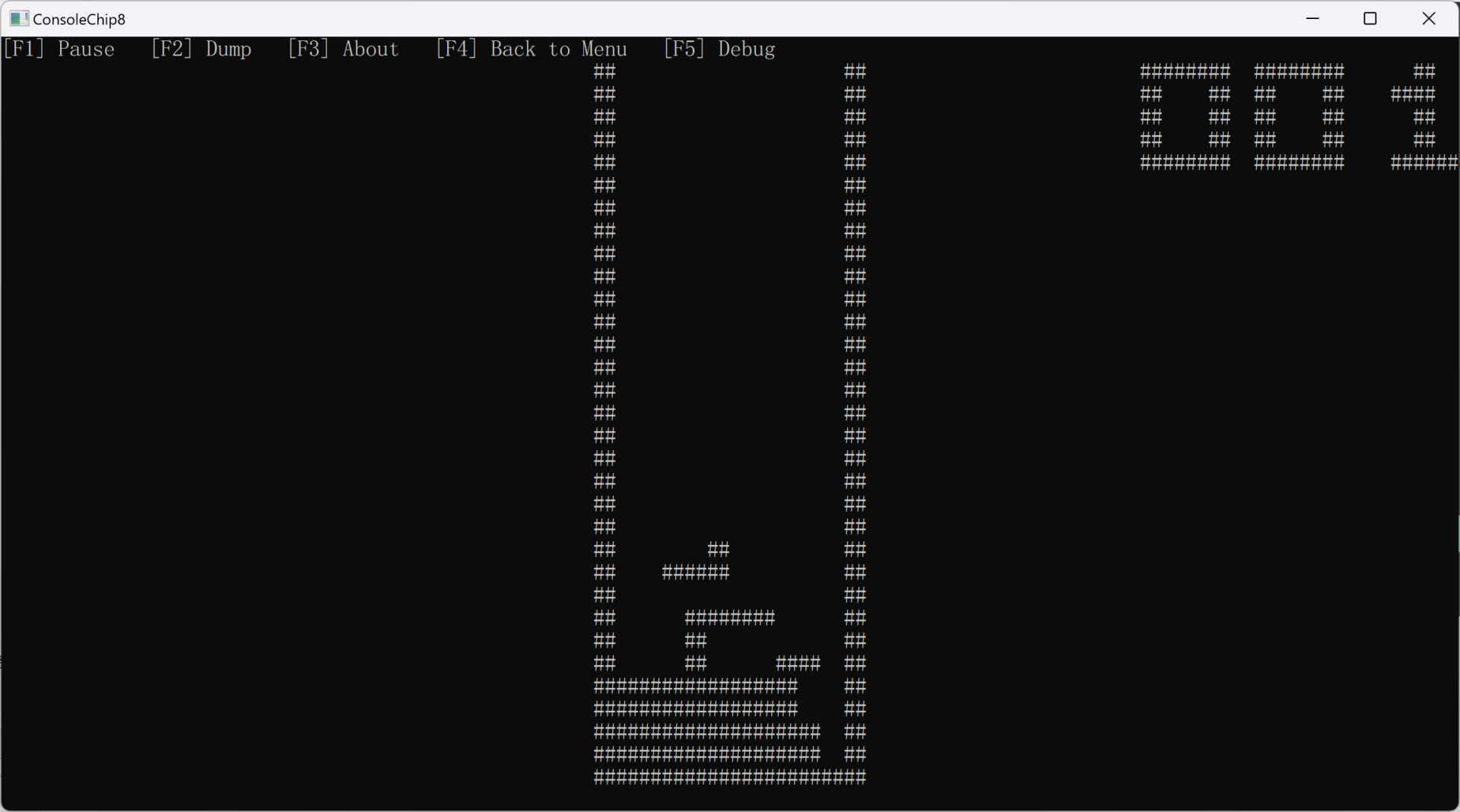
- One-key debug mode entry (F5)
- Step-by-step instruction execution
- View full register state (V0–V15, I, PC, SP, stack, timers)
- Memory Viewer
- Breakpoint system (toggle at current PC)
- Auto-pause when breakpoint hit
- Real-time PC & opcode display
- Seamless switch between run/debug modes
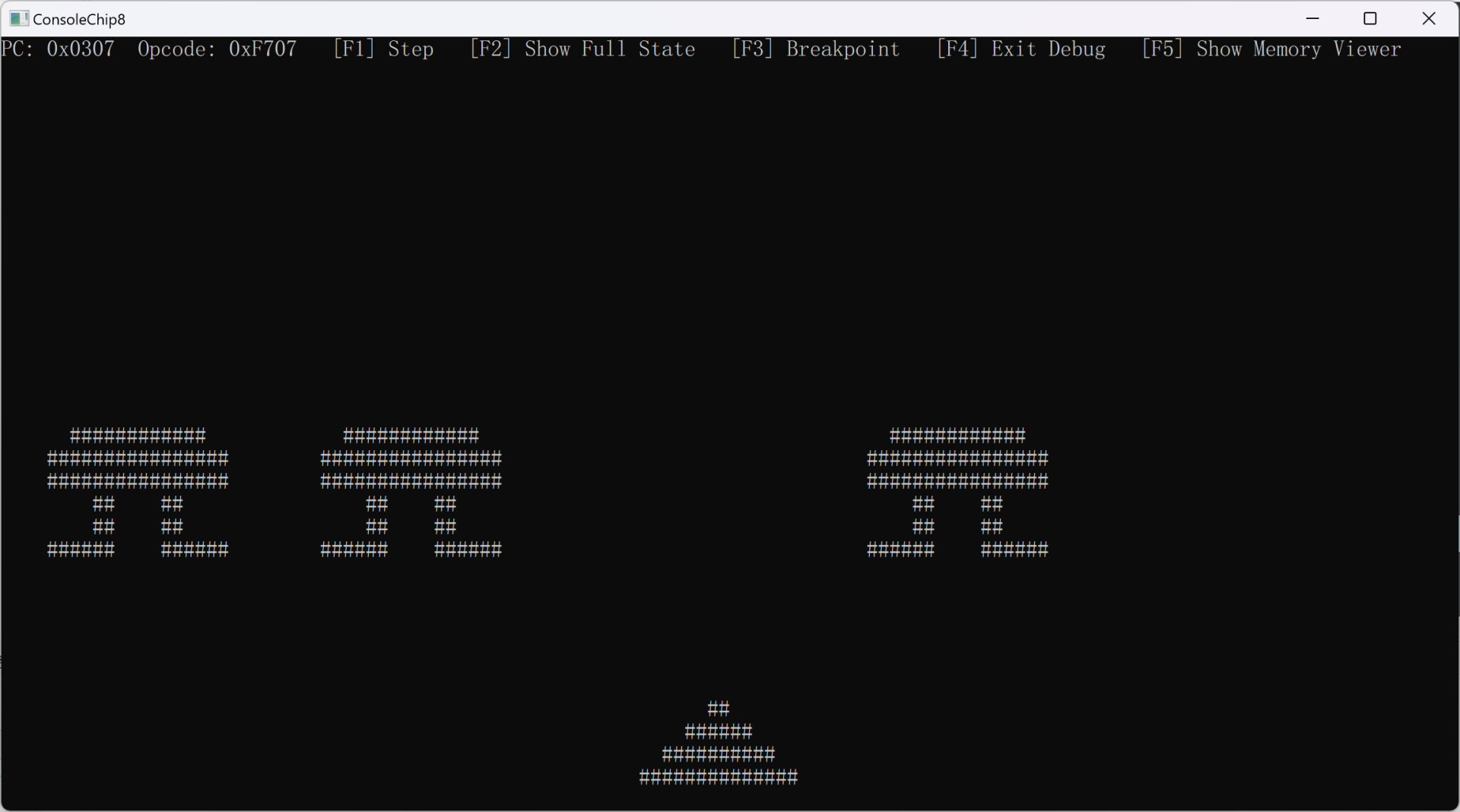
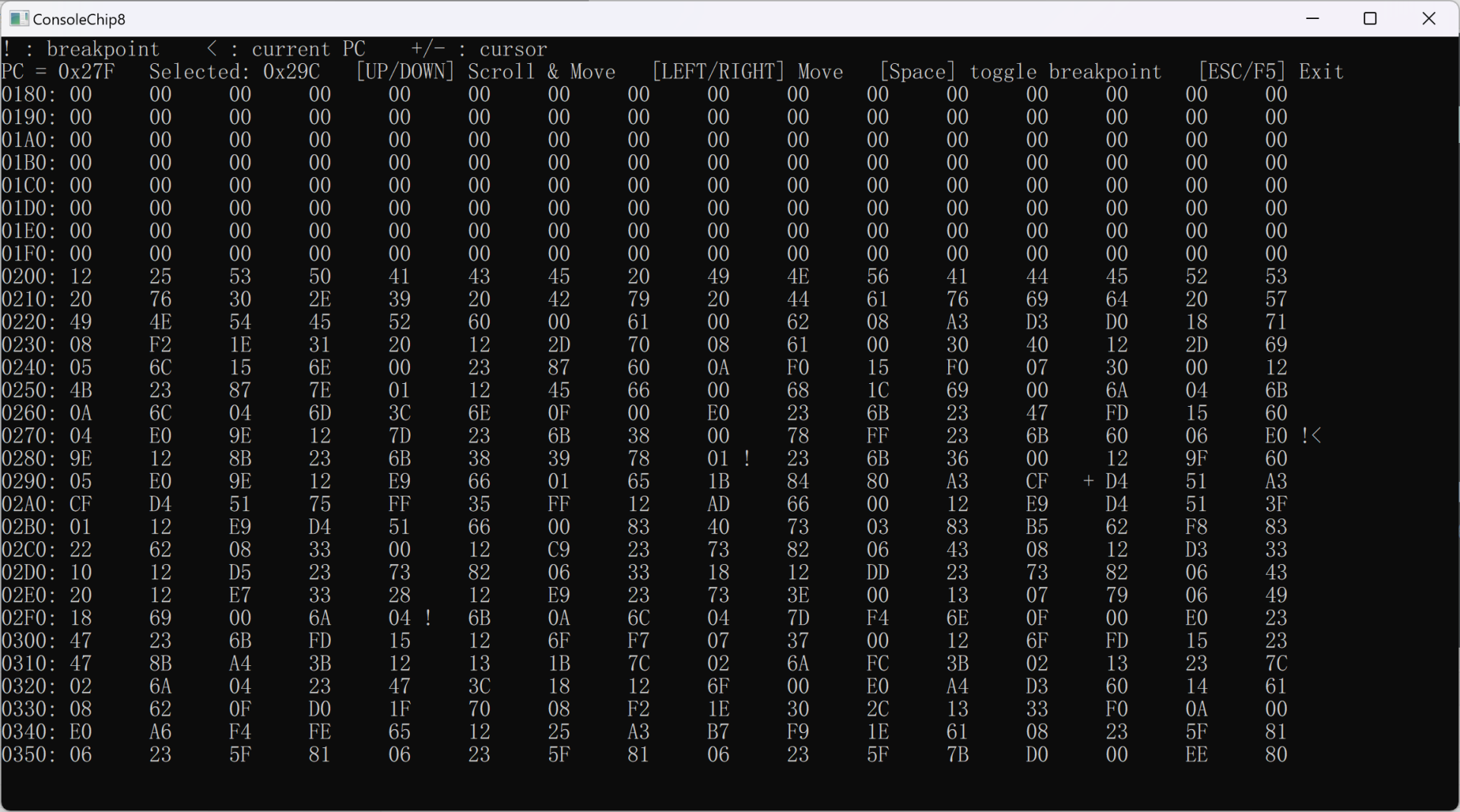
- On-screen function-key menu
- Clear keyboard mapping
- Retro terminal-style UI
Go to Releases and download the prebuilt executable.
Double-click ConsoleChip8.exe to launch.
- Press
F1in the main menu - Enter the path to your CHIP8 ROM file
- Emulation starts automatically
While running, press F5 to enter debug mode and inspect CHIP-8 behavior step by step.
F1– Load ROMF2– Load state dumpF3– About & keymapF4– Exit
F1– Pause / ResumeF2– Save state dumpF3– About & keymapF4– Return to menuF5– Enter debug mode
F1– Step one instructionF2– Show full emulator stateF3– Toggle breakpoint at current PCF4– Exit debug modeF5– Show Memory Viewer
| CHIP-8 | PC Key | CHIP-8 | PC Key |
|---|---|---|---|
| 0 | X | 8 | S |
| 1 | 1 | 9 | D |
| 2 | 2 | A | Z |
| 3 | 3 | B | C |
| 4 | Q | C | 4 |
| 5 | W | D | R |
| 6 | E | E | F |
| 7 | A | F | V |
Requires: Windows + C++11 compiler (MinGW‑w64 or MSVC)
g++ ConsoleChip8.cpp -o ConsoleChip8.execl ConsoleChip8.cpp /Fe:ConsoleChip8.exeA chip8.cfg file is auto-generated on first run. You can customize:
ops_per_frame– Instructions executed per frameframe_ms– Frame duration (controls speed)pixel_char– Character used for pixelssound_enabled– Toggle buzzer sound
MIT License. Free for personal, educational, and commercial use.
If this project helps you learn CHIP-8 or emulator development, please star ⭐ the repository to support it!