Repository navigation
Simpler sidebar: optional features in Settings, one Passwords screen - #259
Merged
Merged
Conversation


Off for new installs. Migration 105 keeps a feature on where it is already
in use (artifacts, API tools / MCP servers / Composio, a connected bot, a
phone seen over adb), and also runs after a restore. While a feature is off,
agents don't get its tools: artifact_*, android_devices_list/android_assign,
API tools (MCP tools, env keys, prompt) and custom/Composio MCP servers;
messaging bots stop.
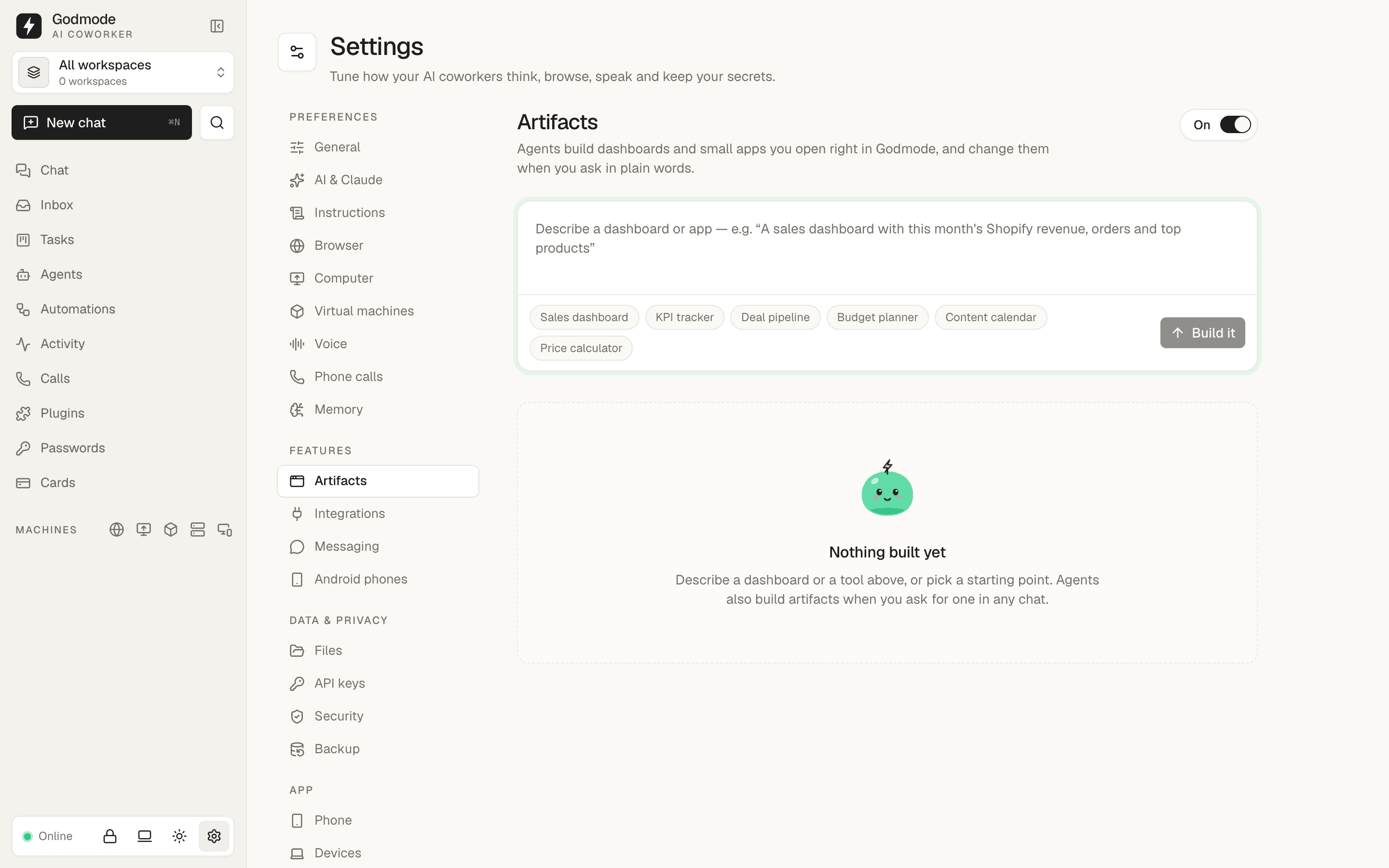
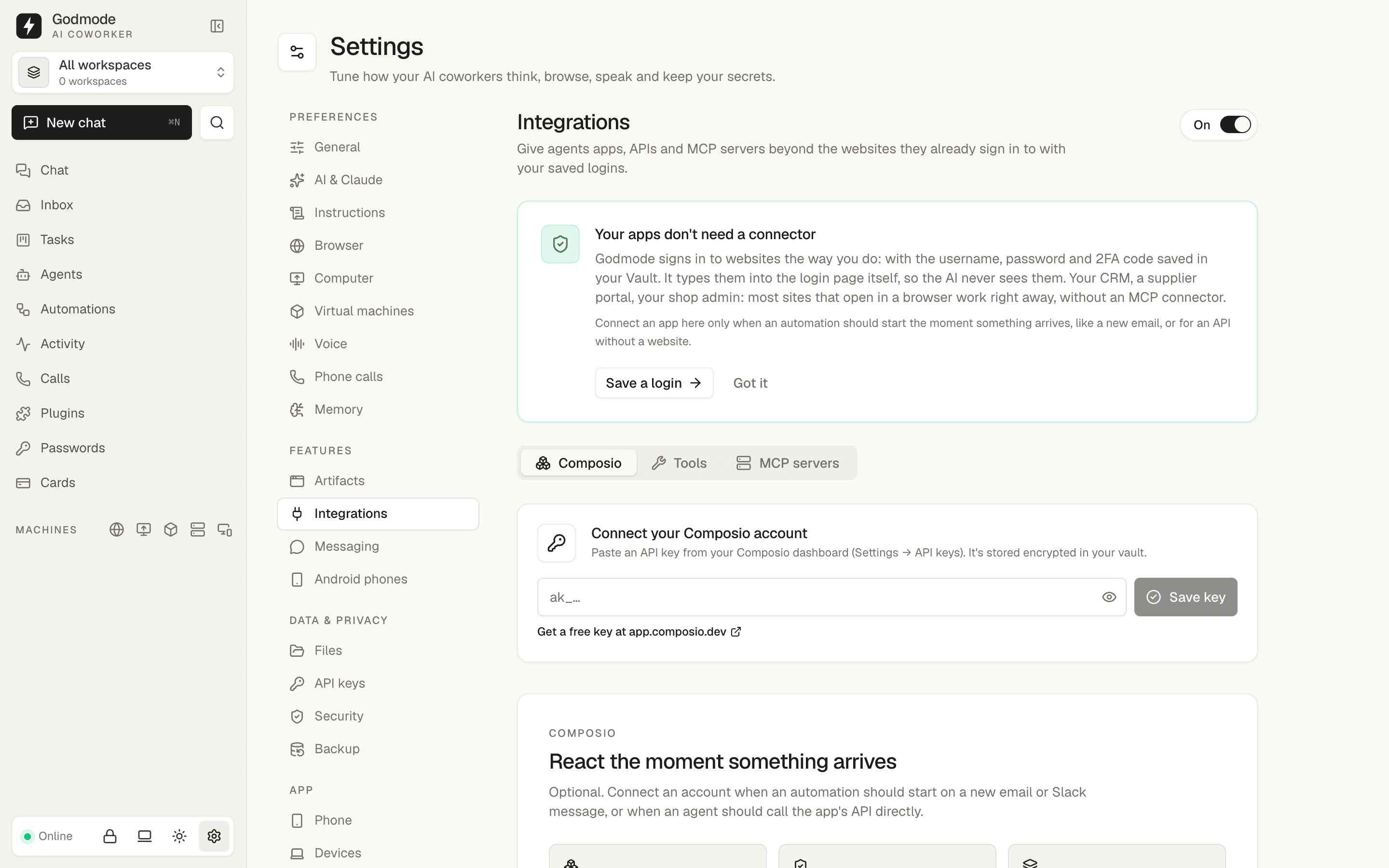
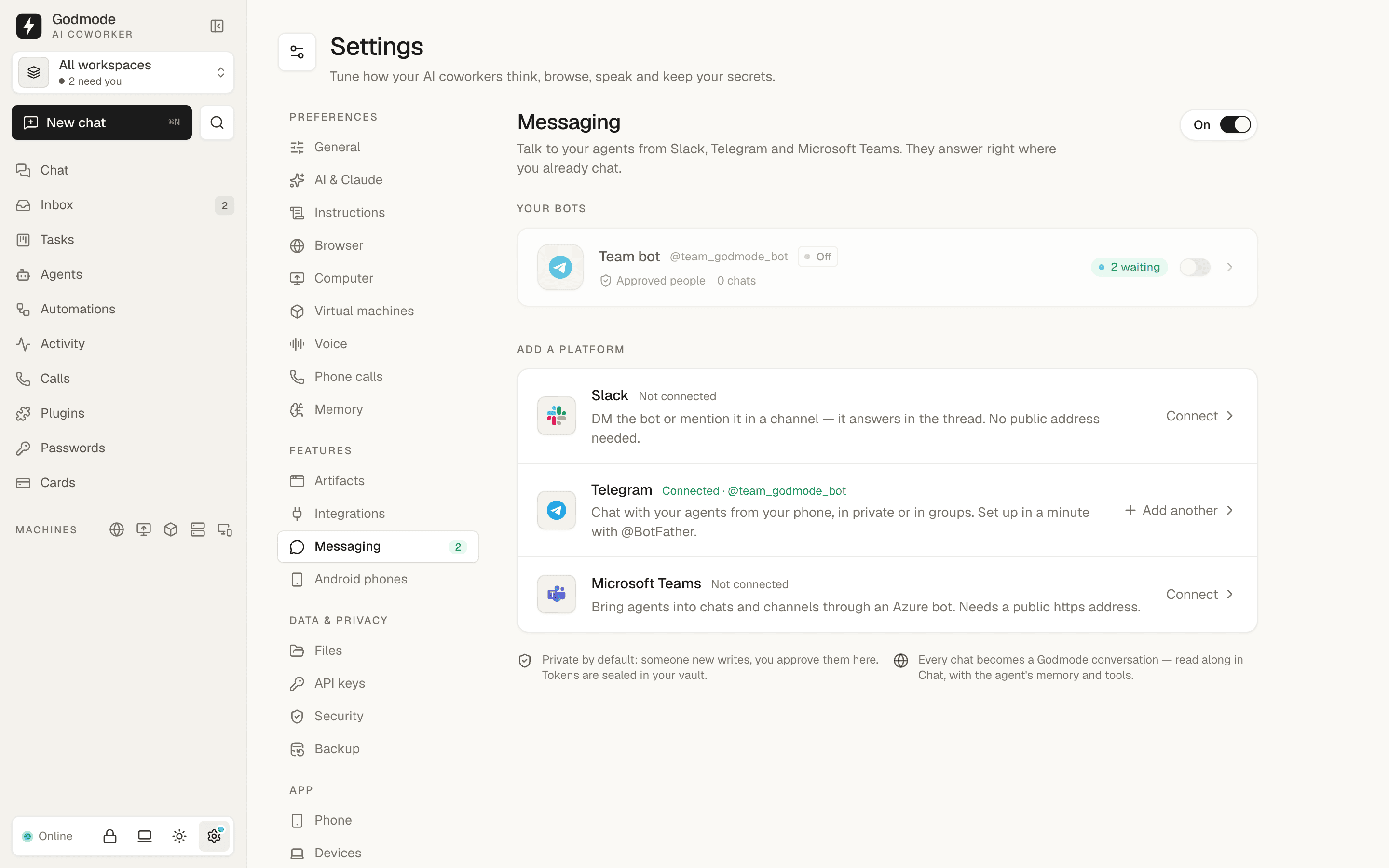
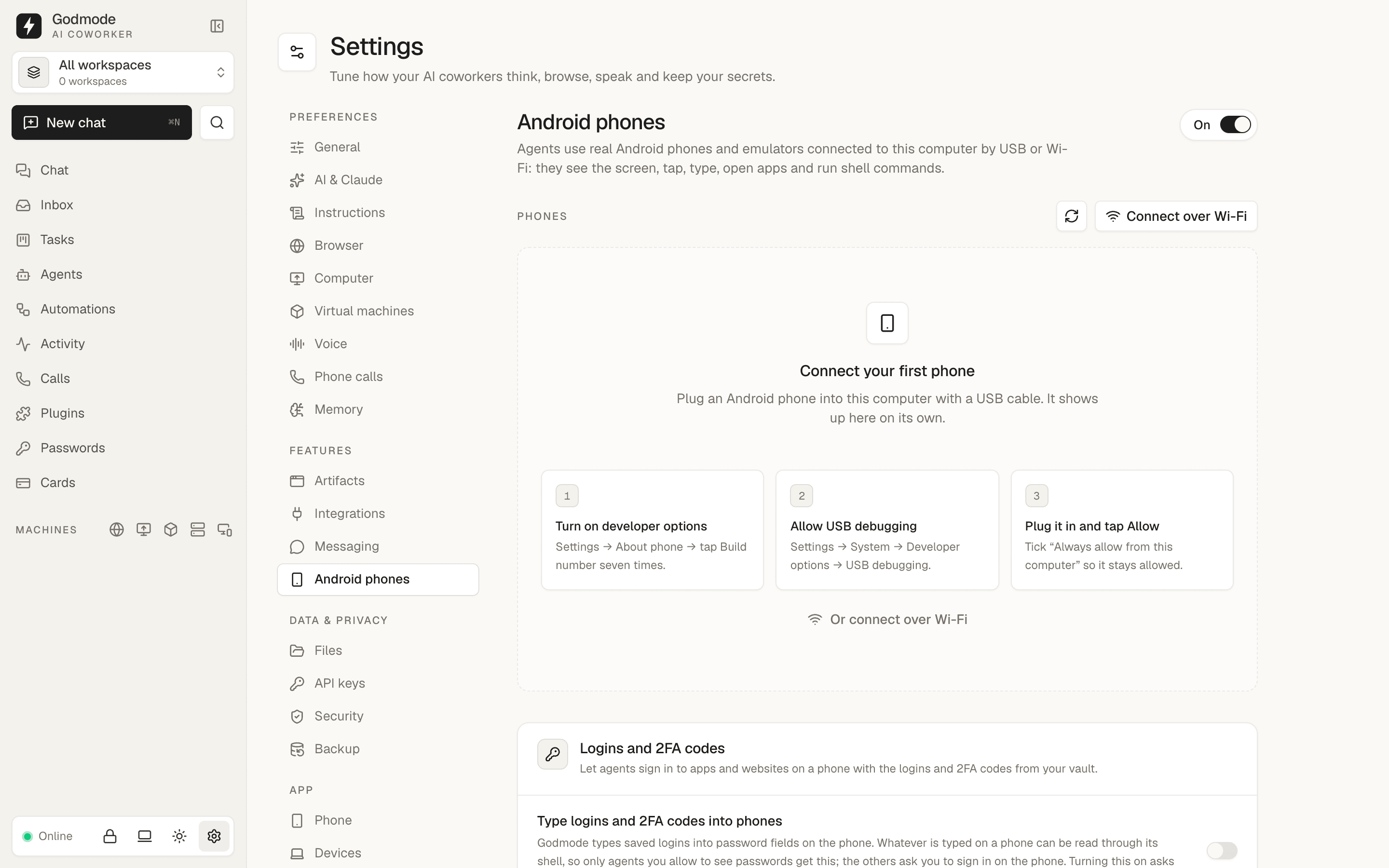
Artifacts, Integrations, Messaging and Android phones live in Settings →
Features with an on/off switch each; their old URLs redirect there. API keys
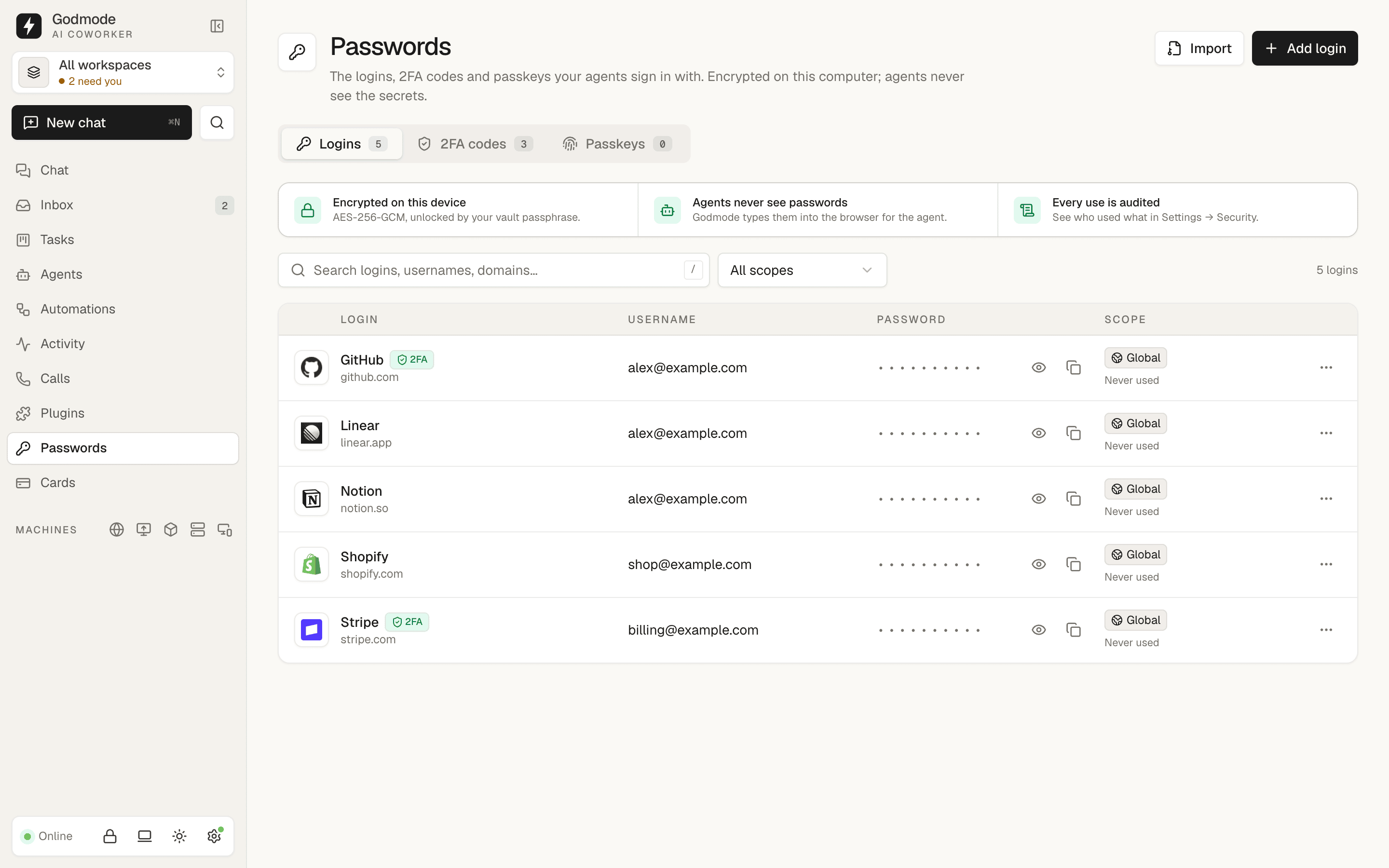
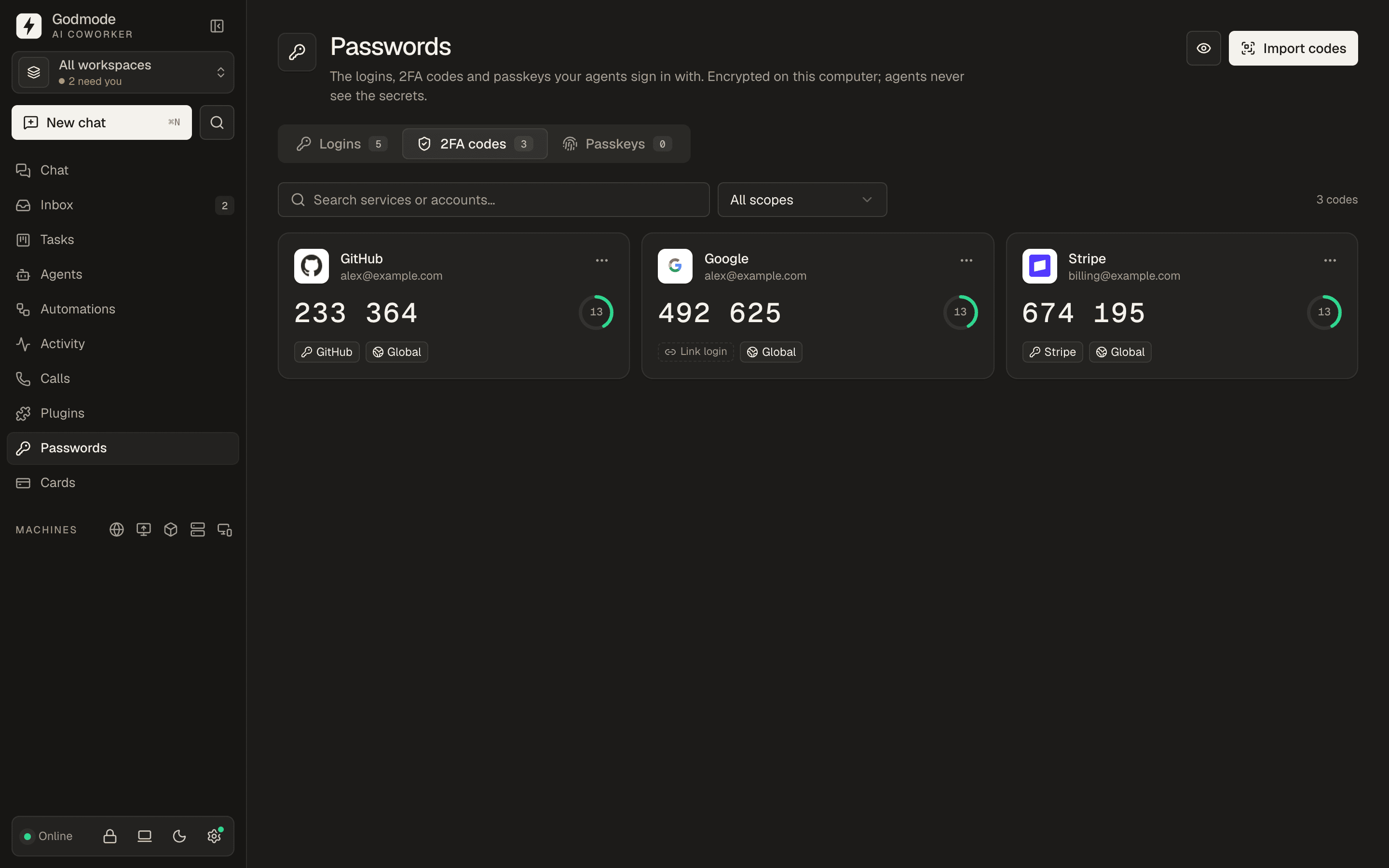
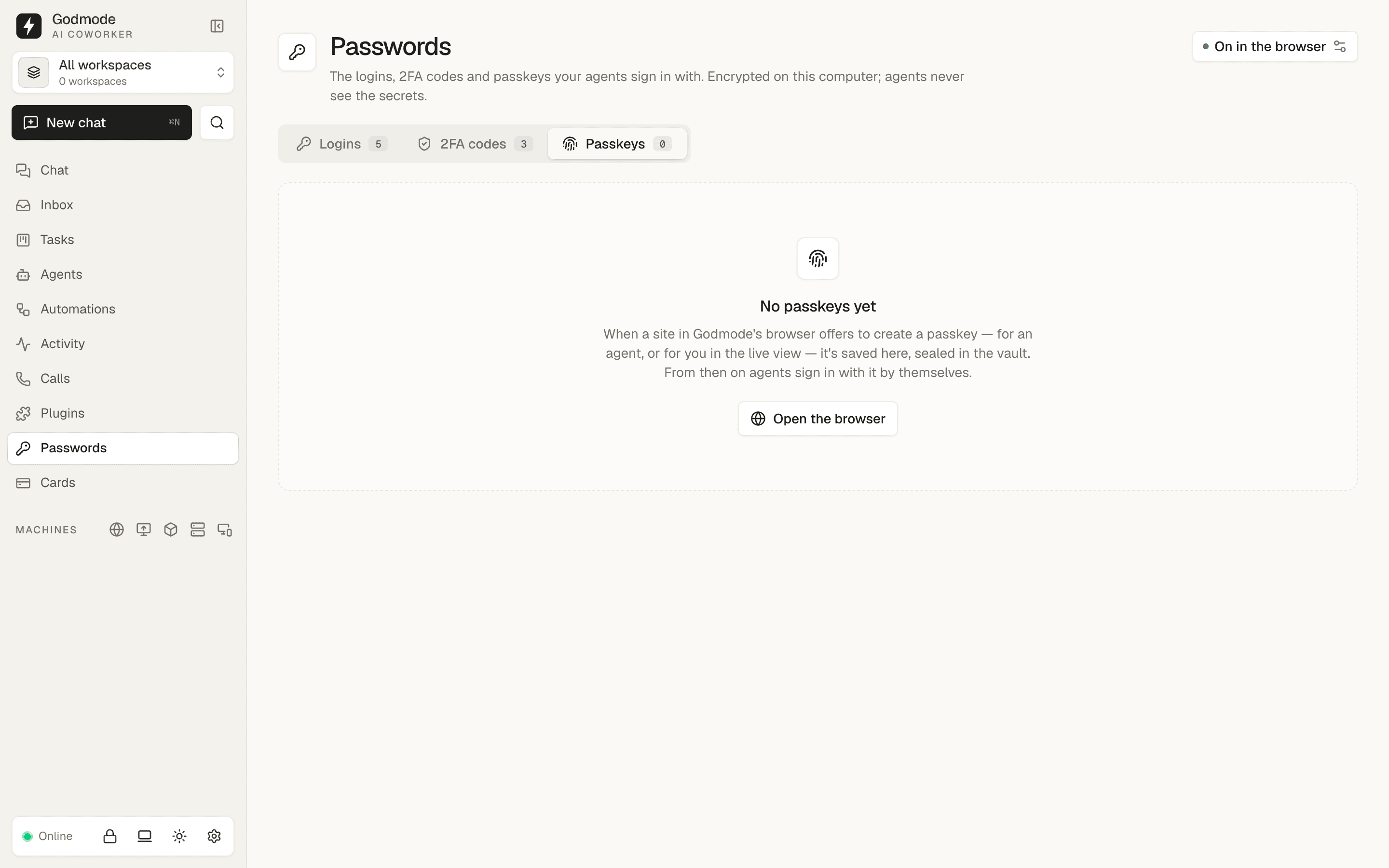
get their own Settings section. Logins, 2FA codes and passkeys share one
Passwords screen with tabs; the sidebar keeps Passwords and Cards in the main
list and drops the Access section.

This file contains hidden or bidirectional Unicode text that may be interpreted or compiled differently than what appears below. To review, open the file in an editor that reveals hidden Unicode characters.
Learn more about bidirectional Unicode characters
Sign up for free
to join this conversation on GitHub.
Already have an account?
Sign in to comment

Add this suggestion to a batch that can be applied as a single commit.This suggestion is invalid because no changes were made to the code.Suggestions cannot be applied while the pull request is closed.Suggestions cannot be applied while viewing a subset of changes.Only one suggestion per line can be applied in a batch.Add this suggestion to a batch that can be applied as a single commit.Applying suggestions on deleted lines is not supported.You must change the existing code in this line in order to create a valid suggestion.Outdated suggestions cannot be applied.This suggestion has been applied or marked resolved.Suggestions cannot be applied from pending reviews.Suggestions cannot be applied on multi-line comments.Suggestions cannot be applied while the pull request is queued to merge.Suggestion cannot be applied right now. Please check back later.
What changed
Optional features move into Settings. Artifacts, Integrations, Messaging and Android phones no longer have sidebar entries. Each one now lives in Settings → Features and has its own on/off switch with one sentence on what it does. When a feature is on, its full page renders inside the section (the same approach Files took in #251). When it is off, the section shows a short empty state with three points and a Turn on button. The section list marks features that are off with a quiet "Off" label.
/artifacts,/integrations?tab=…,/messaging?connection=…,/android./artifacts/:idand/android/:idstill work while their feature is on, and redirect to the Settings section while it is off./integrations?tab=api-keysredirects there.One Passwords screen. Logins, 2FA codes and Passkeys share one screen. It has a single title, a tab for each with its count, and the current tab's own actions on the right (Import / Add login, Import codes, passkey status). The tab URLs are still
/vault/logins,/vault/2faand/vault/passkeys, so deep links keep working, and the sidebar item is active on all three. Cards stay separate.Sidebar
Agents and the core
Settings get
artifacts.enabled,integrations.enabledandmessaging.enabled, and Android reuses the existingandroid.enabled. All four default to off. While a feature is off:artifact_create/update/get/listand the prompt's Artifacts section.POST /api/artifacts/startanswers 409.api_tools_list,api_tool_docsandapi_tool_request, API tool keys in the run environment and the prompt, custom MCP servers and Composio MCP servers in runs, and API tool keys lent to voice transcriptionandroid_devices_list,android_assignand the phone MCP server (the runner already checkedandroid.enabled)Automation app triggers (Composio events) are not gated.
Agents may change
artifacts.enabledthemselves throughsettings_update, so a dashboard request can switch it on. Integrations, messaging and Android stay with the human. Cloud users may switch artifacts, integrations and messaging. The three new sections replicate across a device group, while Android stays per computer as before.Existing installs
Migration 105 (
FEATURE_SWITCHES_SQL) keeps a feature on where it is already in use:A switch that was already saved is never changed. Only a section without the switch gets one. The same SQL also runs after a backup restore, so a backup from before this change comes back with its features on. On a new install the tables are empty, so everything stays off.
How to test
artifact_*. Turn it off and they disappear./vault/2faand/vault/passkeysdirectly. Each lands on its tab, and the Passwords sidebar item stays active./integrations?tab=api-keys(lands on Settings → API keys) and/messaging(lands on Settings → Messaging).Checks:
pnpm -r typecheckpasses.test/feature-switches.test.tscover the defaults, each migration case, idempotence, settings saved before, tool gating and the settings API. There is also a messaging test that the switch stops and restarts the bots.Screenshots
Sidebar, Professional and Easy
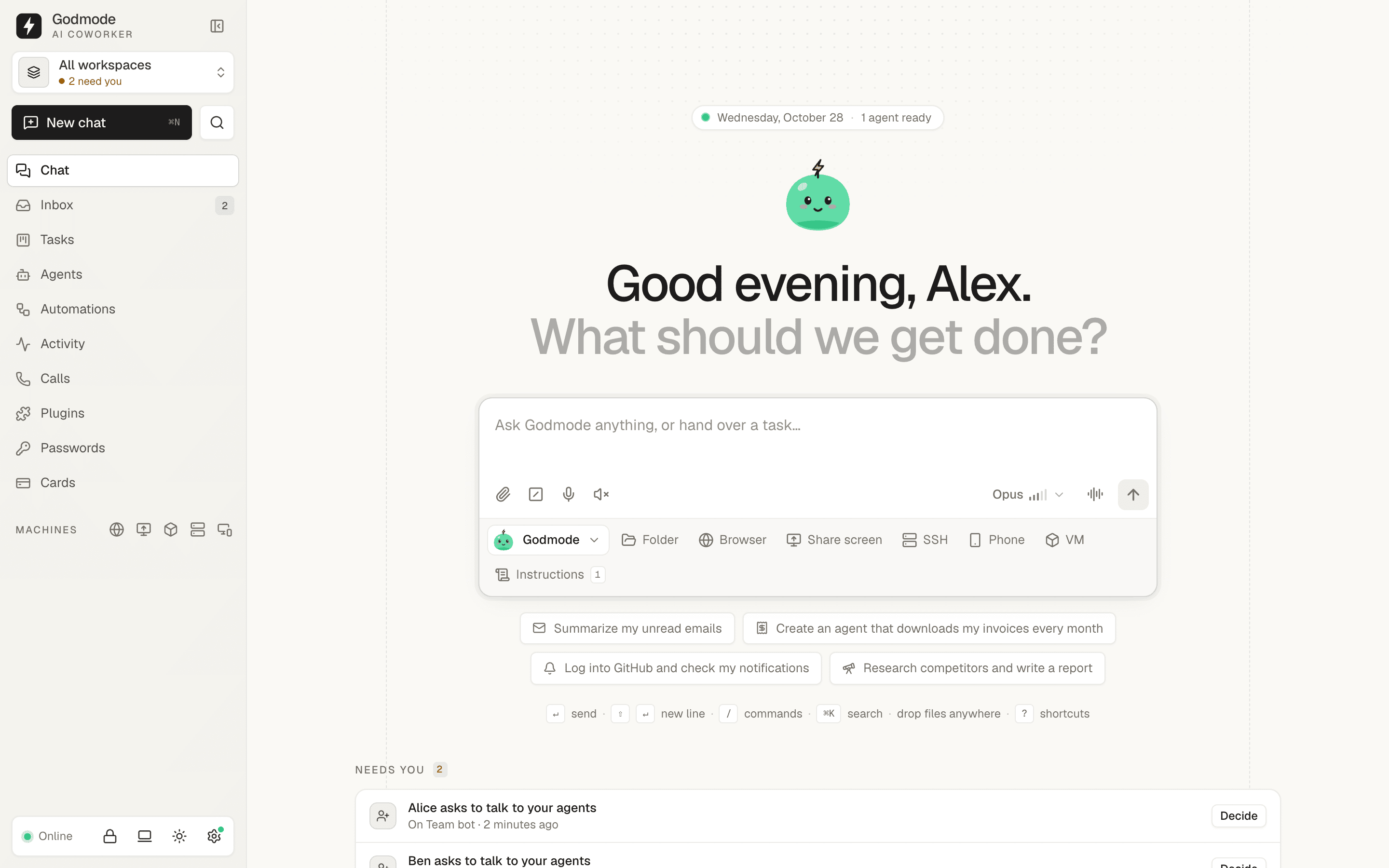
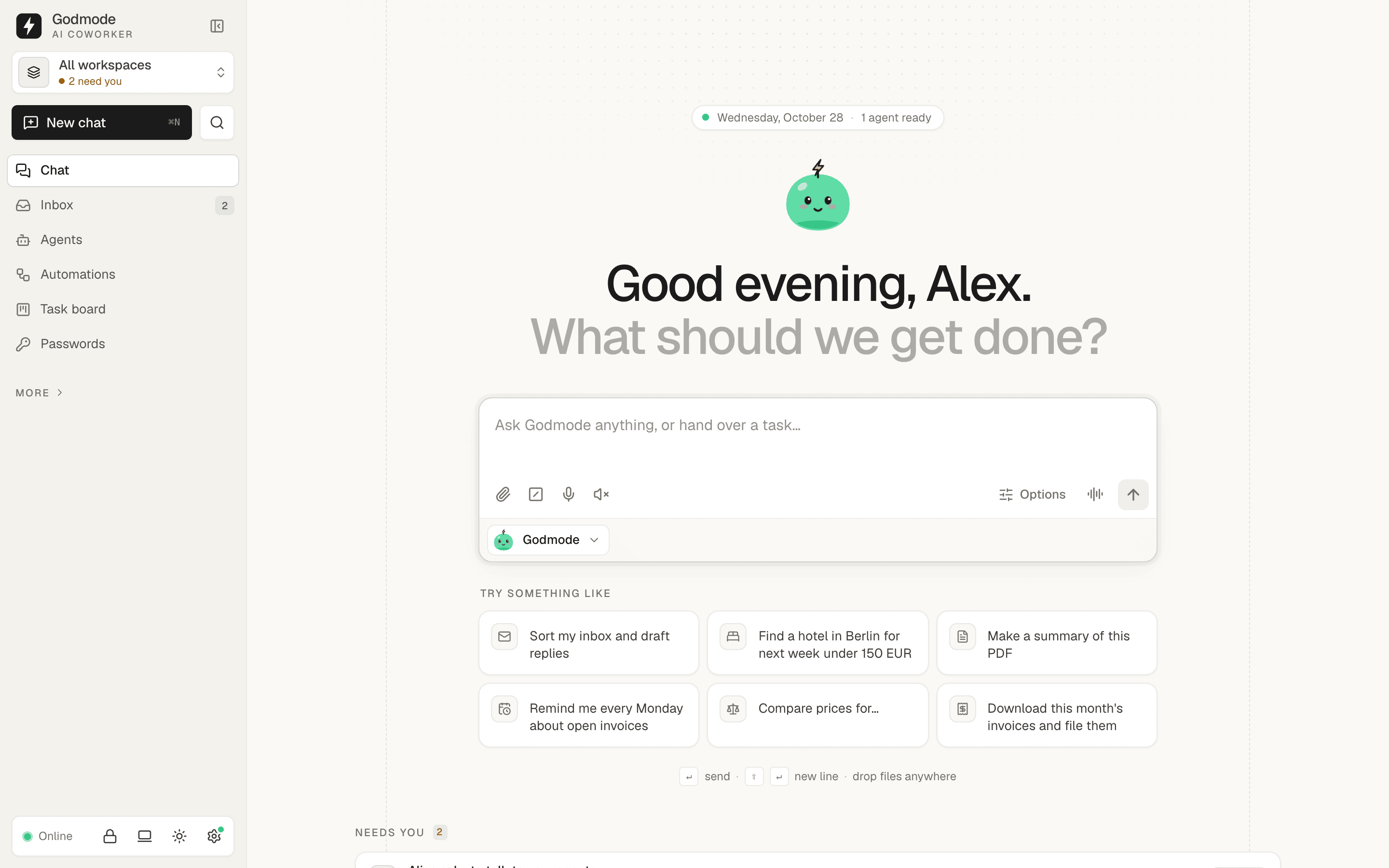
Passwords: Logins, 2FA codes (dark), Passkeys
Settings → Features, off
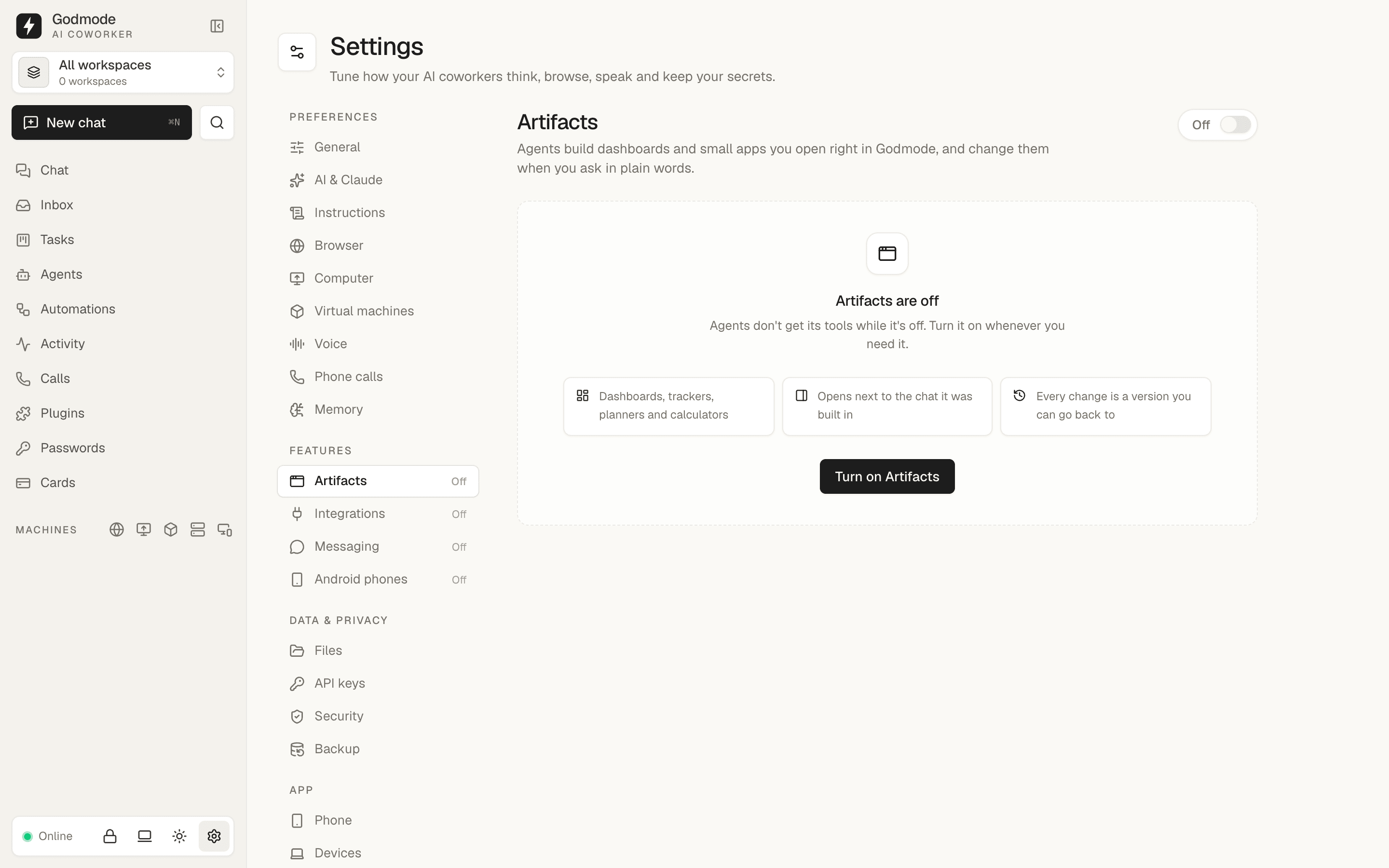
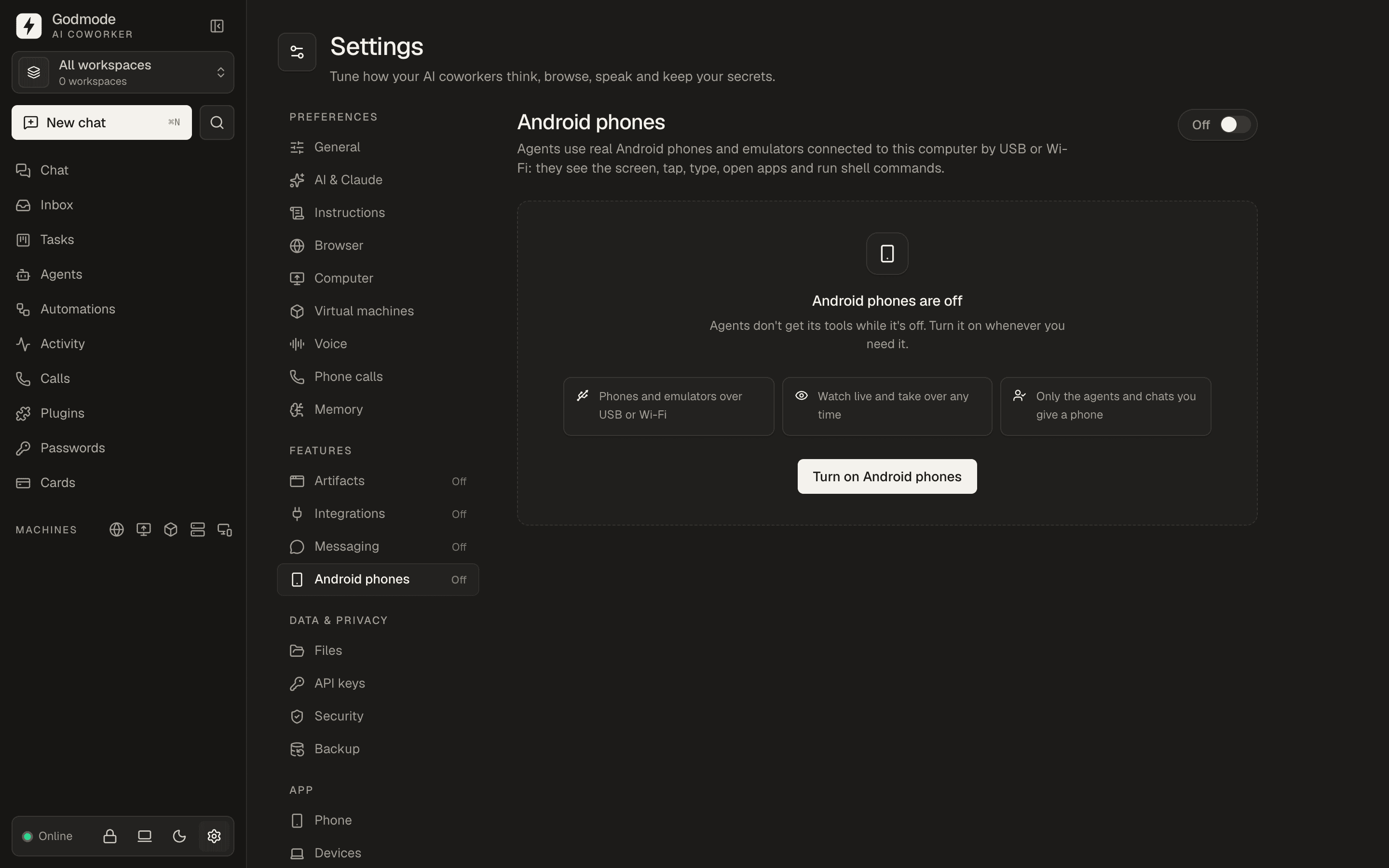
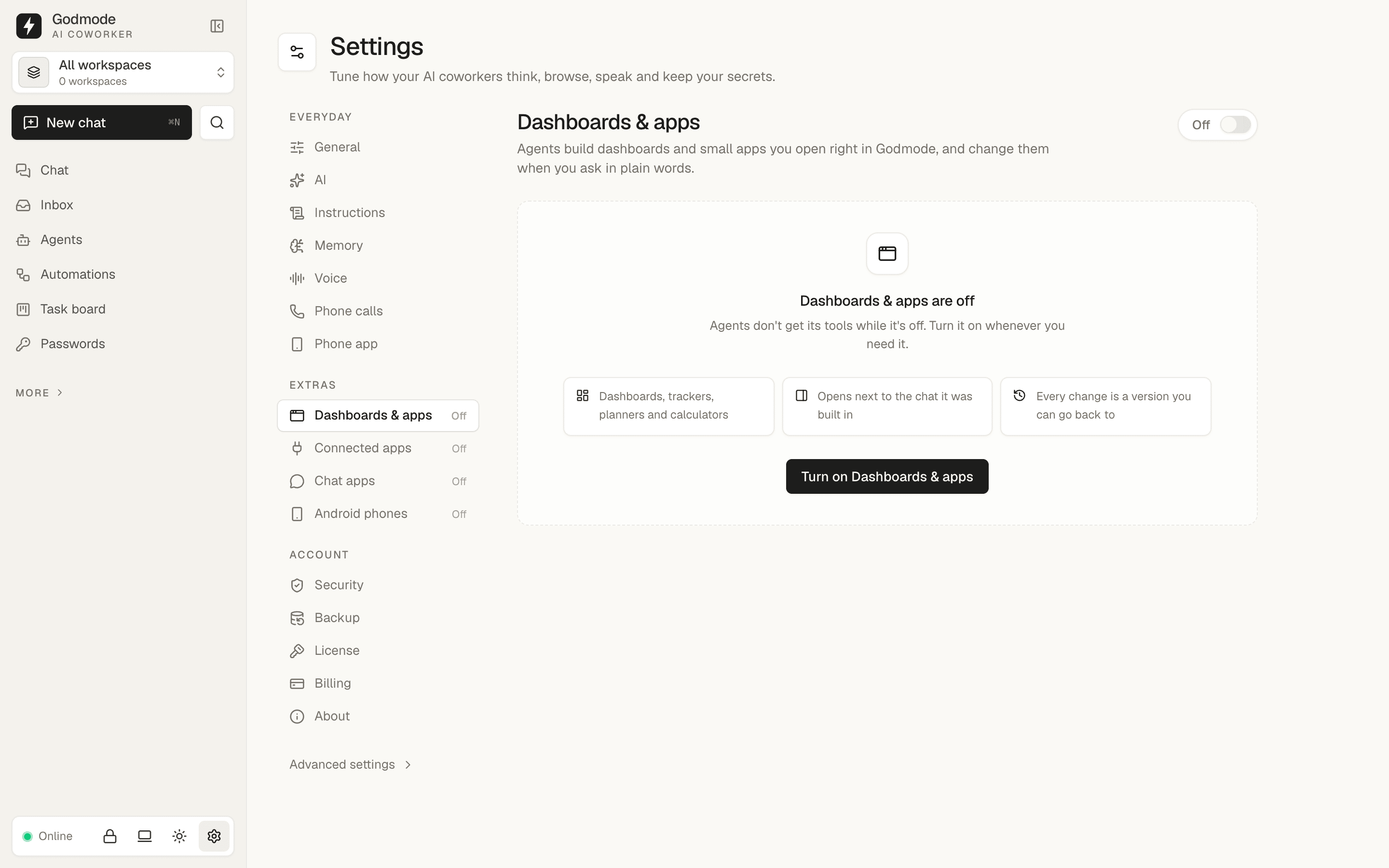
Settings → Features, on (with the messaging request badge)