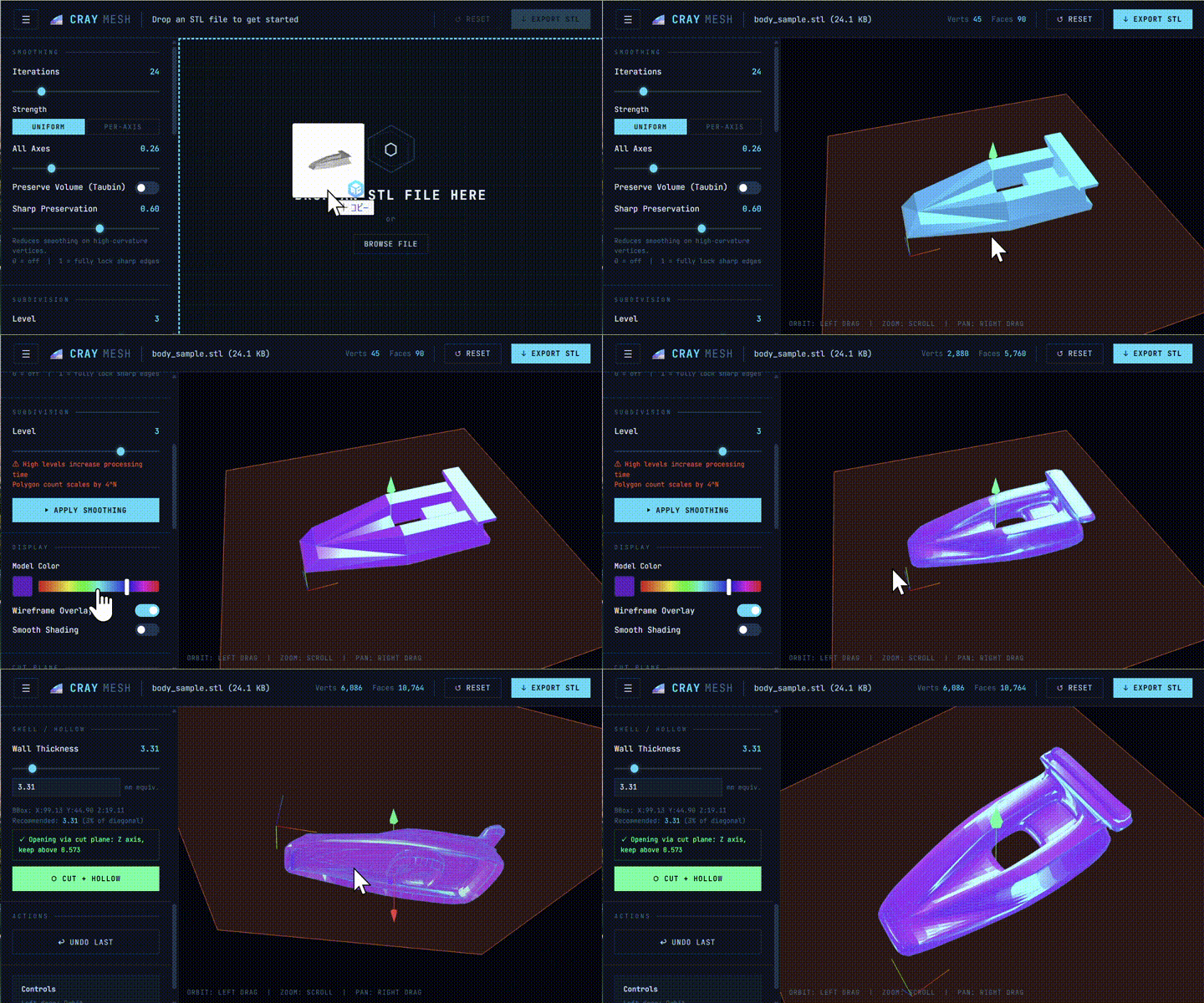

CrayMesh is a browser-based STL mesh smoother that lets you import, smooth, hollow, and export 3D models without any installation.
Try the live demo with a sample STL model: Racing Car Body https://covao.github.io/CrayMesh/CrayMesh.html?file=https://covao.github.io/CrayMesh/body_sample.stl
Compact Car Body https://covao.github.io/CrayMesh/CrayMesh.html?file=https://covao.github.io/CrayMesh/body_sample2.stl
- Drag & drop STL import — supports both binary and ASCII STL formats
- Laplacian smoothing — adjustable iterations, per-axis strength (X / Y / Z independently), and Taubin volume-preserving mode
- Sharp Preservation — protects high-curvature edges from over-smoothing using non-linear dihedral angle weighting
- Midpoint subdivision — up to Level 4 (256× polygon density) for finer surface detail
- Shell / Hollow — generates a uniform-wall-thickness inner shell with automatic rim capping; cut plane defines the opening
- Cut Plane — axis-aligned plane clipping (X / Y / Z) with live preview and adjustable keep-side
- Model color — real-time hue color bar and native color picker
- Wireframe overlay — toggle edge display on top of the solid mesh
- Smooth / Flat shading — switch between per-vertex and per-face normal shading
- STL export — binary STL with recomputed face normals
- Collapsible sidebar — hamburger button folds the panel for a full-viewport preview
- URL file loading — pass
?file=<url>to auto-load a remote STL on page open - Local-first library loading — uses local
three.min.js/OrbitControls.jsif present, otherwise loads from CDN
- A modern web browser
- WebGL enabled
- Recommended: latest Chrome, Edge, Firefox, or Safari
- Open the app URL or the HTML file directly in a browser.
- Drag and drop an STL file onto the viewport, or click Browse file.
- Adjust Smoothing parameters (Iterations, Strength, Sharp Preservation) and click ▶ APPLY SMOOTHING.
- Optionally set a Subdivision level before smoothing to increase mesh density.
- To hollow the model, configure Cut Plane (axis + position) and Shell / Hollow (wall thickness), then click ⬡ CUT + HOLLOW.
- Click ↓ EXPORT STL to download the result.
To load a model via URL:
CrayMesh.html?file=https://example.com/model.stl
- Three.js — JavaScript 3D library used for rendering, geometry, and scene management