DNS cache
- DNS cache is a tiny data about frequently used domains and websites.
- The primary purpose of DNS cache is to speed up browsing, and when remote or ISP DNS servers are down, you can reach that website using Chrome DNS cache.
- However, when a website changes its DNS entry or due to some other faulty network condition, you need to flush out the DNS cache to reach to correct IP address on the Internet.
On MicroSoft Edge, edge://net-internals/?#dns
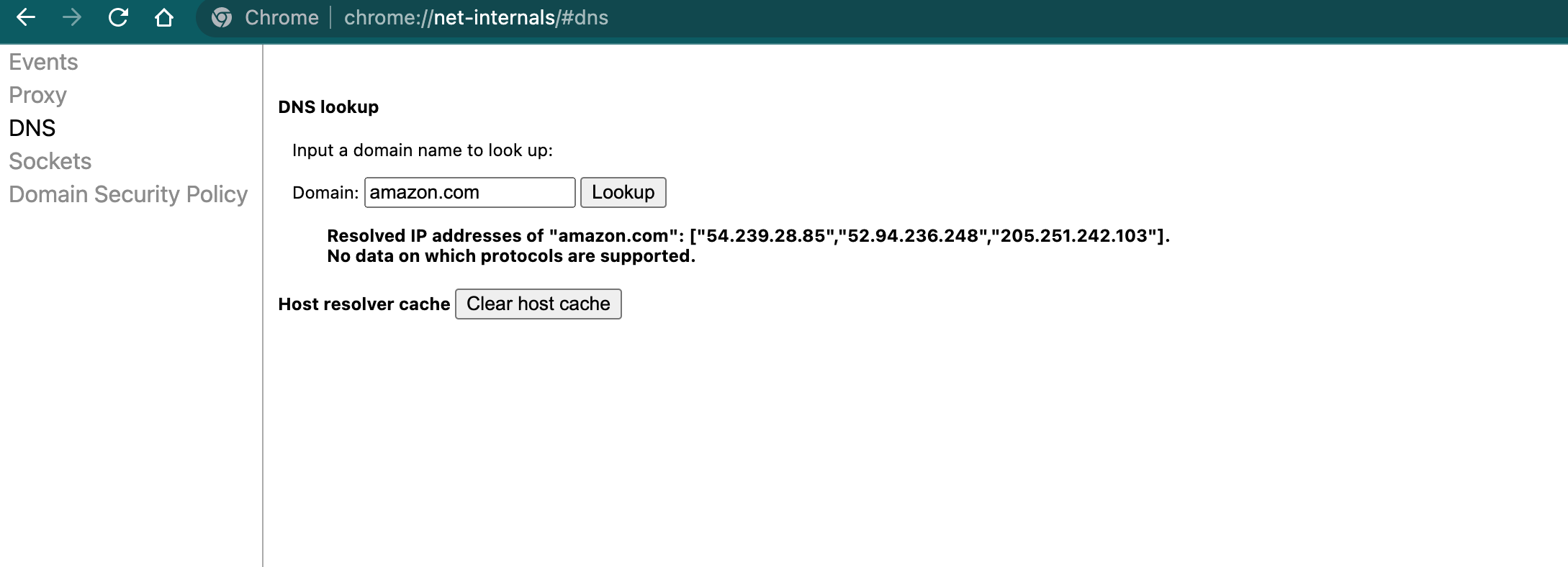
## check DNS for amazon.com

jajjarcode $ nslookup amazon.com
Server:		2001:558:feed::1
Address:	2001:558:feed::1#53

Non-authoritative answer:
Name:	amazon.com
Address: 52.94.236.248
Name:	amazon.com
Address: 54.239.28.85
Name:	amazon.com
Address: 205.251.242.103

##
jajjarcode $ dig amazon.com

; <<>> DiG 9.10.6 <<>> amazon.com
;; global options: +cmd
;; Got answer:
;; ->>HEADER<<- opcode: QUERY, status: NOERROR, id: 38693
;; flags: qr rd ra; QUERY: 1, ANSWER: 3, AUTHORITY: 0, ADDITIONAL: 1

;; OPT PSEUDOSECTION:
; EDNS: version: 0, flags:; udp: 512
;; QUESTION SECTION:
;amazon.com.			IN	A

;; ANSWER SECTION:
amazon.com.		232	IN	A	54.239.28.85
amazon.com.		232	IN	A	205.251.242.103
amazon.com.		232	IN	A	52.94.236.248

;; Query time: 13 msec
;; SERVER: 2001:558:feed::1#53(2001:558:feed::1)
;; WHEN: Mon Dec 19 20:50:35 PST 2022
;; MSG SIZE rcvd: 87- https://www.nslookup.io/domains/amazon.com/dns-records/
- https://www.whatsmydns.net/#A/amazon.com
- https://developers.google.com/speed/public-dns/cache
## DNS 404 issues
sudo dscacheutil -flushcache; sudo killall -HUP mDNSResponder

## nslookup amazon.com IPs might change after flush unless the server hosts are always good, remain the same
- Browser also needs a restart.