A picture is worth a thousand words... literally. MICodec encodes any file into a PNG image, and decodes it back byte for byte.




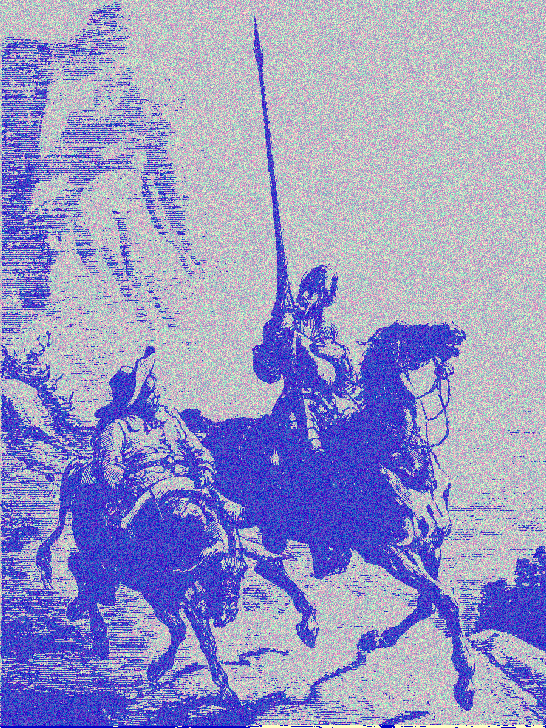
The image above is not a picture of Don Quijote — it is Don Quijote. Decode it and you get the entire novel back as plain text (2.1 MB).
- How it works
- Install
- Quick start
- API
- Command line
- Image format
- Codecs
- Limitations
- Requirements
- License
MICodec started as an experiment in digital art: images that carry — encoded inside themselves — the very thing they depict. It grew into a general-purpose codec that turns arbitrary files into images and back.
Encoding a file runs three steps:
- Compress. The payload is gzipped (level 9), so the image is usually smaller than the source file.
- Describe. A raw header — the prelude — is written into the first pixels, recording the original filename plus which codec produced the image. The image is self-describing: a decoder can read it without being told anything in advance.
- Draw. The codec packs the bytes into pixels, guided by a watermark that keeps the result looking like an image rather than random noise.
Decoding reverses the process, reading the prelude first to learn how the rest was written.
npm install micodecconst MIEncode = require("micodec").MIEncode;
const enc = new MIEncode();
// fileToImage(source, destinationImage, embeddedName, callback)
enc.fileToImage("report.xls", "report.png", "report.xls", (err) => {
if (err) throw err;
console.log("File encoded!");
});const MIDecode = require("micodec").MIDecode;
const dec = new MIDecode();
// imageToFile(image, destination, callback(err, embeddedName))
dec.imageToFile("report.png", "restored.xls", (err, name) => {
if (err) throw err;
console.log(`File decoded. Original name: ${name}`);
});The decoder needs no configuration: it reads the image's header to determine which codec wrote it.
const { MIEncode, MIDecode, codecs, container } = require("micodec");| Method | Description |
|---|---|
fileToImage(fileIn, fileOut, name, cb) |
Gzips fileIn and encodes it into the PNG fileOut. name is the filename embedded in the image (defaults to the basename of fileIn). |
bytesToImage(prelude, payload, fileOut, cb) |
Low-level entry point: writes a raw prelude followed by an already-prepared payload. |
| Method | Description |
|---|---|
imageToFile(image, fileOut, cb) |
Decodes image into fileOut. The callback receives (err, embeddedName). |
The codec registry and dispatcher, for callers that want to choose a codec explicitly or inspect the one that was used.
| Method | Description |
|---|---|
encodeFile(fileIn, fileOut, name, codecName, cb) |
Encodes with a named codec (defaults to pixel). The callback receives (err, codec). |
decodeFile(image, fileOut, cb) |
Decodes, dispatching on the image's header. The callback receives (err, embeddedName, codec). |
list() |
Returns every registered codec. |
register(codec) |
Registers a custom codec. |
Reads and writes the prelude — useful to inspect an image without paying the cost of decoding it.
const { container } = require("micodec");

const info = container.readFromImage("report.png");
// -> { nombre: "report.xls", codec: "pixel", version: 1, preludeLen: 24 }
// -> null when the image has no header (a legacy image)The repository ships a CLI for manual testing. It is a development tool — it is not part of the published npm package, so run it from a clone:
node bin/micodec.js encode <input> <output.png> [--name <name>] [--codec pixel]
node bin/micodec.js decode <image> <output>
node bin/micodec.js header <image>       # inspect an image without decoding it
node bin/micodec.js roundtrip <input>    # encode, decode, and verify bytes match
node bin/micodec.js codecs               # list available codecs
Add -v for sizes and timings. roundtrip is the quickest way to confirm everything works end to end:
$ node bin/micodec.js roundtrip README.md -v
    imagen: 1.9 KB (de 2.3 KB originales)
OK   bytes idénticos
OK   nombre "README.md"
OK códec header dice pixel/1Every image produced by MICodec is self-describing. The first bytes hold a raw prelude, written outside the encoded region so that it can be read without knowing which codec follows:
byte 0..2   magic "MIC"
byte 3      prelude version
byte 4..5   header length (uint16, big-endian)
byte 6..    UTF-8 header: "<name>;<codec>;<version>"
Pixels in the prelude region follow a fixed contract, which any codec must honour:
- 2 bytes per pixel, carried in the R and G channels
- the B channel carries the inversion flags used by the watermark
- alpha is always 255
- bytes are raw — no substitution table
Beyond the prelude, the byte layout is the codec's own business. pixel lays it out as [prelude][substitution table (256 bytes)][gzip payload].
An image with no MIC magic is assumed to predate this format and is handed to the legacy codec.
| Codec | Output | Lossy-tolerant | Notes |
|---|---|---|---|
pixel/1 |
.png |
No | Default. 2 bytes per pixel, exact values. Maximum capacity. |
legacy/0 |
.png |
No | The original headerless format. Read-only — kept so images created before v2 still decode. |
Images generated by older versions of MICodec keep working: they carry no header, so they are routed to legacy automatically. New images are always written with a header.
Do not let anything recompress the image. The codecs depend on the exact value of every pixel. Services that "optimize" images — WhatsApp, Hangouts, Slack, most social networks — will re-encode the PNG and silently destroy the payload. Transfer these images as files (email attachments, cloud storage, scp), never through an image pipeline that may touch them.
The encoded image is a lossless PNG. Because the payload is gzipped first, the result is typically smaller than the original file, but this is compression-dependent: already-compressed inputs (ZIP, JPEG, MP4) will produce a larger image.
- Node.js >= 14.19 for the library.
- Node.js >= 18.3 for the CLI, which relies on
util.parseArgs.
The only runtime dependency is pngjs.
GPL-3.0 — Daniel Monza.