
Flutter renderer for HotLayout server-driven UI (SDUI). A screen is put together in the HotLayout visual builder and published as JSON; your app draws it with native Flutter widgets, so changing a screen needs no app release.
Quickstart: docs · video · Builder and access: hotlayout.com · try the editor


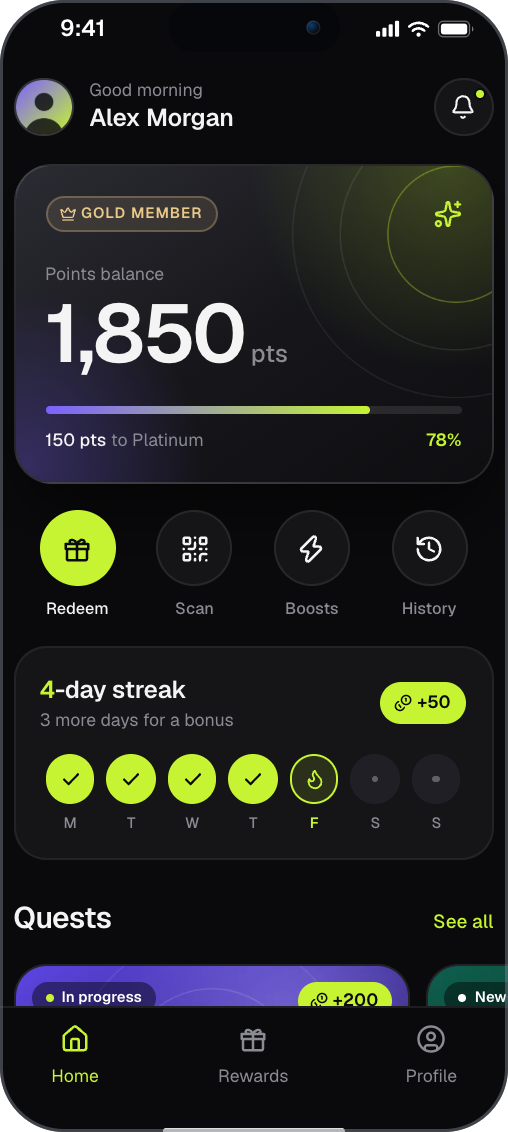
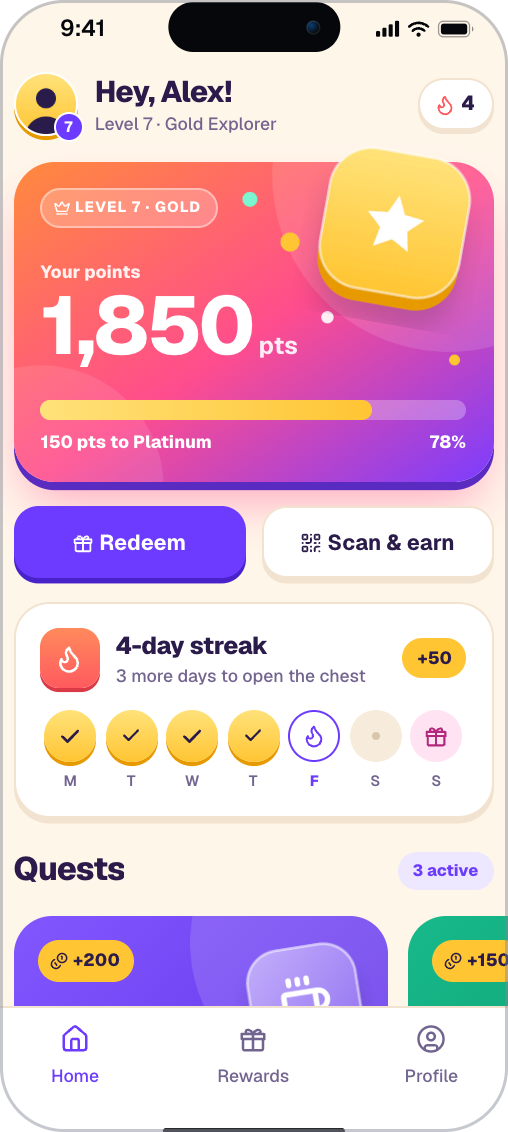
Two screens built in HotLayout. Try the editor in your browser, no sign-up: https://hotlayout.com/try
flutter pub add hotlayout_flutterThe integration is one call, renderDocument, inside a screen of your own app:
The snippet is cut from example/lib/main.dart; the names it uses (theme, document, _actions, _onWrite) are defined there.
return Theme(
  data: theme.toMaterialTheme(),
  // The renderer draws only the document: the Scaffold and the safe area
  // are the host's.
  child: Scaffold(
    body: SafeArea(
      child: renderDocument(
        document,
        theme: theme,
        data: widget.data,
        locale: locale,
        onRecordAction: _actions.handle,
        onWrite: _onWrite,
        // Documents from a source you do not fully trust: no autofill hints.
        // autofill: false,
      ),
    ),
  ),
);
The app around this call is example/lib/main.dart (200 lines); the Quickstart below walks through it.
- One widget.
renderDocumentreturns a widget with its own stack of screens; it adds noScaffoldand does not use yourNavigator. - Three separate inputs. The document (screens), the theme (token values) and your data (a plain
Map) are loaded and replaced independently. - Languages and right-to-left. A document carries its translations; you pass the device locale, the renderer picks the language, the formats and the direction.
- Accessibility. Buttons, fields, tabs and pressable cards have roles, names and states for a screen reader, and work from the keyboard.
- The document is untrusted input. The renderer opens no address by itself: links and deep links reach your code parsed and checked.
- A version policy. A newer minor of the document is still drawn; another major falls back to the copy bundled with your app.
- The same document on the web.
@hotlayout/reactdraws the same JSON in React. - The same document on iOS and Android. The native readers draw the same JSON: iOS through Swift Package Manager (
https://github.com/hotlayout/hotlayout-ios) and Android from Maven Central (com.hotlayout:hotlayout-android). All readers follow the open contract.
flutter pub add hotlayout_flutteror in pubspec.yaml:
dependencies:
  hotlayout_flutter: ^0.34.1
Requires Dart ^3.11.5. Everything you need is in one import; nothing under src/ is public.
import 'package:hotlayout_flutter/hotlayout_flutter.dart';You give the renderer three things and get a widget back:
| Piece | What it is |
|---|---|
| Document | One JSON file: a set of screens built from widgets. Published by the builder as published.json. |
| Theme | One JSON file: token names (primary, md, titleM, and names of your own) and the values behind them. |
| Data | A Map<String, Object?> your app supplies: values for the paths the document is bound to (user.points, tasks). |
The complete app is example/lib/main.dart; cd example && flutter run -d chrome shows it. In short:
-
Bundle a copy of the document and of the theme. The renderer never shows an empty screen because the network failed: it draws a copy from your app bundle first. Export both files from the builder and declare them as assets:
flutter:
  assets:
    - assets/hotlayout/document.json
    - assets/hotlayout/theme.json
-
Read the theme before the first frame (
ThemeLoad.fromBundleorThemeLoad.fromNetwork; neither throws), and say where the document comes from: aBundledDocumentSource, or aPublishedDocumentSourcewith the bundled copy as itsfallback. -
Load: the bundled copy at once, the network after.
source.seedgives the copy without waiting;source.load()asks the network and never throws because of it. -
Draw with the
renderDocumentcall at the top of this page, passing yourdataand the callbacks for actions (onRecordAction,onAction) and for what the user typed (onWrite).
The same steps with every parameter explained, and the standard actions, analytics, haptics, live data, placements and the list of what a document can draw, are in the documentation.
Three numbers describe what this package reads, and the package version is a fourth, separate one:
| What | Version | Constant |
|---|---|---|
| Package | 0.34.1 |
— |
| Document contract (schema) | 9.34.0 |
kSupportedSchemaVersion |
| Theme contract | 4.0.1 |
kSupportedThemeContractVersion |
| Built-in icon set | 1.0.0 |
kIconSetVersion |
The major version must match; a newer minor is readable. A document of the same major is drawn, and parts this package does not know degrade: an unknown widget is skipped and its children are still drawn, an unknown token is not applied. A document of another major is not drawn; the user sees a notice, or the copy bundled with your app when the document came from the network. Only a newer document is cured by updating the app; an older one has to be republished from the builder. The theme follows the same rule. The full table of verdicts is in the reference; what each schema minor added is in the contract changelog, and what changed in each package version is in CHANGELOG.md.
On two platforms a missing permission does not fail — every request silently becomes unreachable and the bundled copies are shown, so the network path is never exercised. Check these first.
macOS. A sandboxed app needs the client entitlement in both macos/Runner/DebugProfile.entitlements and macos/Runner/Release.entitlements:
<key>com.apple.security.network.client</key>
<true/>
Android. flutter create declares INTERNET only in the debug and profile manifests. Add it to android/app/src/main/AndroidManifest.xml, or the release build is the blind one:
<uses-permission android:name="android.permission.INTERNET"/>iOS. Nothing to add for HTTPS.
Web. The server of the document and the theme must allow cross-origin reads (CORS) of the files.
Fonts. A theme names its font families; the package does not deliver font files. Until your app declares the family under flutter: fonts: with the same name, text is drawn in the platform's default font and nothing fails.
| What you see | What to check |
|---|---|
| The bundled copy instead of the published document | Log load.status. notPublished: wrong address, or a draft was saved but never published. unreachable on every run: see Platform notes. incompatible: read load.detail — a newer document needs a newer package; an older one has to be republished from the builder. |
network, but the screen did not change |
Compare signature values: the storage holds the same document as before. |
| The screen is there, the values are not | Bindings show their fallbacks: the keys of data must match the paths of the data dictionary exactly. |
| A list is empty | The value under the collection name is not a List, or its records use full paths (task.title) instead of field names (title). |
| A block is missing | Its visibleIf condition did not hold; a missing value counts as empty. |
| Colors look wrong | Log themeLoad.status; anything but ok is a fallback theme. |
| A gray placeholder with a widget name, debug builds only | The document contains a widget this version does not know. Release builds skip it. |
| Text is in the wrong language | Log the locale you pass and document.shownLocale(locale). |
Debug builds print what the renderer decided not to draw, prefixed with [hotlayout]. To hear about it in release builds too, pass onReport to renderDocument.
The README is an introduction; the reference lives at hotlayout.com/docs.
| Topic | Page |
|---|---|
Step by step, from flutter create to a published screen |
Quickstart for Flutter |
Every renderDocument parameter: data, actions and navigation, theme, language, network, live data, reports, version compatibility, what each widget guarantees, demo app, limitations |
Flutter reference |
| Fields of every widget, tokens and conditions | Widgets |
Named places in the app (HotlayoutPlacement) |
Placements |
| Which paths of data the backend supplies | Data dictionary |
| Theme tokens and fonts | Theme |
| Languages and right-to-left | Localization |
| Where the document files live and how they are read | Delivery |
| Version rules and what appeared when | Compatibility, Contract changelog |
More: the demo app that draws the showcase apps and any contract fixture is demo/; changes by version are in CHANGELOG.md.
- Website: hotlayout.com
- Video quickstart: YouTube
- Getting the builder: screens are made in the HotLayout builder, hosted at hotlayout.com or self-hosted. To get access, use "Get access" on hotlayout.com or write to contact@hotlayout.com.
Apache-2.0. See LICENSE.
The icon drawings built into the package are from Lucide (ISC License; some of them derive from Feather, MIT License), except ten drawn for HotLayout. The notices are in THIRD-PARTY-NOTICES.md; if your app has a licences screen, include them there.