




Nuclear is a binding glue for CLI applications. It consists of tools for building CLI applications in Python, including:
- CLI parser for building nested CLI commands
- Sublog - contextual logger
- Shell utilities
from nuclear import CliBuilder

cli = CliBuilder()

@cli.add_command('hello')
def say_hello(name: str, decode: bool = False, repeat: int = 1):
    """
    Say hello
    :param decode: Decode name as base64
    """
    message = f"I'm a {b64decode(name).decode() if decode else name}!"
    print(' '.join([message] * repeat))

@cli.add_command('calculate', 'factorial')
def calculate_factorial(n: int):
    """Calculate factorial"""
    print(reduce(lambda x, y: x * y, range(1, n + 1)))

@cli.add_command('calculate', 'primes')
def calculate_primes(n: int):
    """List prime numbers using Sieve of Eratosthenes"""
    print(sorted(reduce((lambda r, x: r - set(range(x**2, n, x)) if (x in r) else r), range(2, n), set(range(2, n)))))

cli.run()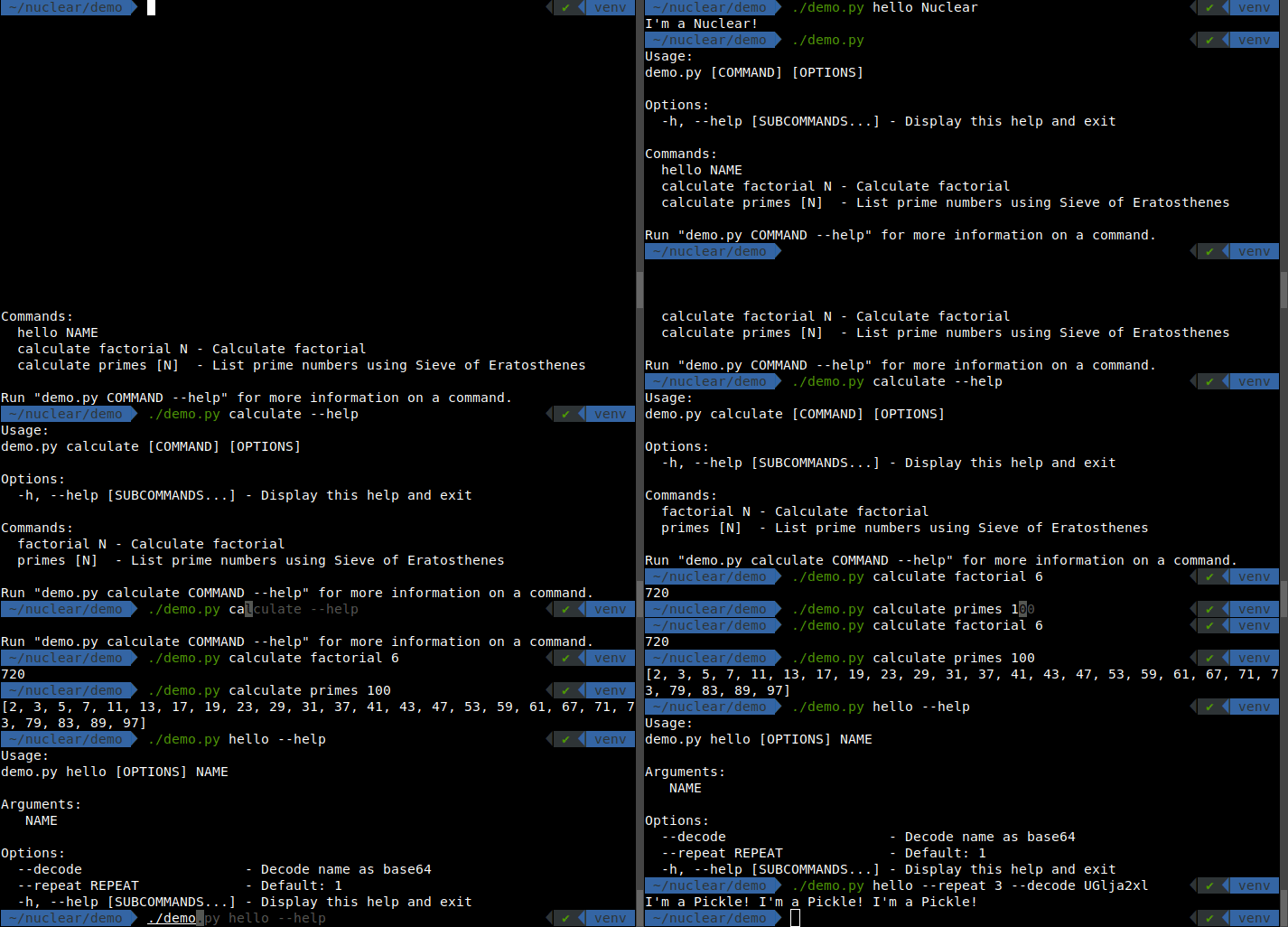
See demo.py for a complete example.
python3 -m pip install --upgrade nuclearYou need Python 3.10 or newer.
Sublog is a nuclear's contextual logging system that allows you to:
- display variables besides log messages:
logger.debug('message', airspeed=20), - wrap errors with context:
with add_context('ignition'), - catch errors and show traceback in a concise, pretty format:
with error_handler().
from nuclear.sublog import logger, error_handler, add_context

with error_handler():
    logger.debug('checking engine', temperature=85.0, pressure='12kPa')
    with add_context('ignition', request=42):
        logger.info('ignition ready', speed='zero')
        with add_context('liftoff'):
            raise RuntimeError('explosion')
Use nuclear.sublog.logger to log message with a pretty format out of the box.
Pass additional context variables as keyword arguments to display them in the log message.
from nuclear.sublog import logger

logger.info('info log')
logger.debug('debug log', var1=1, var2='two')
logger.info('not great not terrible', radioactivity=3.6)
logger.error('this is bad')
logger.exception(RuntimeError('this is worse'))Use nuclear.sublog.error_handler to catch errors and show traceback in a concise, pretty format.
from nuclear.sublog import error_handler

with error_handler():
raise RuntimeError('explosion')Use nuclear.sublog.add_context to wrap code with additional context information.
This will be included in in the log message, if an error occurs.
from nuclear.sublog import add_context

with add_context('reloading plugins'):
    with add_context('loading config'):
        raise RuntimeError('file is missing')
This will produce an error with the following message:
reloading plugins: loading config: file is missing
Note that while each individual part of the message may not provide a comprehensive explanation of the error, when combined, the whole message becomes highly informative. This is the core principle behind enriching errors with context.
Nuke is a lightweight task runner built into Nuclear for automating project tasks. It serves as a replacement for Makefile.
Define tasks as simple Python functions in a nukefile.py:
from nuclear import nuke, logger

class Config:
    src_path: str = '/opt/dump'
    dst_path: str = '/media/user/DRIVE/'
    dry: bool = False

config, sh = nuke.init(Config)

def push():
    sh(f"rsync -avh --delete --size-only --info=progress2 '{src_path}/' '{dst_path}'")

def convert():
    sh(f'ffmpeg -i "{src_path}/input.mp4" "{dst_path}/audio.mp3"')

if __name__ == '__main__':
    nuke.run()
Run tasks from command line:
nuke push
# or
./nukefile.py push

# see available tasks
nuke
./nukefile.py

# dry run mode
nuke push --dry

# override config parameters
nuke convert --src_path=/src/dump
See Nuke documentation for detailed guide.
Nuclear provides utilities for running system shell commands.
Basic usage:
from nuclear import shell

window_id: str = shell('xdotool getactivewindow')
shell function captures the stdout & stderr output of the shell command and returns it as a string.
It may also print live stdout in real time (line by line) and capture output in case of errors.
It has a lot of possibilities thanks to its parameters:
cmd: str- shell command to runworkdir: Optional[Path] = None- working directory for the commandprint_stdout: bool = False- whether to print live stdout in real time (line by line) from a subprocessprint_log: bool = False- whether to print a log message about running the commandraw_output: bool = False- whether to let subprocess manage stdout/stderr on its own instead of capturing itindependent: bool = False- whether to start an independent process that can outlive the caller processoutput_file: Optional[Path] = None- optional file to write the output in real time
It returns the stdout of the command combined with stderr.
In case of non-zero command exit code, shell raises CommandError exception.