
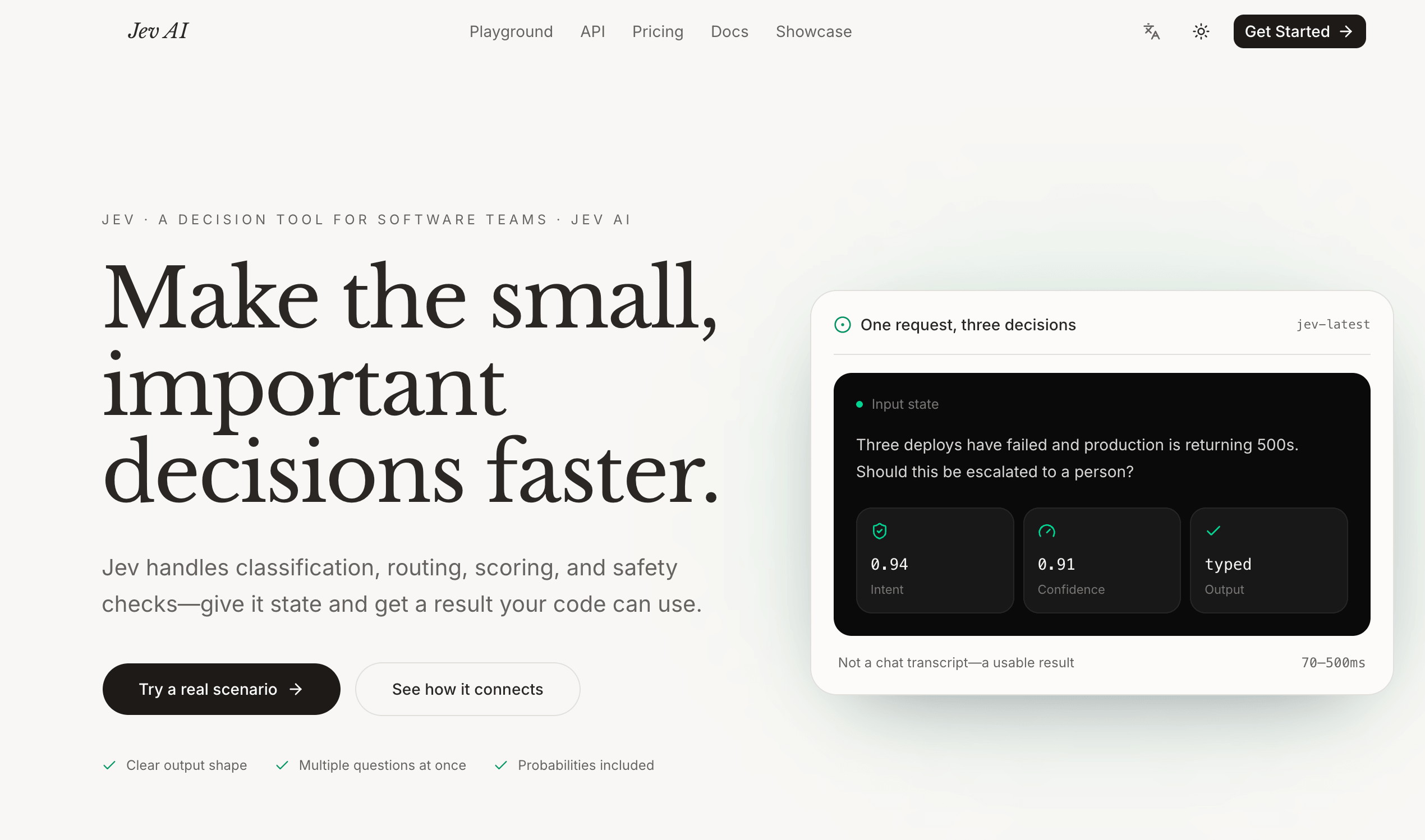
Turn application state into typed decisions your code can use.
Website · Playground · Documentation · Contact
Jev AI is an online decision model for software teams that need structured answers from real-world application state. It is designed for the small but important decisions that happen repeatedly inside a product: classify a request, route a ticket, score urgency, check whether an action is safe, or decide whether a person should review the result.
Instead of returning a chat transcript for someone to interpret, Jev accepts state and typed questions, then returns a result that application code can consume directly. Your business logic remains in your service while Jev handles the decision in the middle.
Jev AI is an independent app for Jev model playbooks and shared usage. It is not the official product site for the underlying Jev model.
Traditional language-model workflows are often asked to produce text first and leave the application to infer the next action. That can be useful for open-ended work, but many production workflows need a defined answer space, predictable fields, and a signal that helps code decide what to do next.
Jev focuses on software-consumable decisions:
- define the possible answers before the request is sent;
- provide one shared state to several focused questions;
- evaluate multiple questions in parallel rather than chaining unrelated calls;
- return typed answers with probabilities and confidence signals where supported;
- connect the result to routing, queues, guardrails, functions, and databases;
- keep a human-review path for uncertain or high-risk actions.
- Support routing: classify a ticket into billing, technical, account, or other teams.
- Urgency scoring: rate an incident, customer request, or operational event against an ordered rubric.
- Safety checks: determine whether a proposed action needs confirmation or human review before a tool executes.
- Queue prioritization: combine intent, urgency, and review requirements to send work to the right queue.
- Agent guardrails: check an agent’s planned action before deletion, payment, account, or other sensitive operations.
- Task triage: turn messages, forms, tickets, or structured records into decisions that existing services can act on.
- Model routing: assess task difficulty before sending a request to a faster model or escalating it to a more capable workflow.
- Long-session context selection: decide which tool results or facts still matter when an agent’s context is compressed.
- Give Jev the state. Pass the text, ticket, message, form fields, JSON object, or array of text that provides the context.
- Define focused questions. Ask one specific question at a time and choose the appropriate typed question type.
- Run the decision. Use the Playground to test a real scenario or call the API from your service.
- Read the typed result. Use the question IDs, selected values, scores, probabilities, and confidence signals returned by Jev.
- Let your code act. Route, queue, block, continue, or request review according to thresholds defined by your application.
- Measure the workflow. Compare automated outcomes with real business results and adjust question wording, thresholds, and review policies.
State is the context shared by every question in one request. Jev currently accepts:
- Text: natural-language context such as a support ticket, incident report, or customer message.
- JSON objects: structured records containing fields such as a ticket, order, policy, or account state.
- Arrays of text: several related text items that together form the context for a decision.
Images, audio, and video are not currently supported as state inputs. Teams should validate non-English accuracy separately and test the model against representative production examples before relying on it for important decisions.
Use Choice when the answer belongs to a predefined set of options. Each option can have a name and an optional description. Choice is useful for classification, routing, intent detection, and selecting the next workflow.
The response can include the selected choice, per-choice probabilities, and confidence. When unknown cases are possible, include an other or none-of-the-above option so the model has a defined way to represent uncertainty in the answer space.
Use Score when the state should be rated against ordered levels such as low, medium, and high severity. Levels are defined from low to high, and the returned score is probability-weighted, so it can fall between the named levels.
Score is useful for urgency, severity, satisfaction, risk, priority, and other business rubrics that are easier to express as an ordered scale than as unrelated labels. The response can include the score, its legend, per-level probabilities, and confidence.
Use Noul for a yes-or-no judgment. It can answer questions such as “Does this need a human?” or “Is the customer explicitly asking for a refund?” When needed, add criteria that define what a true and false answer mean.
The returned noul value represents the probability that the answer is yes. It is not a second general-purpose confidence field, so application logic should interpret it using a threshold appropriate to the risk of the action.
Every question should be specific and well-scoped. Multiple questions can use the same state in a single request, which makes it possible to classify, score, and run a yes-or-no check together without creating a chain of separate calls.
The result uses the same question IDs that were submitted. Depending on the question type, result.answers can contain:
- a selected choice, probabilities, and confidence for
Choice; - a score, legend, per-level probabilities, and confidence for
Score; - a
noulvalue representing the yes probability forNoul.
Responses can also include usage information such as input tokens, output tokens, possible cost in USD, and elapsedMs. The elapsed time covers the request from submission to response, including validation, and should not be treated as pure model-inference time.
Probability and confidence are signals for automation, not guarantees of business accuracy. Use conservative thresholds, fallbacks, and human review for payments, deletion, access changes, safety-sensitive actions, or other high-impact decisions.
The Playground is the fastest way to understand Jev’s input and output shape. It lets a team:
- enter a realistic piece of business state;
- select the
typesafe/jev-1.13model; - define Choice, Score, and Noul questions;
- add options, ordered levels, or yes/no criteria;
- generate decisions and inspect the returned probabilities;
- preview the JSON request before connecting the workflow to code.
Start with one low-risk decision and compare the output with the expected result from real examples. Once the question is useful, create an API key and move the validated workflow into a server-side integration.
Jev exposes a REST-ready integration path and a TypeSafe-oriented workflow for developers. Production requests use three core fields: state, model, and questions.
The current endpoint is:
POST https://thejevai.com/v1/systemone
The current model shown in the Playground is:
typesafe/jev-1.13
A minimal request shape looks like this:
{
  "model": "typesafe/jev-1.13",
  "state": "Three deploys have failed and production is returning 500s.",
  "questions": {
    "needs_human": {
      "type": "noul",
      "instructions": "Does this incident need immediate human escalation?"
    }
  }
}
Keep API keys in a server-side environment variable. Never place a secret key in browser code or commit it to a repository. Use the official TypeSafe documentation and Jev’s developer documentation for the current request schema, SDK guidance, authentication details, and response fields.
- Write each question around one decision and keep its answer space explicit.
- Provide enough state for the decision without sending unrelated or sensitive data.
- Add
other,unknown, or a review path where the predefined options may not fit. - Select thresholds based on the cost of false positives and false negatives.
- Keep a human-review route for uncertain, novel, or high-impact cases.
- Log question IDs, model versions, selected answers, probabilities, and downstream actions.
- Validate request size, input types, authentication, timeouts, retries, and failure handling.
- Treat model output as a decision signal and keep final business rules in your own service.
- Re-evaluate prompts and thresholds when policies, products, or customer behavior change.
Jev AI offers a Freemium entry point with a free online Playground experience. The pricing page currently presents one-time credit plans as well as production-oriented options:
- Starter — $10: 100,000 credits, one workspace, typed questions, probability and confidence results, Playground access, API key management, and email support.
- Pro — $100: 1,000,000 credits, unlimited workspaces, parallel questions, API access, usage history, and priority support.
- Enterprise — $1,000: 11,000,000 credits including a 10% bonus, team collaboration, custom integration support, security guidance, dedicated support, and roadmap feedback.
The site notes that one-time plans do not auto-renew and that plan availability may change. Check the current pricing page before making a purchase or budgeting for production usage.
- Website — Learn how Jev turns state into typed decisions.
- Playground — Test a real scenario and inspect the output.
- Documentation — Learn about state, questions, responses, and integration.
- Pricing — Review current plans, credits, and access options.
- Showcase — Browse example decision workflows.
- GitHub — Visit the Jev AI organization on GitHub.
- TypeSafe documentation — Read the underlying TypeSafe documentation.
- Contact support — Ask questions about the product or integration.
Jev AI is best used as a focused decision layer inside a larger application: your system owns the state, policies, thresholds, and actions, while Jev provides a structured signal that helps the next step happen consistently.
Jev AI 是一款面向软件团队的在线决策模型,用于将真实业务状态转换为结构化结果。它适合处理产品内部大量重复发生、但又十分关键的小决策,例如对请求分类、路由工单、评估紧急程度、检查动作是否安全,以及判断是否需要人工复核。
Jev 不把结果包装成需要人工阅读的聊天记录,而是接收状态与类型化问题,并返回应用代码可以直接使用的结果。业务规则仍然由你的服务掌控,Jev 负责中间的决策环节。
Jev AI 是一个用于 Jev model playbook 与共享使用场景的独立应用,并非底层 Jev 模型的官方产品网站。
传统大语言模型通常先生成一段文本,再由应用自行推断下一步动作。但在生产系统中,很多流程需要预先定义的答案范围、稳定的字段,以及能够帮助代码判断下一步的信号。
Jev 专注于软件可以直接消费的决策结果:
- 在请求前明确可能出现的答案;
- 让多个聚焦问题共享同一份状态;
- 并行评估多个问题,避免为了拆分决策而串联多个请求;
- 在支持的场景中返回类型化答案、概率与置信度信号;
- 将结果接入路由、队列、护栏、函数和数据库;
- 对不确定或高风险动作保留人工复核路径。
- 客服路由: 将工单分类到计费、技术、账户或其他团队。
- 紧急程度评分: 按有序标准评估事故、客户请求或运营事件。
- 安全检查: 在工具执行前判断是否需要确认或人工审核。
- 队列优先级: 同时结合意图、紧急程度和人工复核需求,将任务送入正确队列。
- Agent 护栏: 在删除、支付、账户变更等敏感动作前检查 Agent 的计划。
- 任务分流: 将消息、表单、工单或结构化记录转成现有服务可以执行的决策。
- 模型路由: 先判断任务难度,再决定使用更快的模型还是升级到更强的工作流。
- 长会话上下文筛选: 在压缩 Agent 上下文时判断哪些工具结果或事实仍然重要。
- 提供状态: 传入文本、工单、消息、表单字段、JSON 对象或文本数组。
- 定义问题: 每次只询问一个明确问题,并选择合适的类型化问题类型。
- 运行决策: 使用 Playground 测试真实场景,或从服务调用 API。
- 读取类型化结果: 使用返回的问题 ID、选项、分数、概率和置信度信号。
- 让代码执行动作: 根据应用定义的阈值进行路由、入队、拦截、继续执行或人工复核。
- 评估工作流: 对比自动化结果与真实业务结果,调整问题描述、阈值和审核策略。
状态是一次请求中所有问题共享的上下文。Jev 当前支持:
- 文本: 适用于客服工单、事故报告或客户消息等自然语言内容;
- JSON 对象: 适用于同时包含工单、订单、策略或账户状态的结构化记录;
- 文本数组: 适用于由多个相关文本片段组成的决策上下文。
当前还不支持将图片、音频和视频作为状态输入。对于非英语输入,团队应单独验证准确性,并在依赖重要决策前使用具有代表性的生产样本进行测试。
当答案属于预先定义的选项集合时使用 Choice。每个选项可以包含名称和可选描述,适用于分类、路由、意图识别和下一步工作流选择。
返回结果可以包含选中的选项、每个选项的概率和置信度。如果存在未知情况,应加入 other 或 none-of-the-above 选项,让模型能够在定义好的答案空间中表达无法匹配的情况。
当需要按照低、中、高等有序级别评价状态时使用 Score。级别按照从低到高定义,返回的分数采用概率加权,因此可能落在两个命名级别之间。
Score 适合紧急程度、严重性、满意度、风险、优先级以及其他适合用业务量表表示的场景。返回结果可以包含分数、量表说明、各级别概率和置信度。
当需要进行是或否判断时使用 Noul,例如“是否需要人工处理?”或“客户是否明确要求退款?”。必要时可以增加 criteria,明确什么情况算 true、什么情况算 false。
返回的 noul 值表示答案为“是”的概率,它不是另一个通用置信度字段。因此,应用应根据动作风险设置适合的阈值。
每个问题都应该具体且范围清晰。多个问题可以在同一次请求中读取同一份状态,这让系统能够同时完成分类、评分和是非检查,而不必把决策拆成多个串行调用。
结果会使用提交时相同的问题 ID。根据问题类型,result.answers 可能包含:
Choice的选中选项、概率和置信度;Score的分数、量表、各级别概率和置信度;Noul的noul值,即答案为“是”的概率。
响应还可能包含输入 Token、输出 Token、美元成本以及 elapsedMs 等用量信息。elapsedMs 表示从发送请求到收到结果的总耗时,包括校验时间,不应直接当作纯模型推理时间。
概率和置信度是自动化信号,不是业务准确性的保证。涉及支付、删除、权限变更、安全敏感动作或其他高影响决策时,应使用更保守的阈值、备用流程和人工审核。
Playground 是了解 Jev 输入与输出结构最快的方式。用户可以:
- 输入一段真实业务状态;
- 选择
typesafe/jev-1.13模型; - 定义 Choice、Score 和 Noul 问题;
- 添加选项、有序级别或是非判断标准;
- 生成决策并查看返回概率;
- 在将工作流连接到代码前预览 JSON 请求结构。
建议从低风险、范围清晰的决策开始,并将输出与真实样本中的预期结果进行对比。确认问题设计有效后,再创建 API Key,将经过验证的工作流接入服务端。
Jev 提供 REST 形式的集成路径,以及面向 TypeSafe 的开发者工作流。生产请求使用三个核心字段:state、model 和 questions。
当前接口为:
POST https://thejevai.com/v1/systemone
Playground 当前展示的模型为:
typesafe/jev-1.13
最小请求结构示例:
{
  "model": "typesafe/jev-1.13",
  "state": "Three deploys have failed and production is returning 500s.",
  "questions": {
    "needs_human": {
      "type": "noul",
      "instructions": "Does this incident need immediate human escalation?"
    }
  }
}
API Key 应保存在服务端环境变量中,不要放进浏览器代码,也不要提交到代码仓库。当前请求结构、SDK、鉴权方式和响应字段请参考 TypeSafe 官方文档 与 Jev 的开发者文档。
- 每个问题只围绕一个决策,并保持答案范围明确;
- 只提供决策所需的状态,避免发送无关或敏感数据;
- 当预设选项可能无法覆盖所有情况时,加入
other、unknown或人工复核路径; - 根据误判成本设置阈值,分别考虑误报和漏报的影响;
- 对不确定、新颖或高影响场景保留人工处理通道;
- 记录问题 ID、模型版本、选中答案、概率以及下游动作;
- 加入请求大小、输入类型、鉴权、超时、重试和失败处理;
- 将模型输出视为决策信号,最终业务规则仍由自己的服务掌控;
- 当策略、产品或客户行为变化时,重新评估问题描述与阈值。
Jev AI 提供 Freemium 入口,并可通过在线 Playground 体验基础工作流。官网定价页当前展示了一次性积分方案及面向生产使用的套餐:
- Starter — $10: 100,000 积分、1 个工作区、三种类型化问题、概率与置信度结果、在线 Playground、API Key 管理和邮件支持;
- Pro — $100: 1,000,000 积分、无限工作区、并行问题、API 接入、用量与请求历史以及优先支持;
- Enterprise — $1,000: 11,000,000 积分(含 10% 额外积分)、团队协作、自定义集成支持、安全指导、专属支持和产品路线反馈。
官网说明一次性方案不会自动续费,套餐可用性也可能发生变化。购买或规划生产预算前,请查看当前定价页。
- 官方网站 — 了解 Jev 如何将状态转为类型化决策。
- Playground — 测试真实场景并查看输出。
- 开发者文档 — 了解状态、问题、响应和集成方式。
- 价格方案 — 查看当前套餐、积分与访问方式。
- 案例展示 — 浏览示例决策工作流。
- GitHub — 访问 Jev AI GitHub 组织。
- TypeSafe 文档 — 阅读底层 TypeSafe 文档。
- 联系支持 — 咨询产品或集成问题。
Jev AI 更适合作为大型应用中的专用决策层:你的系统负责状态、策略、阈值与动作,Jev 提供结构化信号,帮助下一步工作更稳定地执行。