Home
CapyCSS is a visual scripting tool for C# that enables node-based programming. By importing DLLs, creating scripts can be easily achieved.
This Wiki provides information on how to use CapyCSS and its features. Specifically, the following pages are available:
- Getting Started with CapyCSS
- Creating Scripts
- Script execution flow
- Converts to C# programs
- Text area
Let's use CapyCSS to easily create scripts!
To begin using CapyCSS, download and extract the CapyCSS.zip file and run the CapyCSS.exe application. From there, select "New Project" to create a new project.
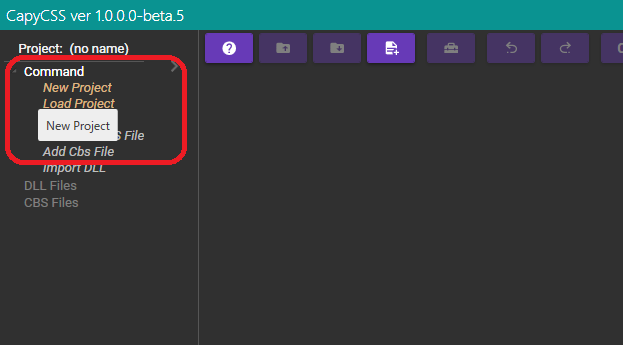
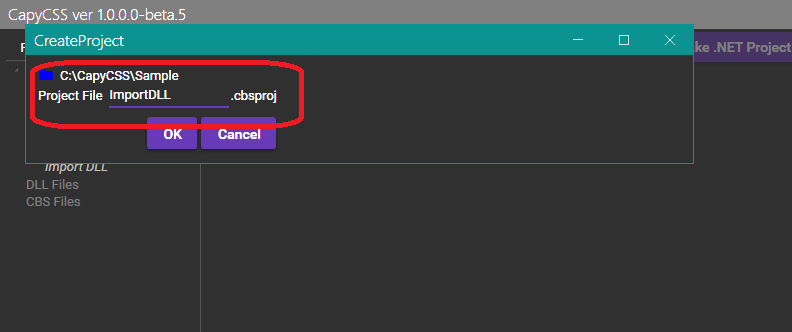
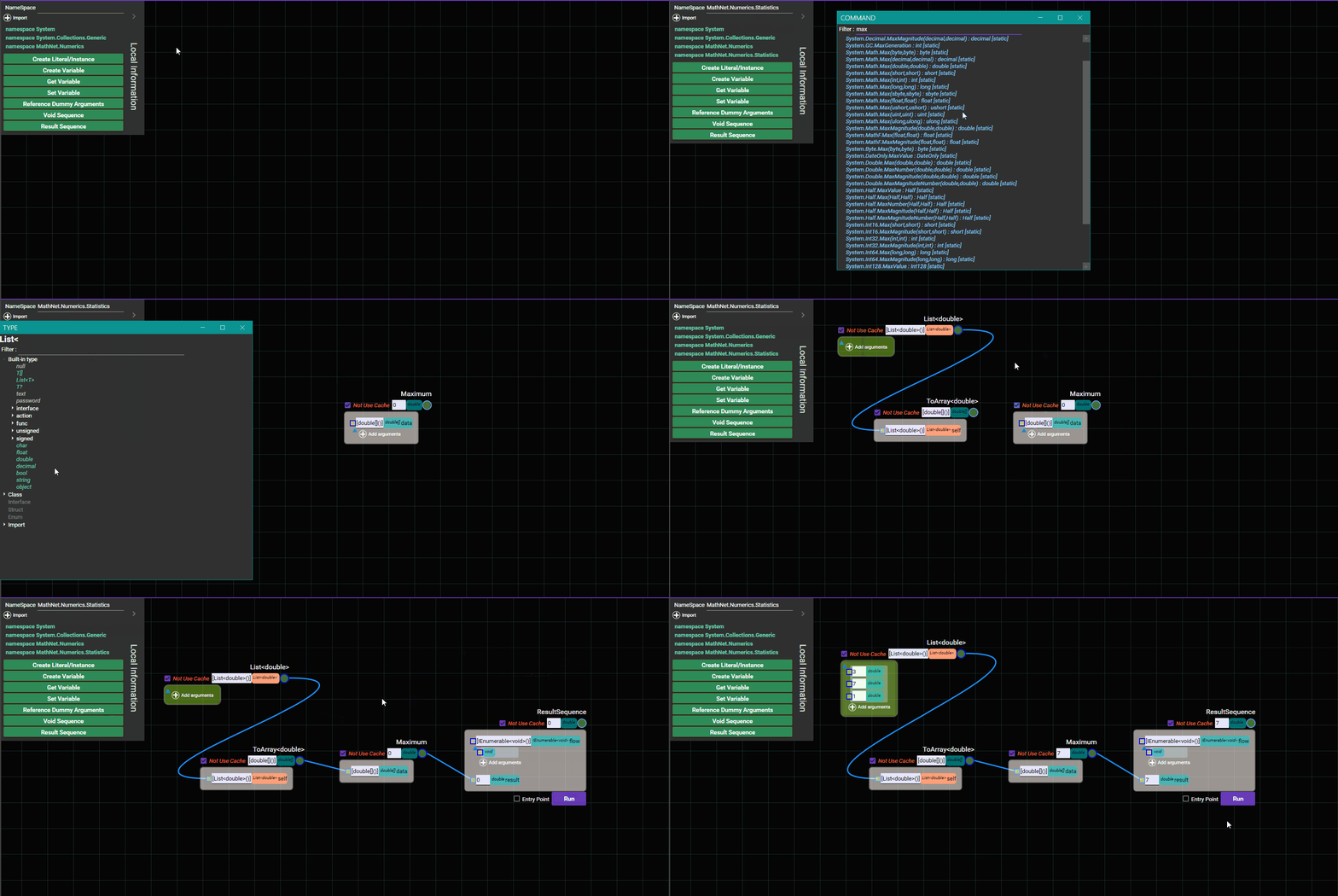
To import a DLL file, select "Import DLL". As an example, we downloaded and imported the Math.NET package.
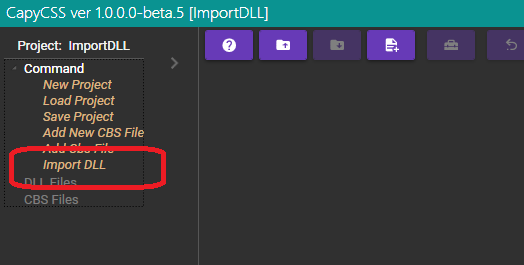
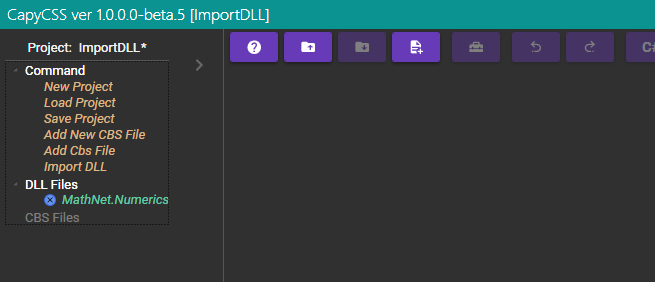
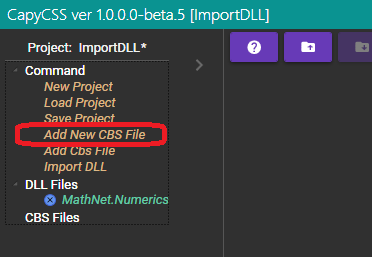
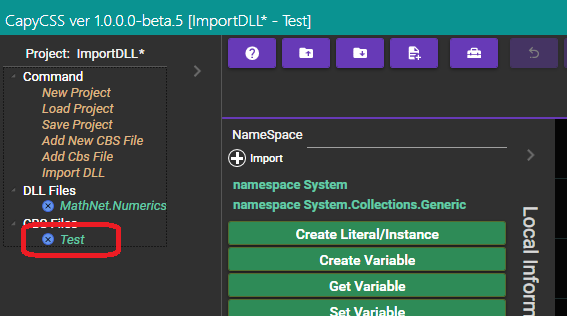
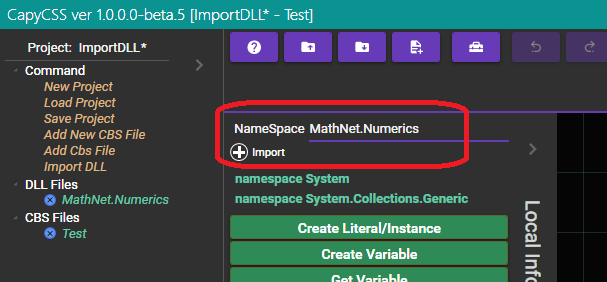
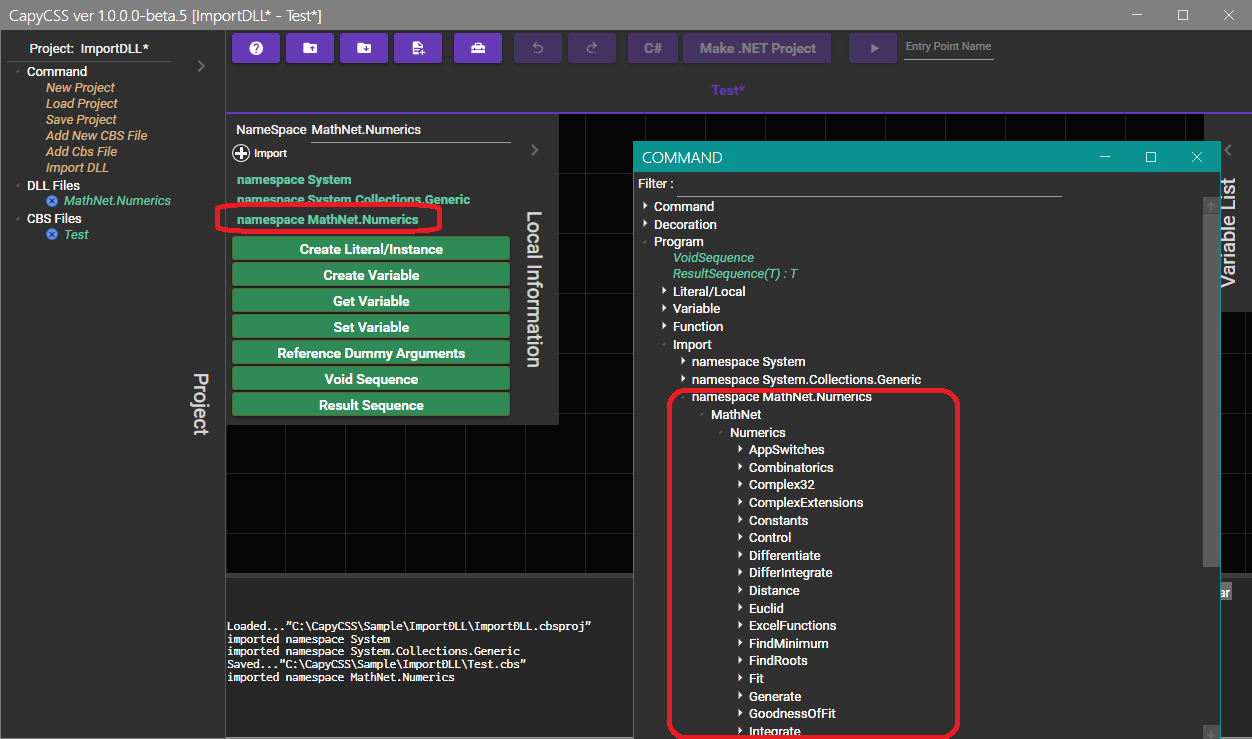
Importing a DLL alone is not enough; you must also import the namespace to prepare it for use. In this case, enter "MathNet.Numerics" into the "Namespace" field and click "Import". Then, use "Add New CBS File" to create a new script page, and in the page, press the middle mouse button to open the command window. From there, navigate to "Program" > "Import" > "namespace MathNet.Numerics" to access the namespace.
Let's write a script to obtain the maximum value from a double-type array. We import the MathNet.Numerics.Statistics namespace, place a list-type node that contains double-type elements, create an array from that node, and connect it to MathNet.Numerics.Statistics.Maximum(double[]).
In CapyCSS, the Sequence serves as the starting point of execution. For this case, we place a ResultSequence node, connect it to its result, and execute "Run." As a result, 7 is returned.
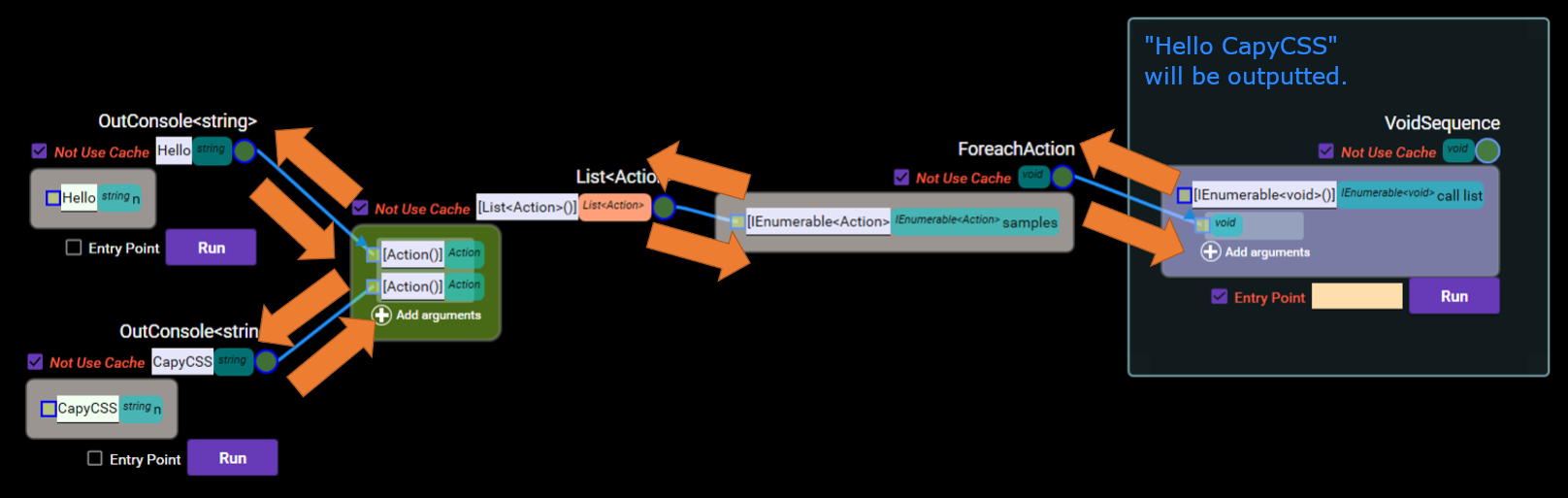
This script performs actions along the direction of the arrow. Specifically, it receives arguments to process a node, but if the argument is connected to another node, it processes the connected node and obtains the answer. All necessary nodes are processed in this way.
Delegate types such as Action call the connected nodes when referencing the arguments received within the node. This is because the delegate variable wraps the node call processing to call the node and return the result.
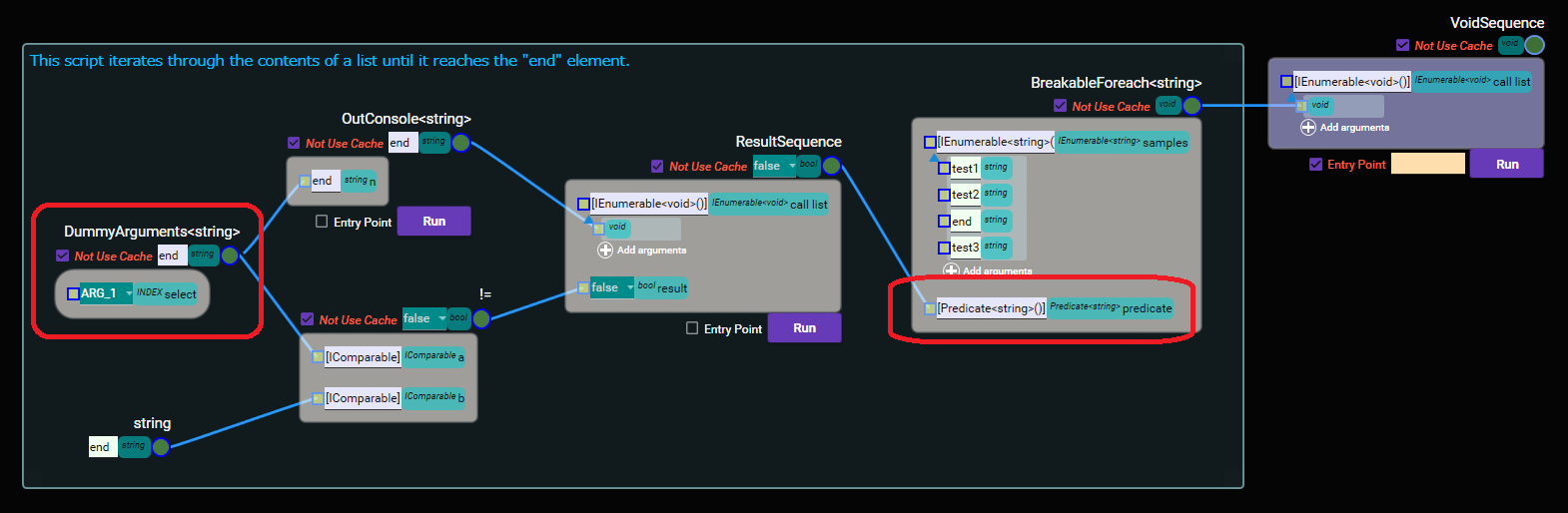
If arguments are passed when executing a delegate variable, the contents of the passed arguments can be referenced using a "DummyArguments" node. The script called from the delegate variable can receive the contents of the formal parameters using the "DummyArguments" node.
This script outputs the contents of a list until it reaches the "end" element.
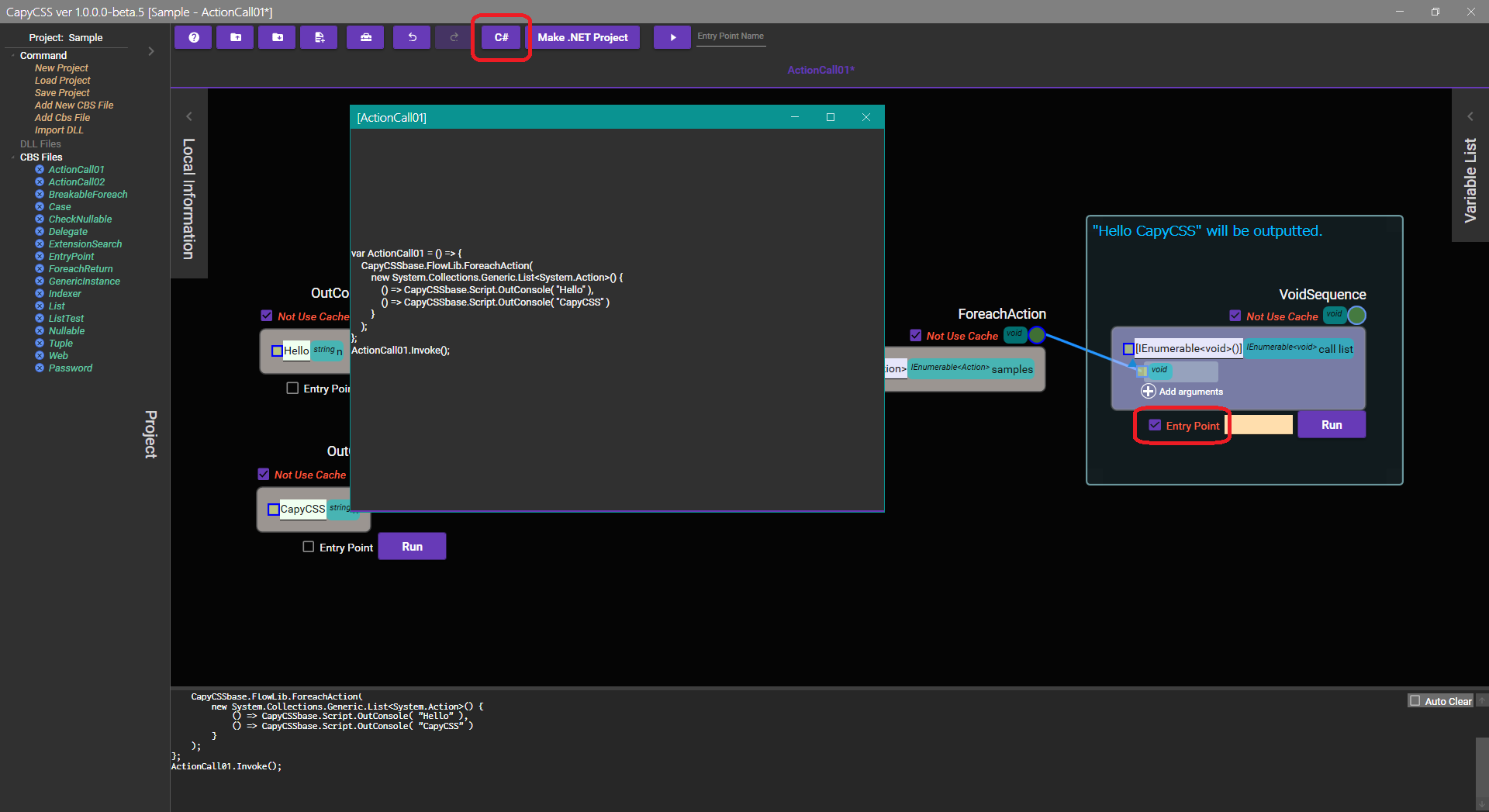
By checking the "Entry Point" in the node, you can enable the "C#" tool feature. This feature converts scripts into C# programs. However, the current functionality is not very accurate.
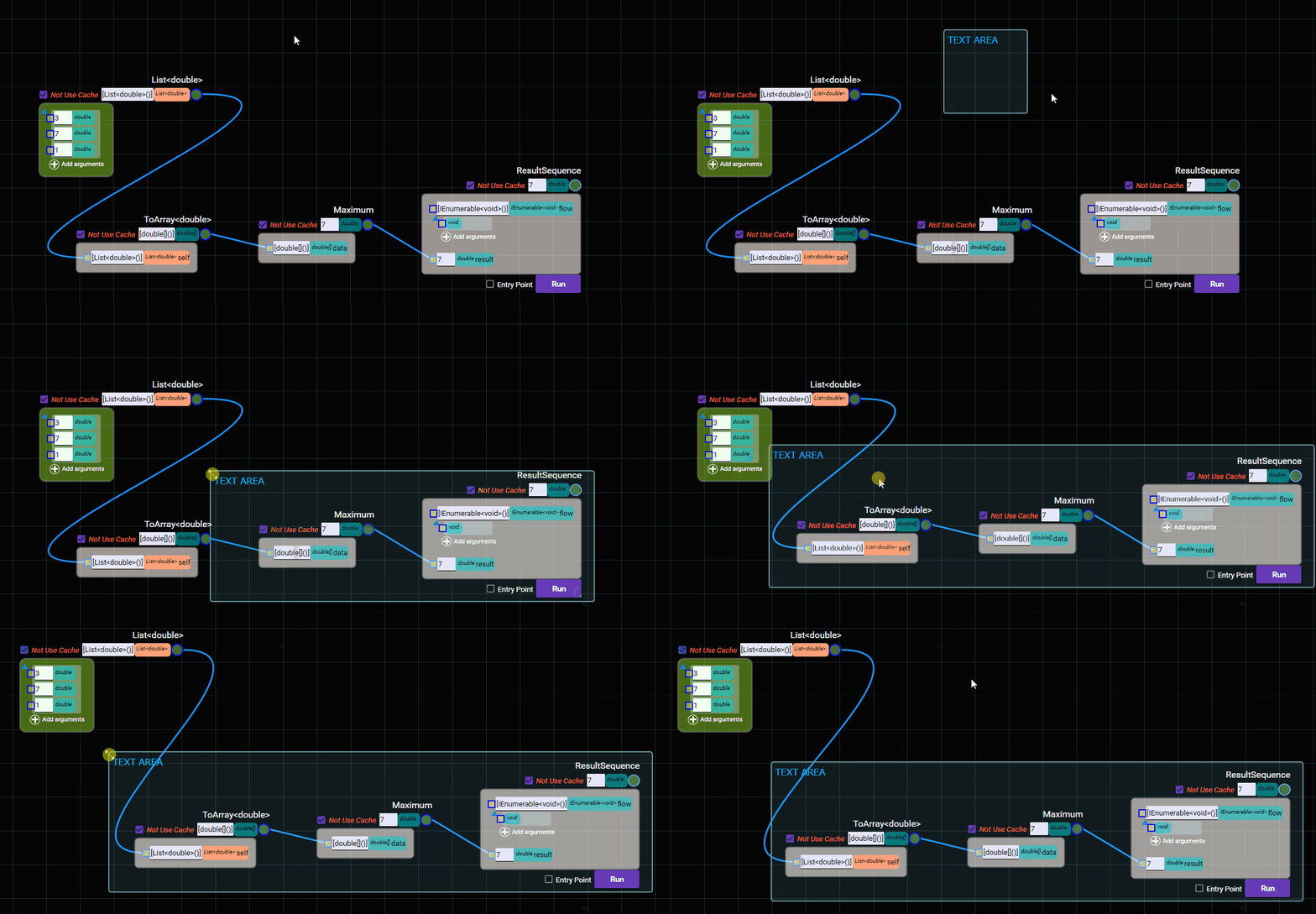
The text area groups nodes together. Nodes that are grouped will move together with the text box when it is moved.
CapyCSS is open source software released under the MIT License.
