




The best way to create constraints in code.
- Semantic. Align APIs focus on your goals, not the math behind Auto Layout constraints.
- Powerful. Create multiple constraints with a single line of code.
- Type Safe. Makes it impossible to create invalid constraints, at compile time.
- Fluent. Concise and clear API that follows Swift API Design Guidelines.
- Simple. Stop worrying about
translatesAutoresizingMaskIntoConstraintsand constraints activation.
The same constraint, with and without Align:
// NSLayoutAnchor
view.translatesAutoresizingMaskIntoConstraints = false
NSLayoutConstraint.activate([
    view.topAnchor.constraint(equalTo: superview.topAnchor, constant: 20),
    view.leadingAnchor.constraint(equalTo: superview.leadingAnchor, constant: 20),
    view.trailingAnchor.constraint(equalTo: superview.trailingAnchor, constant: -20),
    view.bottomAnchor.constraint(equalTo: superview.bottomAnchor, constant: -20)
])

// Align
view.anchors.edges.pin(insets: 20)
More examples:
// Core API
view.anchors.top.equal(superview.top)
view.anchors.width.equal(view.anchors.height * 2)

// Semantic API
view.anchors.edges.pin(to: superview.safeAreaLayoutGuide, insets: 20)
view.anchors.width.clamp(to: 10...40)
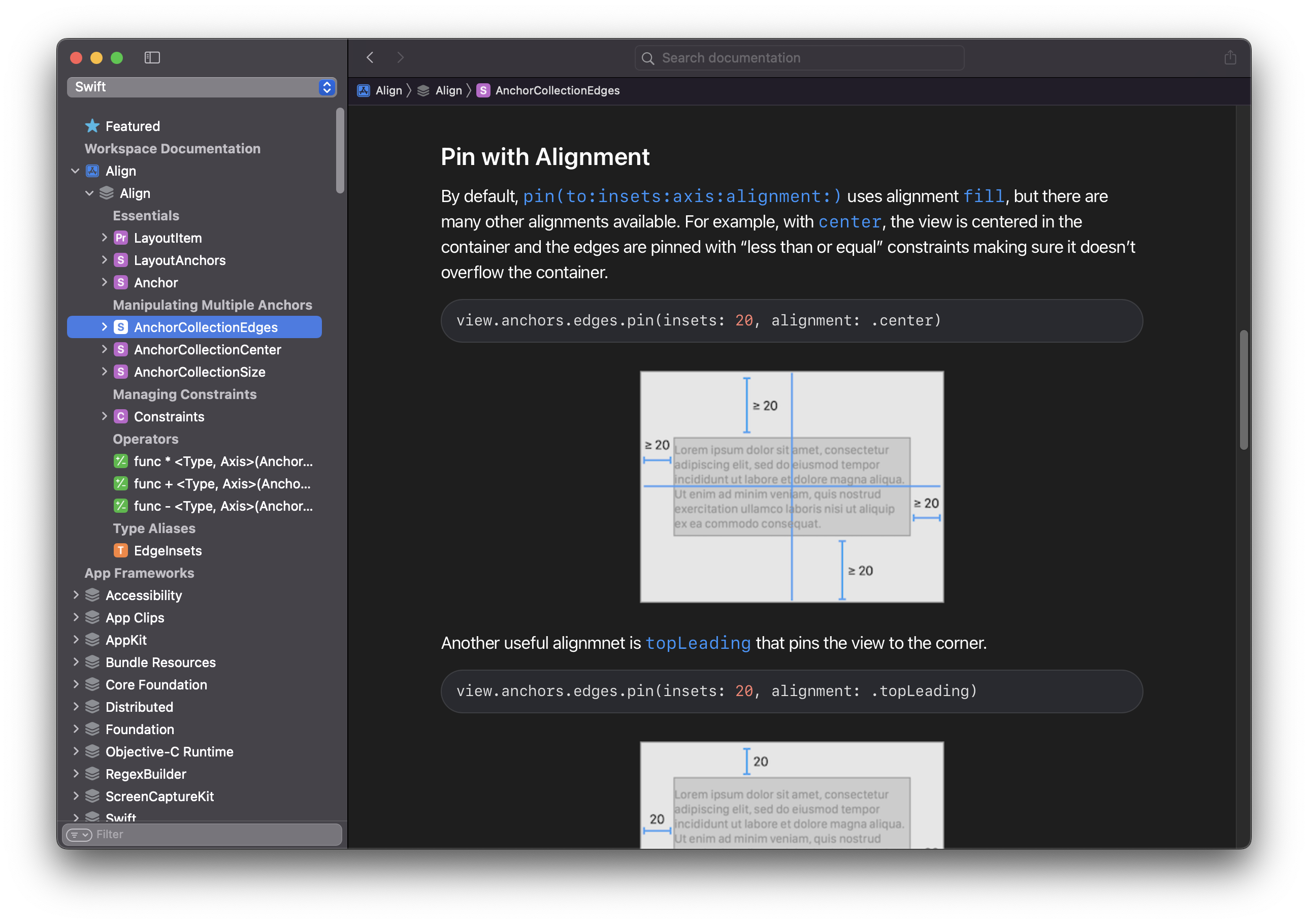
And here's something a bit more powerful:
view.anchors.edges.pin(insets: 20, alignment: .center)
To make Align available throughout your module without writing import Align in every file, add a single file (e.g. Align+Exported.swift) containing:
@_exported import AlignAny file in the same module can then use Align's APIs directly. This is especially convenient in app targets that lean heavily on Auto Layout.
The documentation for Align is created using DocC and covers all of its APIs in a clear visual way. There is also a cheat sheet available that lists all of the available APIs.
| Align | Swift | Xcode | Platforms |
|---|---|---|---|
| Align 4.0 | Swift 6.0 | Xcode 26.0 | iOS 15, tvOS 15, macOS 13, visionOS 1 |
| Align 3.3 | Swift 5.10 | Xcode 15.3 | iOS 14, tvOS 14, macOS 10.16 |
Align strives for clarity and simplicity by following Swift API Design Guidelines. Although most of the APIs are compact, it is a non-goal to enable the most concise syntax possible.
What you get with Align:
- Fluent, high-level API for everyday Auto Layout
- Lightweight – ~400 lines, zero dependencies
- Minimal surface area – a single new property,
anchors, on every view and layout guide - Fast to compile – built on
NSLayoutConstraint, with no operator-overload soup - No ceremony – constraints are activated for you, and
translatesAutoresizingMaskIntoConstraintsis handled automatically