
A macOS menu bar app that watches running processes and tells you the moment one exits.


⬇ Download for macOS · Website · Is this for me? · Changelog · Contributing
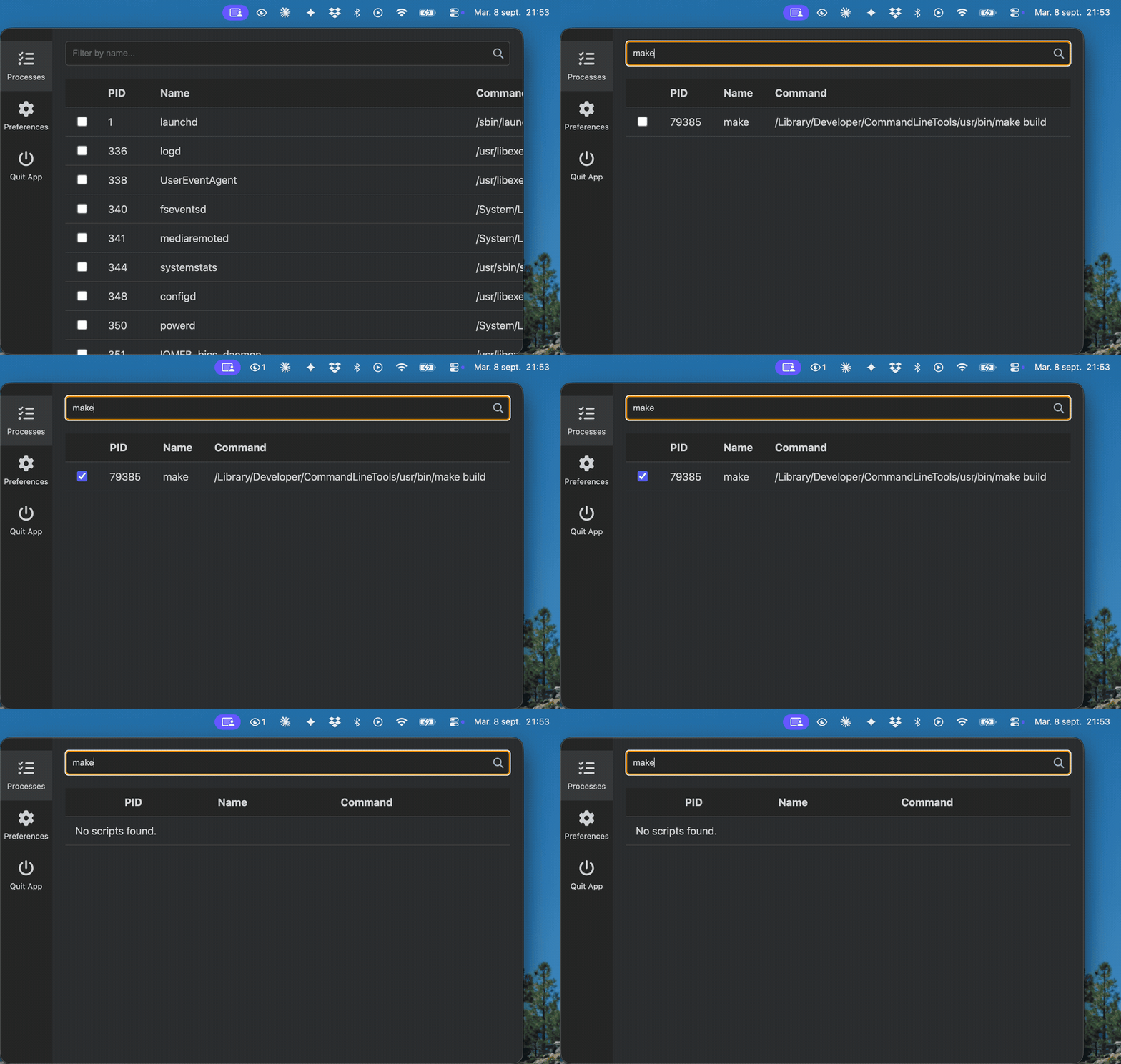
You start a long build, a test suite, a migration, a big download — then spend the next twenty minutes checking back to see whether it finished. WatchMe sits in the menu bar, watches the processes you tick, and sends a notification the second one of them ends.
Yes, if you run long jobs and want to be told when they finish, without leaving a
terminal window in view or writing && osascript -e 'display notification' on the end
of every command.
No, if you want resource metrics — CPU, memory, per-process I/O — or the ability to
kill things. WatchMe answers one question, is it still running?, and nothing else.
Activity Monitor and htop are built for the rest.
No, if you're on Windows or Linux. The build config carries targets for both, but the release workflow only produces macOS binaries today. See Platforms.
- Notification and sound when a watched process ends — the process list is polled every 5 seconds, and everything you ticked is checked on each pass.
- Live count in the menu bar — the number of processes you're watching sits next to
the tray icon, capping at
99+so it can't stretch the bar. The tooltip reports the real figure. - Two ways to cut down the list — a search box for right now, and a prefilter
regex in preferences that applies every time, for when you only ever care about
nodeorffmpeg. - Launch at login, optional.
- No network access whatsoever. The window runs under a
default-src 'none'Content Security Policy; the icons and the notification sound are bundled. Nothing about your processes leaves the machine, because nothing can leave it. - Two runtime dependencies —
ps-listto read the process table andelectron-storeto persist preferences.
- Download the latest
.dmgfrom h4md1.fr/watchme or the Releases page —arm64for Apple Silicon,x64for Intel. - Open it and drag WatchMe to Applications.
- Launch it. It appears in the menu bar, not the Dock.
Requires macOS 13 (Ventura) or later.
WatchMe is not code-signed with a paid Apple Developer certificate, so Gatekeeper blocks it on first launch. This is the absence of a $99/year subscription, not a verdict on the app.
-
If macOS says the developer cannot be verified: right-click the app in Applications → Open → Open. Once only.
-
If macOS says the app is damaged and can't be opened, clear the quarantine flag:
xattr -cr /Applications/WatchMe.app
Prefer not to do either? Build it yourself — the source is here and the build is one command.
- Click the menu bar icon to open the window.
- Type in the search box to narrow the process list.
- Tick the processes you want to watch.
- Get on with something else. WatchMe notifies you as each one ends.
The window hides when it loses focus — click the icon again to bring it back.
| Preference | What it does |
|---|---|
| Auto Launch | Starts WatchMe when you log in. |
| Prefilter Regex | A case-insensitive pattern applied to the process list on every load, before the search box. node|ffmpeg shows only those two. |
git clone https://github.com/killerwolf/watchme.git
cd watchme
npm install
npm start
Needs Node.js ≥ 22.12.0 (.nvmrc pins lts/jod).
npm test          # unit tests, then the Electron harness
npm run check     # lint and format, via Biome
npm run build:mac # produces the .dmg and .zip in dist/
monitoring.js (the watched set and its polling loop) and tray-status.js (badge and
tooltip) deliberately carry no Electron or DOM dependency, so both run under plain
node --test without starting the app.
CONTRIBUTING.md covers the project layout, the checks CI runs, and the release procedure.
- Windows and Linux releases.
electron-builderalready carriesnsis,portable,AppImageanddebtargets; they are not built or tested, and the platform-specific branches in window positioning have never run outside macOS. - Automatic updates. The release now ships the
latest-mac.ymland.blockmapfileselectron-updaterneeds. Wiring up the updater itself is the remaining work. - Custom notification rules, process grouping, and remote monitoring — ideas, not commitments.
MIT, with one addition: any derivative work, documentation or user interface must visibly credit @killerwolf. See LICENSE.
Something broken, or an idea? Open an issue.
Built with Electron. Icons are Font Awesome Free 6.7.2 (CC BY 4.0), inlined as SVG so the app stays offline.