Repository navigation
Conversation



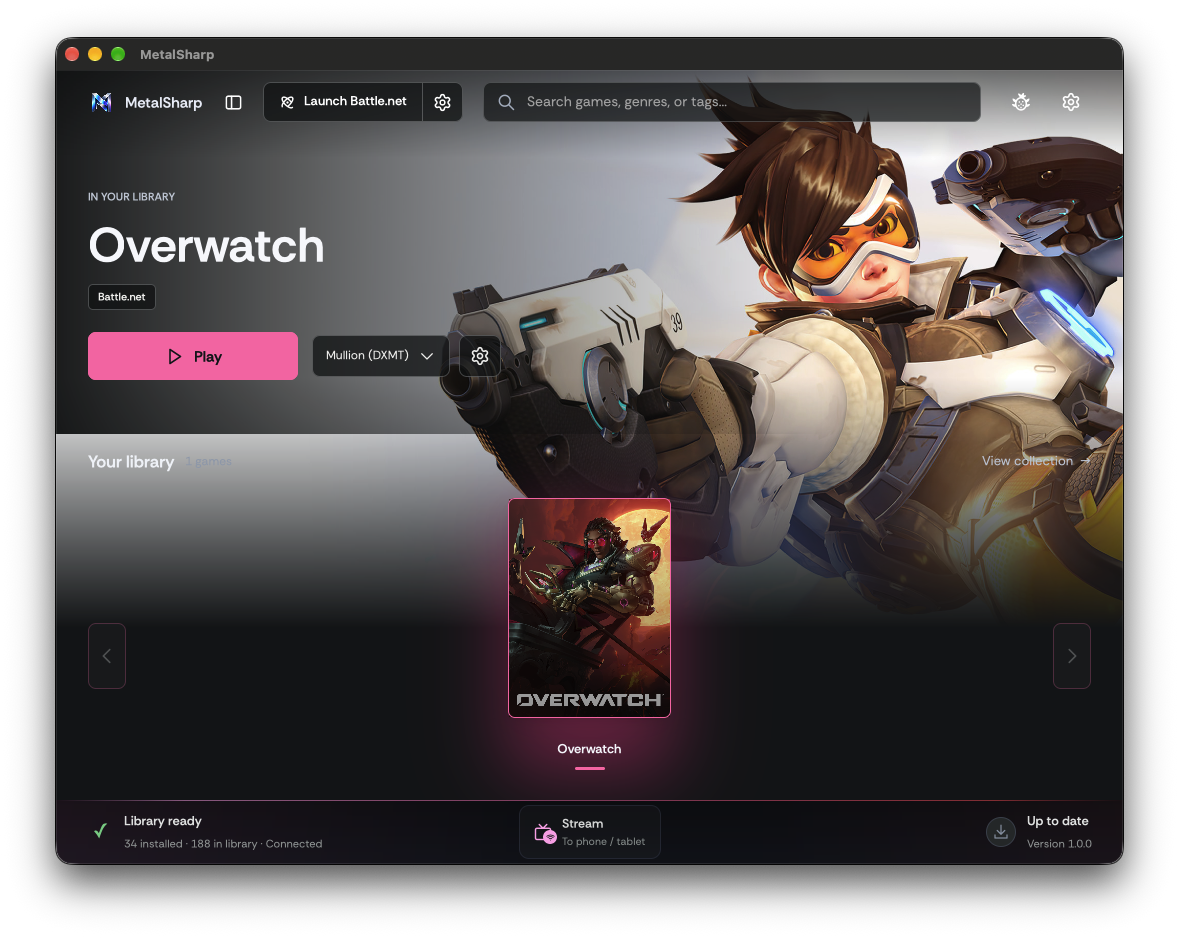
Rebuilt on current main from MohamedElGhandour/MetalSharp-fork codex/ui-polish (12ee4bc8), which still carried the old main history. Includes the follow-up that addresses the library review feedback.

Collaborator
Author
|
Re-opened after a botched repo issue. |
Collaborator
Author
|
Extending this pr into a full on visual change for multiple items. thanks for all of your work. |

Their Sharp Library sources, GPUI views, backend routes and runtime code
are removed. The backend deletes <home>/emulators on start.
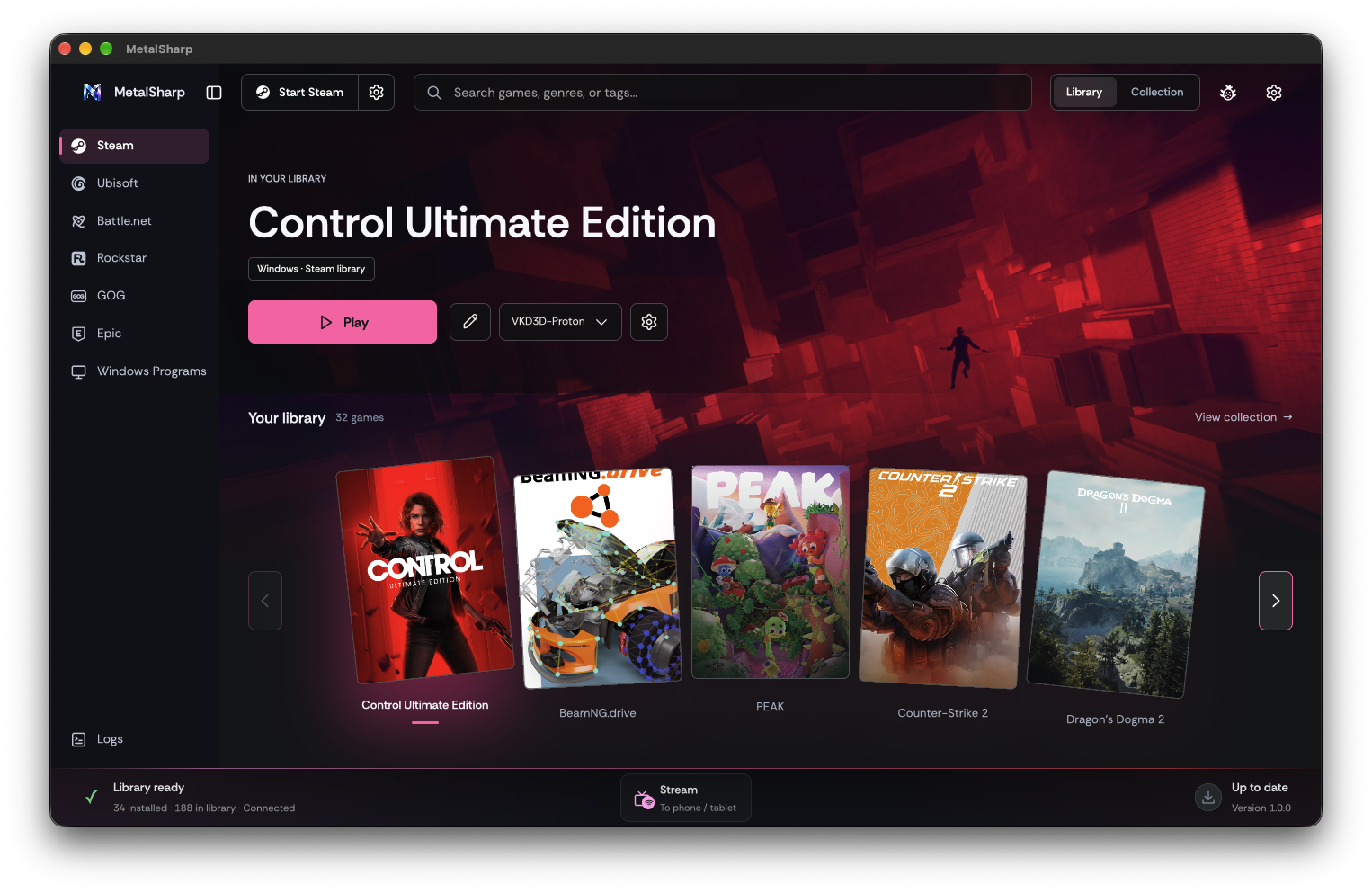
A closeable sidebar (open by default) lists Steam, Ubisoft, Battle.net,
Rockstar, GOG, Epic and Windows Programs, with Logs at the bottom. Each
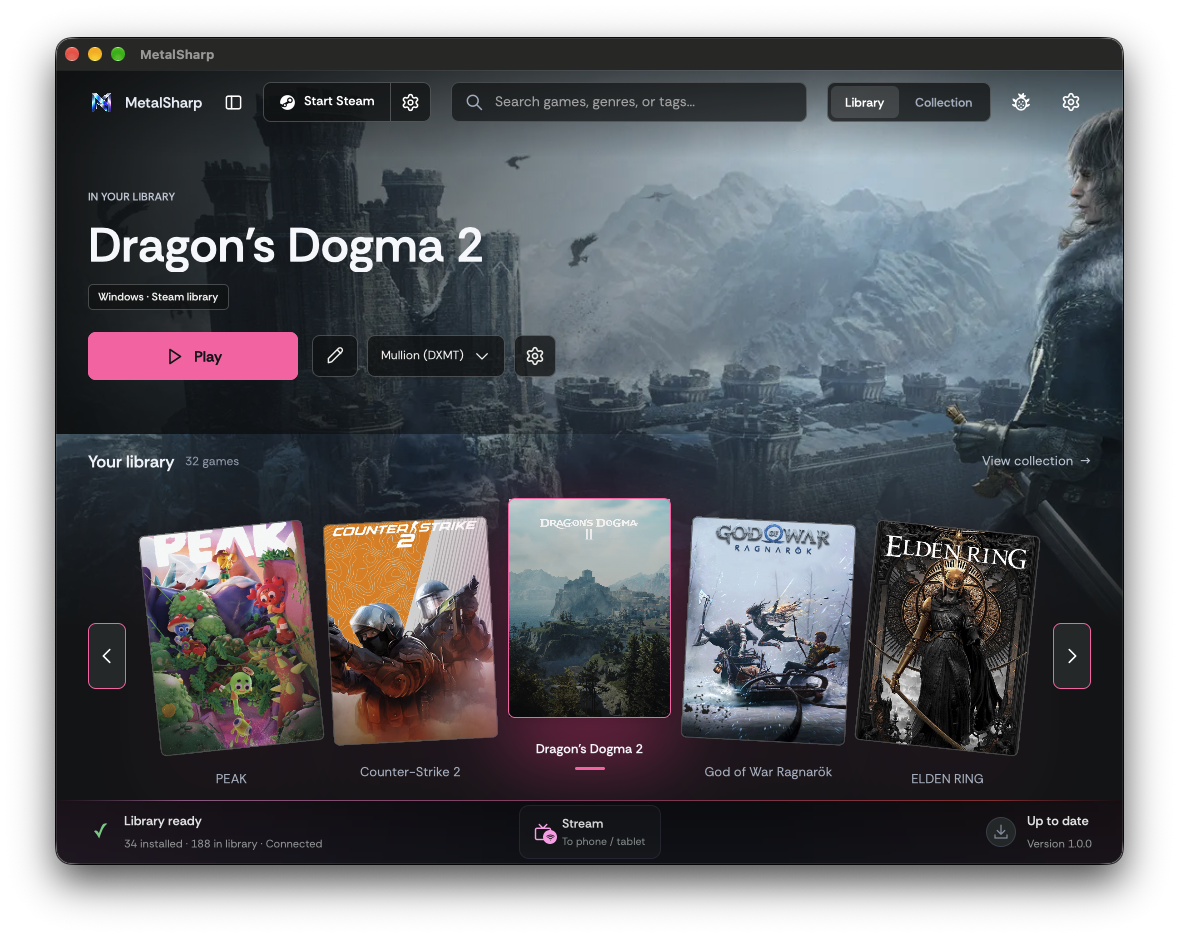
page uses the Steam Deck library view with its own games, so Ubisoft
Connect games leave the Steam page. Launcher buttons and the
Library/Collection toggle sit on each page under the header. The header
keeps the logo, search, theme and settings with no background or divider,
over the page's hero art.
The pages list what the Sharp Library has installed (GOG and Epic games,
programs adopted from Windows installers, GameJolt games) in the deck
view. Play and Stop use the Sharp Library's own actions; Collection opens
that source's Sharp Library view with sign-in, installs and tools.
Each page installs, launches or stops its launcher and lists the games
it installed. Their games launch, pick graphics and save executables
through /rockstar and /battlenet routes, like Ubisoft Connect games.
The Rockstar Games Launcher installs into and runs from the Steam
prefix; Stop ends only its own processes. Battle.net returns with its
own prefix, set up and run like Ubisoft Connect. Both list the games
they installed (Steam copies stay on Steam) and launch them through
/rockstar and /battlenet routes on each build's graphics lane.
The launcher button sits between the logo and search, and the
Library/Collection switch between search and the theme icon, all in one
row that shrinks with the window. The hero art now runs down behind the
dock heading and fades across the cards. Battle.net, Rockstar, GOG and
Epic get icons drawn after their launchers' marks.
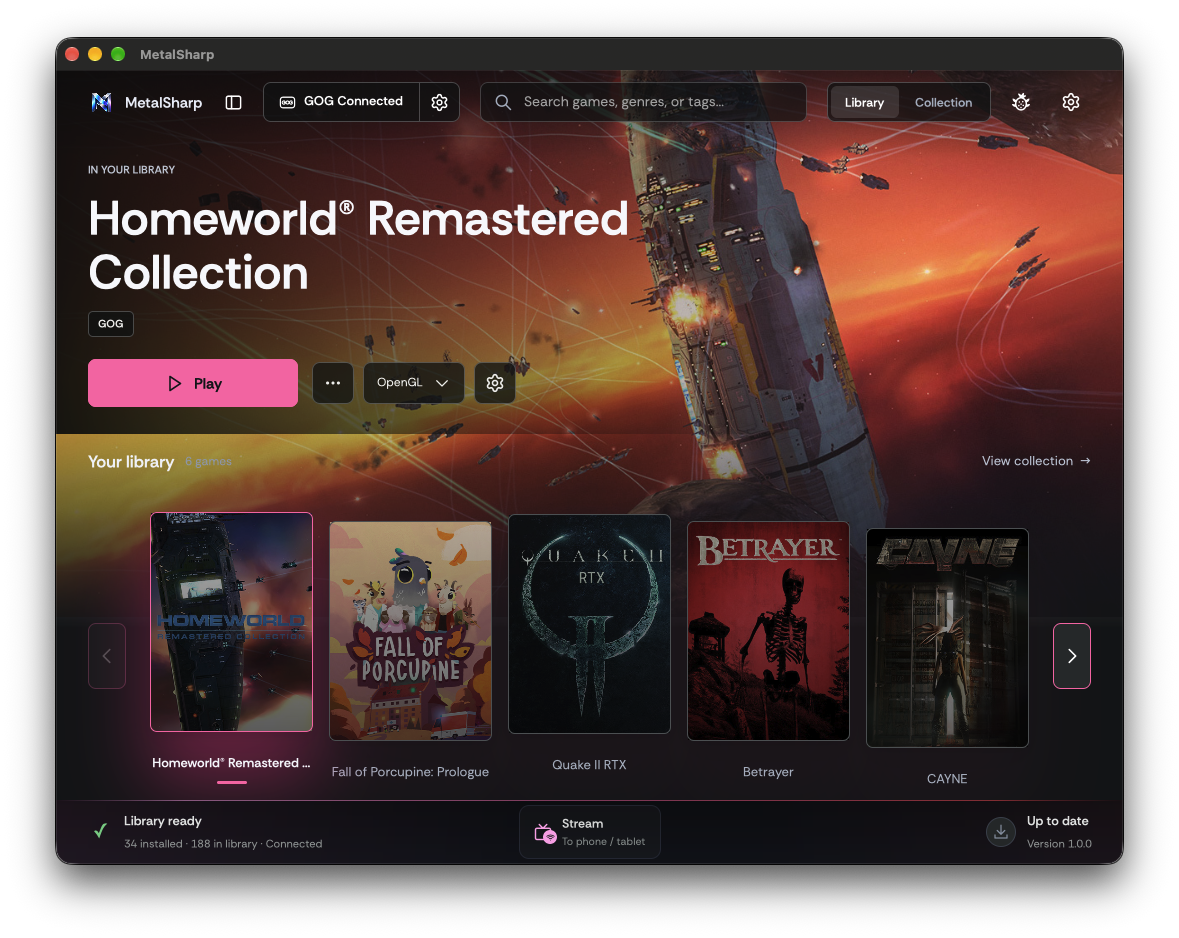
GOG and Epic pages walk through Create Prefix and Login in the middle of
the page, then list every owned game; Play installs one that isn't
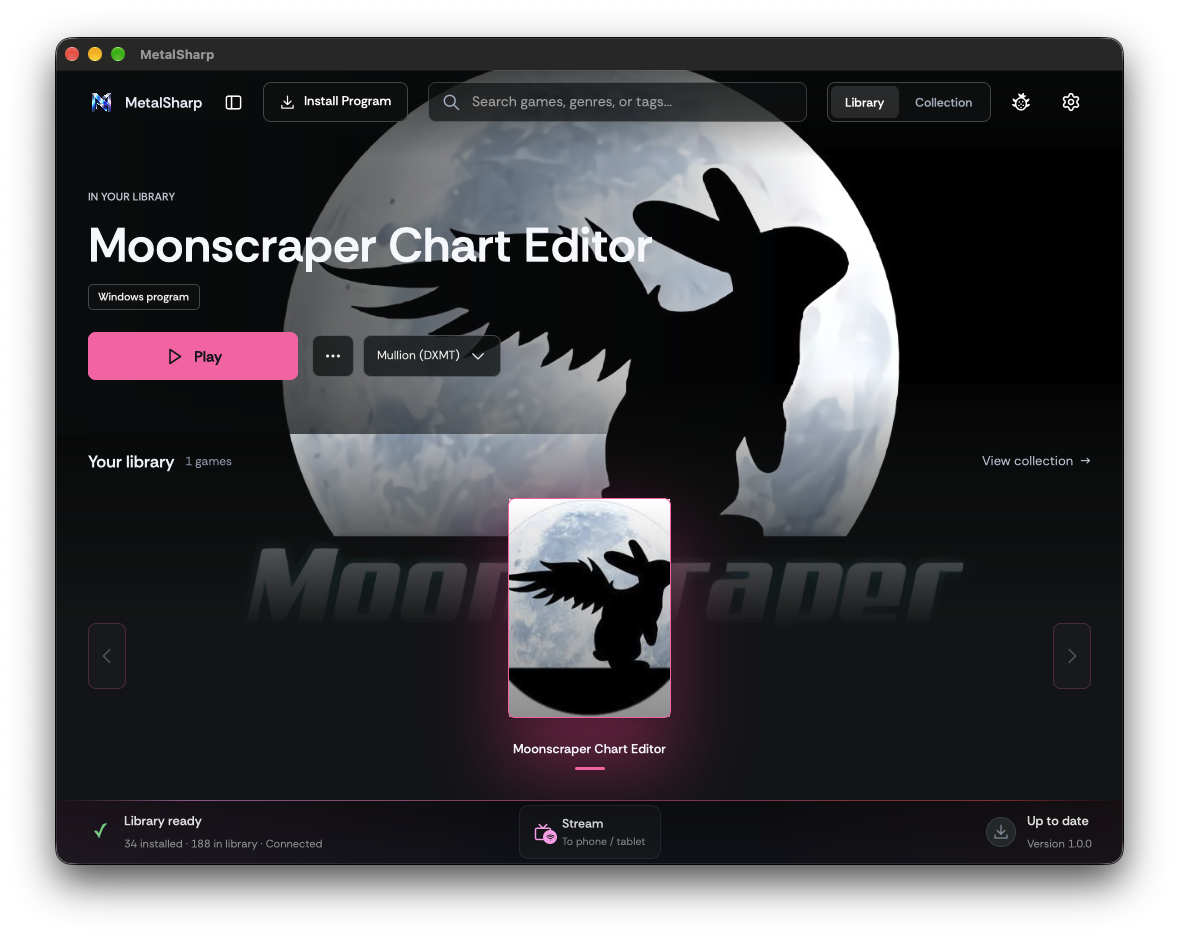
downloaded and shows its progress. Windows Programs has an Install
Program button for .exe and .msi installers; .msi files run through
msiexec. A [...] button on the hero and the selected card sets the
entry's own card and hero art.
The sidebar slides open and closed and is narrow enough to end left of
the header's launcher button. Install, prefix and launch buttons in the
middle of a page share one size that scales with the window. The game
settings panel opens to the right of its button with its bottom level
with the button.
Installing Ubisoft Connect, Battle.net or the Rockstar Games Launcher,
or creating the GOG or Epic prefix, first asks for this Mac or an
external drive; the backend keeps that launcher's games in a
"MetalSharp <Name> Games" folder there. GOG and Epic downloads go
into it without a folder picker.
GET /library-locations lists this Mac and writable external drives with
the saved choice per launcher; POST /library-locations/set creates
"MetalSharp <Name> Games" in ~/Games or at the drive's root. GOG and
Epic install there by default. Ubisoft Connect and Battle.net see the
folder as Y: in their prefixes and the Rockstar Games Launcher as R: in
the Steam prefix, without taking over a drive letter the user set up.
The middle setup button keeps one size on every page; the empty page
grows with its text instead of squeezing it. The hero's Play, art,
graphics and settings buttons stay on one line, shortening Play and the
graphics label in narrow windows, and the game settings panel opens to
whichever side has room. Below 1180 points wide the sidebar slides over
the page instead of shrinking the dock's cards, and closes after a page
is picked.
Picking a page in the sidebar while it covered the hero also pressed the
Play button underneath and launched the game.
Every launcher button gets the ⚙ Steam's has. Steam keeps Fix Steam;
Ubisoft Connect, Battle.net, Rockstar, GOG and Epic offer Uninstall,
which asks first and can also delete that launcher's MetalSharp games
folder. GOG and Epic get a header button for their setup steps.
POST /launchers/uninstall stops the launcher and removes its prefix (for
Rockstar, only the launcher's folders inside the Steam prefix), its
caches, bottles and saved executables. With delete_games it also
deletes the launcher's MetalSharp games folder, only after checking it
is the real folder MetalSharp created on a mounted drive.
Run from an external drive, Battle.net's built-in browser crashes and
restarts under Wine. The installer now starts with the default C:
folder, the drive dialog says to keep it there and install games to Y:,
and MetalSharp finds the app from its Uninstall entry instead of
reporting it missing when it was installed elsewhere.
Battle.net caches its catalog and art locally: each catalog fragment
lists a product's install uids and names its 600x800 key art by the
cached file's hash. The Battle.net library now reports that file as
card_art_path, and the library uses it for the card and as the hero's
fallback after SteamGridDB.
A launcher cover (Battle.net's key art) stretched across the wide hero
was enlarged far past its resolution. Portrait hero art now goes
through a generated 1920x820 version: the cover blurred and darkened
behind the cover itself at full height, its edges faded in. Images are
recognised by content, since launcher caches store them without file
extensions.
--exec="launch_uid <uid>" only selects the game in current Battle.net
clients. Battle.net's own Play runs the game's executable with
"-uid <uid>" while the client is signed in; MetalSharp now does the
same after starting the client.
On MetalSharp Wine, Connect now starts like the Battle.net client: upc.exe
with no switches, from its own folder, through the shared store launcher
with only its Mullion lane applied. The GPU registry import before launch
is left to the x86_64 runtime, which keeps its CEF switches.
wineserver -k exits 1 when the prefix has no server, which GOG took as a failed stop:
uninstalling GOG then said a game was still running. Use the shared prefix stop, which
counts that as stopped.
heroic-gogdl needs Python 3.10, and setup took macOS's /usr/bin/python3 (3.9), so pip
failed. The next try saw the environment, wrote the gogdl wrapper anyway and carried on:
logging in then failed with "gogdl auth failed".

Setup now uses the first python3 that is 3.10 or newer (Homebrew's first), rebuilds an
environment made with an older one, and only counts gogdl as there when the wrapper's
gogdl is. The GOG page asks to finish setup while gogdl is missing, and skips the drive
question when GOG already has a folder.
GOG's product background is the store page's faded backdrop, cropped into the cards and
behind the hero. Sync now also saves the games database's vertical cover (coverUrl, for
cards) and full background (heroUrl, for the hero). Libraries synced before keep the old
image until the next sync. The GOG hero gets a dim over all of it, and GOG cards a darker
shade.
Listing the GOG library fills in coverUrl and heroUrl from GOG's games database for games
that don't have them yet (up to 12 per listing), so a library synced before keeps none of
the store page's faded art.
With the games database's background it isn't needed, and it stopped where the hero ends,
leaving a hard line across the art behind the library row.
…o label

The GOG hero now has the graphics picker (GOG's engines, saved per game as Collection does)
and the game settings button, with Choose EXE saving through GOG. The picker drops its
"Graphics" label on every page.

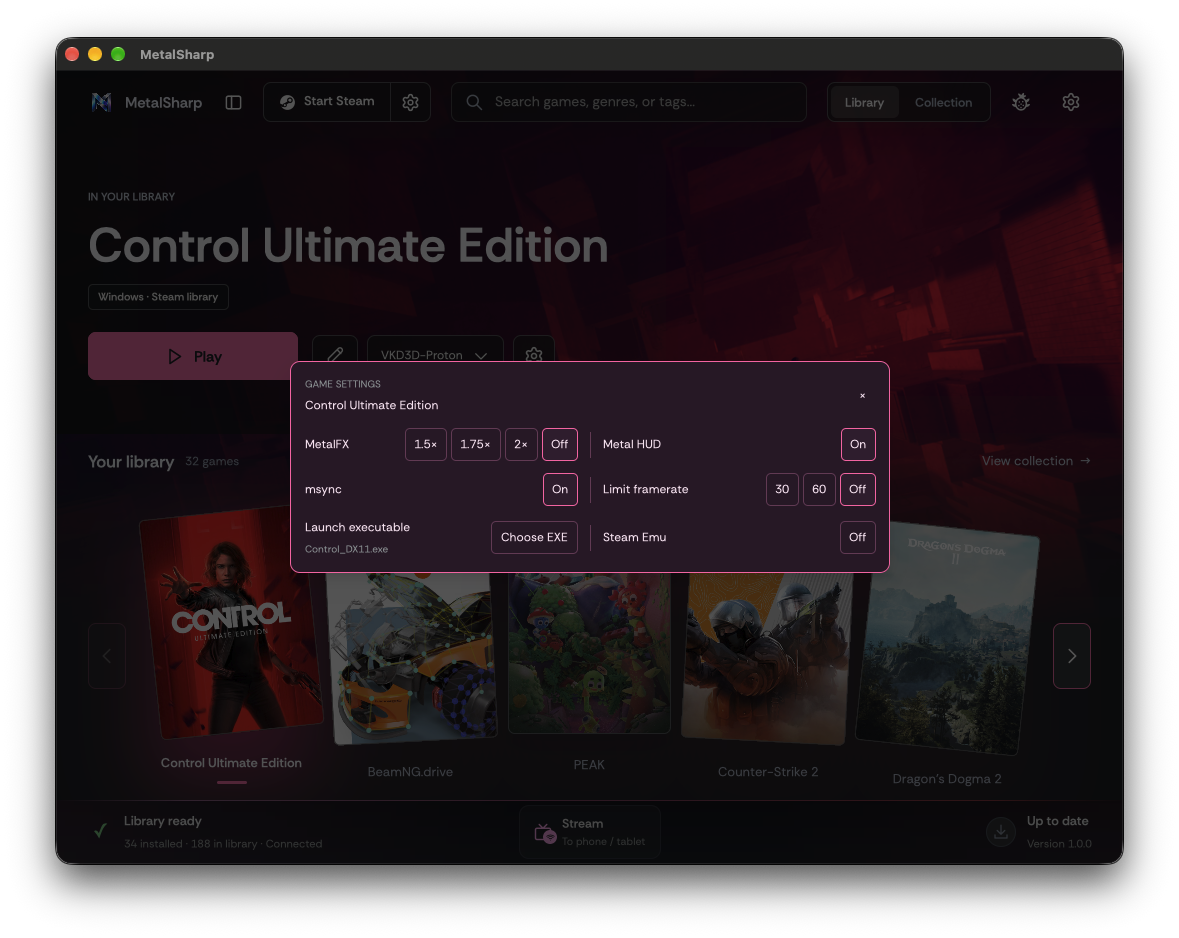
The game settings panel stays to the right of its gear in a small window: it narrows to the
room there, one setting per line, and opens to the left only when not even that fits.
…roes

A portrait cover's wide hero now has the cover in the centre, a little wider, over a lighter
blur that darkens toward the edges, crossfading into it on both sides.

The startup sweep deleted last session's wide heroes while the first page could already be
showing one, leaving that hero blank for the session (Overwatch on Battle.net). The sweep
keeps wide heroes of art still in the index, and the hero checks its file is there.
The game settings panel opens in the middle of the window over a dimmed backdrop, on every
page and at any window size; the x or a click around it closes it.

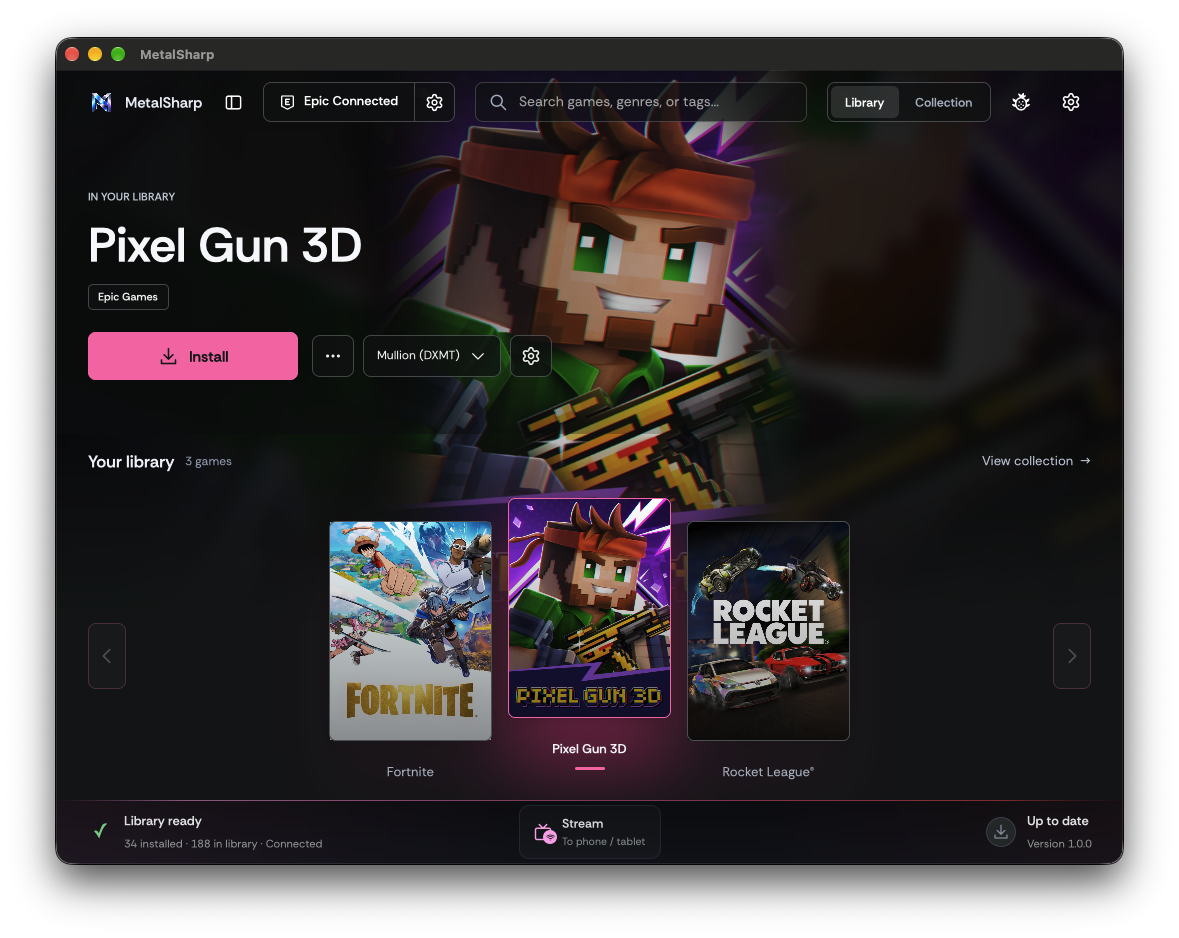
Epic games get the hero's graphics picker (saved to the game's bottle, which an installed
game gets if it has none) and the game settings button, with Choose EXE saving through Epic.
Installed Steam copies of Rockstar titles are listed on the Rockstar page as well as Steam's.
They stay Steam games there, so Play, the graphics picker and game settings go through the
Steam path with its patches (RDR2's DX12 settings, GTA V Enhanced's Agility frontend) and
arguments.
Ubisoft Connect gives no cover art, so cards showed the game's 256px EXE icon. A Ubisoft game
also sold on Steam (matched by exact title through the store's keyless search) now uses that
release's 600x900 cover and library hero, ahead of Ubisoft's page art and the EXE icon.
…game

The [...] menu on the GOG and Epic pages has Uninstall... for an installed game, with a
confirmation.

Only the game goes. GOG deletes the game's folder and its download manifest and keeps the
game in the library as not installed (it was dropped from the list until the next sync); the
GOG prefix stays. Epic lets Legendary remove the game and no longer deletes the game's
bottle, which holds its saves and settings.
Sharp Library apps and Game Jolt games on the Windows Programs page get the graphics picker
(Game Jolt's native games don't), offering what Collection offers each and saving through the
same calls. Deck entries carry their engine choices, which the picker uses.
An app's engine choices are the build's engines and OpenGL; an app saved as Auto launches
with no graphics route, which is OpenGL, so it reads as OpenGL in the hero and in Collection.
Collaborator
Author
|
Collaborator
Author
|
The GOG and Epic backends moved; the routes are unchanged (254).
 aaf2tbz
changed the title
README.md takes main's feature table (Battle.net and Rockstar rows in place of GameJolt and
Emulation).
This file contains hidden or bidirectional Unicode text that may be interpreted or compiled differently than what appears below. To review, open the file in an editor that reveals hidden Unicode characters.
Learn more about bidirectional Unicode characters
Sign up for free
to join this conversation on GitHub.
Already have an account?
Sign in to comment


Add this suggestion to a batch that can be applied as a single commit.This suggestion is invalid because no changes were made to the code.Suggestions cannot be applied while the pull request is closed.Suggestions cannot be applied while viewing a subset of changes.Only one suggestion per line can be applied in a batch.Add this suggestion to a batch that can be applied as a single commit.Applying suggestions on deleted lines is not supported.You must change the existing code in this line in order to create a valid suggestion.Outdated suggestions cannot be applied.This suggestion has been applied or marked resolved.Suggestions cannot be applied from pending reviews.Suggestions cannot be applied on multi-line comments.Suggestions cannot be applied while the pull request is queued to merge.Suggestion cannot be applied right now. Please check back later.
Part 1: library and settings polish with window-size presets (@MohamedElGhandour)
Commit
6a417412, authored by Mohamed. His description, unchanged:Summary
Library controls become cramped or disproportionately small on large displays, and Settings mixes unrelated options in a long grid. This gives the library a shared responsive layout, groups Settings into focused categories, and adds saved window-size presets that keep desktop space visible.
Changes
PR Readiness (MANDATORY)
docs/development.md.Local toolchain
make testcommands passed.Test notes
Native macOS GPUI preview on a 3840 × 2160 logical display:
These previews use sample artwork and do not access production credentials or write preferences. Serialization and fallback are covered by tests; production preference persistence was not exercised against the user's profile. No real-game run is claimed for this UI commit.
The C suites skipped archive-based runtime simulation and Wine facade integration because the worktree lacks the runtime archives / MetalSharp Wine app. Existing fullscreen-to-windowed transition handling was not manually exercised.
Risk
Changes are confined to the native UI and its existing preferences file. Window sizes use logical points and fit within display bounds, with a 720 × 540 minimum. Invalid or missing stored presets fall back to Automatic. Reverting this commit restores the previous UI; no game data or runtime rollback is needed.
Review follow-up — 4 November 2026
The hero title and action group now stay vertically centered on the left of the artwork using flex alignment instead of a fixed top offset. The generated backend-route inventory was refreshed, fixing the stale-inventory failure in GPUI CI without changing any route.
Merged current
mainwhile preserving the published branch history. Upstream data relocation, quit cleanup and MetalFX changes are retained; Data Location appears under Storage. The old and rewritten 1.0 release commits have identical trees and provided the common content base for reconciliation.Added a regression for parsing and merging a sync response containing both installed and uninstalled games. The owned entries and their artwork remain available to the uninstalled collection while the Play library stays restricted to installed games.
cargo fmt --check,cargo test --locked --offline(119 passed, 3 ignored), regular/FEX C suites, route-inventory verification, DMG workflow verification and diff checks passed. A separate locally assembled QA app used the compiled frontend/backend, unchanged icon/runtime resources from the installed app, current UI assets/configs, and verified deep/strict ad-hoc code signing; binary hashes were recorded.The card check used synthetic cached ownership data with no API key, as agreed with Mohamed. A live Steam API sync, Steam sign-in, actual installation and game launching were not performed. Standard full-Xcode packaging remains untested locally because
actoolis unavailable; the native QA app was assembled separately and the installed app was not changed.UI previews
Native offline previews with sample games. Large (4K) uses a 2800 × 1700 content window and leaves desktop space visible. The first preview below predates the review alignment fix; the following screenshots show the current result.
Library and carousel — before review alignment fix
After review — centered hero, Full HD
After review — centered hero, Large (4K)
Uninstalled collection — sample ownership data
Real backend and native UI in an isolated validation profile, using cached sample ownership data and no API key. Artwork, Install buttons and a deliberately long title remain visible. This is a presentation check, not a live Steam API sync.
Collection
Settings and window-size presets
SVG icons — close-up
Text glyphs were replaced by scalable vector assets; this native-size crop shows Play, edit, dropdown, and Settings controls.
Part 2: launcher pages, store backends and per-game controls (@aaf2tbz)
Commits
27f40899…d56e9dbe(34 commits), built on top of Mohamed's commit.Library structure
MetalSharp <Launcher> Gamesfolder there.Launcher backends
upc.exewith no switches, from its own folder;gogdlwith Python 3.10 or newer. It used to take macOS's 3.9, so the install failed and login later reported "gogdl auth failed";wineserver -kexits 1 when there is no server);Per-game controls
Art
Testing
make testfor both variants).cargo fmt --checkpasses, andcargo test --lockedgives 123 passed, 3 ignored. That includes new tests for the wide hero, the cache sweep and the Rockstar page.d56e9dbe); only source line numbers moved, and the routes are unchanged (254).