
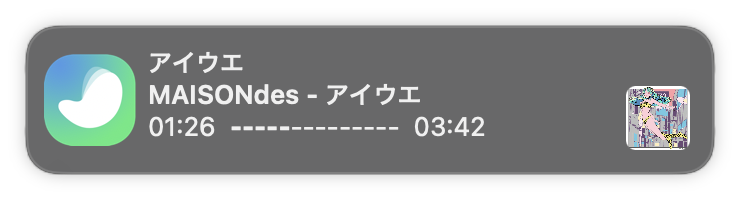
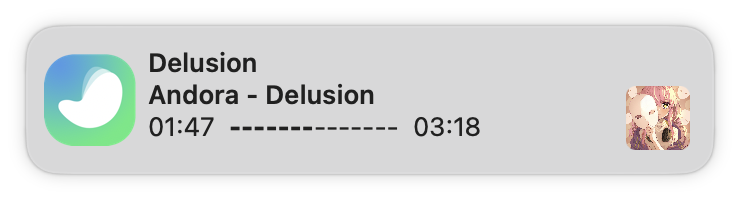




Inspired by Spotify Notifications written in Swift
Menu bar app that shows what's playing in Spotify or Apple Music — as native notifications, in the menu bar, and (on macOS 26+) around the notch.
brew tap nahive/spotify-notify
brew install --cask spotify-notify --no-quarantine
- Spotify and Apple Music support
- Notification sounds (toggle)
- Notification on play/pause (toggle)
- Customizable status bar icon (default, dark and none)
- Launch on login (toggle)
- Album artwork (toggle)
- Toggle disabling of notifications when player is focused (toggle)
- Shortcuts for showing notification (customizable) ✨
- Show progress of a song in notification ✨
- Ability to skip song from notification ✨
- Options to control player from menu bar ✨
- Song history with play counts and stats
- Now-playing pill around the notch with hover controls (macOS 26+) ✨
- Customizable options in notification
- Add localizations
When running the app on macOS Mojave (10.14) or higher, the first time you attempt to control Spotify you will be presented with the following dialog box:

You must grant permission for the app to work. Choosing Don't Allow will make the app unable to retrieve any information about the currently playing track.
If you click Don't Allow by accident, you can reset the permissions dialogue using
$ tccutil reset AppleEvents
Additionally, it is now required to sign the app using a paid developer account. To do this, simply set the signing team and certificate in the General settings of the Notify target:

$ git clone https://github.com/nahive/spotify-notify.git
$ cd spotify-notify
$ open Notify.xcodeproj
If you found a bug, open an issue.
If you have a feature request, open an issue.
If you want to contribute, submit a pull request.
The source code is dedicated to the public domain. See the LICENCE.md file for
more information.
The Spotify artwork and icon is owned by Spotify AB Inc.