

Choose, run, and compare local AI models on your own hardware.


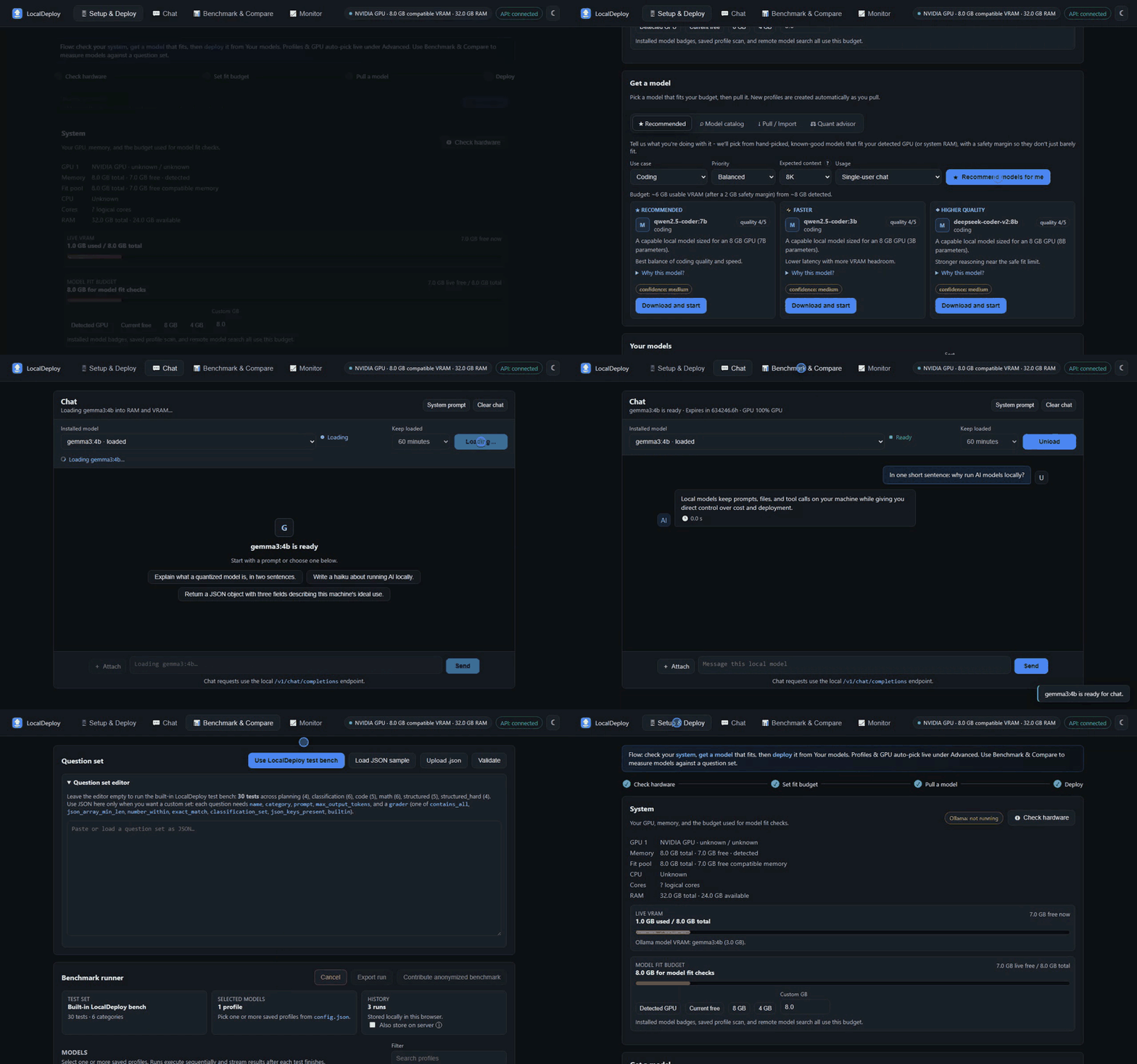
LocalDeploy helps you answer a practical question before you download a model: will it fit and run well on this machine? It detects hardware, estimates memory use, manages local models, records benchmarks, and serves the deployed model through an OpenAI-compatible API. It runs locally, has no telemetry, and does not provide cloud inference.
With Python 3.10+ and Ollama installed:
pip install localdeploy
localdeploy        # opens http://localhost:8000/ui
The UI guides you through hardware detection, model search, a fit estimate,
deployment, chat, and benchmarking. If you use uv, uvx localdeploy runs it
without a permanent install.
Need help setting up Python or Ollama? Clone the repository and run its launcher:
git clone https://github.com/oney-erge/LocalDeploy.git
cd LocalDeploy
./run.sh           # Linux; macOS: ./run.command
On Windows, use run.bat. The launchers can prepare the environment and open
the UI; Installation covers prerequisites, Docker, and the
Windows setup script. Desktop builds are experimental and unsigned; see
Packaging.
- Find models from Ollama, Hugging Face, ModelScope GGUF repositories, local GGUF files, or direct URLs.
- Estimate model fit before download, including likely CPU offload.
- Pull, deploy, switch, unload, and remove local models.
- Chat with text, images, and documents, then compare installed models using measured latency, throughput, memory, and accuracy results.
- Monitor CPU, RAM, VRAM, model placement, and request timing while a model runs.
- Connect compatible tools through
/v1/chat/completions,/v1/responses,/v1/embeddings, and/v1/models.
If you already know which Ollama model you want and only need terminal chat, Ollama may be enough. LocalDeploy is for selecting and evaluating models on a particular machine.
Fit estimates are guidance, not guarantees. Driver versions, context length, quantization, desktop GPU use, and the runtime all affect actual memory use. LocalDeploy records what happened after deployment so later estimates can be adjusted for that machine.
It works with Ollama, llama.cpp, LM Studio, vLLM, and other loopback
OpenAI-compatible runtimes. Runtime URLs must remain local. An API_TOKEN
is an optional shared token, not full authentication. Keep the service on
localhost; it has no TLS, user isolation, or rate limiting. Tool calls are
returned to clients and are never executed by LocalDeploy.
Model search and the UI's release check can contact external services.
Set OFFLINE=true to disable those requests. Separately installed runtimes
have their own network settings; see Security.
| Guide | Use it for |
|---|---|
| Installation | Launcher commands, Docker, and setup alternatives |
| UI guide | Choosing, deploying, chatting with, and benchmarking models |
| API options | OpenAI-compatible API and local integrations |
| CLI | Commands and automation |
| Models | Runtimes, model discovery, and fit estimates |
| Screenshots | The complete UI tour |
| Packaging | Experimental desktop builds and signing limitations |
| Contributing | Development setup and verification |
MIT licensed. Built by Oney Erge.