Remote Firecracker workspaces for Mac developers.
Run your dev stack inside an isolated Linux VM on a remote host — reach it from your Mac in one command.
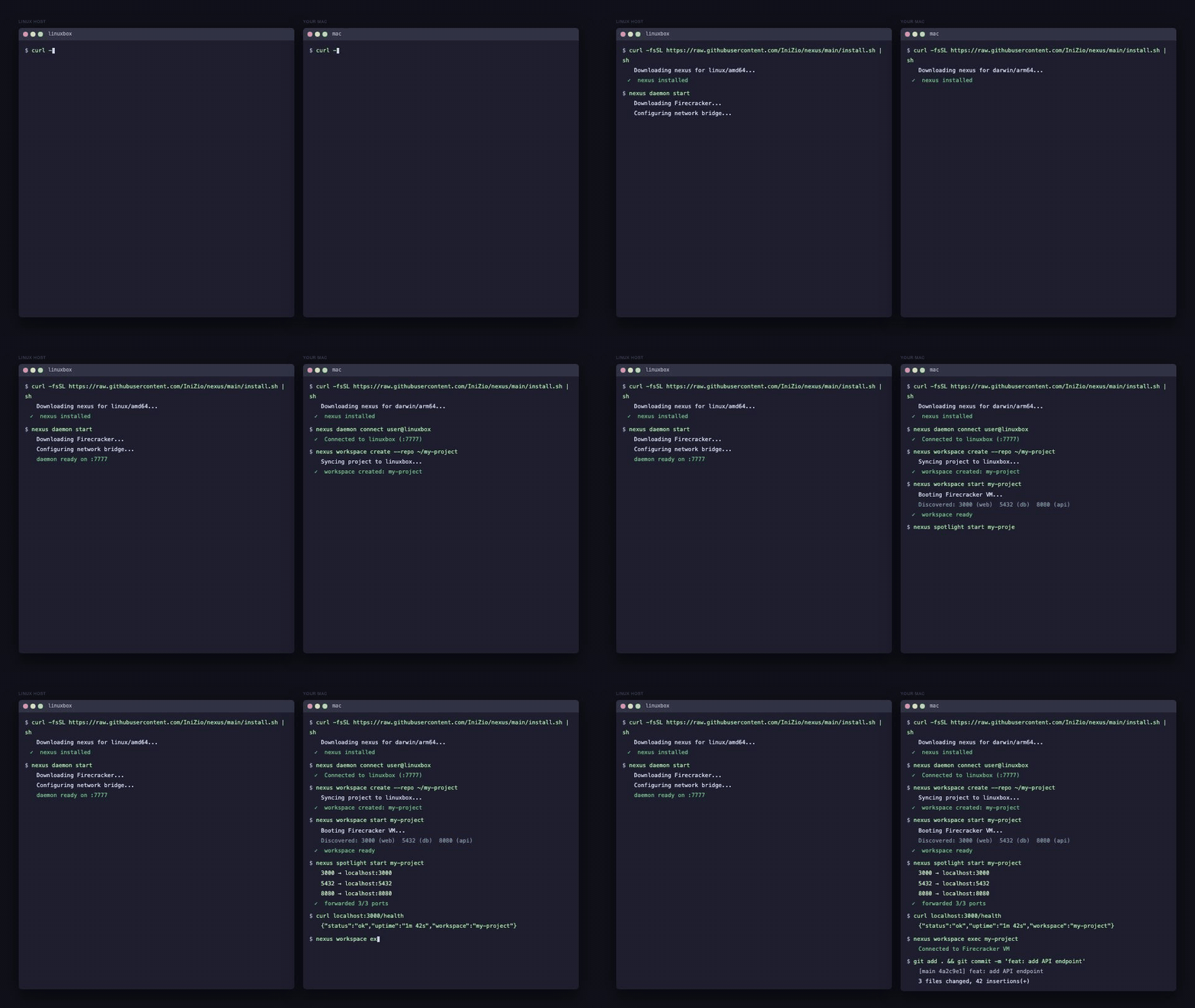
| Feature | How |
|---|---|
| Isolated Linux workspaces | Each workspace is a Firecracker microVM — full Linux kernel, Docker, separate network |
| One-liner install | Single script installs the CLI and daemon on any platform |
| Port forwarding | nexus spotlight start <id> tunnels VM ports to localhost on your Mac |
| Interactive VM shell | nexus workspace shell <id> drops you into the running VM |
| Git + Docker inside the VM | Develop, commit, and run containers in full isolation |
| macOS companion app | Native SwiftUI app for workspace management and tunnel status |
Run this on both your Mac and your Linux host:
curl -fsSL https://raw.githubusercontent.com/oursky/nexus/main/install.sh | shThis installs the nexus CLI and nexus-daemon binaries for your platform.
# On your Linux host — start the daemon
nexus daemon start

# On your Mac — connect to it
nexus daemon connect user@your-linux-host

# Create a workspace from a local project
nexus workspace create --repo ~/my-project

# Start the workspace (boots a Firecracker VM)
nexus workspace start <workspace-id>

# Forward VM ports to localhost
nexus spotlight start <workspace-id>

# Shell into the VM
nexus workspace shell <workspace-id>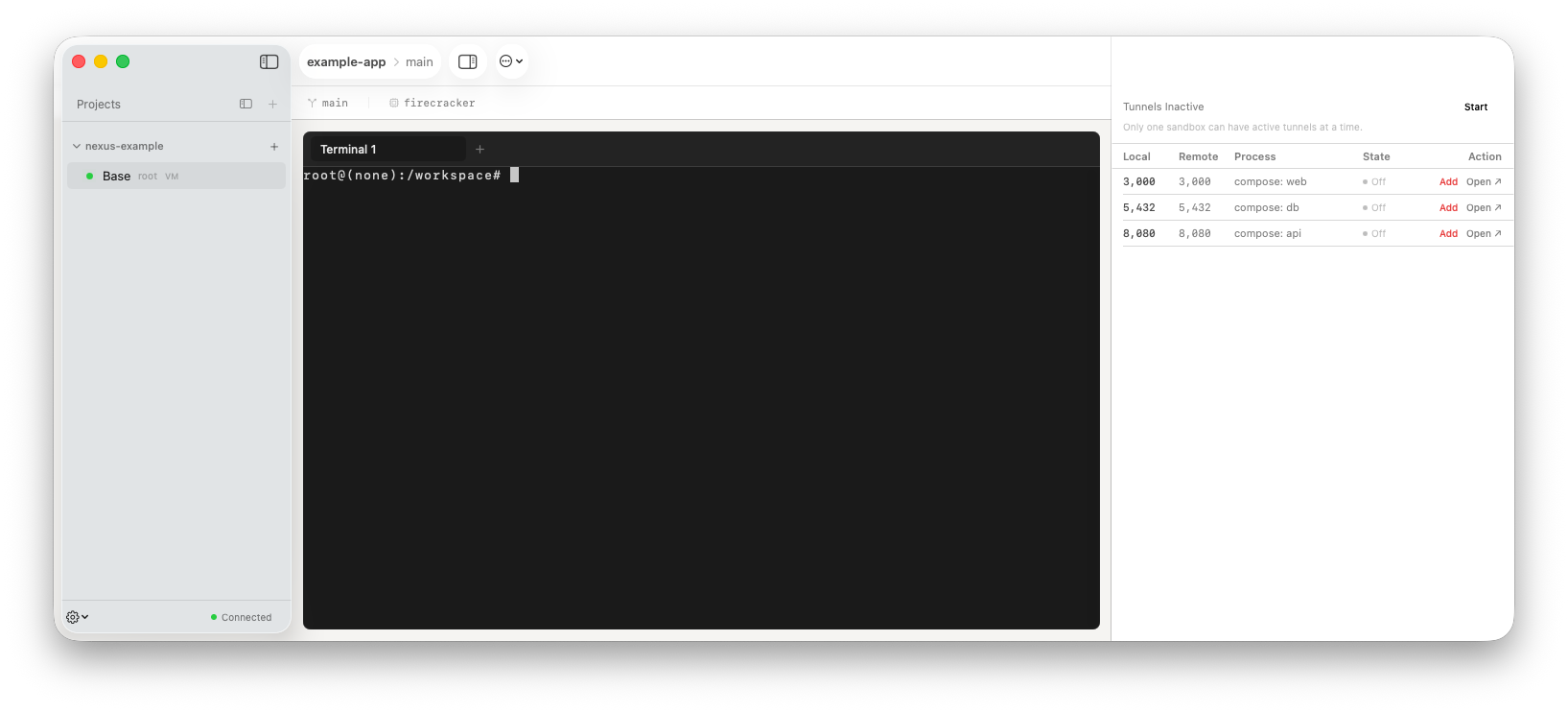
The companion app shows connected workspaces, detected ports, and tunnel status. Download from TestFlight or build from source:
cd packages/nexus-swift && xcodebuild# Cross-compile, deploy to remote host, restart daemon
task dev:remote
# Also rebuild CLI locally
task dev:cli
# Also rebuild Swift app
task dev:swiftSee CONTRIBUTING.md for full setup.
Mac (CLI + App)
   │  SSH tunnel (JSON-RPC 2.0 / WebSocket)
   ▼
Linux daemon (nexusd)
   │  vsock
   ▼
Firecracker microVM  ←  workspace filesystem (ext4)
   │  Docker bridge
   ▼
Your containers  (web · api · db · …)