
Orchard Core Samples is a solution for theme and module developers. It is also a repository for documenting different types of ways to develop modules and themes on Orchard Core CMS.
Orchard Core Samples uses Orchard Core Nuget packages instead of using the Orchard Core source code directly. We are doing this mainly because we think that we should never need to modify Orchard Core directly in a website production context; but only extend it per need. By doing so we increase productivity by getting faster compilation time since we should only need to compile what we are working on. Also, it is way easier to target a specific version of Orchard and thus easier to manage than using full source code and handling merge issues.
Orchard Core Samples also includes dotnet new templates configurations for creating new themes and modules from command shell. Our configurations have been implemented by using examples that you can find there : https://github.com/dotnet/dotnet-template-samples
Orchard Core runs on .Net Core 2.0, so you'll need to make sure you have it installed before you continue.
https://www.microsoft.com/net/download/all
TODO
dotnet new -i "C:...\OrchardCore.Templates\src\OrchardCore.Cms.Web"
dotnet new ocweb
dotnet new ocweb -AddNLog true
Fire up Visual Studio, open Orchard Core solution file (.sln), select OrchardCore.Modules folder, right click and select "add --> new project" and create a new .NET Standard Class Library:

Don't forget to select the proper folder location which should be :
\OrchardCore.Templates\OrchardCore.Modules\
Also, we strongly suggest that you name your modules like this : MyModule.OrchardCore if you consider sharing this module through Nuget afterward ; Since OrchardCore.Something is already taken by Orchard Core Nuget feed. Alternatively if you want to name your modules OrchardCore.Something we could only use Paket https://fsprojects.github.io/Paket/ for referencing those.
For marking this new Class Library as a Orchard Module we will now need to reference OrchardCore.Module.Targets Nuget package. You can find the dev and preview feeds on MyGet as of now by searching for Orchard on the MyGet gallery.
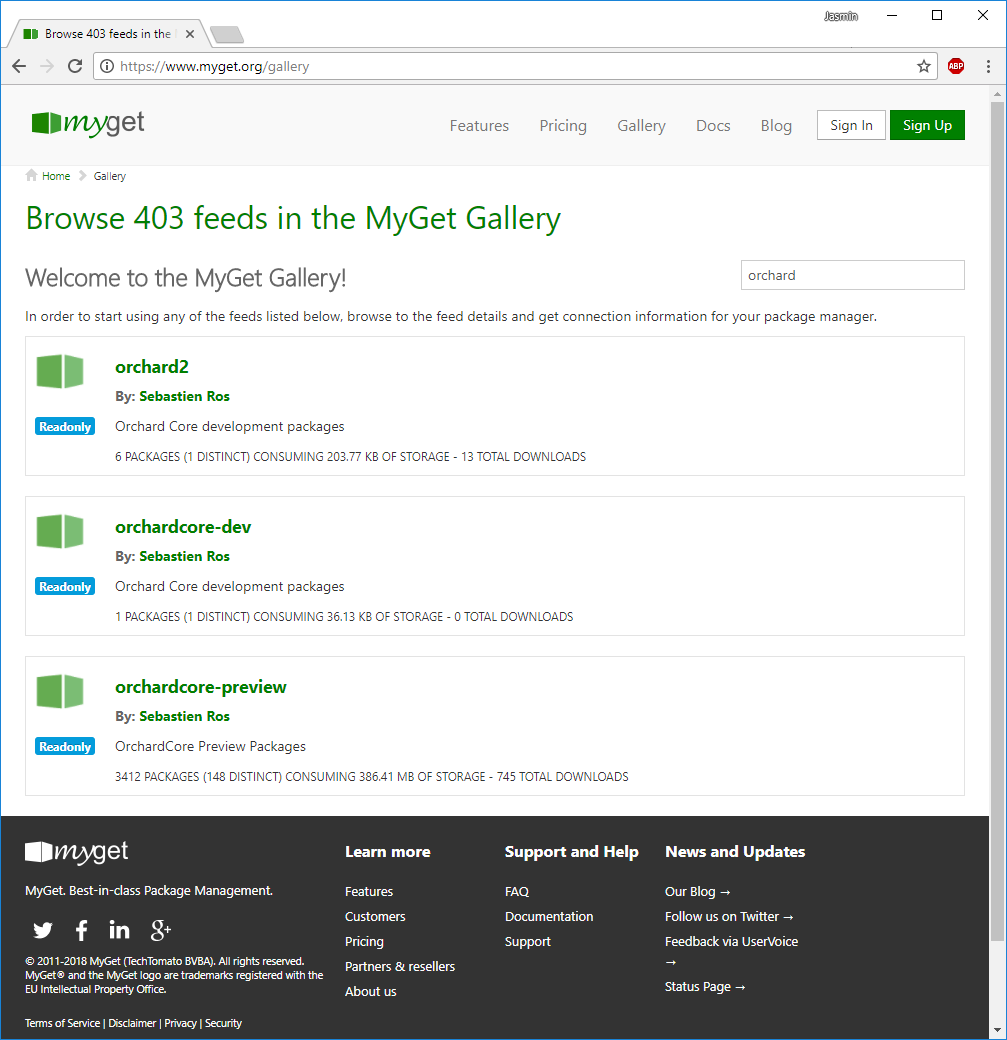
Dev: https://www.myget.org/gallery/orchardcore-dev
Feed: https://www.myget.org/F/orchardcore-dev/api/v3/index.json
Preview: https://www.myget.org/gallery/orchardcore-preview
Feed: https://www.myget.org/F/orchardcore-preview/api/v3/index.json
To be able to use these feeds in Visual Studio your will need to add them to the Nuget package source settings that can be found by going to Visual Studio Tools menu under Nuget Package Manager --> Package Manager Settings.
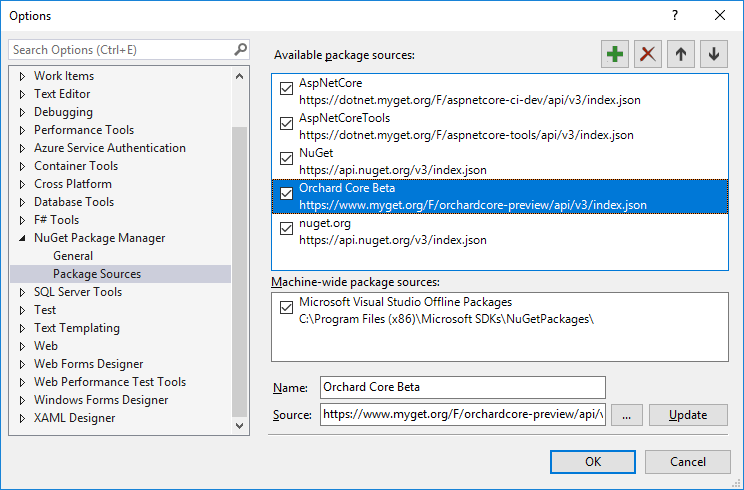
The orchardcore-dev feed is used for the source code version of Orchard Core; we won't need it. however the one that we are interested in is the orchardcore-preview feed.
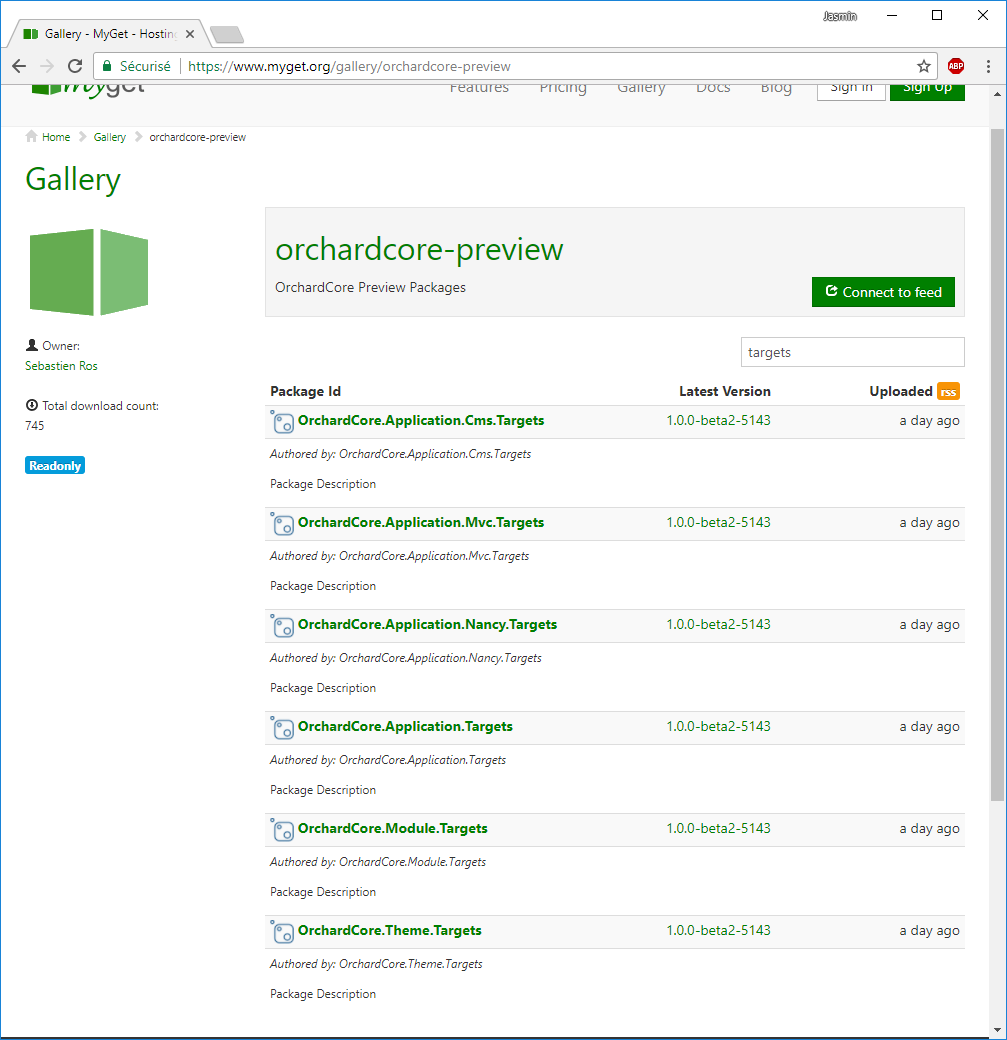
Each of these Nuget packages are used to mark a Class Library as a specific Orchard Core functionality. OrchardCore.Module.Targets is the one we are interested in for now. We will mark our new Class Library as a module by adding OrchardCore.Module.Targets as a dependency. For doing so you will need to right click on MyModule.OrchardCore project and select "Manage Nuget Packages" option. To find the packages in Nuget Package Manager you will need to check "include prerelease" and make sure you have Orchard Core Beta feed that we added earlier selected. Once you have found it click on the Install button on the right panel next to Version : Latest prerelease x.x.x.x

Once done you new module will look like this :

For Orchard Core to identify this module it will now require a Manifest.cs file. Here is an example of that file:
using OrchardCore.Modules.Manifest;

[assembly: Module(
    Name = "TemplateModule.OrchardCore",
    Author = "The Orchard Team",
    Website = "http://orchardproject.net",
    Version = "0.0.1",
    Description = "Template module."
)]
Please refer to Orchard Core documentation about Manifest.cs files for further details.
TODO : Orchard Core Manifest documentation. Previous documentation as a reference link below.
http://docs.orchardproject.net/en/latest/Documentation/Manifest-files/
For this module to start we now will need to add a startup.cs file to our new module. See this file as an example:
https://github.com/Skrypt/OrchardCore.Templates/blob/master/OrchardCore.Modules/TemplateModule.OrchardCore/Startup.cs
Last step is to add our new module to the OrchardCore.Cms.Web project as a reference for including it as part as our website modules. After that, you should be all set for starting building your custom module. You can refer to our template module for examples of what's basically needed normally. https://github.com/Skrypt/OrchardCore.Templates/tree/master/OrchardCore.Modules/TemplateModule.OrchardCore
dotnet new -i "C:...\OrchardCore.Templates\src\OrchardCore.Modules\TemplateModule.OrchardCore"
dotnet new ocmodule -n "Module.OrchardCore"
dotnet new ocmodule -n "Module.OrchardCore" -PartName "TestPart"
dotnet new ocmodule -n "Module.OrchardCore" -PartName "TestPart" -AddPart true
Should be the same procedure as with modules but instead we need to reference OrchardCore.Theme.Targets and Manifest.cs file slightly differ :
using OrchardCore.DisplayManagement.Manifest;

[assembly: Theme(
    Name = "TemplateTheme.OrchardCore",
    Author = "The Orchard Team",
    Website = "https://orchardproject.net",
    Version = "0.0.1",
    Description = "The TemplateTheme."
)]dotnet new -i "C:...\OrchardCore.Templates\src\OrchardCore.Themes\TemplateTheme.OrchardCore"
dotnet new octheme -n "Theme.OrchardCore"
Initialize:
dotnet new -i "C:...\OrchardCore.Templates\src\OrchardCore.Cms.Web"
dotnet new -i "C:...\OrchardCore.Templates\src\OrchardCore.Modules\TemplateModule.OrchardCore"
dotnet new -i "C:...\OrchardCore.Templates\src\OrchardCore.Themes\TemplateTheme.OrchardCore"
After initializing :
dotnet new ocweb
dotnet new ocmodule -n "Module.OrchardCore"
dotnet new octheme -n "Theme.OrchardCore"
dotnet new ocmodule -n "Module.OrchardCore" -PartName "TestPart"
dotnet new ocweb -AddNLog true
dotnet new ocmodule -n "Module.OrchardCore" -PartName "TestPart" -AddPart true
Reinitialize templates :
dotnet new --debug:reinit