Add a customizable note to your GNOME panel.


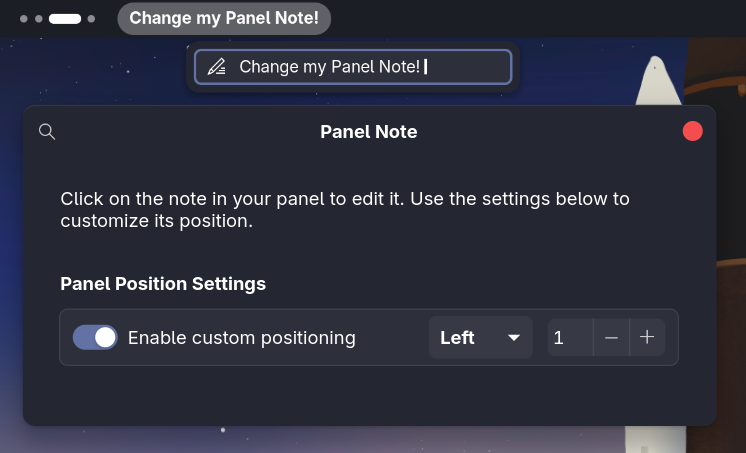
PanelNote Extended is a lightweight GNOME top-bar notes extension for quick reminders and scheduled messages.
A maintained fork of PanelNote by @GittyMac, adding time-based notes and panel positioning features.
- Quick Edit — Left-click the panel note to edit it in a popup. If a scheduled note is active, you edit that one directly.
- Scheduled Notes — Configure time-based notes in settings that appear automatically during set time ranges (e.g. "Lunch break" from 12:00 to 13:00).
- Default Note — A fallback note shown when no scheduled note is active.
- Custom Positioning — Place the note in the Left, Center, or Right section of the panel with a specific order index.
- Extension Settings — Right-click the panel note to open settings directly.
- Native Look — Blends seamlessly with GNOME Shell.

| Action | Result |
|---|---|
| Left-click | Opens popup to edit the active note |
| Right-click | Opens extension settings |
GNOME Shell 45, 46, 47, 48, 49, 50