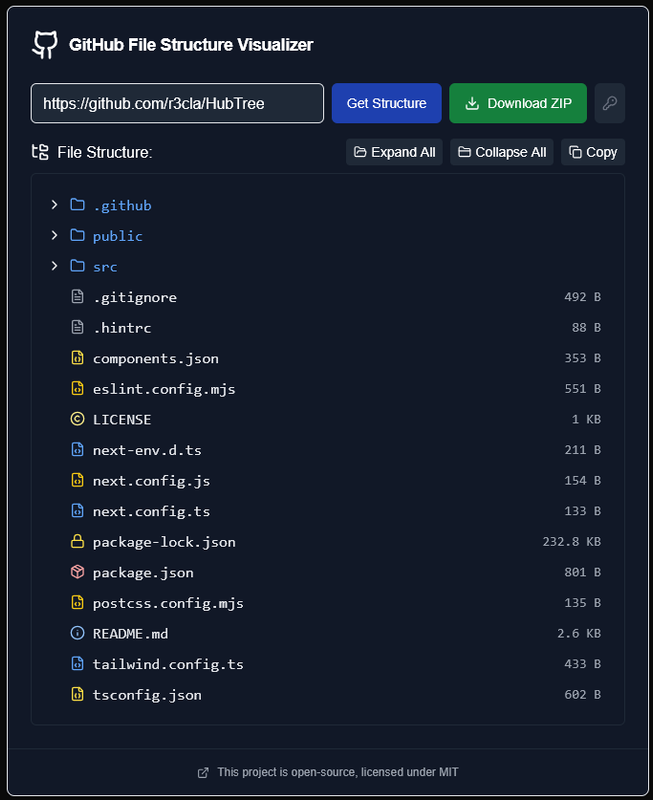
HubTree is a simple web app that lets you explore repository file structures simply by entering the GitHub repo URL.
- Interactive File Tree - Expandable directory structure with colour-coded icons for different file types (.tsx, .json, .css, etc.)
- 1-Click Download - Download the entire repo as a ZIP file right from the interface
- Structure Copy - Copy the entire file structure with indents to your clipboard in plaintext
- GitHub PAT Support - Optionally add a Personal Access Token (PAT) for higher rate limits and private repo access
By default, HubTree uses the GitHub API unauthenticated, which allows 60 requests per hour. Adding a PAT carries the following benefits:
- Higher rate limit - 5,000 requests per hour
- Private repositories - Access to your private repos instead of just public ones
⚠ Note: The token is stored in your browsers local storage and is only sent to api.github.com
For more information about managing and creating a Personal Access Token, read the GitHub Documentation.
- Assess open-source projects and libraries without cloning
- Get project architecture overviews for discussions
- Share exact file structures with AI agents for more accurate project context
- Integrating functionality into another project
One Day (Maybe):
- Shareable URL - encode the repo in the query string for direct links
- File extension breakdown summary (e.g. "42 .ts, 18 .tsx")
- Copy specific file/folder path to clipboard
- GitLab support
- Export structure to diagram
Complete:
- Search/filter tree by filename or extension ✔️
- Hide noisy folders toggle (node_modules, .next, dist, build, etc.) ✔️
- Branch switcher - pick any branch or tag, not just the default ✔️
- Click file/folder to open it on GitHub ✔️
- Repo stats in header (stars, forks, language, last updated) ✔️
- Authenticated API support ✔️
- Expand All, Collapse All buttons ✔️
- Display file sizes ✔️
- Show last commit on click ✔️
Client:
- React, Next.js (App Router)
- TypeScript
- Tailwind CSS
- shadcn/ui
- Lucide React icons
Server: None, calls to API made from browser