Sansarsam is a simple UI for creating floppy images or writing back to floppy disks using greaseweazle's cli tool gw. It does not do anything extra and to be honest it actually does much less than gw can do, but this is pretty much the point anyway.
I made this tool solely for my own workflow. It works great for me and since my personal usage is the primary objective, I'm planning to keep it that way.
- Write multiple disk images to floppy disks in order (You can select N floppy disk images and it will write them into floppy disks in order)
- Read multiple disks into image files and append "Disk N" at the end of each image.
- Let's you select formats from a dropdown (IMG, SCP, DSK, ADF, IPF, etc.)
- Drag & drop folders so you don't need to browse for them.
- Trying to be clever and do automatic disk grouping. If you have a folder with images from different software, it will let you help you select them as a group. For example, if you have MyApp Disk 1, MyApp Disk 2, OtherApp Disk 1, OtherApp Disk 2, then when you click Select Group the app will first select MyApp Disk 1 and 2, and next click will select OtherApp Disk 1 and 2. This might look trivial or a feature wouldn't be useful for many, but if you are lazy like me dumping all the images in a folder before writing, it actually helps a lot.
- Persistent settings. It will remember the settings and folders.
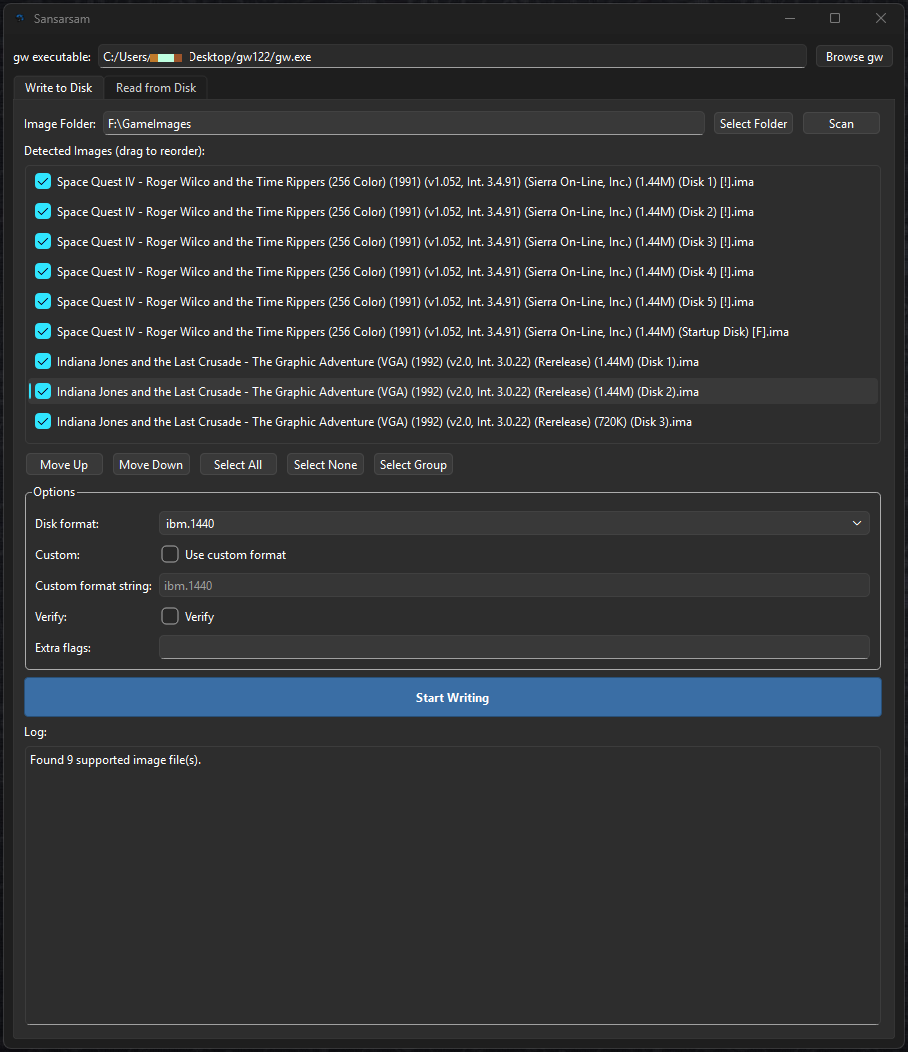
Writes your images to your floppy disks, obviously. Please make sure you have gw executable selected (there is an autodetect but it's not great). Once you select the Image Folder it should scan and find the images in the folder then list them in the Detected Images window. Here you can change the order, select the ones you want to write into floppy drives. Finally you click Start Writing and the process starts.
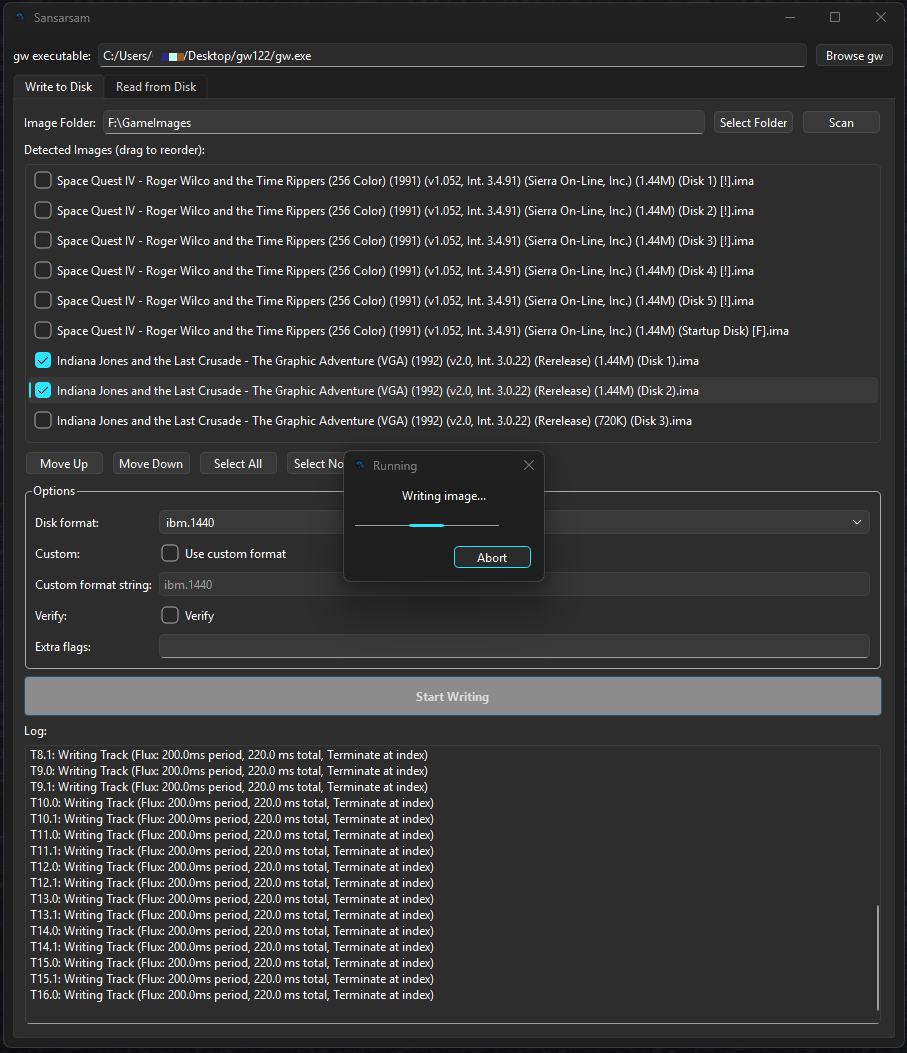
If you selected more than one image, the applicaiton would ask for you to insert a new floppy disk before starting the next one.
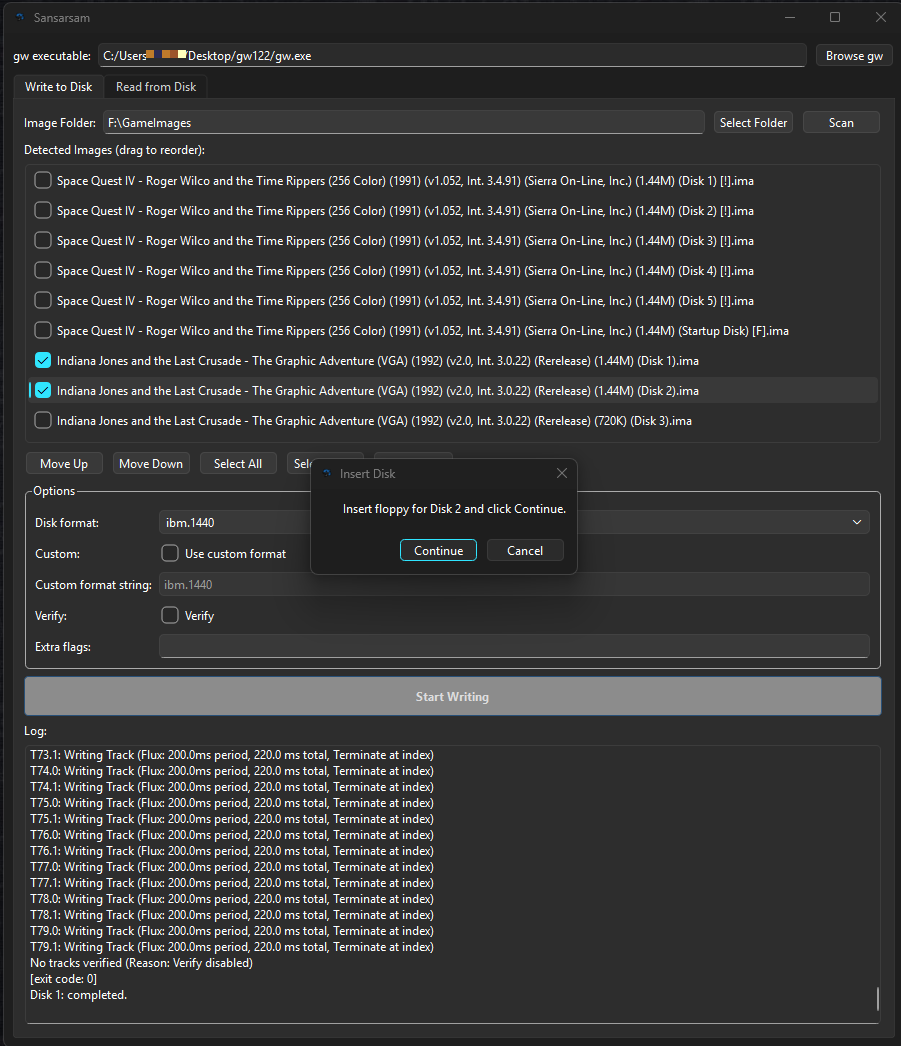
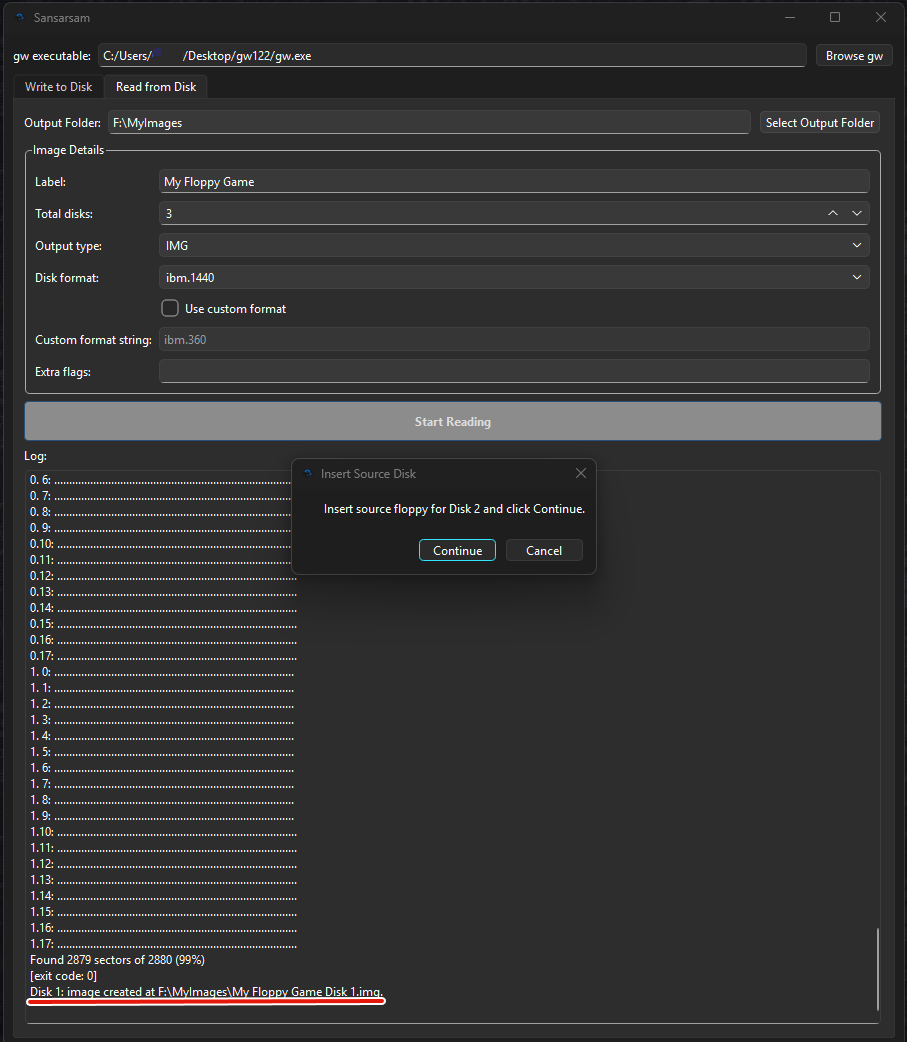
Similar to the write function. Here you will need to select a destination folder, this is where your images will go. Next the options are:
- Label: This is how you would like to name your images. Let's say My Floppy Game.
- Total disks: Total number of disks of your application. Sansarsam will ask for that many disks to be inserted and also it will append Disk 1, Disk 2 etc at the end of each image.
- Output type: Type of the image. (IMG, SCP... etc)
- Disk format: Yes, just disk format.
- Use custom format: You can manually enter the format you want to use.
- Extra flags: If you want to append any gw flags, you can enter them all in here.
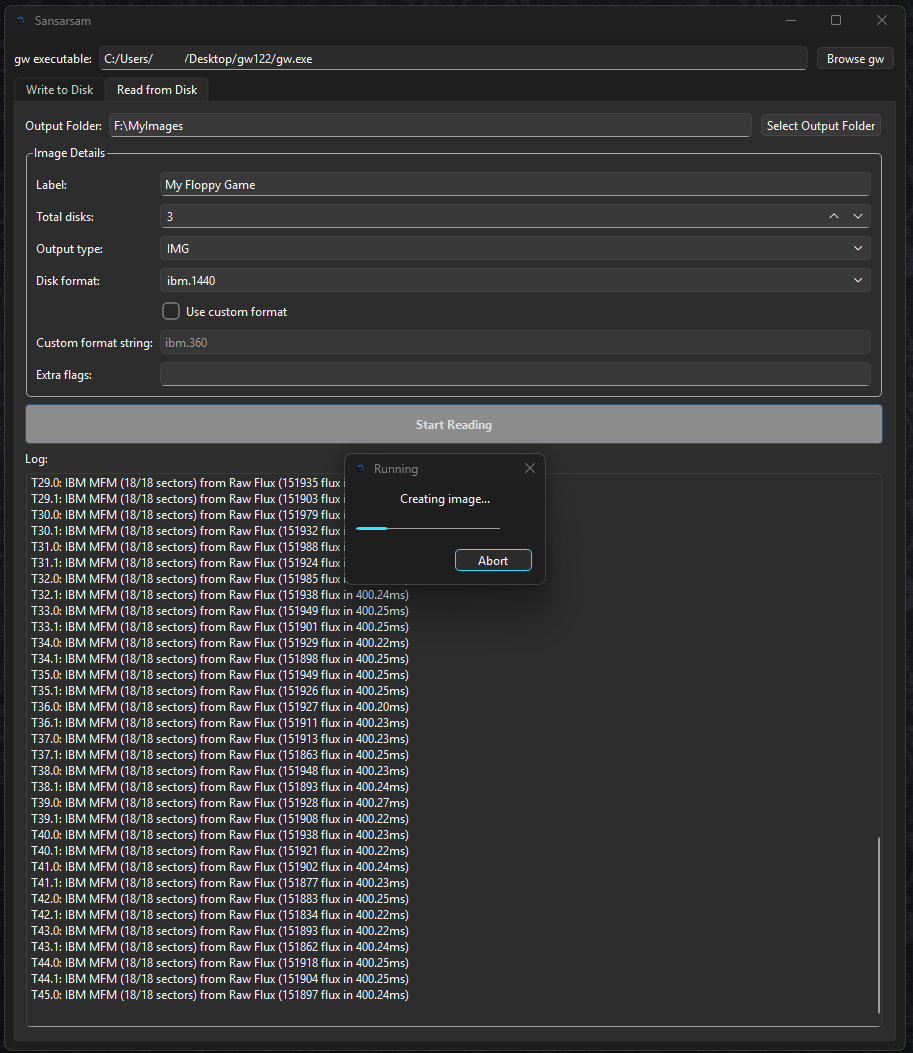
And here you can see first disk has been imaged and asking for the next disk.
- Improve this document
- Maybe add a convert options for scp to img.