Fixing the REST API Jar Conflict
ℹ️ Since TeamCity 2019.2, this procedure is no longer required.
For background info, see #43
⚠️ After cleaning the TeamCity REST API jar, TeamCity will be degraded until it is restarted. It's advisable to run the clean tool and then restart TeamCity immediately after.
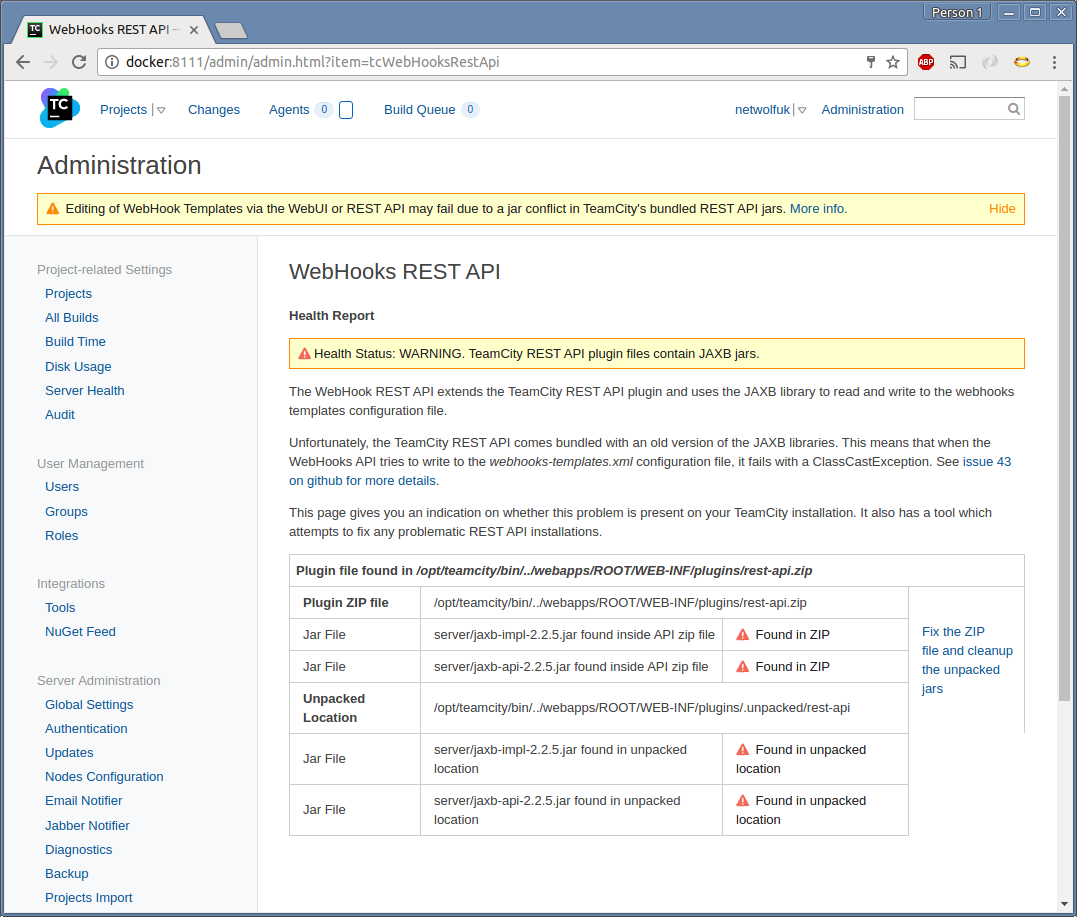
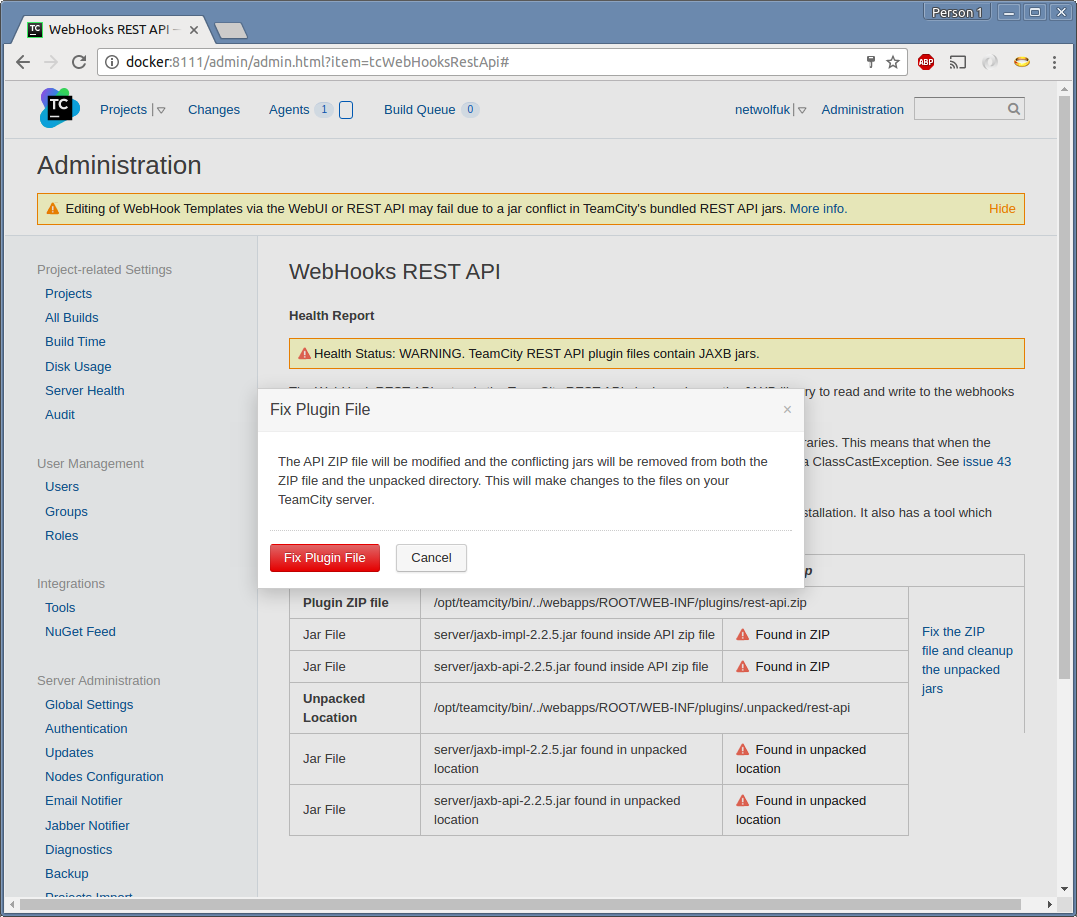
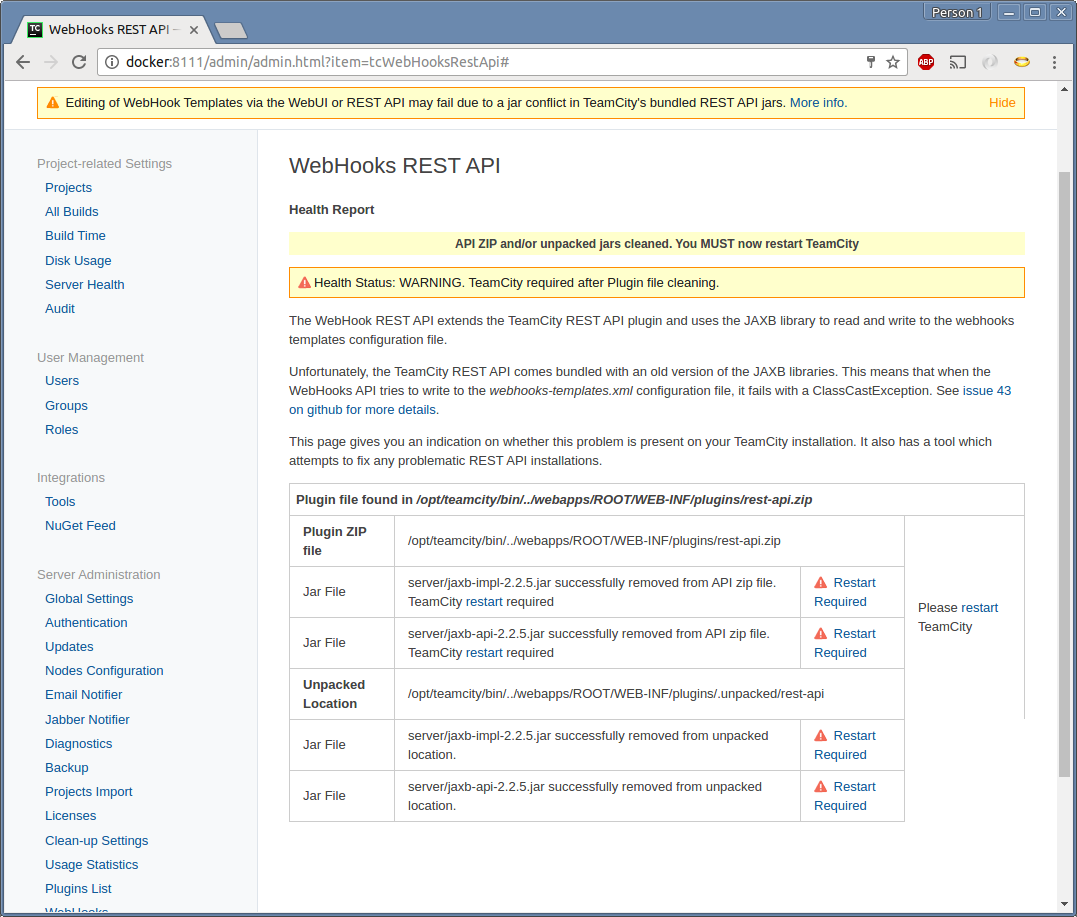
On Windows, in certain configurations, it is not possible to remove the jars from the .unpacked folder because Windows has the files open and locked. In that case, please do the following:
- Copy the Unpacked Location from the WebHook REST API Admin page.
- Open a Windows Explorer window on the server at that location.
- Navigate into the "server" sub folder.
- Stop the TeamCity service using Windows Services (or however you control the TeamCity process on Windows)
- Delete the two files jaxb jar files. They should delete OK because TeamCity no longer has them open.
- Start the TeamCity service again using Windows Services.