Explore Git from a new perspective, through a different lens, in your terminal.




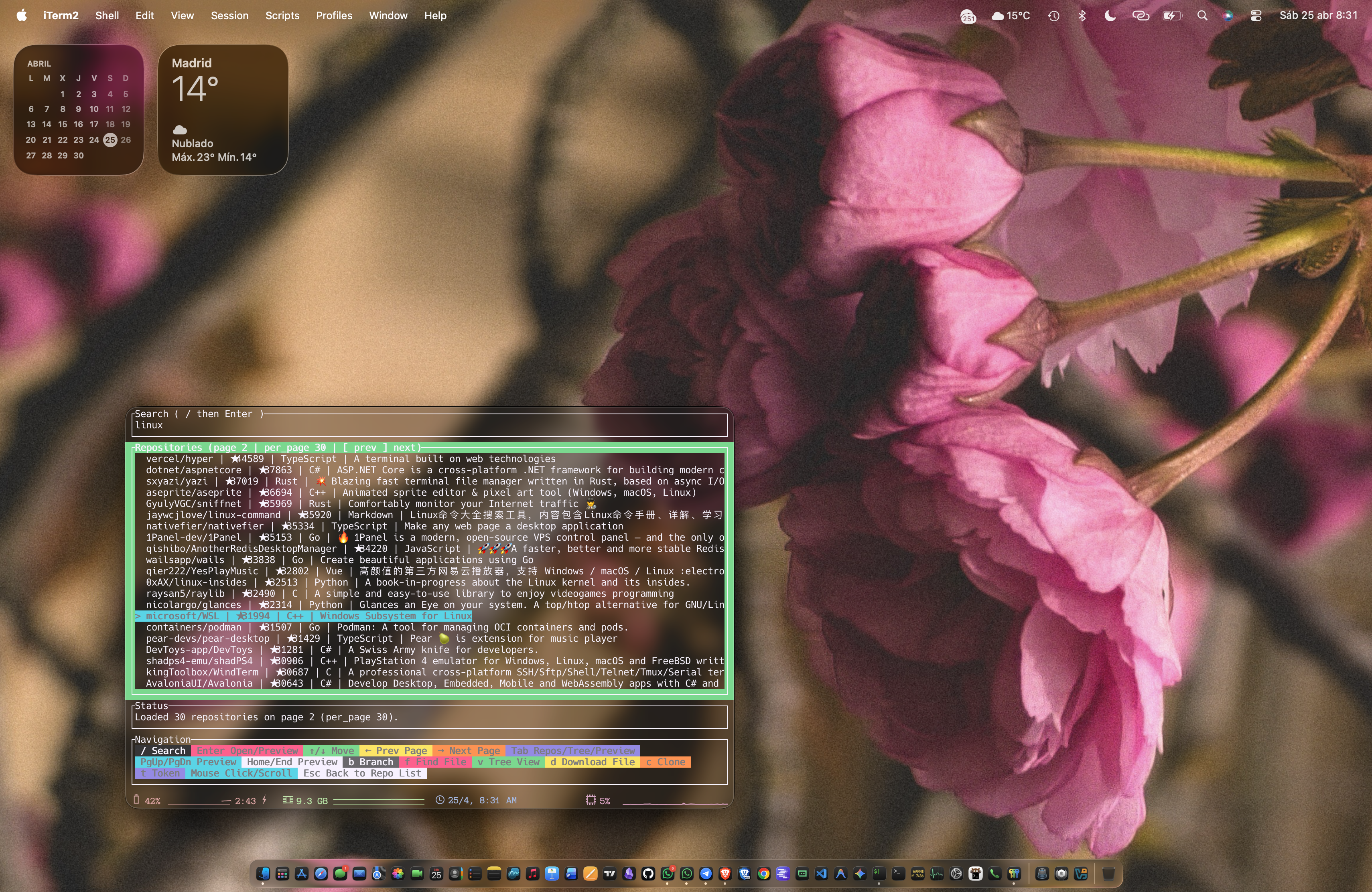
More Previews...
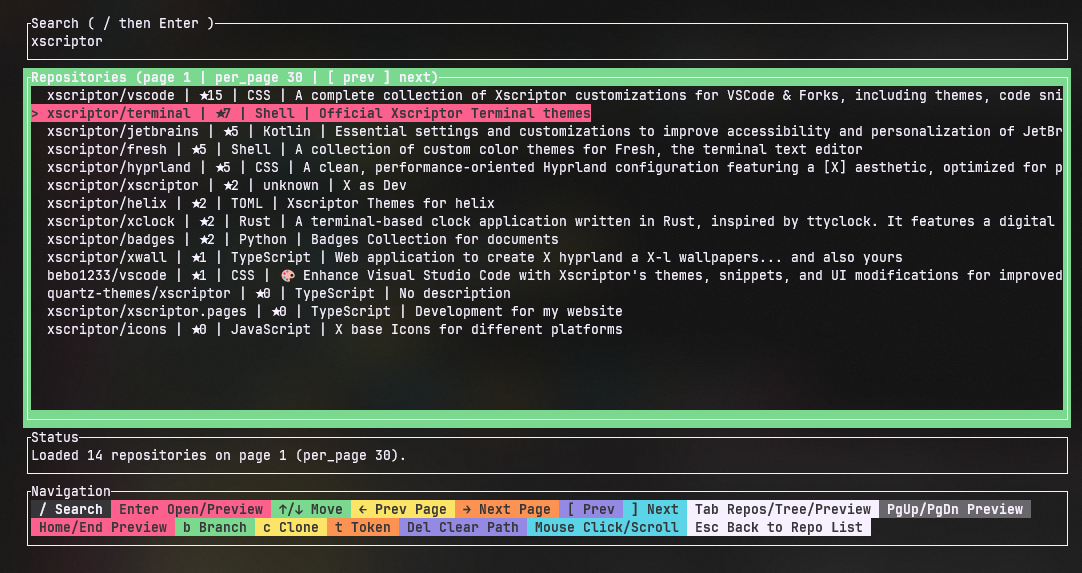
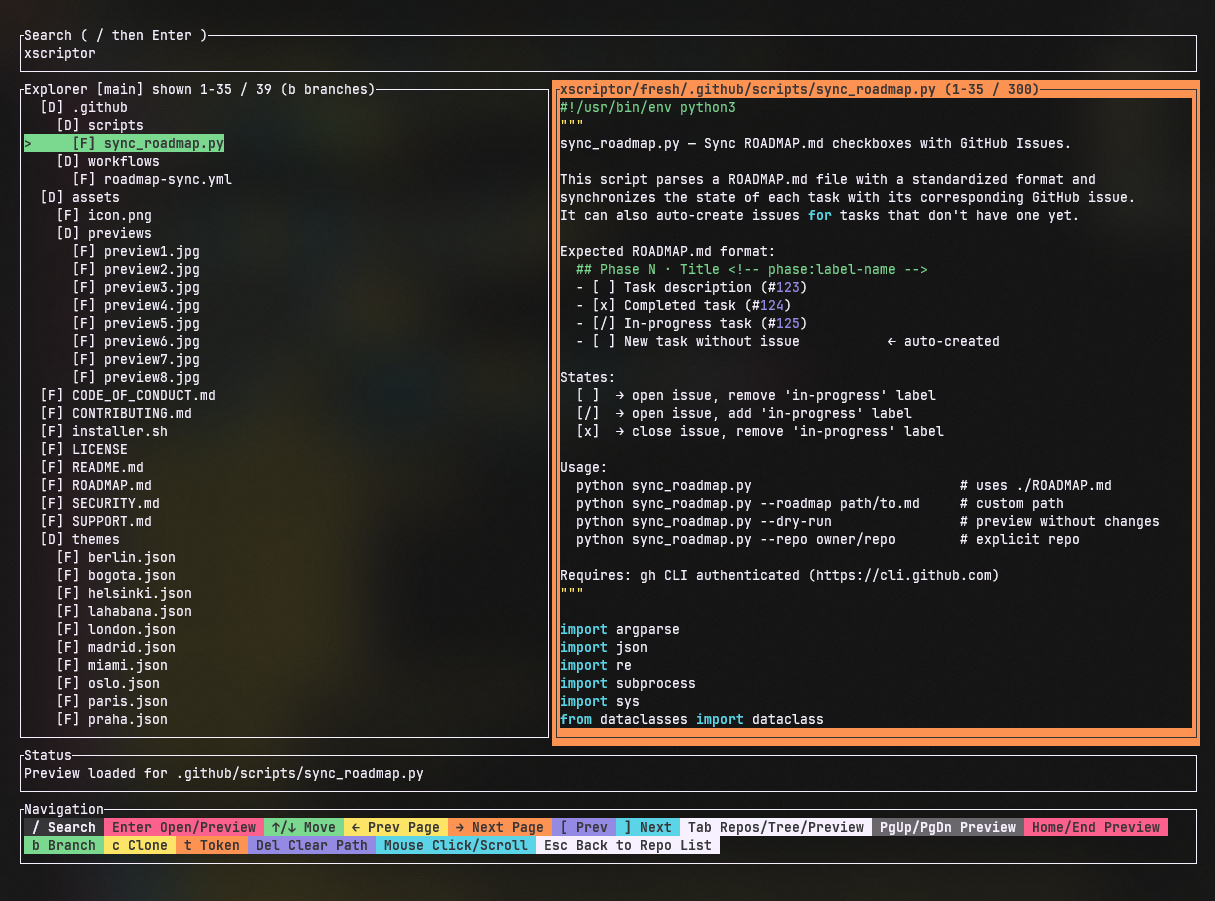
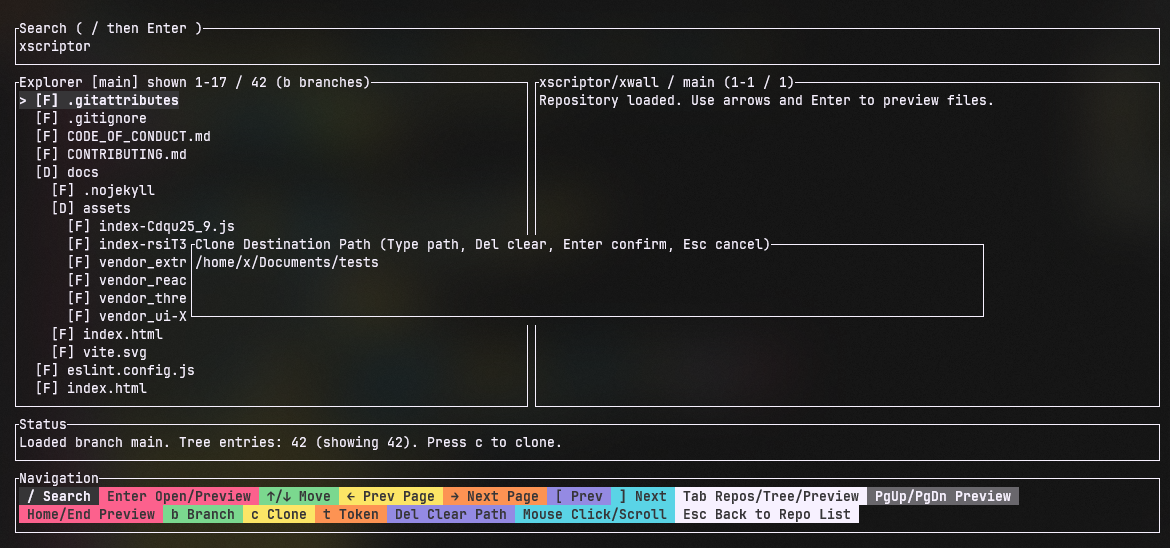

GitNapse is a Rust-first terminal application for exploring GitHub repositories from the command line. It provides repository discovery, branch-aware tree navigation, file previews, syntax-aware highlighting, clone workflows, and single-file download capabilities.
- Rust TUI stack based on
ratatui+crossterm. - GitHub API integration for search, branches, tree, file content, and auth-user validation.
- Token authentication through
GITHUB_TOKENor secure local storage. - Repository tree exploration with lazy loading and branch switching.
- Preview pane with focus support, keyboard/mouse scroll, and syntax-aware display.
- In-app file download modal and CLI file download command.
gitnapse
gitnapse run --query "xscriptor" --page 1 --per-page 30 --cache-ttl-secs 900
gitnapse auth set
Linux / macOS (curl):
curl -fsSL https://raw.githubusercontent.com/xscriptor/gitnapse/main/scripts/install.sh | bash -s -- --action install
curl -fsSL https://raw.githubusercontent.com/xscriptor/gitnapse/main/scripts/install.sh | bash -s -- --action uninstall --cleanup
Linux / macOS (wget):
wget -qO- https://raw.githubusercontent.com/xscriptor/gitnapse/main/scripts/install.sh | bash -s -- --action install
wget -qO- https://raw.githubusercontent.com/xscriptor/gitnapse/main/scripts/install.sh | bash -s -- --action uninstall --cleanup
Windows 11 PowerShell:
irm https://raw.githubusercontent.com/xscriptor/gitnapse/main/scripts/install.ps1 | iex
& ([scriptblock]::Create((irm https://raw.githubusercontent.com/xscriptor/gitnapse/main/scripts/install.ps1))) -Action uninstall -Cleanup
docs/INSTALLATION.md- full install and uninstall by platformdocs/REMOTE_INSTALLATION.md- remote scripts, parameters, and examplesdocs/USAGE.md- full command and in-app usage guidedocs/ARCHITECTURE.md- technical architecture detailsdocs/IMPLEMENTATION_LOG.md- implementation materialization log


