Skip to content

Allow the workflows bank account row to be tapped while offline - #101450

Draft
MelvinBot wants to merge 2 commits into
mainfrom
claude-lockedBankAccountOfflineWorkflows
Draft

MelvinBot wants to merge 2 commits into
mainfrom
claude-lockedBankAccountOfflineWorkflows

Conversation

@MelvinBot

Copy link
Copy Markdown
Contributor

Explanation of Change

On Workspace settings → Workflows → Payments, the connected bank account row was gated behind !isOffline, so while offline the row was greyed out and the Unlock button on a LOCKED account was disabled. The same locked account on Settings → Wallet is tappable offline, because pressLockedBankAccount only writes optimistic Onyx data — the real InitiateBankAccountUnlock request fires later from useBankAccountUnlockEffect as a persisted API.write that queues and sends on reconnect. The gate was blocking a flow that works offline everywhere else.

This removes isOffline from the two places that gate the row:

  • canInteractWithBankAccountRow — feeds the row's onPress and the Unlock button's isActionDisabled.
  • the disabled prop on the row's MenuItem — an independent gate that greys the row out.

Both had to go: MenuItem checks disabled separately from onPress, so changing only one leaves the row either un-greyed but inert, or pressable but still visually disabled with a disabled Unlock button.

Every other offline restriction on the tab is untouched, including the "Add bank account" button's own isOffline gate, which was explicitly left out of scope. isOffline is still used elsewhere in the component.

AI Tests

Run locally on this branch:

  • npm run lint-changed — pass
  • npm run typecheck — pass
  • npm run spell-changed — pass
  • npm run react-compiler-compliance-check check src/pages/workspace/workflows/tabs/WorkflowsPaymentsTab.tsx — pass
  • npm test -- --testPathPattern "WorkspaceWorkflows|BankAccount|PaymentMethod|Workflow" — 26 suites / 478 tests pass, including the new tests/ui/WorkspaceWorkflowsLockedBankAccountTest.tsx

The new test renders the Payments tab with a LOCKED workspace bank account while offline and asserts that the reimburser's Unlock press writes INITIATING_BANK_ACCOUNT_UNLOCK and navigates to Concierge, and that a non-reimburser gets no Unlock action. It was confirmed to fail against main's version of the component and pass with this change.

Not run: interactive browser verification. The automated web session in this run never rendered (blank page, unrelated infra failure), and reproducing this by hand needs a workspace whose connected business bank account is in the LOCKED state, which a standard test account can't reach.

Fixed Issues

$ #99082
PROPOSAL: #99082 (comment)

Tests

// TODO: The human co-author must fill out the tests they ran before marking this PR as "ready for review".
// Please describe what tests you performed that validate the change works.

  • Verify that no errors appear in the JS console

Offline tests

// TODO: The human co-author must fill out the offline test steps before marking this PR as "ready for review".

QA Steps

// TODO: The human co-author must fill out the QA steps before marking this PR as "ready for review".
// Please describe what QA needs to do to validate the change and what areas they need to test for regressions.

  • Verify that no errors appear in the JS console

PR Author Checklist

  • I linked the correct issue in the ### Fixed Issues section above
  • I wrote clear testing steps that cover the changes made in this PR
    • I added steps for local testing in the Tests section
    • I added steps for the expected offline behavior in the Offline steps section
    • I added steps for Staging and/or Production testing in the QA steps section
    • I added steps to cover failure scenarios (i.e. verify an input displays the correct error message if the entered data is not correct)
    • I turned off my network connection and tested it while offline to ensure it matches the expected behavior (i.e. verify the default avatar icon is displayed if app is offline)
    • I tested this PR with a High Traffic account against the staging or production API to ensure there are no regressions (e.g. long loading states that impact usability).
  • I included screenshots or videos for tests on all platforms
  • I ran the tests on all platforms & verified they passed on:
    • Android: Native
    • Android: mWeb Chrome
    • iOS: Native
    • iOS: mWeb Safari
    • MacOS: Chrome / Safari
  • I verified there are no console errors (if there's a console error not related to the PR, report it or open an issue for it to be fixed)
  • I followed proper code patterns (see Reviewing the code)
    • I verified that comments were added to code that is not self explanatory
    • I verified that any new or modified comments were clear, correct English, and explained "why" the code was doing something instead of only explaining "what" the code was doing.
    • I verified any copy / text that was added to the app is grammatically correct in English. It adheres to proper capitalization guidelines (note: only the first word of header/labels should be capitalized), and is either coming verbatim from figma or has been approved by marketing (in order to get marketing approval, ask the Bug Zero team member to add the Waiting for copy label to the issue)
  • If a new code pattern is added I verified it was agreed to be used by multiple Expensify engineers
  • I followed the guidelines as stated in the Review Guidelines
  • I tested other components that can be impacted by my changes (i.e. if the PR modifies a shared library or component like Avatar, I verified the components using Avatar are working as expected)
  • If a new CSS style is added I verified that:
    • A similar style doesn't already exist
    • The style can't be created with an existing StyleUtils function (i.e. StyleUtils.getBackgroundAndBorderStyle(theme.componentBG))
  • If new assets were added or existing ones were modified, I verified that:
    • The assets are optimized and compressed (for SVG files, run npm run compress-svg)
    • The assets load correctly across all supported platforms.
  • If the PR modifies code that runs when editing or sending messages, I tested and verified there is no unexpected behavior for all supported markdown - URLs, single line code, code blocks, quotes, headings, bold, strikethrough, and italic.
  • If the PR modifies a generic component, I tested and verified that those changes do not break usages of that component in the rest of the App (i.e. if a shared library or component like Avatar is modified, I verified that Avatar is working as expected in all cases)
  • If the PR modifies a component related to any of the existing Storybook stories, I tested and verified all stories for that component are still working as expected.
  • If the PR modifies a component or page that can be accessed by a direct deeplink, I verified that the code functions as expected when the deeplink is used - from a logged in and logged out account.
  • If the PR modifies the UI (e.g. new buttons, new UI components, changing the padding/spacing/sizing, moving components, etc) or modifies the form input styles:
    • I verified that all the inputs inside a form are aligned with each other.
    • I added Design label and/or tagged @Expensify/design so the design team can review the changes.
  • I added unit tests for any new feature or bug fix in this PR to help automatically prevent regressions in this user flow.
  • If the main branch was merged into this PR after a review, I tested again and verified the outcome was still expected according to the Test steps.

Screenshots/Videos

Android: Native
Android: mWeb Chrome
iOS: Native
iOS: mWeb Safari
MacOS: Chrome / Safari

The unlock request on a locked bank account is optimistic and queues until reconnect, so the offline gate on the row blocked a flow that works offline everywhere else. This mirrors Settings > Wallet, which has no such gate.

Co-authored-by: Pujan Shah <Pujan92@users.noreply.github.com>
@MelvinBot
MelvinBot requested a review from a team September 17, 2026 16:45
@melvin-bot melvin-bot Bot added Melvin-Test-Android Melvin-Test-Web Triggers Melvin to run the testing steps of the PR on web labels Sep 17, 2026
@MelvinBot

Copy link
Copy Markdown
Contributor Author

I created this PR from an upstream branch because I don't have push access to your fork.

To take ownership of this branch and be able to push updates, run:

git remote add upstream https://github.com/Expensify/App.git
git fetch upstream claude-lockedBankAccountOfflineWorkflows
git checkout -b claude-lockedBankAccountOfflineWorkflows upstream/claude-lockedBankAccountOfflineWorkflows
git push -u origin claude-lockedBankAccountOfflineWorkflows

Then you can close this PR and open a new one from your fork.

Co-authored-by: Pujan Shah <Pujan92@users.noreply.github.com>
@MelvinBot

MelvinBot commented Sep 17, 2026

Copy link
Copy Markdown
Contributor Author

🤖 Android test steps verification results: ⚠️ partial

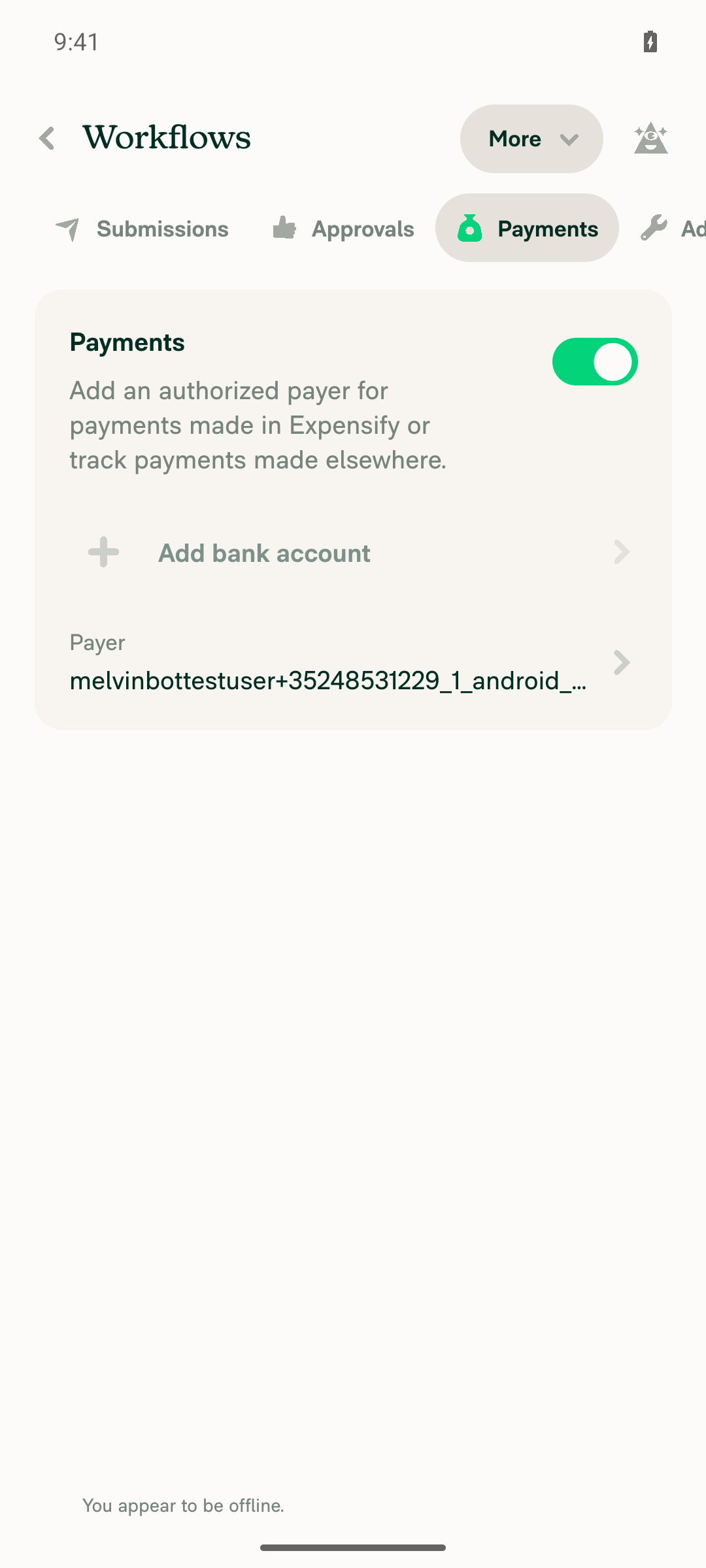
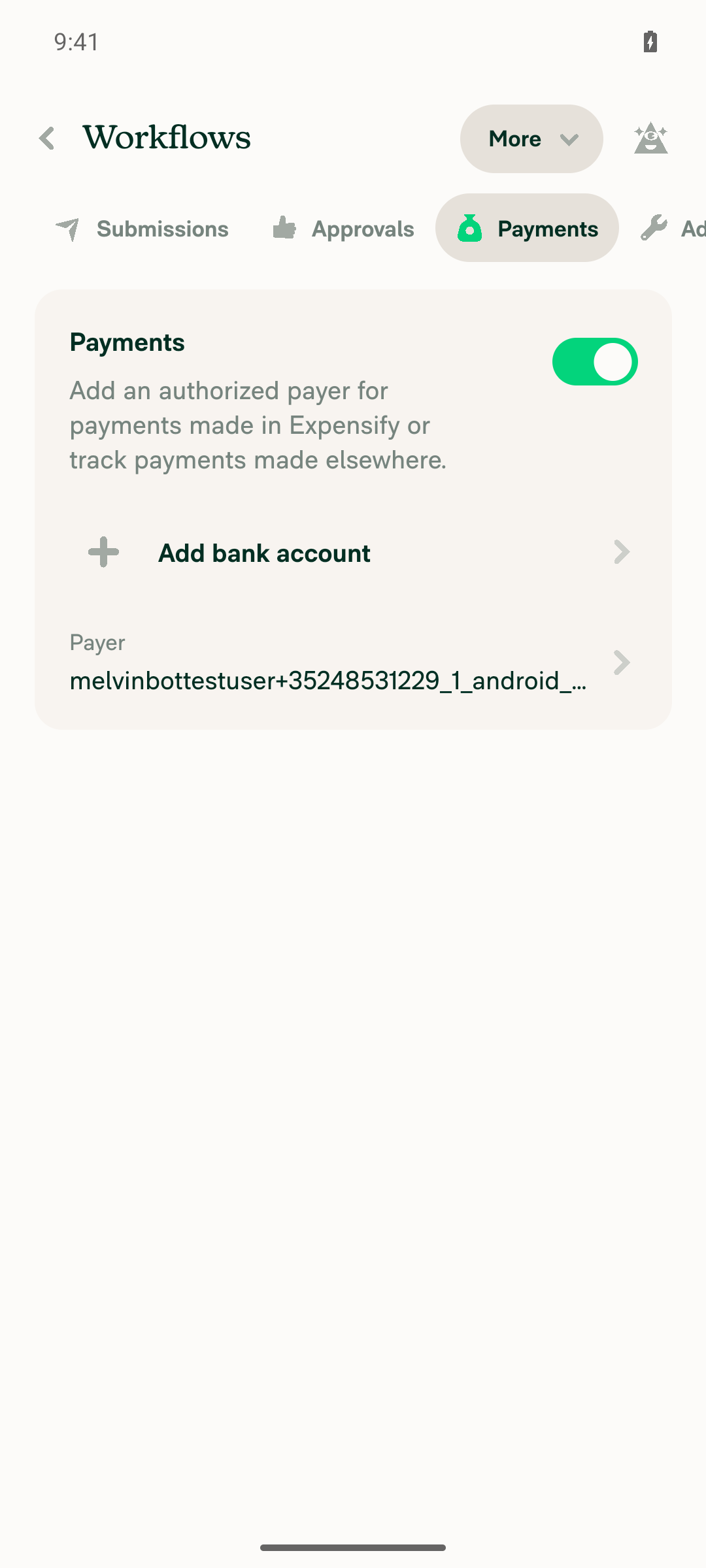
Reached Workspace settings → Workflows → Payments on standalone Android NewDot, but the test workspace has no connected bank account (only the "Add bank account" CTA), so the LOCKED connected-bank-account row this PR targets could not be produced. Steps 2–5 are blocked pending a fixture with a LOCKED bank account. Note the PR's own ### Tests section is still // TODO, so I derived these steps from the repro flow in [Exploratory] Wallet - Locked bank account isn't tapped on the workflow payments page while offline applied to the Workflows → Payments page.

Payments tab offline - Add bank account greyed out, offline banner, no connected-account row

Step Status
VERIFY 1: Sign in and reach Workspace settings → Workflows → Payments tabRecovered a failed CI sign-in replay by hand (the fill on id="username" landed on retry), completed first-run onboarding, created/selected a workspace, enabled the Workflows feature, and navigated to Workspace settings → Workflows → Payments. Tab renders with "Payments" selected in the tab bar.
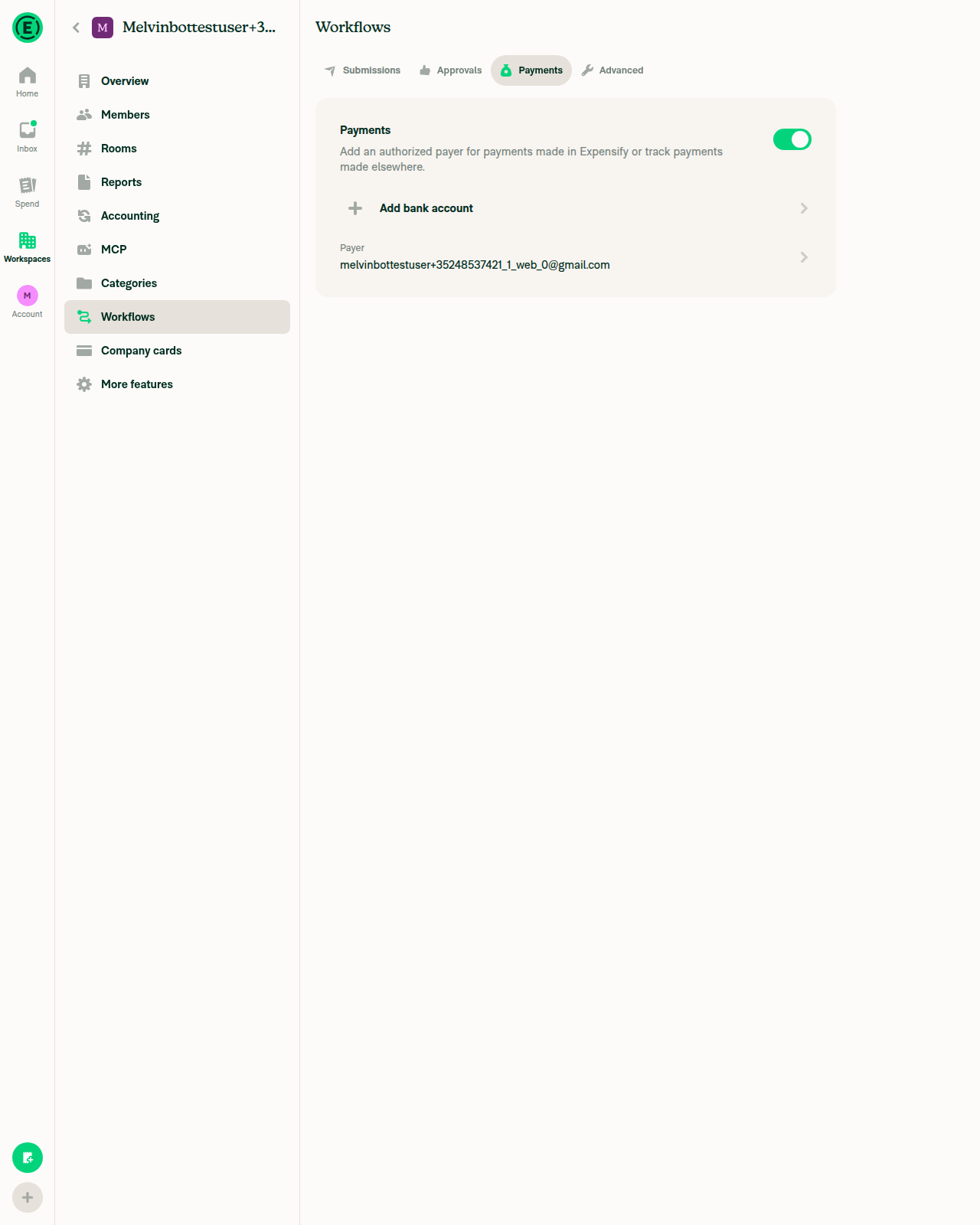
Workflows > Payments tab, online, no connected bank account
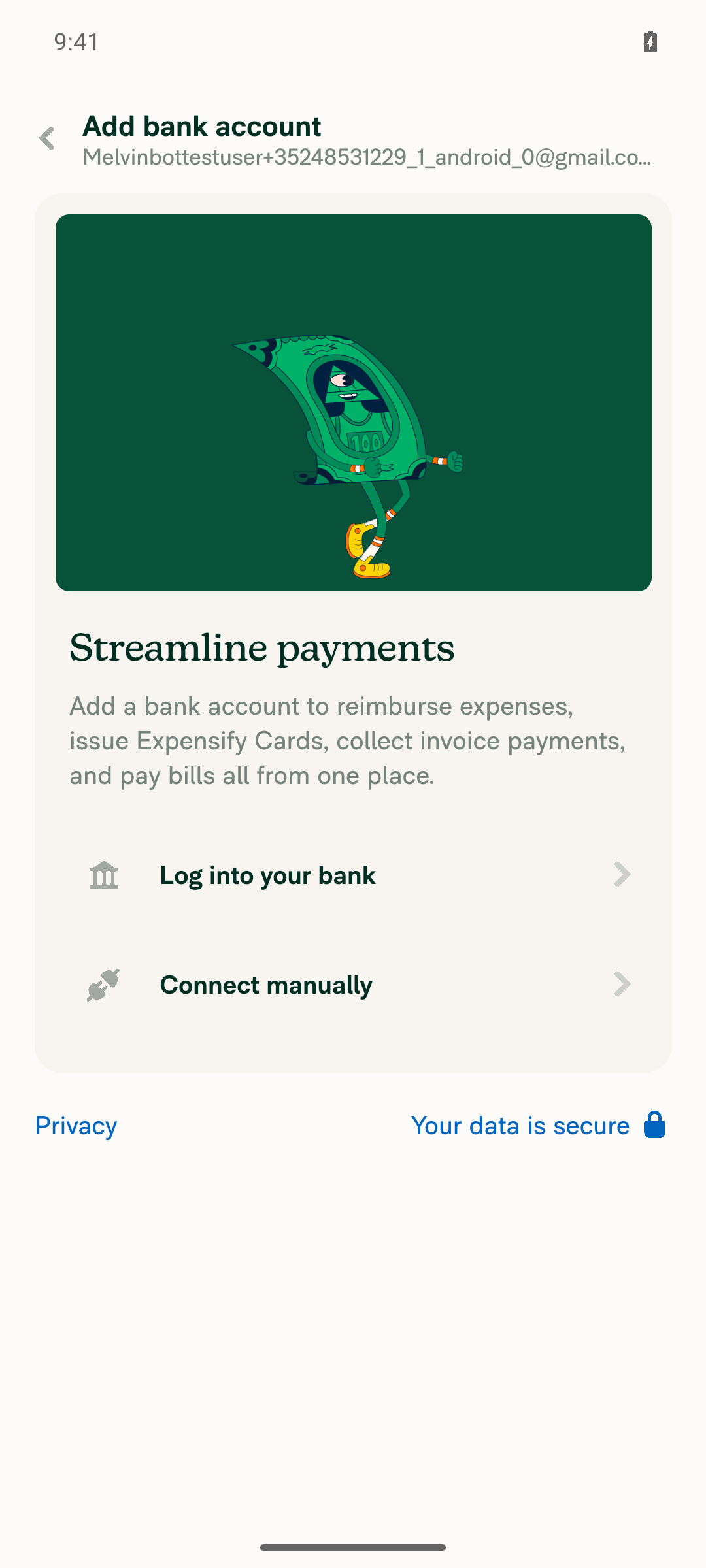
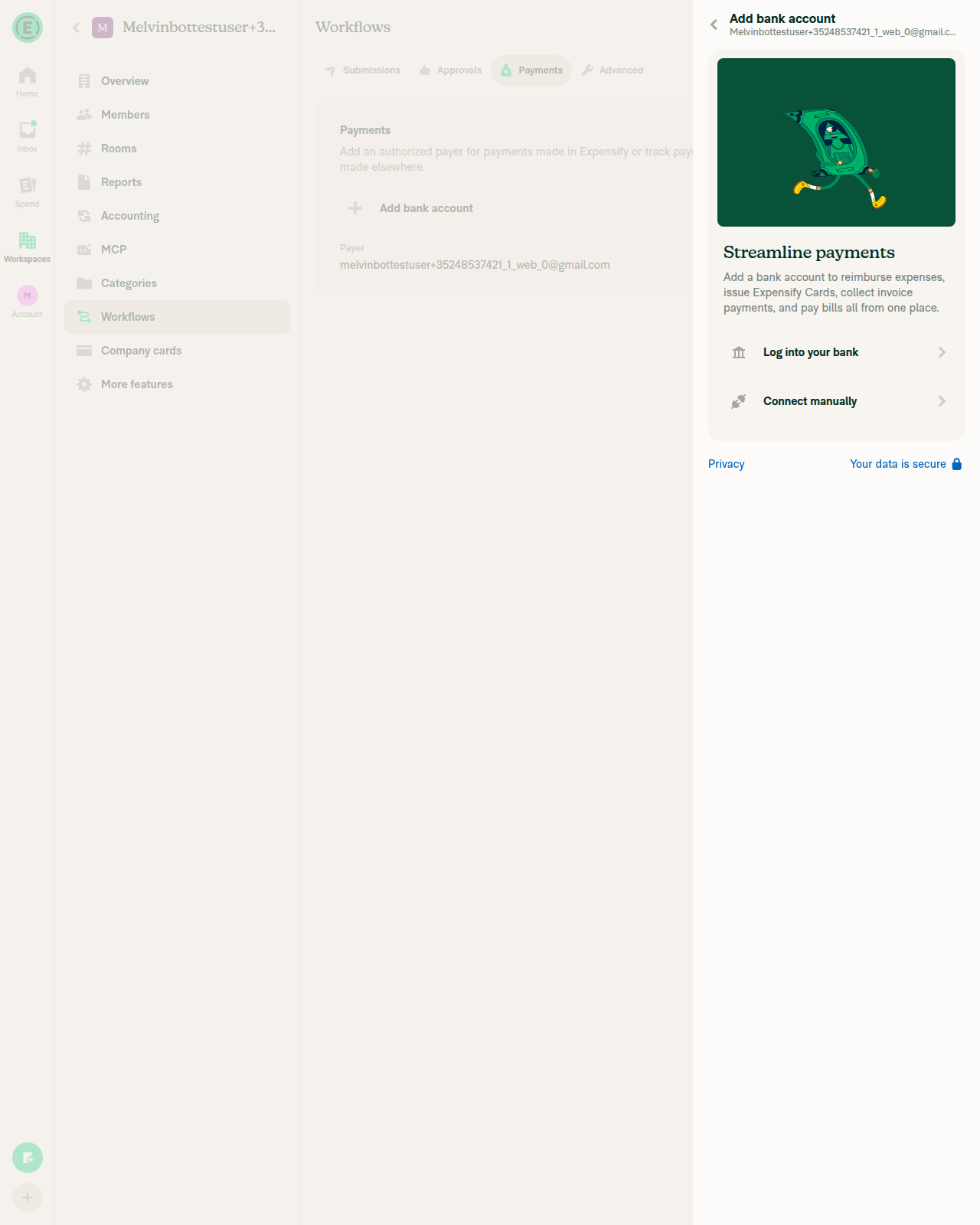
VERIFY 2: Online, connected bank account row renders with visible state (LOCKED or other)Blocked — this freshly created test workspace has no connected bank account. The Payments tab shows only an "Add bank account" CTA and a "Payer" row, so there is no connected-account row to observe a state on. Tapping "Add bank account" opens the Plaid/manual-entry chooser ("Log into your bank" / "Connect manually"), confirming that a real bank connection — let alone a LOCKED state — needs real banking credentials and verification that this environment can't supply.
Workflows > Payments tab, online, no connected bank account
Add bank account chooser (Log into your bank / Connect manually)
VERIFY 3: Offline, connected bank account row is not greyed out/disabledBlocked — no connected bank account row exists to check. With no account connected, the unrelated "Add bank account" CTA does become visibly greyed while offline, but this PR explicitly leaves that gate untouched and out of scope, so it is not evidence about the row this PR changes.
Payments tab offline - Add bank account greyed out, offline banner, no connected-account row
VERIFY 4: Offline, tapping the connected bank account row does something (not inert)Blocked — no connected bank account row exists to tap.
VERIFY 5: Offline, LOCKED account's Unlock button is enabled and tapping is acceptedBlocked — the workspace's bank account is not in (and cannot be put into) a LOCKED state in this environment, so no Unlock button is present.

No JS console errors were observed. The airplane-mode toggle round-tripped cleanly and the session was left online.

To get live Android proof of this fix, the run needs an account whose workspace has a business bank account already in the LOCKED state — for example the reporter's applausetester+lockedba@applause.expensifail.com from the linked issue, or an equivalent seeded fixture. With that, steps 2–5 are straightforward to execute.


view run · view recording

@MelvinBot

Copy link
Copy Markdown
Contributor Author

Fixed and pushed — Oxfmt check now passes.

What was broken: the new test file I added wasn't oxfmt-formatted. oxfmt groups imports by path prefix, and I had put import type * as ReportUserActionsModule from '@userActions/Report' below the third-party group instead of in its own @userActions group between @pages and @src. That's the entire diff — 2 lines moved, no logic change.

Pushed as 6ab9c99.

Verification
+import type * as ReportUserActionsModule from '@userActions/Report';
+
 import CONST from '@src/CONST';
 ...
-import type * as ReportUserActionsModule from '@userActions/Report';
-
 import type * as MockReanimatedModalModule from '../utils/mockReanimatedModal';

Run locally on the branch after the fix:

  • npm run fmt — clean, idempotent (no further diff on a second run)
  • npx eslint tests/ui/WorkspaceWorkflowsLockedBankAccountTest.tsx — pass
  • npm run typecheck — pass
  • npm test -- --silent --testPathPattern "WorkspaceWorkflowsLockedBankAccount" — 2/2 pass

npm run lint-changed could not run in this environment: the local App checkout is a shallow clone, so the script's git merge-base origin/main HEAD fails. Unrelated to this change — I ran ESLint directly on the file instead, which is the same rule set.

One remaining failure, which I left alone: Check independent approval. That's the human review gate, not a code problem — it fails because this PR still needs an independent reviewer's approval, and it will keep failing until one is recorded. Nothing to push for it.

The Tests, Offline tests, and QA Steps sections of the PR body are still // TODO and need you to fill them in before this goes to review.


view run

@MelvinBot

MelvinBot commented Sep 17, 2026

Copy link
Copy Markdown
Contributor Author

🤖 Web test steps verification results: ⚠️ partial

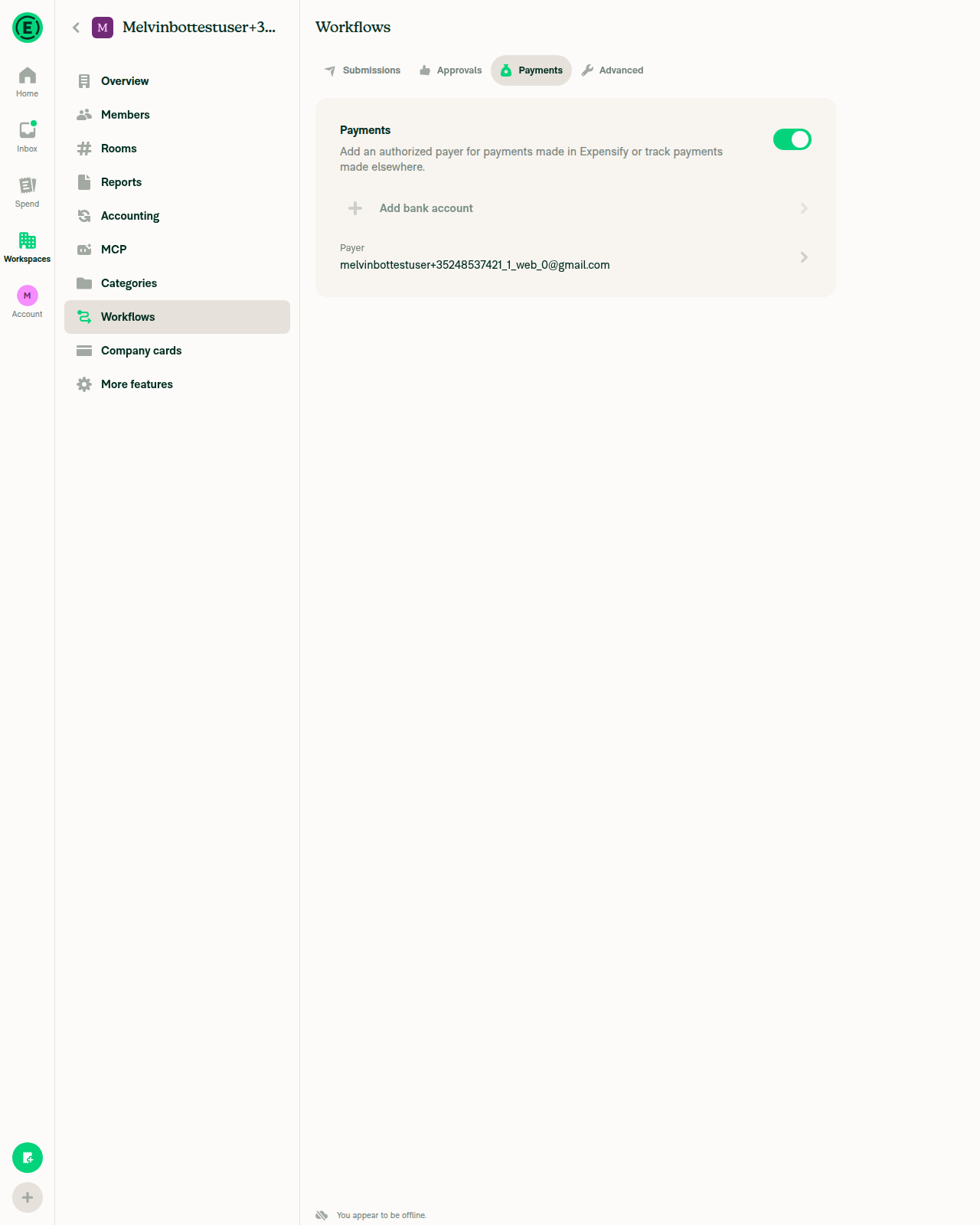
Reached Workspace settings → Workflows → Payments on dev NewDot web (branch claude-lockedBankAccountOfflineWorkflows, commit 6ab9c99) and confirmed offline mode via the Troubleshoot "Force offline" toggle, but this test workspace has no connected bank account — only an "Add bank account" entry point via Plaid login or manual routing/account entry — so a LOCKED bank account state is unreachable through the UI. Steps 2–5 are blocked for that reason, the same blocker the Android run hit. Note the PR's own ### Tests section is still // TODO, so I derived these steps from the repro flow in [Exploratory] Wallet - Locked bank account isn't tapped on the workflow payments page while offline applied to the Workflows → Payments page.

Payments tab offline - Add bank account disabled, no connected-account row present

Step Status
VERIFY 1: Sign in and reach Workspace settings → Workflows → PaymentsCompleted onboarding by hand (the CI onboarding replay had failed at the "Skip work email" step), created/entered a workspace, enabled the "Workflows" feature via More features (it is off by default), and opened the Workflows → Payments tab. Left nav shows Workflows highlighted; the content pane shows the "Payments" section with an authorized-payer toggle and an "Add bank account" entry.
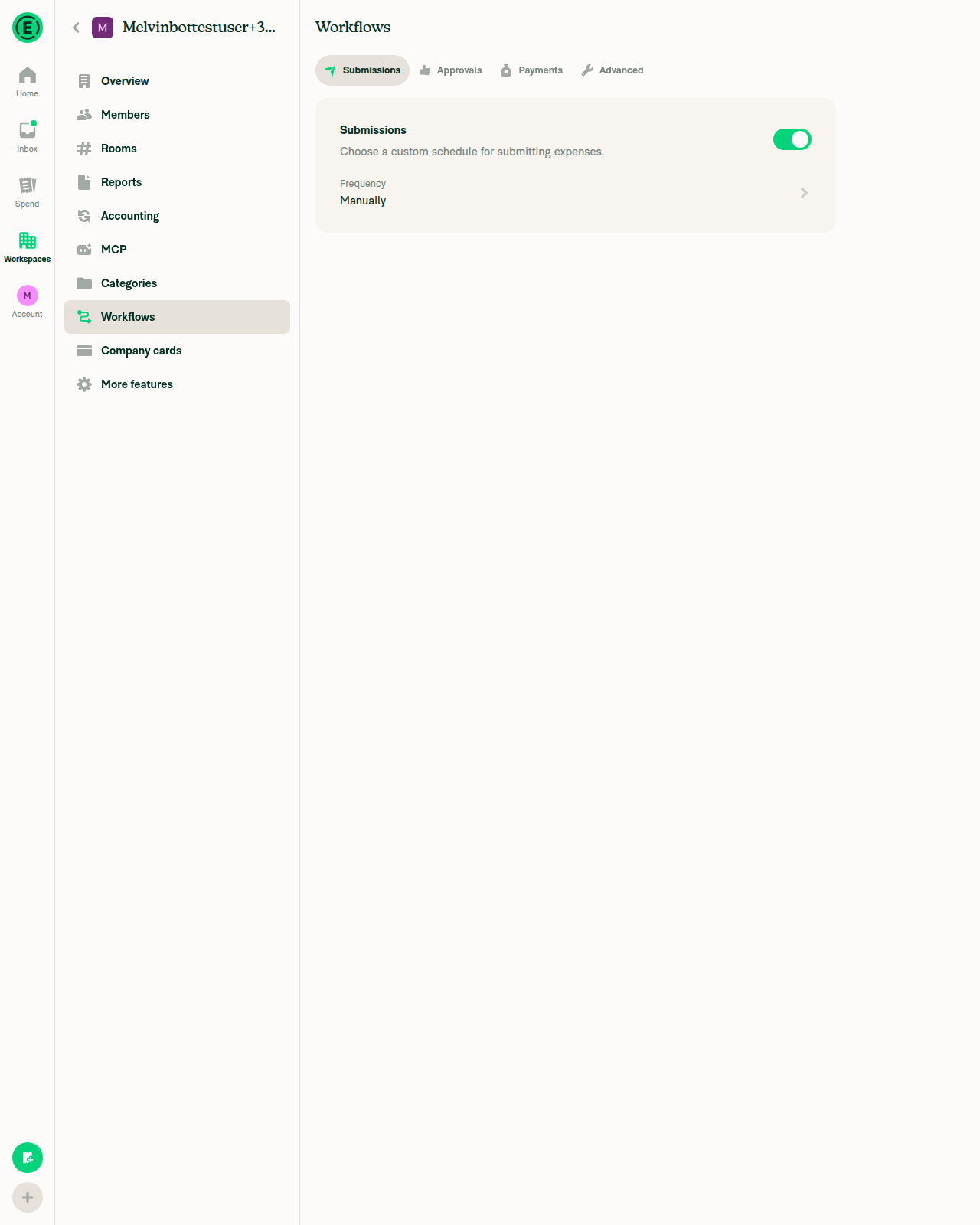
Workflows tab reached, Submissions sub-tab shown
Workflows > Payments tab online - no connected bank account row, only Add bank account
VERIFY 2: Online, connected bank account row renders with visible state (LOCKED or other)Blocked — this workspace has no connected bank account. The Payments tab only shows an "Add bank account" action ("Log into your bank" / "Connect manually") and a Payer row, so there is no connected-account row to inspect. A standard test account cannot reach a real bank connection — let alone a LOCKED one — through the UI.
Workflows > Payments tab online - no connected bank account row, only Add bank account
Add bank account flow - only Plaid login or manual entry
VERIFY 3: Offline, connected bank account row is not greyed outBlocked — no connected account exists to evaluate. For reference, while offline the existing "Add bank account" button did render visibly disabled, confirming isOffline gating is still generally active elsewhere on this screen. That button is a different element this PR deliberately leaves out of scope, so it is not evidence about the row this PR changes.
Payments tab offline - Add bank account disabled, no connected-account row present
VERIFY 4: Offline, clicking the connected bank account row opens somethingBlocked — no connected bank account row exists on this workspace to click.
VERIFY 5: Offline, LOCKED account's Unlock button is enabled and clicking is acceptedBlocked — no LOCKED bank account exists or is reachable. Reaching LOCKED needs a real bank connection plus the backend-driven lock state, which this test account and the automated UI flow cannot produce.

No JS console errors were observed. The Force-offline toggle round-tripped cleanly.

To actually exercise steps 2–5 on either platform, the run needs a fixture that seeds a workspace with a bank account already in LOCKED status — for example the reporter's applausetester+lockedba@applause.expensifail.com from the linked issue, or a QA path that sets the bank account state directly. The Plaid-sandbox and manual-entry flows in dev NewDot cannot produce a LOCKED account through normal UI actions.


view run · view recording

Sign up for free to join this conversation on GitHub. Already have an account? Sign in to comment

Labels

Melvin-Test-Android Melvin-Test-Web Triggers Melvin to run the testing steps of the PR on web

Projects

None yet

Development

Successfully merging this pull request may close these issues.

2 participants