


Start a counter on what you are working on, and see where your time went in day, week, month and year charts, all from the terminal.
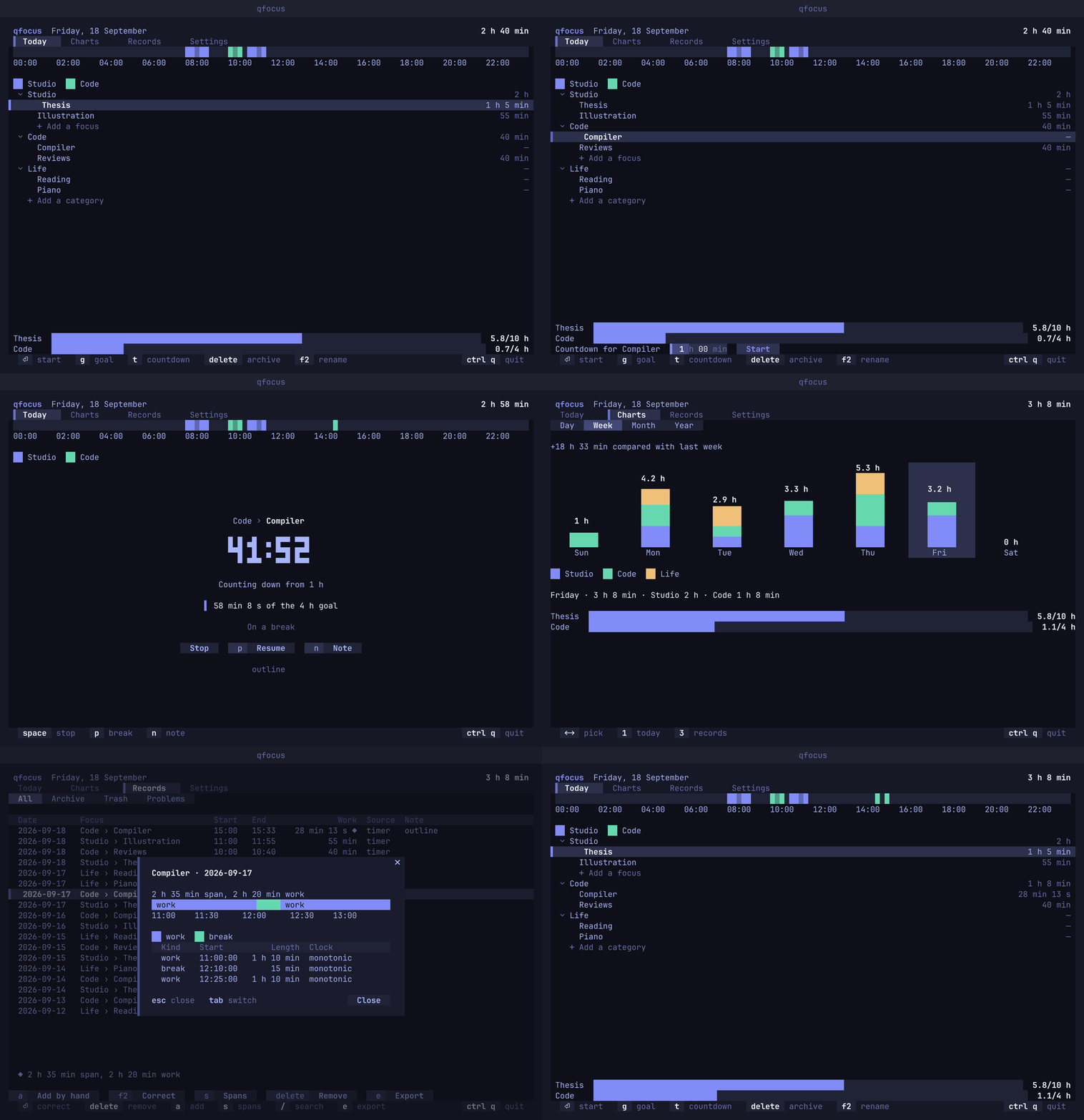
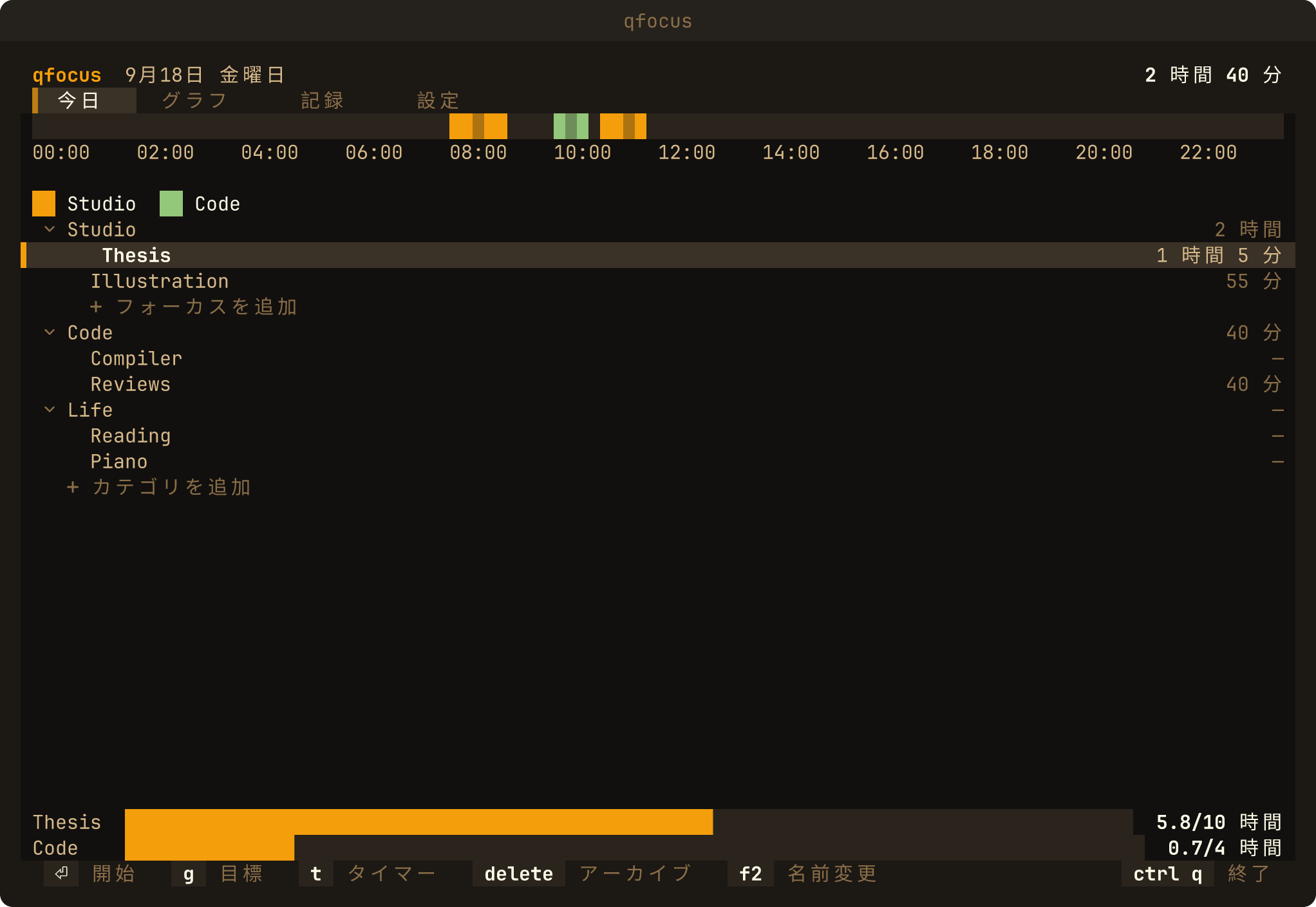
quvyta-focus tracks what you focus on, from the terminal. You keep a short list of the things you work on, start a counter on one of them, and see where your time went in day, week, month and year charts. It is part of the Quvyta ecosystem of terminal applications, is built on quvyta-framework and is open source under the MIT licence.
Beta. qfocus is new. Its records are written carefully, but the interface and the command line may still change between releases. Please report anything that looks wrong at https://github.com/quvyta/focus/issues.
- A list of focuses. Categories hold focuses: Work holds Reports and Reviews, Study holds Rust. Every session is recorded against one focus. Renaming a focus never rewrites its history, and archiving one keeps its records.
- A counter. Start a focus and the counter runs; take a break, write a note, stop. A countdown can be set when you start. Time with no input from you is not counted until you say whether it was work, a break or not worth counting.
- Honest time. Durations are measured with the system's steady clock, never by subtracting wall-clock times, so changing the clock or the time zone does not move them. Time the computer spends asleep is counted as whatever was running when it went to sleep. Time it spends switched off is not counted: a counter that was cut off stops at the last moment qfocus knew it was alive.
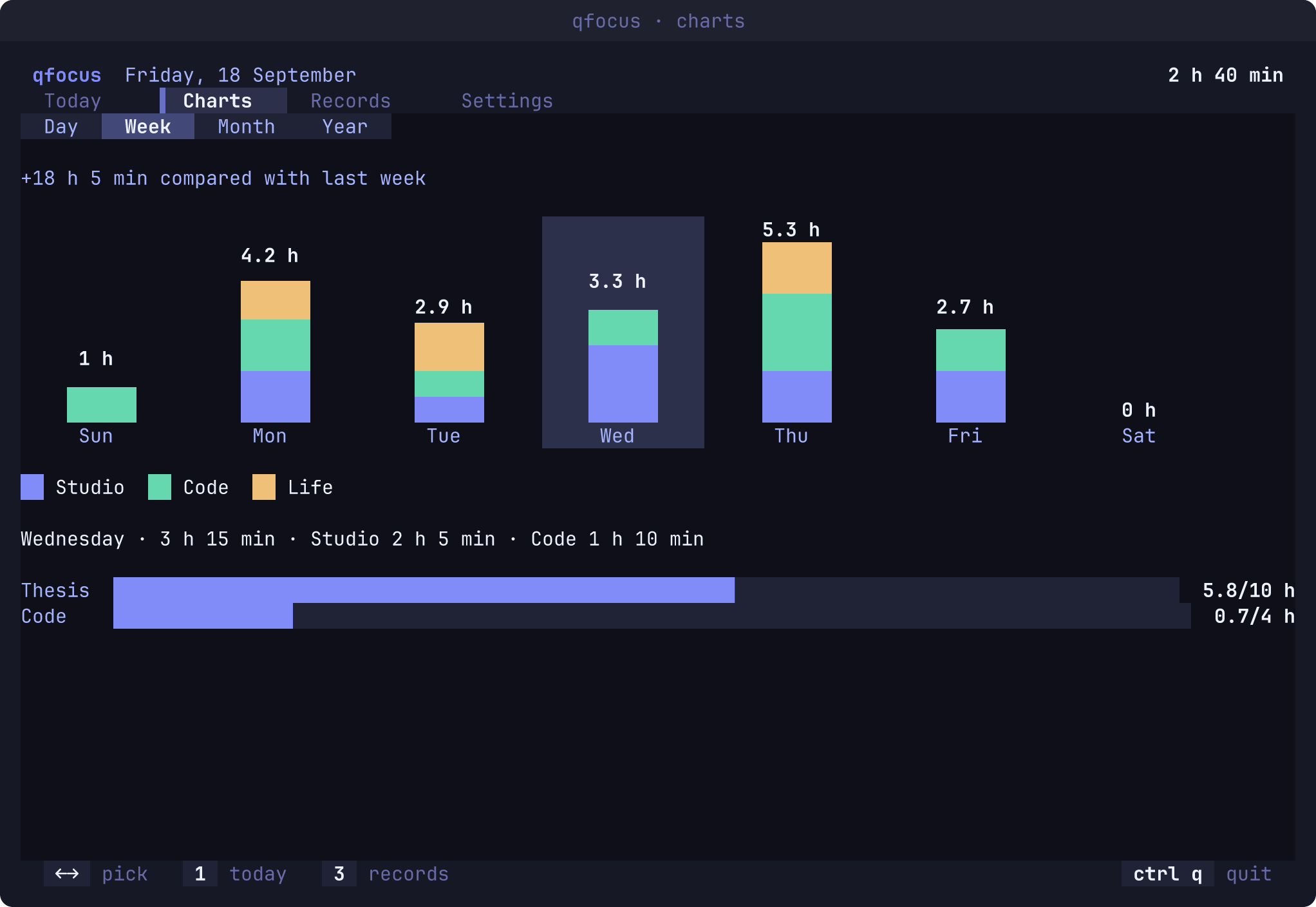
- Charts. Day, week, month and year views: by the hour, by category, day by day, and what you worked on most, each compared with the period before.
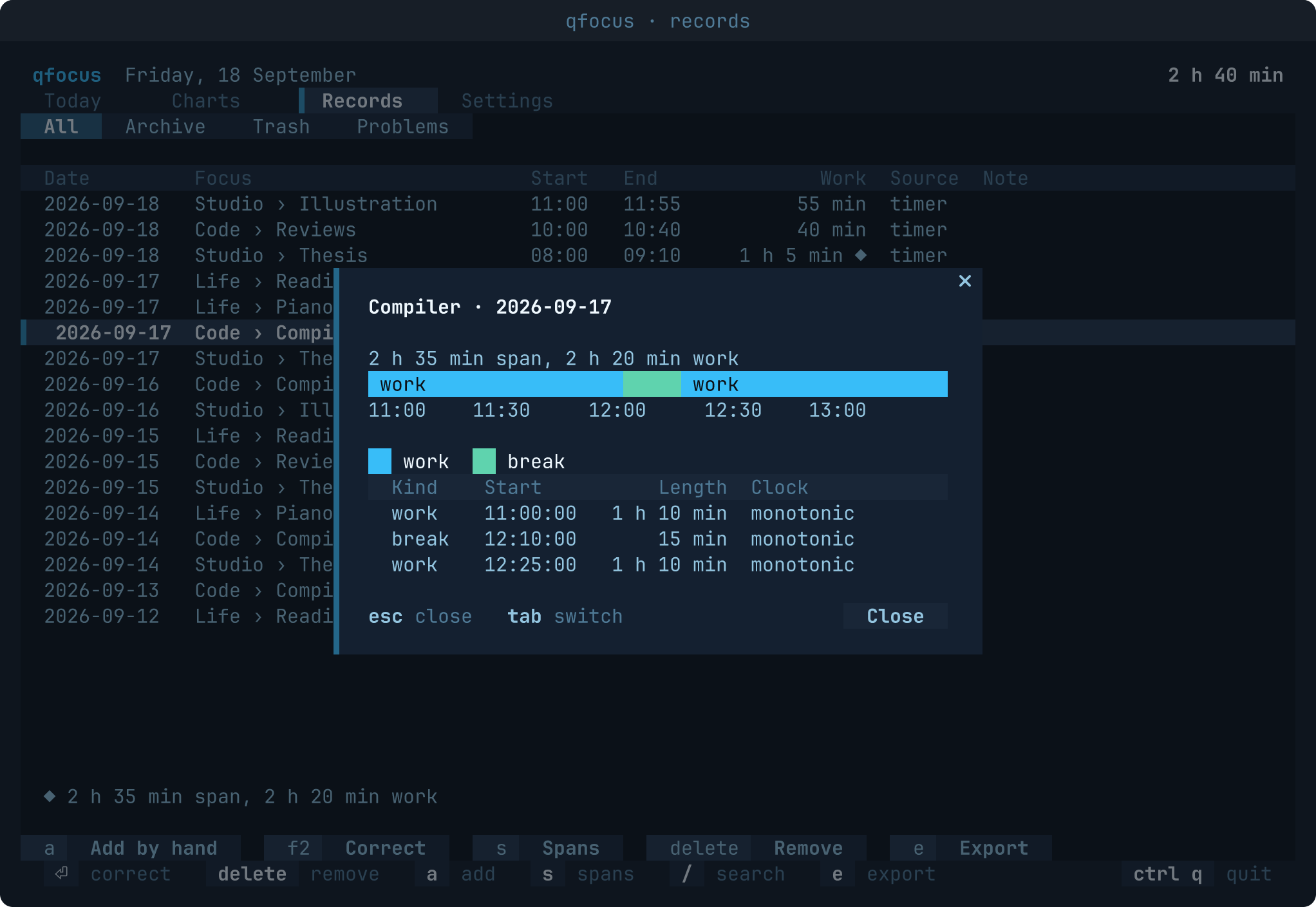
- Records. Every session, searchable. Correct one, add one you forgot to start, or move one to
the trash;
ctrl+zundoes the last change. Records can be exported as CSV or JSON. - Goals, if you want them. A focus or a category can have a daily, weekly or monthly goal. A row without one shows nothing extra.
- Command line. Start and stop a counter, or print the running focus, without opening the interface.
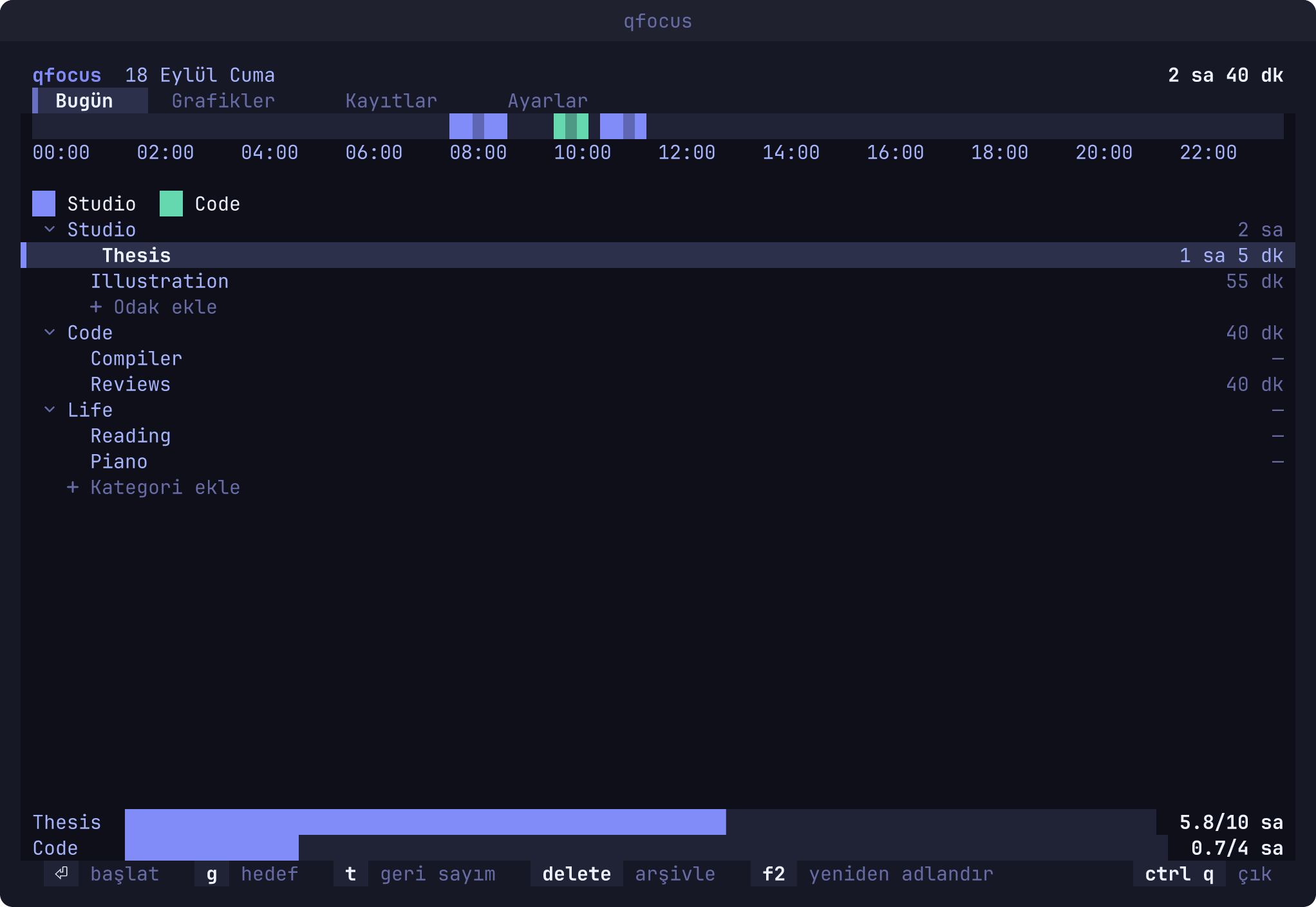
The interface follows your system language (nine are included, see Languages) and uses the themes, icons, keys and mouse behaviour every Quvyta application shares. When another Quvyta application changes the shared language, theme or icons, a running qfocus takes the change at once.
curl -fsSL https://raw.githubusercontent.com/quvyta/quvyta/main/install.sh | sh -s -- focusOr with Cargo:
cargo install quvyta-focus
qfocus
If the shell cannot find qfocus, add ~/.cargo/bin to your PATH (fish: fish_add_path ~/.cargo/bin).
The program is installed as qfocus and also as quvyta-focus. Rust 1.95 or later is required.
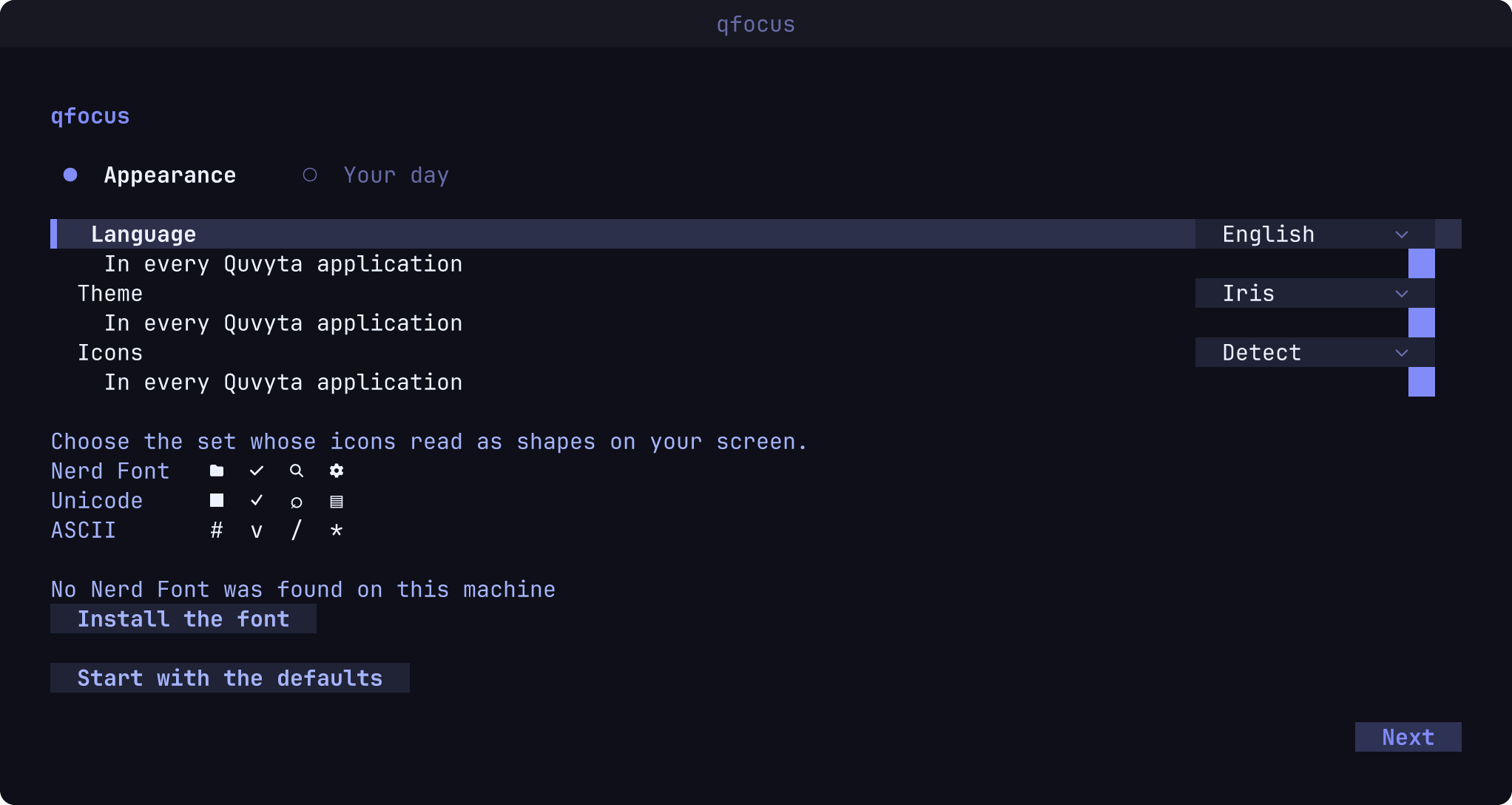
Run qfocus to open the interface. The first time it asks a few questions: the language, the
theme and the icons every Quvyta application shares, and then when your day starts and ends.
Nothing is written until you finish, and "Start with the defaults" skips the lot.
After that, add a category and write a focus under it, then press enter on the focus to start
it.
| Key | What it does |
|---|---|
1 2 3 4 |
Today, Charts, Records, Settings |
enter |
Start the selected focus; on Records, correct the selected session |
space |
Stop the running counter, or start the last focus again |
p |
Take a break |
n |
Write a note on the running session |
t |
Start the selected focus with a countdown |
g |
Set a goal for the selected row |
f2 |
Rename the selected row |
delete |
Archive a row, or move a session to the trash |
a |
Add a session by hand (Records) |
/ |
Search the records |
e |
Export the records as CSV and JSON |
ctrl+z |
Undo |
ctrl+q |
Quit |
If a counter is running when you quit, qfocus asks whether to finish the session or leave the counter running; a counter left running keeps counting and is picked up the next time the window opens or the command line looks at it.
qfocus                open the interface
qfocus start FOCUS    start a counter and exit; FOCUS is a name or category/focus
qfocus stop           stop the running counter and record it
qfocus status         one line: the running focus and its time so far
qfocus today          one line: today's total
  --switch            with start: stop whatever is running first
  --json              print one JSON object instead of text
  -h, --help          show this text
  -V, --version       print the version
qfocus status fits in a shell prompt or a status bar. The exit codes are 0 done, 1 not
found, 2 an open window is writing, 3 already running and 4 nothing running.
qfocus speaks English, German, Spanish, French, Brazilian Portuguese, Russian, Simplified Chinese,
Japanese and Turkish. It picks the system language (LC_ALL, LC_MESSAGES, LANG) and falls
back to English; any of them can be chosen under Settings. Brazilian Portuguese and Simplified
Chinese are chosen there for now, because the system setting (pt_BR, zh_CN) is not yet
matched to them. A few words shared by every Quvyta program, such as the key hints at the bottom
and the date picker, are still in English in the newer languages.
Until you choose a day under Settings, the week starts where the language's calendar starts it: on Monday in most, on Sunday in English, Brazilian Portuguese and Japanese.
Translation suggestions are welcome, and so are new languages. Each language is one file under locales/; open an issue with the wording you would use, or a pull request. CONTRIBUTING.md explains how, with or without building anything.
Everything qfocus records is plain text in one folder:
| System | Folder |
|---|---|
| Linux and other Unix systems | $XDG_DATA_HOME/quvyta/focus, or ~/.local/share/quvyta/focus |
| macOS | ~/Library/Application Support/quvyta/focus |
| Windows | %LOCALAPPDATA%\quvyta\focus |
Inside it, tree.toml holds the categories and focuses, sessions/ holds one file per month
(2026-09.log), trash/ keeps copies of removed sessions and export/ receives exported files.
The settings are not records and live apart from them, in the folder the Quvyta applications share:
| System | Settings file |
|---|---|
| Linux and other Unix systems | $XDG_CONFIG_HOME/quvyta/focus.conf, or ~/.config/quvyta/focus.conf |
| macOS | ~/Library/Application Support/Quvyta/focus.conf |
| Windows | %APPDATA%\Quvyta\focus.conf |
Any other configuration files of qfocus go in the focus folder next to it. Versions before 0.1.1 kept the settings in settings.toml inside that folder; the first time a newer qfocus opens, it moves that file to focus.conf. Nothing is overwritten on the way: if focus.conf already exists, the old file stays where it is and the Settings page says so.
Records are only ever added to: a correction, a removal and an undo are each a new line, so a mistake can always be taken back. The one exception is Empty the trash in Settings, which asks you to type a word before it removes the trash from the disk for good. Files are written in one piece or not at all, and a damaged line is reported and skipped rather than stopping the program.
The folder can be shared between machines with a file synchroniser: each machine keeps its own running counter.
qfocus collects no statistics and sends nothing about you, your machine, your focuses or your records anywhere.
It asks one question of its own accord: whether a newer qfocus is out. When qfocus opens, at most once a day, it reads the list of published versions of quvyta-focus from crates.io, the same file cargo install reads: one HTTPS GET of https://index.crates.io/qu/vy/quvyta-focus. The request carries no cookie and no identifier; its headers are User-Agent: quvyta-focus/<the version you run> and Accept: */*. crates.io sees, as with any connection, the address it comes from. The question is asked in the background, so qfocus never waits for it to open. When a newer version is out, a notice in the corner says which one and how to update. When there is no network, or crates.io does not answer within ten seconds, nothing is said and the next day asks again. The first start asks nothing until you have finished its questions.
The time of the last question is kept in a file named update-check:
| System | File |
|---|---|
| Linux and other Unix systems | $XDG_STATE_HOME/quvyta/focus/update-check, or ~/.local/state/quvyta/focus/update-check |
| macOS | ~/Library/Application Support/Quvyta/focus/update-check |
| Windows | %LOCALAPPDATA%\Quvyta\focus\update-check |
To turn it off, switch off Say when an update is out in Settings, right under the appearance, or on the last page of the first start. The switch belongs to the whole Quvyta ecosystem: it is update-notice = false in the shared quvyta.conf beside focus.conf, and turning it off stops the question in every Quvyta application. While it is off, qfocus asks nothing at all.
Apart from that question, qfocus connects to nothing.
The toolchain is pinned by rust-toolchain.toml.
git clone https://github.com/quvyta/focus
cd focus
cargo run --bin qfocus
Before your first commit, enable the checks (formatting, clippy, tests and docs):
git config core.hooksPath .githooksCONTRIBUTING.md says more about testing and pull requests, and CHANGELOG.md lists what each release changed.
MIT. See LICENSE.