Skip to content

Show the category description hint on the expense creation description field - #101072

Merged
mountiny merged 3 commits into
mainfrom
claude-descriptionHintOnExpenseCreation
Sep 17, 2026
Merged

mountiny merged 3 commits into
mainfrom
claude-descriptionHintOnExpenseCreation

Conversation

@MelvinBot

@MelvinBot MelvinBot commented Sep 14, 2026

Copy link
Copy Markdown
Contributor

Explanation of Change

A category can define a Description hint, but it never showed up while creating an expense — only when editing an existing one.

In the new manual expense flow the description is a TextInput rendered by MoneyRequestConfirmationList/sections/DescriptionField.tsx, which was given label and accessibilityLabel but no hint, so policyCategory.commentHint had nowhere to render. It now reads the transaction's category (categoryStateSelector, the same selector CategoryField uses) and the policy's categories (usePolicyCategoriesForConfirmation, already used by MoneyRequestConfirmationList), and passes the category's commentHint to the input — mirroring what the standalone description step does.

That confirmation-screen input is the entire fix. An earlier revision of this PR also changed how DynamicIOURequestStepDescription resolved the policy it reads categories from, but that standalone step is only ever reached with action=EDIT, where the route report is the transaction thread and already inherits the parent report's policyID — which is why the hint already worked when editing. That change has been reverted, so the file is untouched by this PR.

Only the editable input shows the hint. The read-only MenuItemWithTopDescription row has no hint slot in any flow today, so adding one there would be a product/design change rather than a bug fix.

AI tests run locally (all passing): npm run typecheck, npm run react-compiler-compliance-check check <changed files>, and Jest for the new test plus the related suites (tests/unit/components/MoneyRequestConfirmationList, tests/unit/components/MoneyRequestConfirmationListFooter.test.tsx, tests/ui/components/IOURequestStepConfirmationPageTest.tsx, tests/ui/IOURequestStepDescriptionTest.tsx — 7 suites, 55 tests). A new unit test, tests/unit/components/MoneyRequestConfirmationList/DescriptionField.test.tsx, covers a category with a hint, a category without one, and no category selected.

Fixed Issues

$ #100527
PROPOSAL: #100527 (comment)

Tests

Precondition:

  1. Enabled rules in Workspace

Steps:

  1. Go to Workspace > Categories > Advertising
  2. Add a Description Hint > Save
  3. Start manual Expense creation flow > Enter Amount
  4. Choose Advertising as Category
  5. Verify description hint is displayed below the description field after choosing the Category
  • Verify that no errors appear in the JS console

Offline tests

The hint is read from already-stored Onyx data (policyCategories[category].commentHint), so it renders while offline as long as the workspace categories have been loaded. Repeat the Tests steps offline after the category hint has been saved and verify the hint still shows on the Description field.

QA Steps

Precondition:

  1. Enabled rules in Workspace

Steps:

  1. Go to Workspace > Categories > Advertising
  2. Add a Description Hint > Save
  3. Start manual Expense creation flow > Enter Amount
  4. Choose Advertising as Category
  5. Verify description hint is displayed below the description field after choosing the Category
  • Verify that no errors appear in the JS console

PR Author Checklist

  • I linked the correct issue in the ### Fixed Issues section above
  • I wrote clear testing steps that cover the changes made in this PR
    • I added steps for local testing in the Tests section
    • I added steps for the expected offline behavior in the Offline steps section
    • I added steps for Staging and/or Production testing in the QA steps section
    • I added steps to cover failure scenarios (i.e. verify an input displays the correct error message if the entered data is not correct)
    • I turned off my network connection and tested it while offline to ensure it matches the expected behavior (i.e. verify the default avatar icon is displayed if app is offline)
    • I tested this PR with a High Traffic account against the staging or production API to ensure there are no regressions (e.g. long loading states that impact usability).
  • I included screenshots or videos for tests on all platforms
  • I ran the tests on all platforms & verified they passed on:
    • Android: Native
    • Android: mWeb Chrome
    • iOS: Native
    • iOS: mWeb Safari
    • MacOS: Chrome / Safari
  • I verified there are no console errors (if there's a console error not related to the PR, report it or open an issue for it to be fixed)
  • I followed proper code patterns (see Reviewing the code)
    • I verified that comments were added to code that is not self explanatory
    • I verified that any new or modified comments were clear, correct English, and explained "why" the code was doing something instead of only explaining "what" the code was doing.
    • I verified any copy / text that was added to the app is grammatically correct in English. It adheres to proper capitalization guidelines (note: only the first word of header/labels should be capitalized), and is either coming verbatim from figma or has been approved by marketing (in order to get marketing approval, ask the Bug Zero team member to add the Waiting for copy label to the issue)
  • If a new code pattern is added I verified it was agreed to be used by multiple Expensify engineers
  • I followed the guidelines as stated in the Review Guidelines
  • I tested other components that can be impacted by my changes (i.e. if the PR modifies a shared library or component like Avatar, I verified the components using Avatar are working as expected)
  • If a new CSS style is added I verified that:
    • A similar style doesn't already exist
    • The style can't be created with an existing StyleUtils function (i.e. StyleUtils.getBackgroundAndBorderStyle(theme.componentBG))
  • If new assets were added or existing ones were modified, I verified that:
    • The assets are optimized and compressed (for SVG files, run npm run compress-svg)
    • The assets load correctly across all supported platforms.
  • If the PR modifies code that runs when editing or sending messages, I tested and verified there is no unexpected behavior for all supported markdown - URLs, single line code, code blocks, quotes, headings, bold, strikethrough, and italic.
  • If the PR modifies a generic component, I tested and verified that those changes do not break usages of that component in the rest of the App (i.e. if a shared library or component like Avatar is modified, I verified that Avatar is working as expected in all cases)
  • If the PR modifies a component related to any of the existing Storybook stories, I tested and verified all stories for that component are still working as expected.
  • If the PR modifies a component or page that can be accessed by a direct deeplink, I verified that the code functions as expected when the deeplink is used - from a logged in and logged out account.
  • If the PR modifies the UI (e.g. new buttons, new UI components, changing the padding/spacing/sizing, moving components, etc) or modifies the form input styles:
    • I verified that all the inputs inside a form are aligned with each other.
    • I added Design label and/or tagged @Expensify/design so the design team can review the changes.
  • I added unit tests for any new feature or bug fix in this PR to help automatically prevent regressions in this user flow.
  • If the main branch was merged into this PR after a review, I tested again and verified the outcome was still expected according to the Test steps.

Screenshots/Videos

Android: Native
Android: mWeb Chrome
iOS: Native
iOS: mWeb Safari
MacOS: Chrome / Safari

Verified on dev NewDot web:

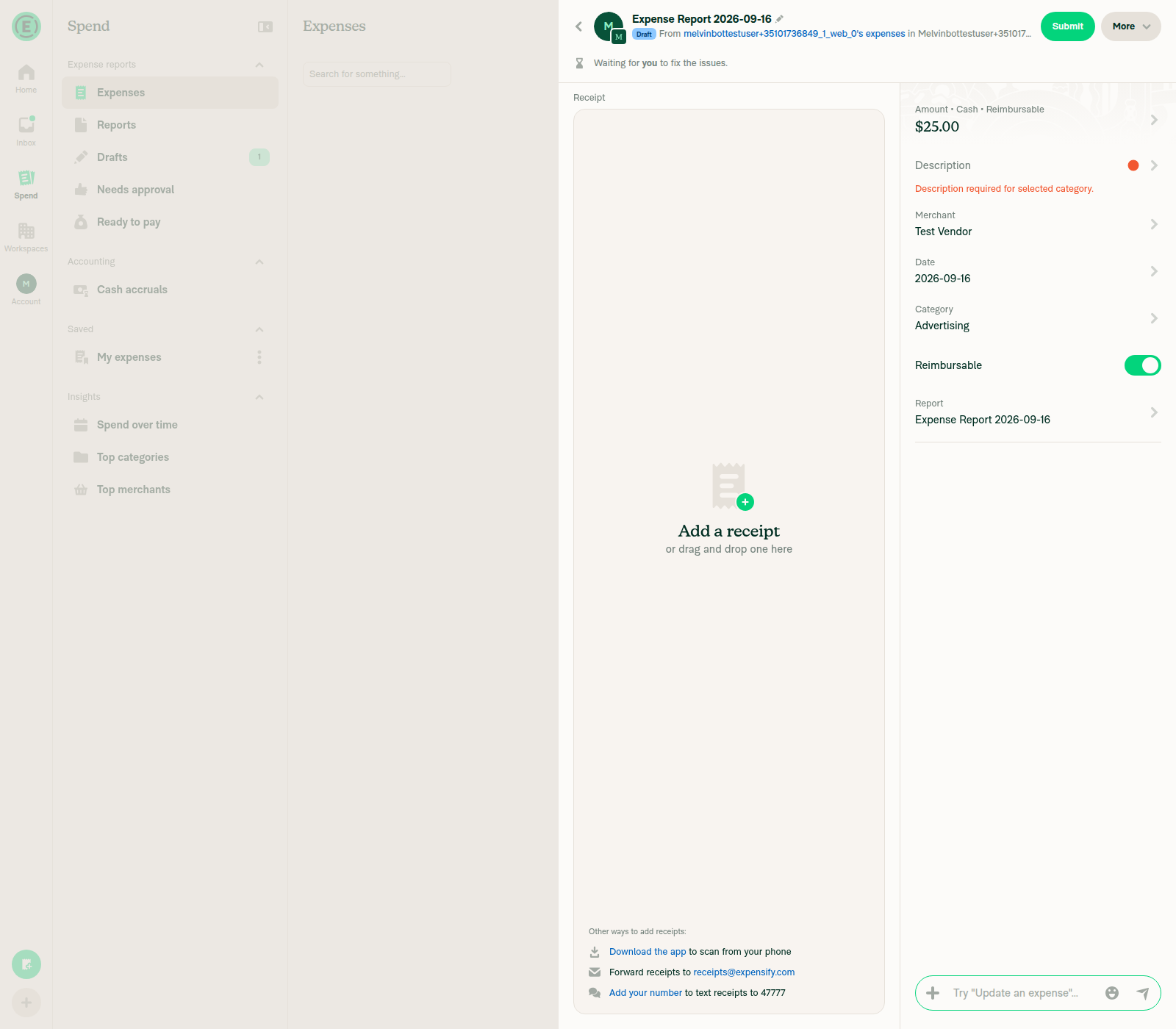
Description hint saved on Advertising category Require description rule listed under Category rules Hint text shown under Description after selecting Advertising category Confirmation screen flags Description as required Standalone Description step showing campaign-name hint

…n field

Co-authored-by: Olly <Ollyws@users.noreply.github.com>
@MelvinBot
MelvinBot requested a review from a team September 14, 2026 11:14
@melvin-bot melvin-bot Bot added Melvin-Test-Android Melvin-Test-Web Triggers Melvin to run the testing steps of the PR on web labels Sep 14, 2026
@MelvinBot

Copy link
Copy Markdown
Contributor Author

Ollyws — I created this PR from an upstream branch since I don't have push access to your fork.

To take ownership of this branch and be able to push updates, run:

git remote add upstream https://github.com/Expensify/App.git
git fetch upstream claude-descriptionHintOnExpenseCreation
git checkout -b claude-descriptionHintOnExpenseCreation upstream/claude-descriptionHintOnExpenseCreation
git push -u origin claude-descriptionHintOnExpenseCreation

Then you can close this PR and open a new one from your fork.

@MelvinBot

MelvinBot commented Sep 14, 2026

Copy link
Copy Markdown
Contributor Author

🤖 Web test steps verification results: ✅ pass

The Tests section of this PR is still a TODO, so I ran the documented steps from the linked issue #100527. All 7 steps passed on dev NewDot web: a category's description hint now shows on the expense description field during creation — both on the confirmation screen and on the standalone Description step — and it correctly disappears when a category without a hint is selected.

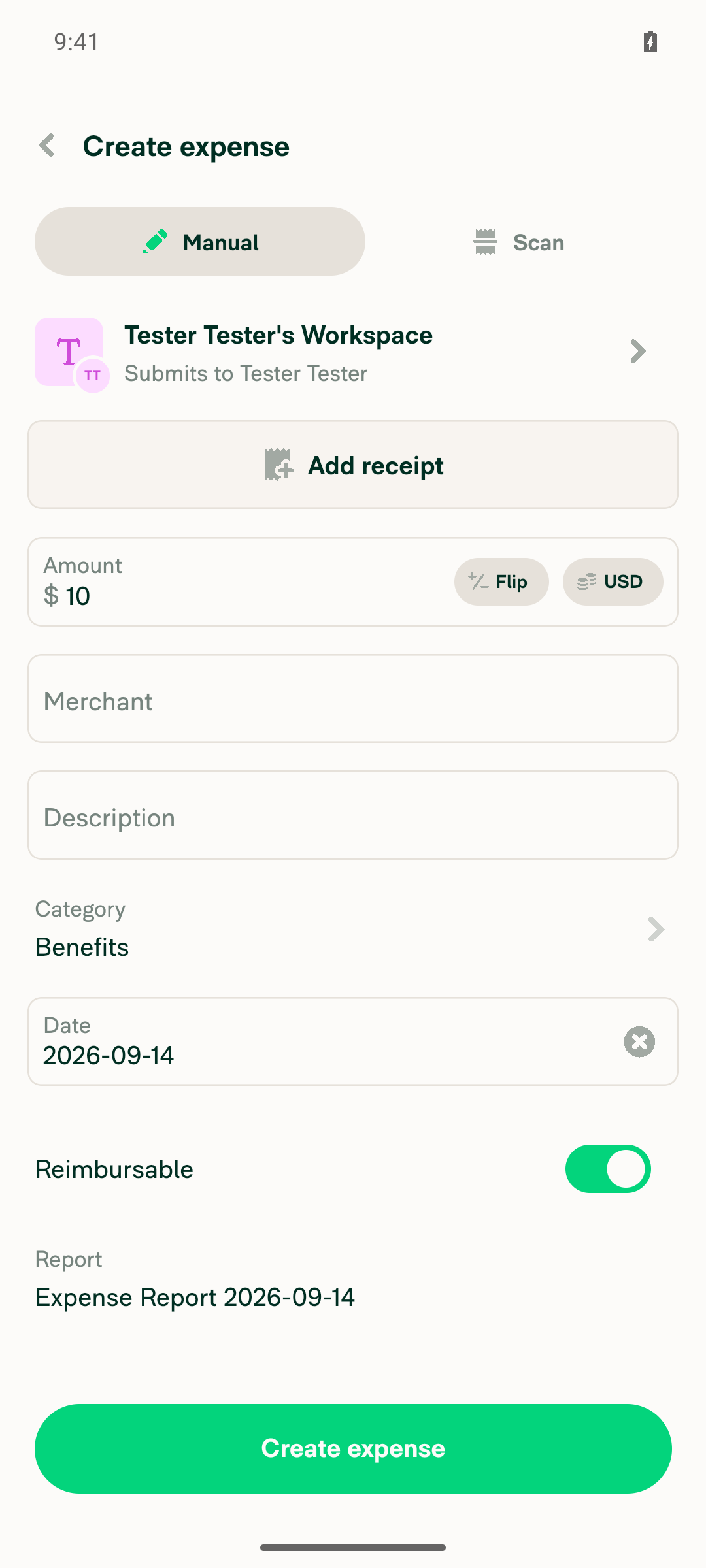
Creation confirmation screen with Benefits category, no hint shown

Step Status
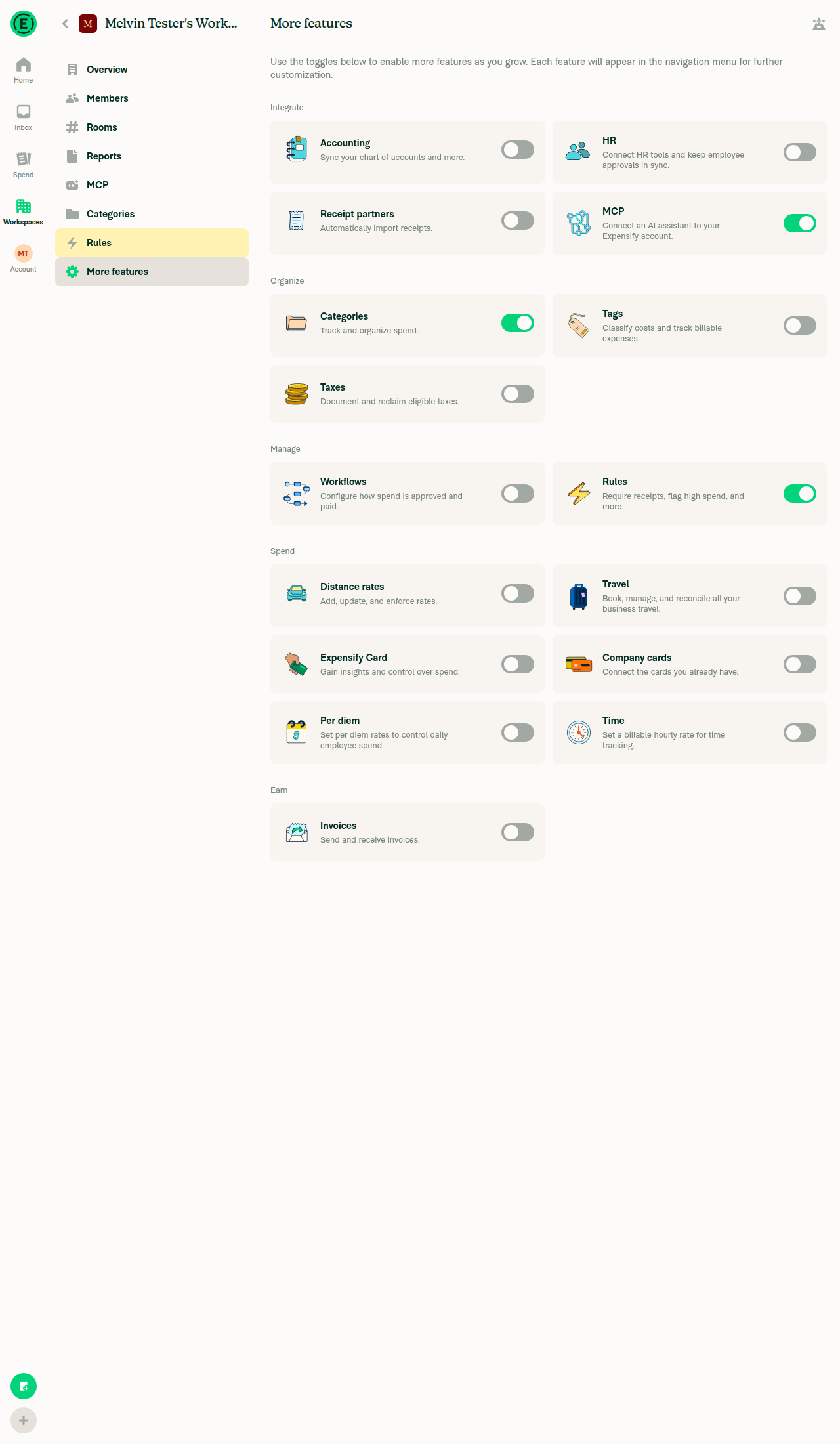
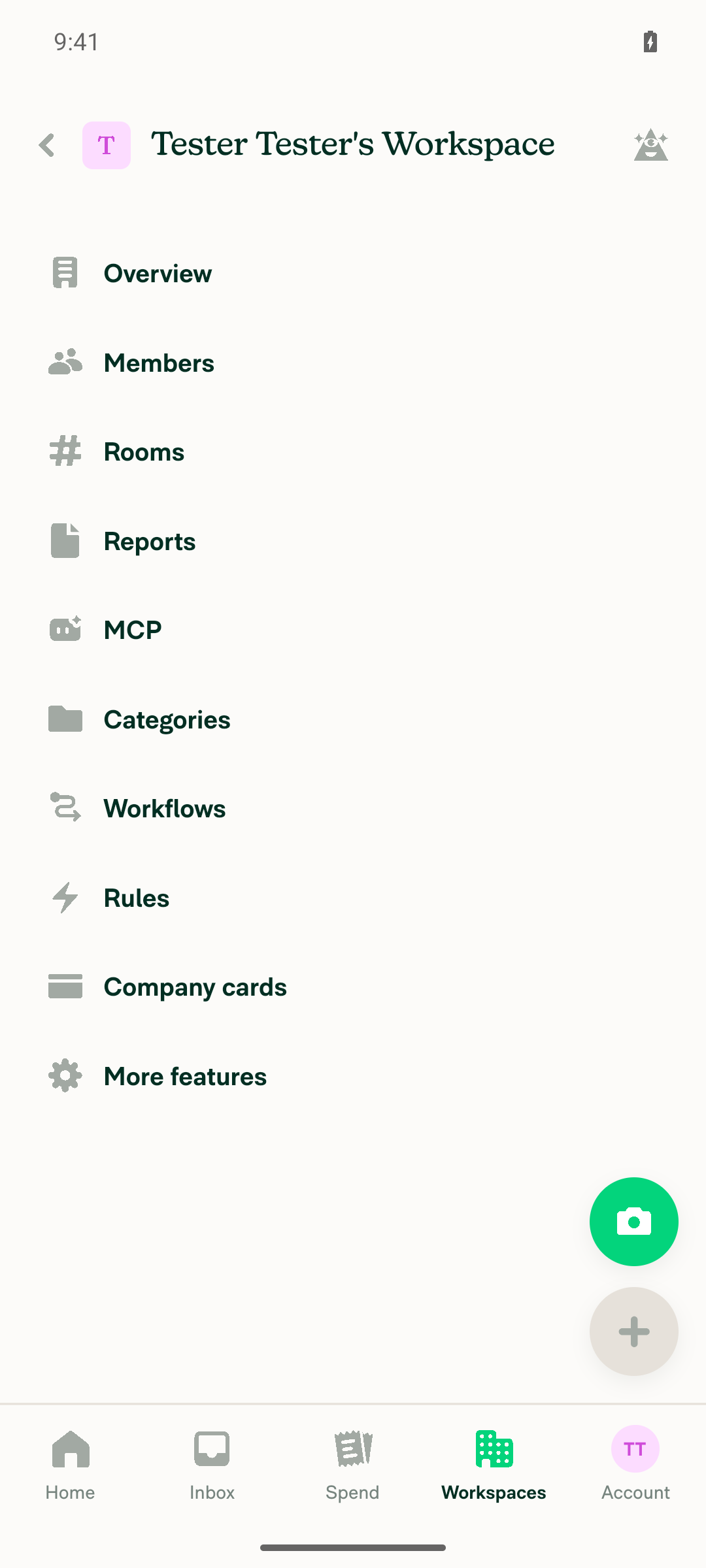
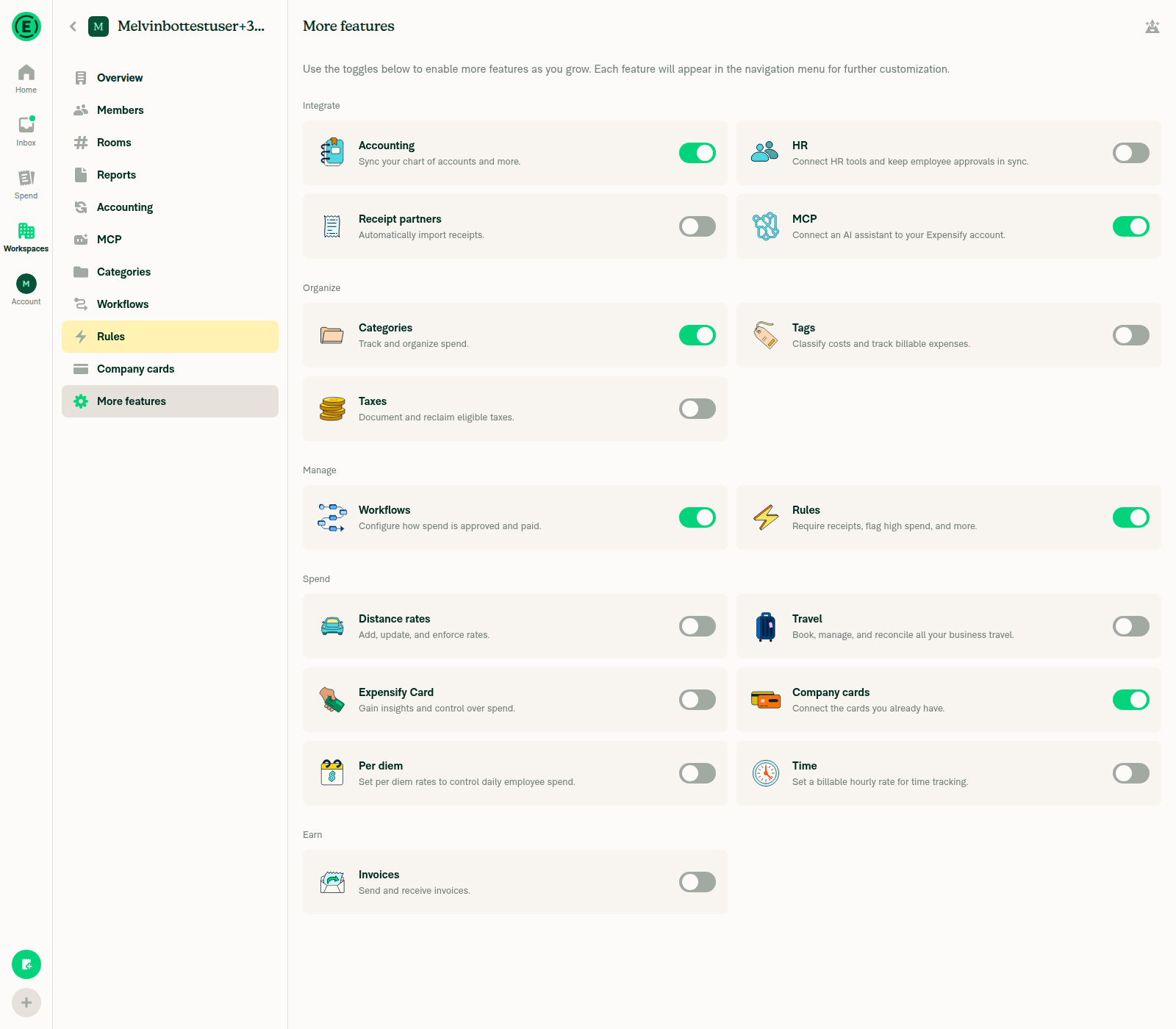
1. Enable Rules (More features > Rules) in Workspace settingsRules toggle switched to ON (green); "Rules" appeared as a new nav tab in the workspace settings sidebar.
Rules feature enabled in More features
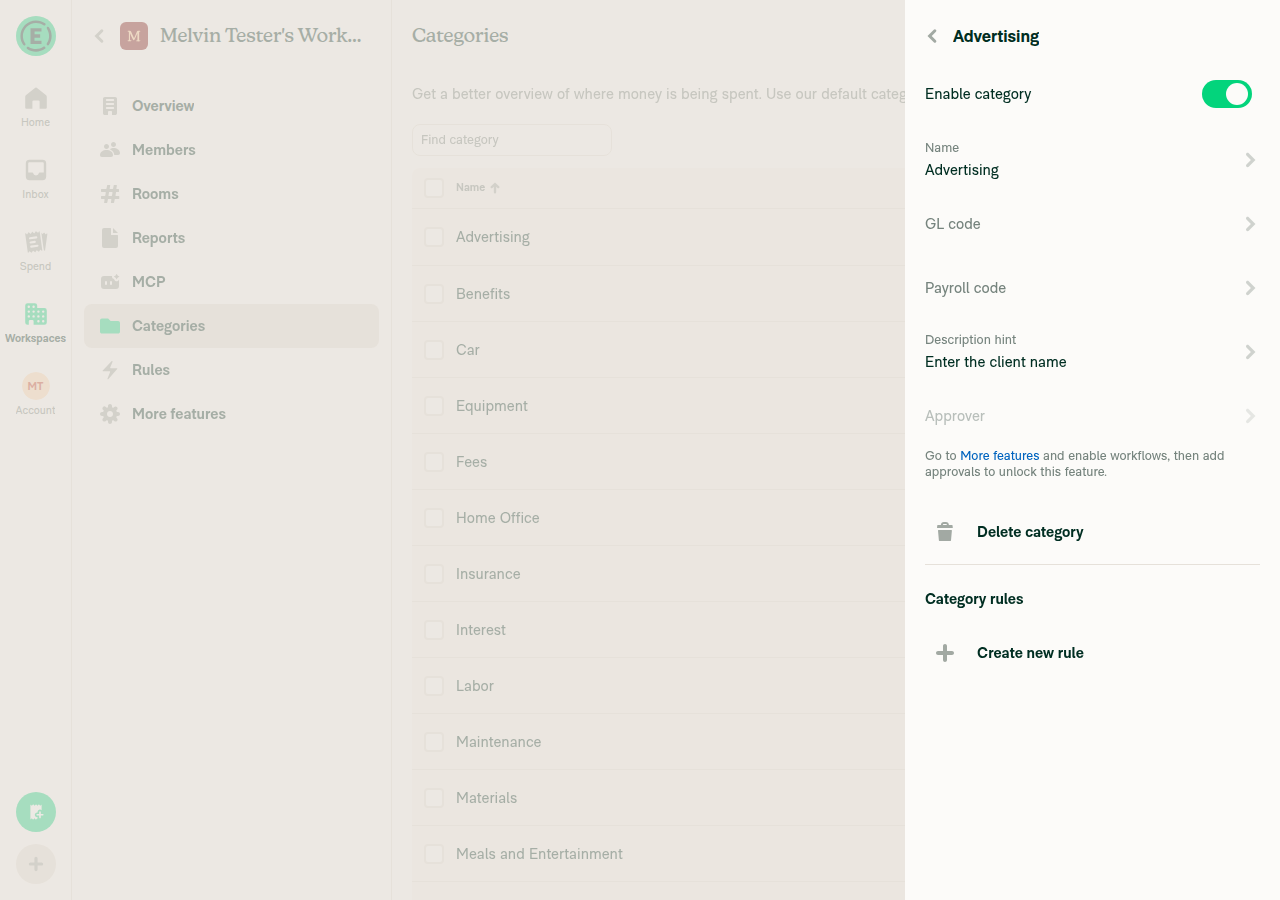
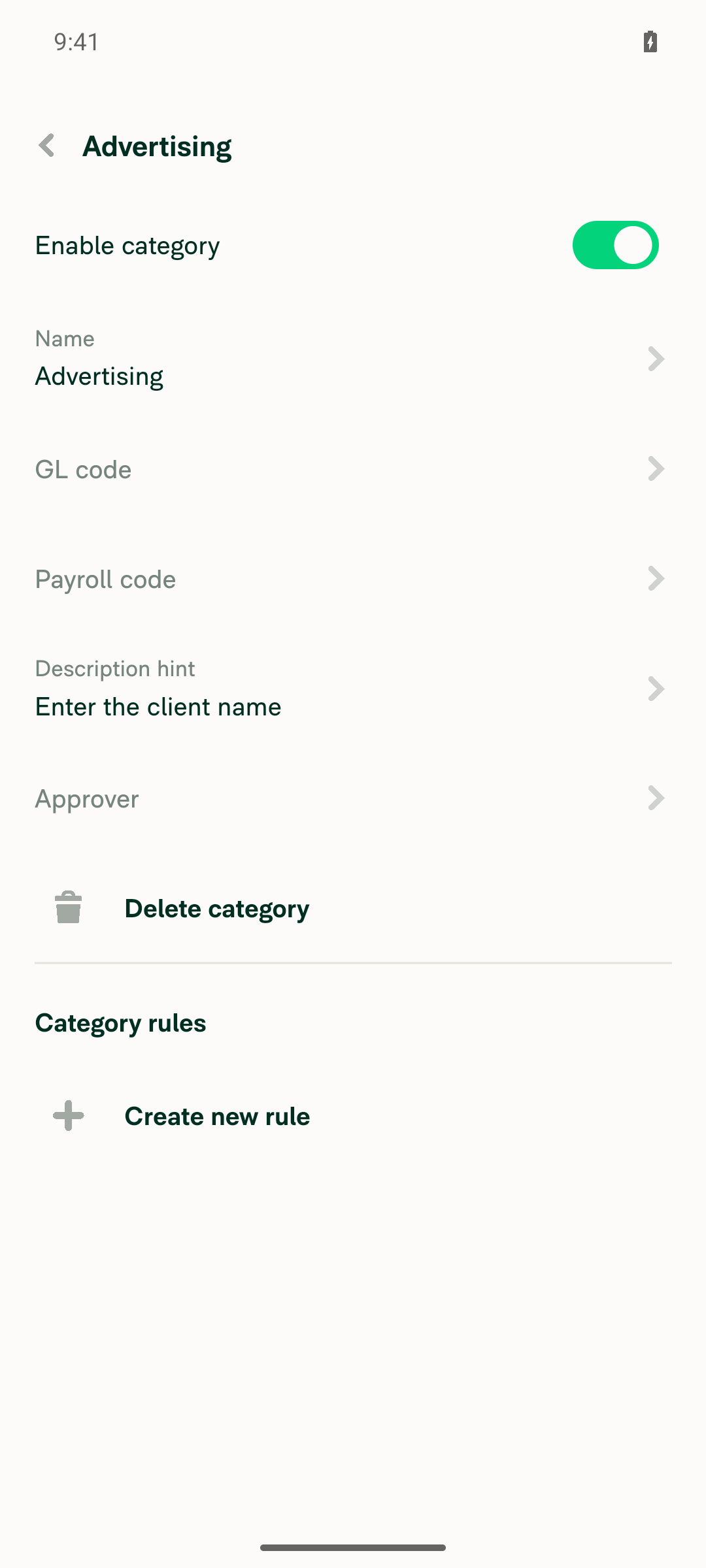
2. Workspace > Categories > Advertising > add a Description hint > SaveHint "Enter the client name" saved; the Advertising category page shows "Description hint: Enter the client name". Required upgrading the scratch workspace to the Control plan first, since Description hint is gated behind Control.
Advertising category page showing saved description hint
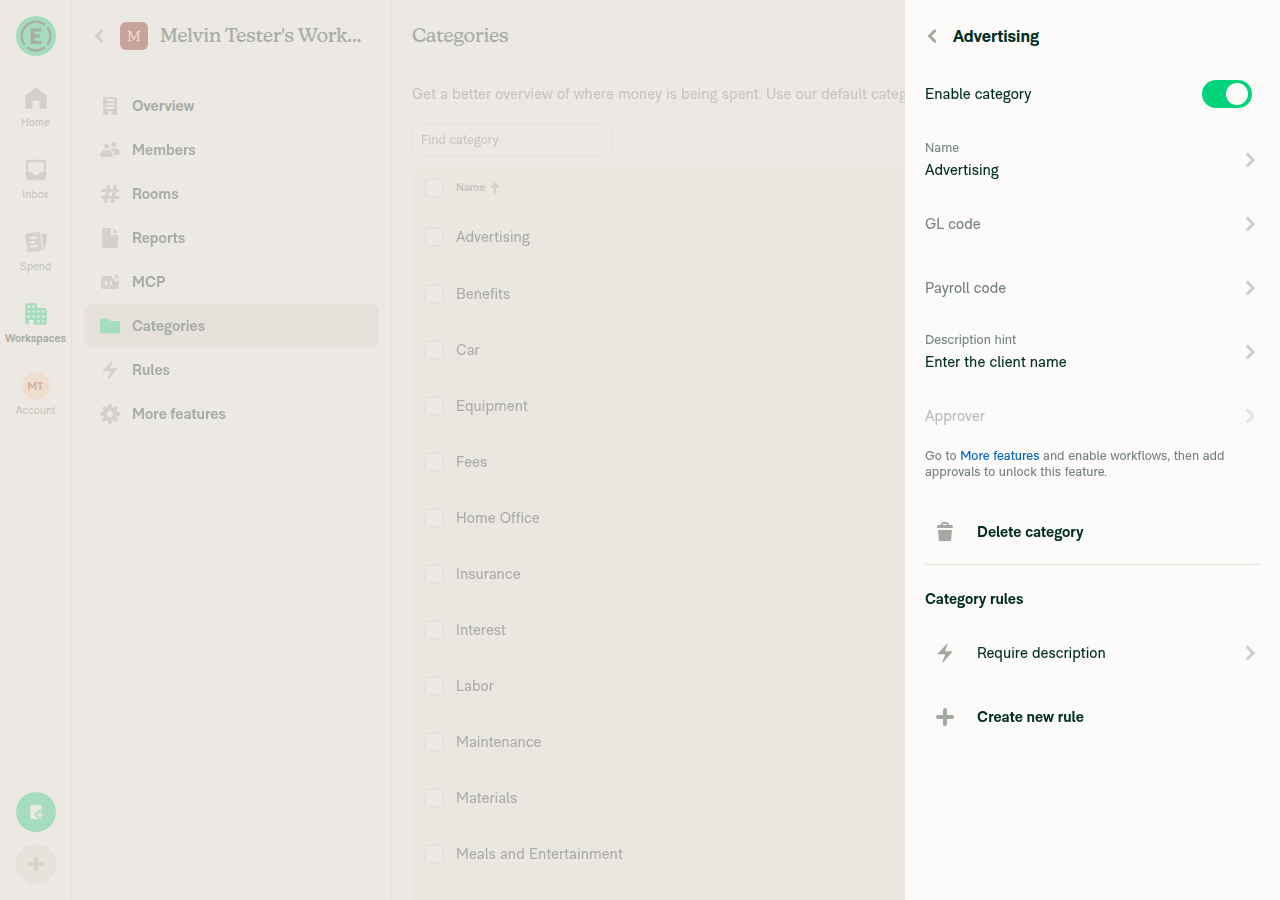
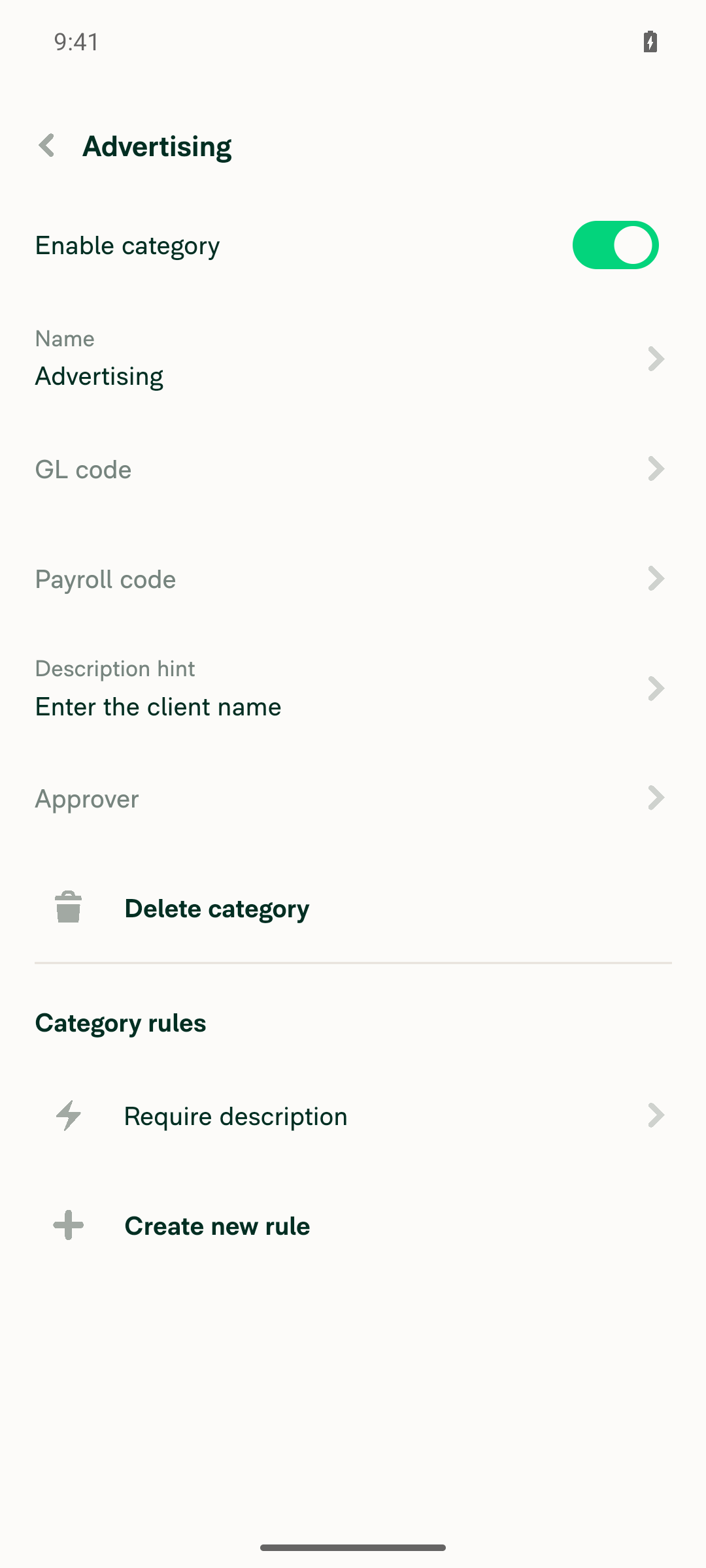
3. Required fields > enable Require descriptionSet via Category rules > Create new rule > Set field requirements. "Require description" now listed under Category rules on the Advertising category page.
Category rules showing Require description
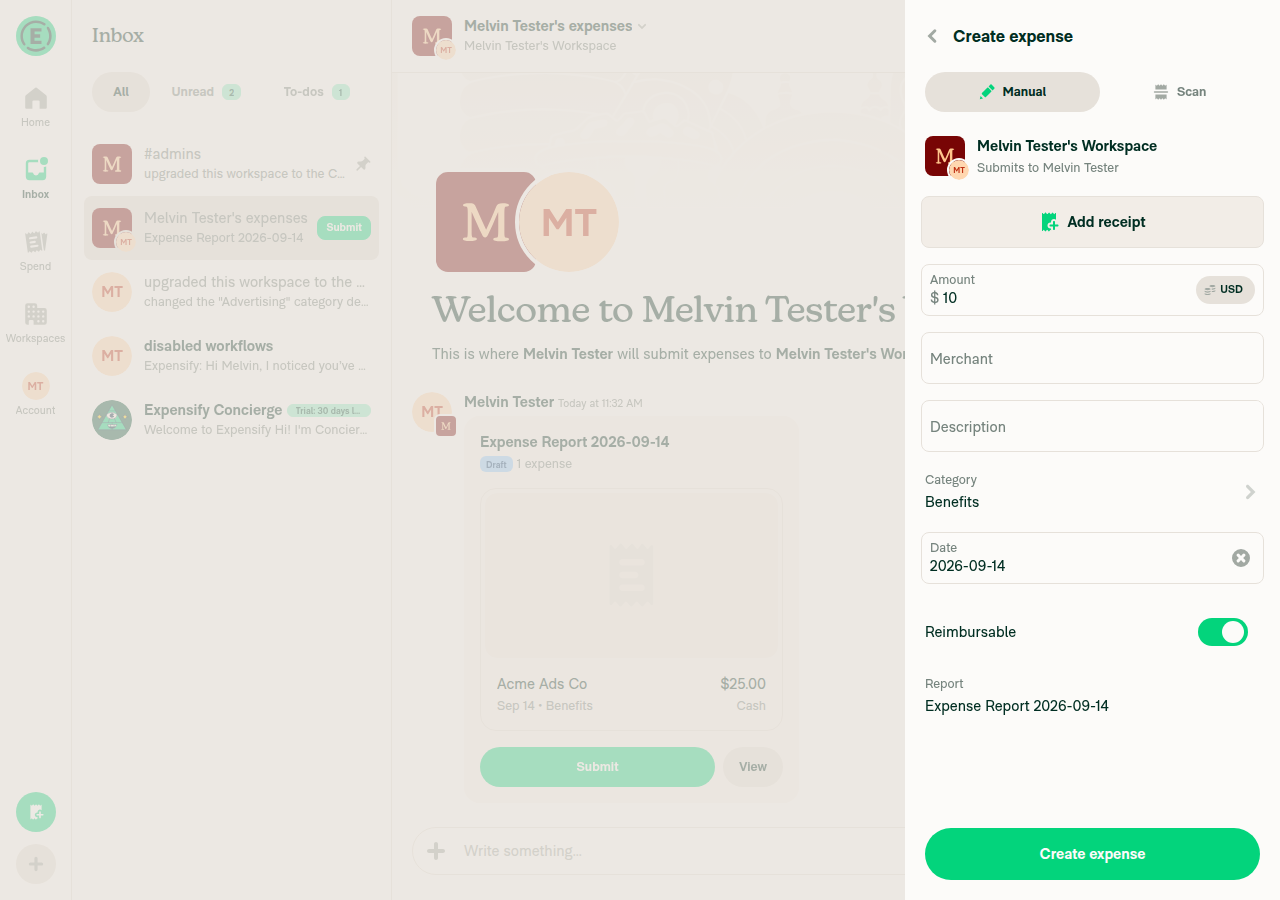
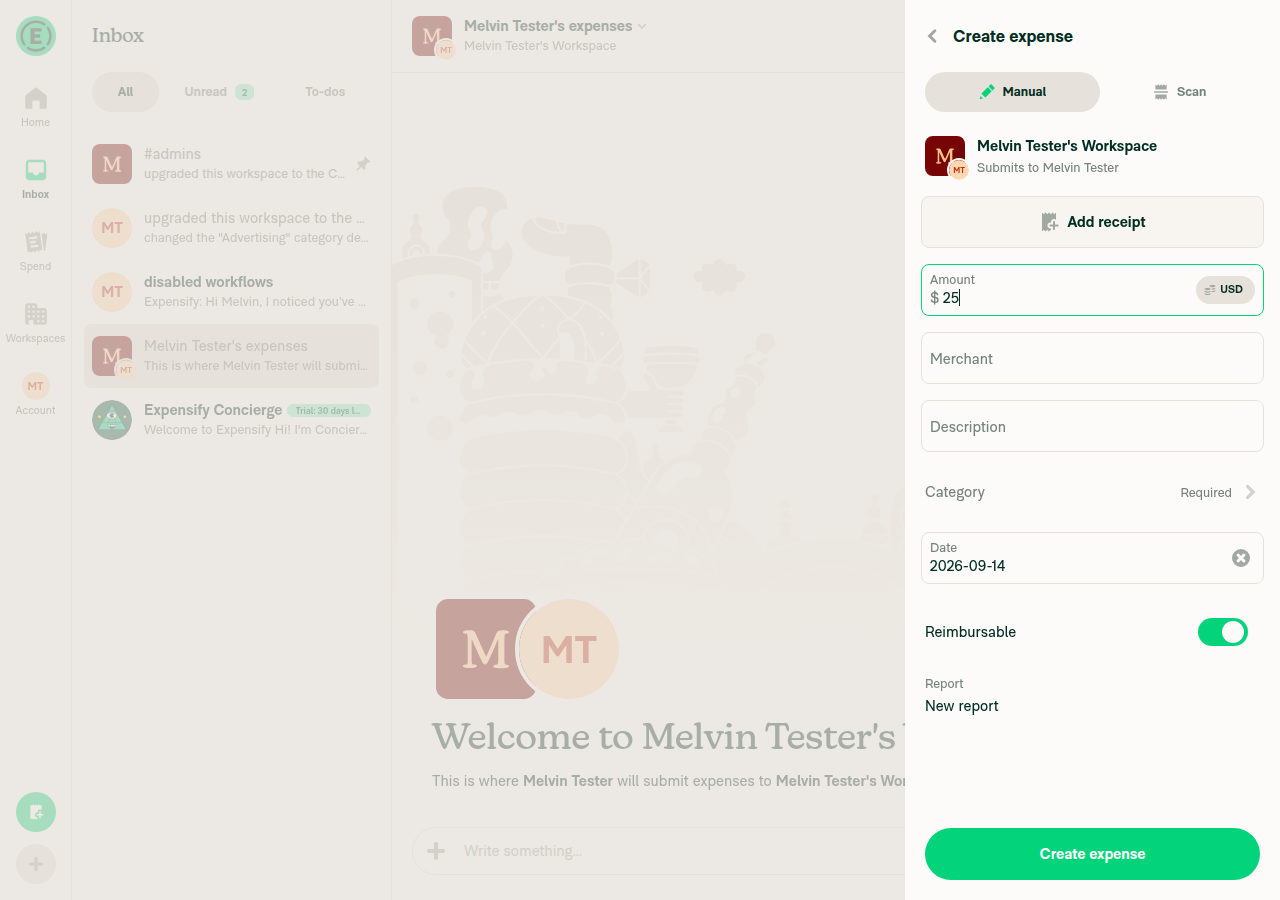
4. Start manual expense creation > enter AmountUsed + > Create expense > Manual in the workspace chat, entered $25, and reached the confirmation panel showing Merchant, Description, Category, Date.
Confirmation screen with amount entered
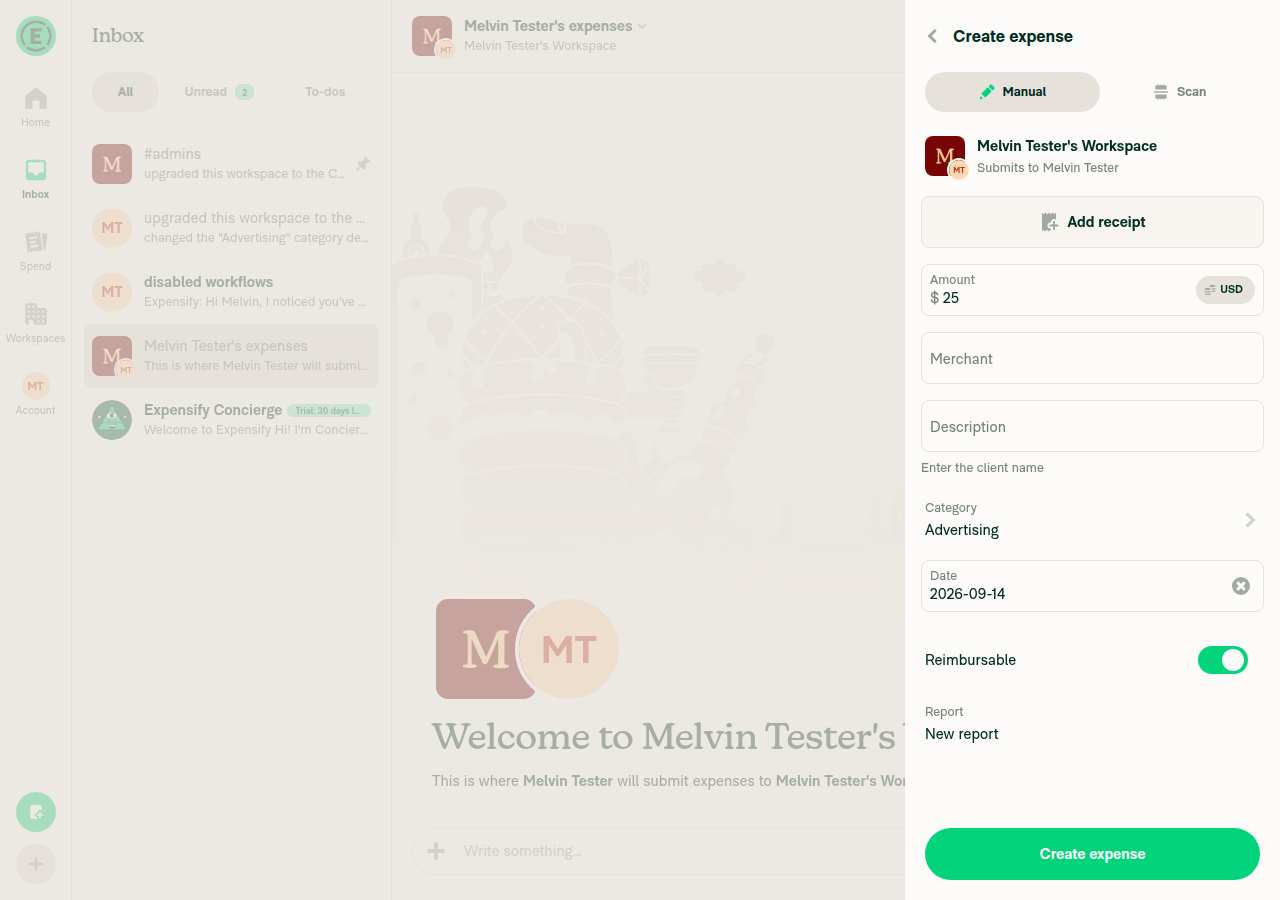
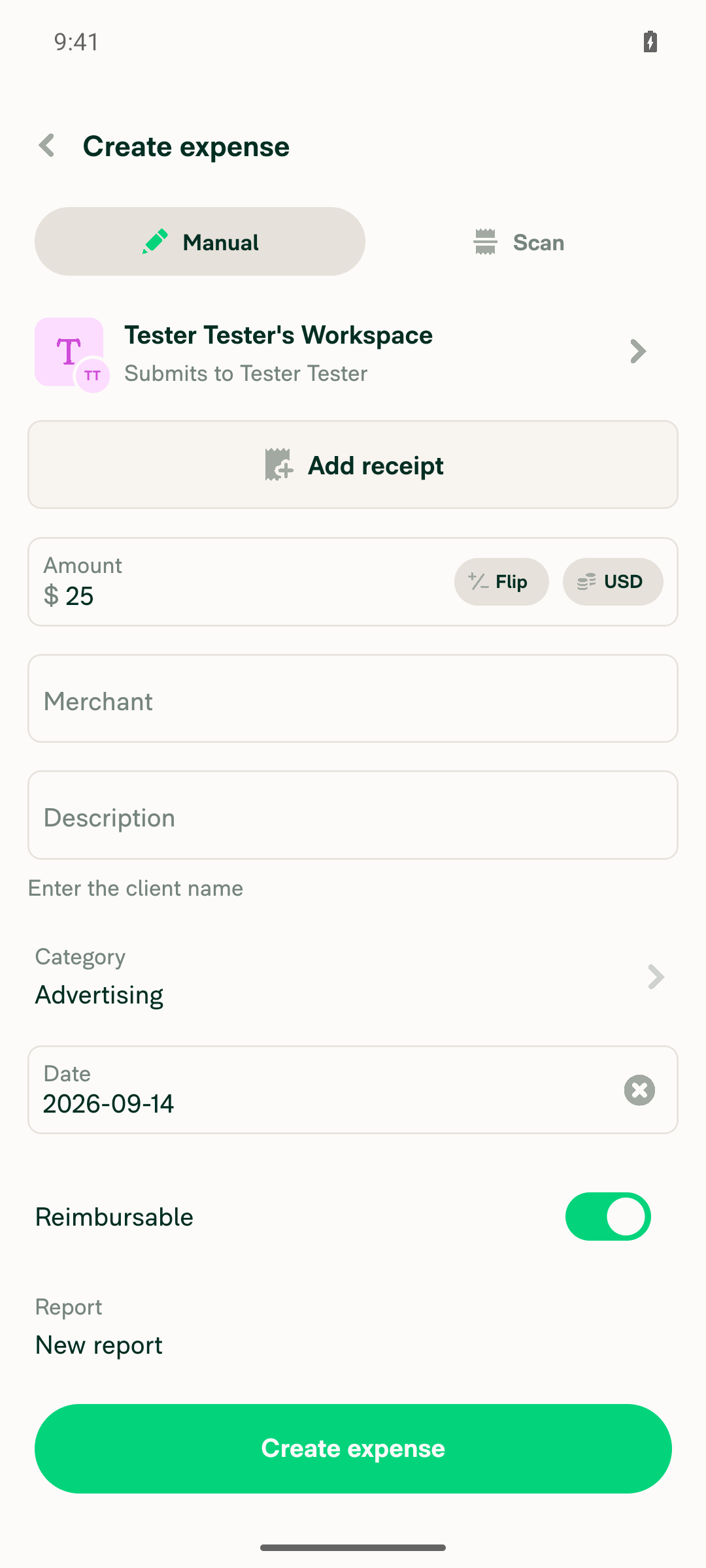
5. Choose Advertising as Category — hint shows under the description fieldAfter selecting Category = Advertising, the Description field on the confirmation screen displayed "Enter the client name" directly below the input. This is the core fix.
Confirmation screen showing category hint under description input
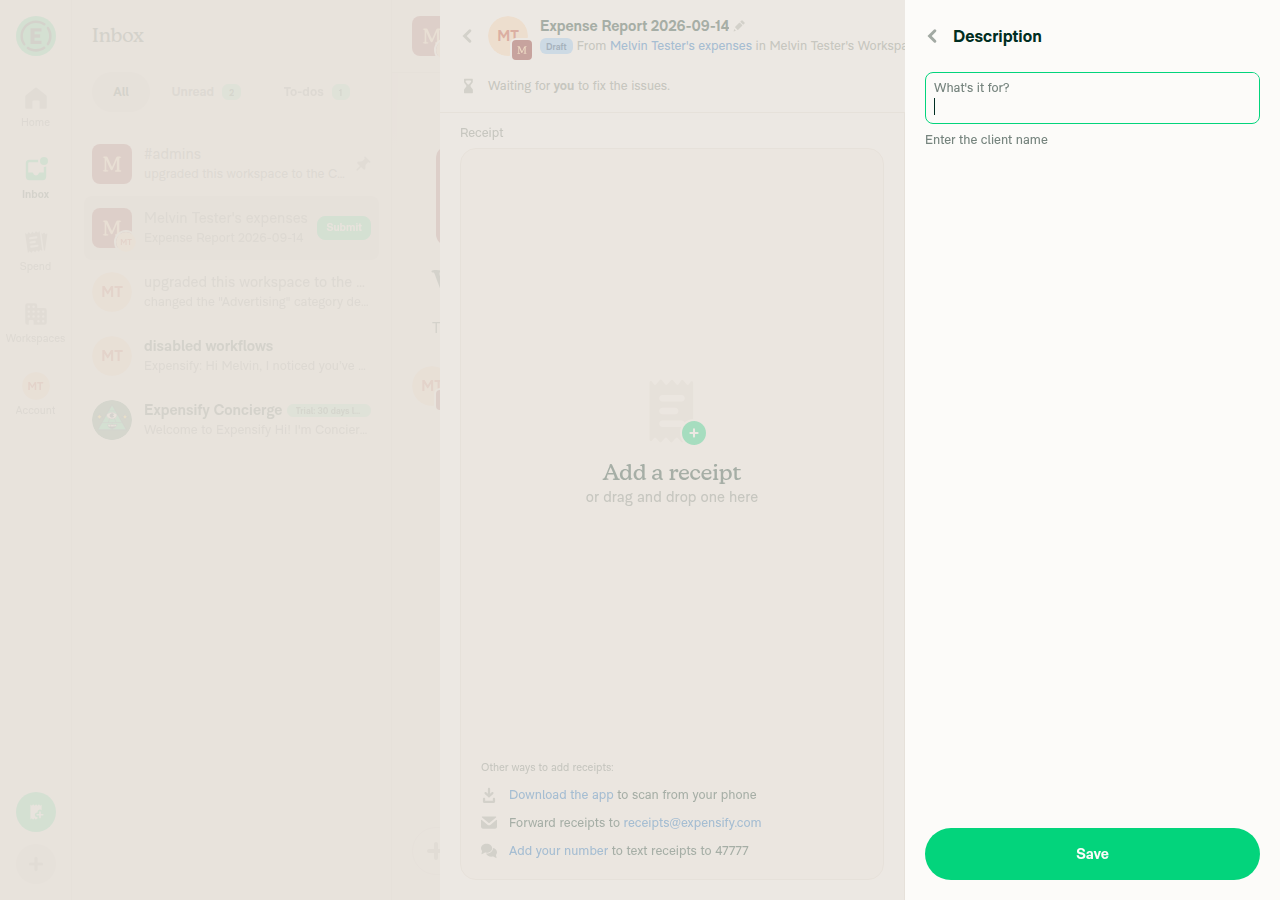
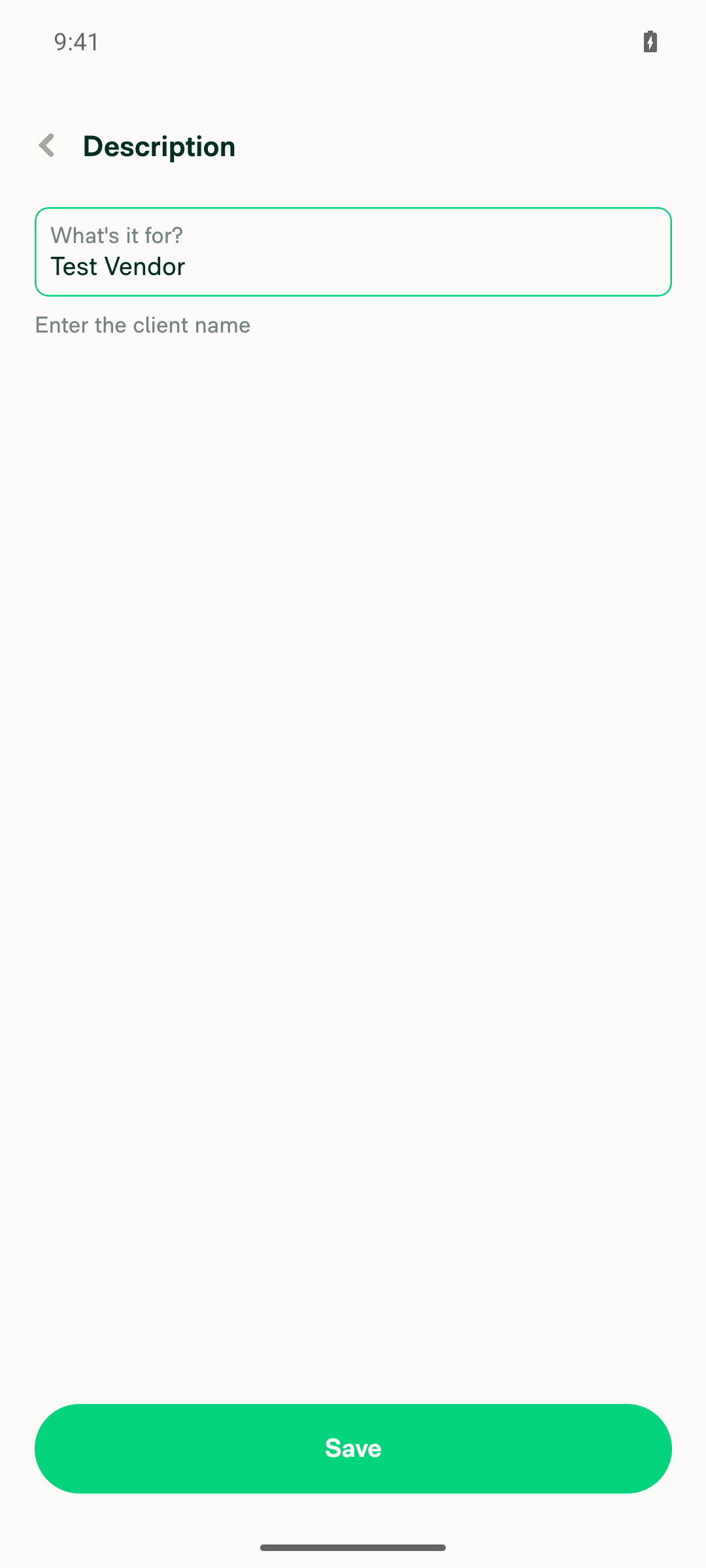
6. Open the standalone Description step — same hint showsOpened the Description row (flagged "Description required for selected category") to reach the dedicated Description page. The same "Enter the client name" hint appeared under the input.
Standalone Description step page showing the category hint
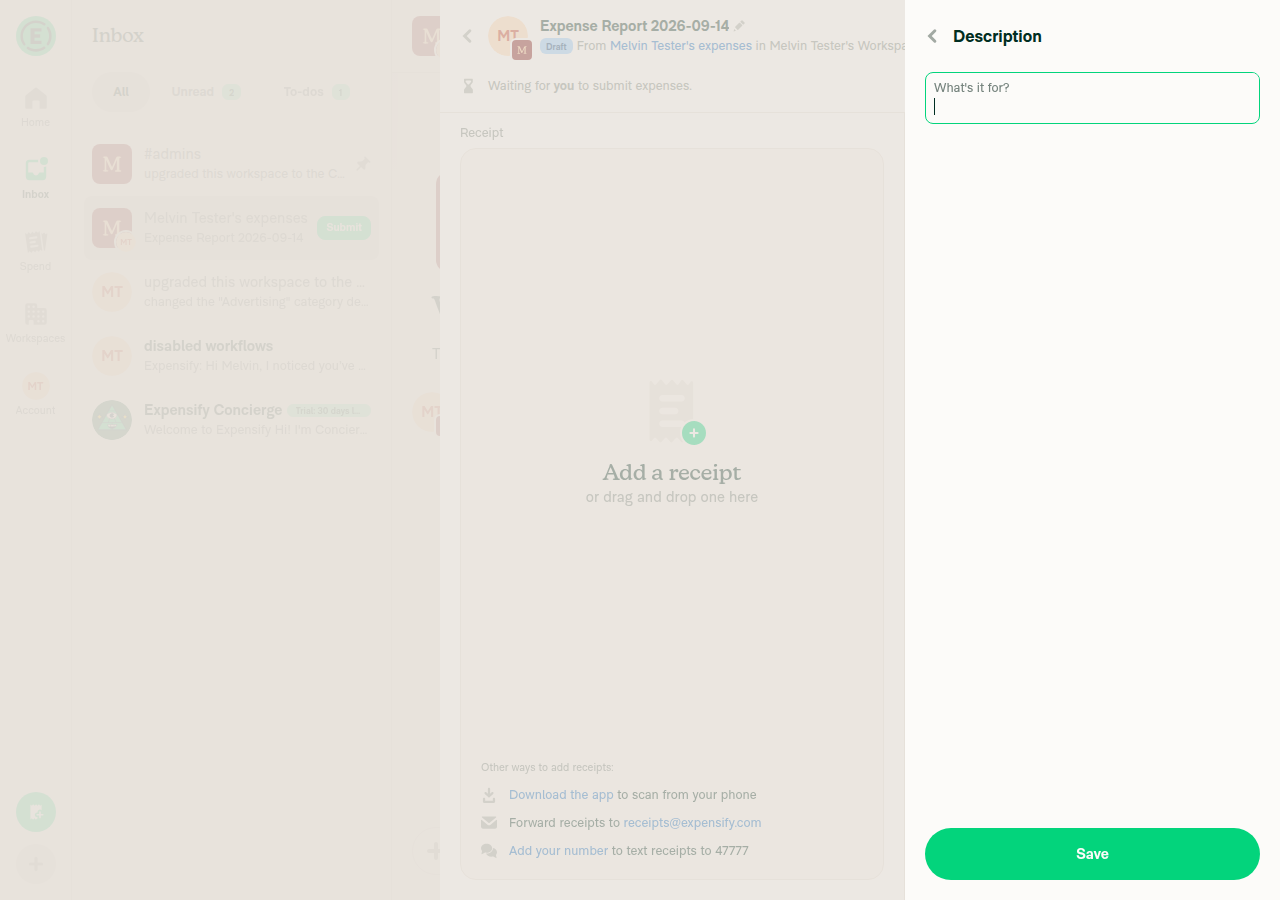
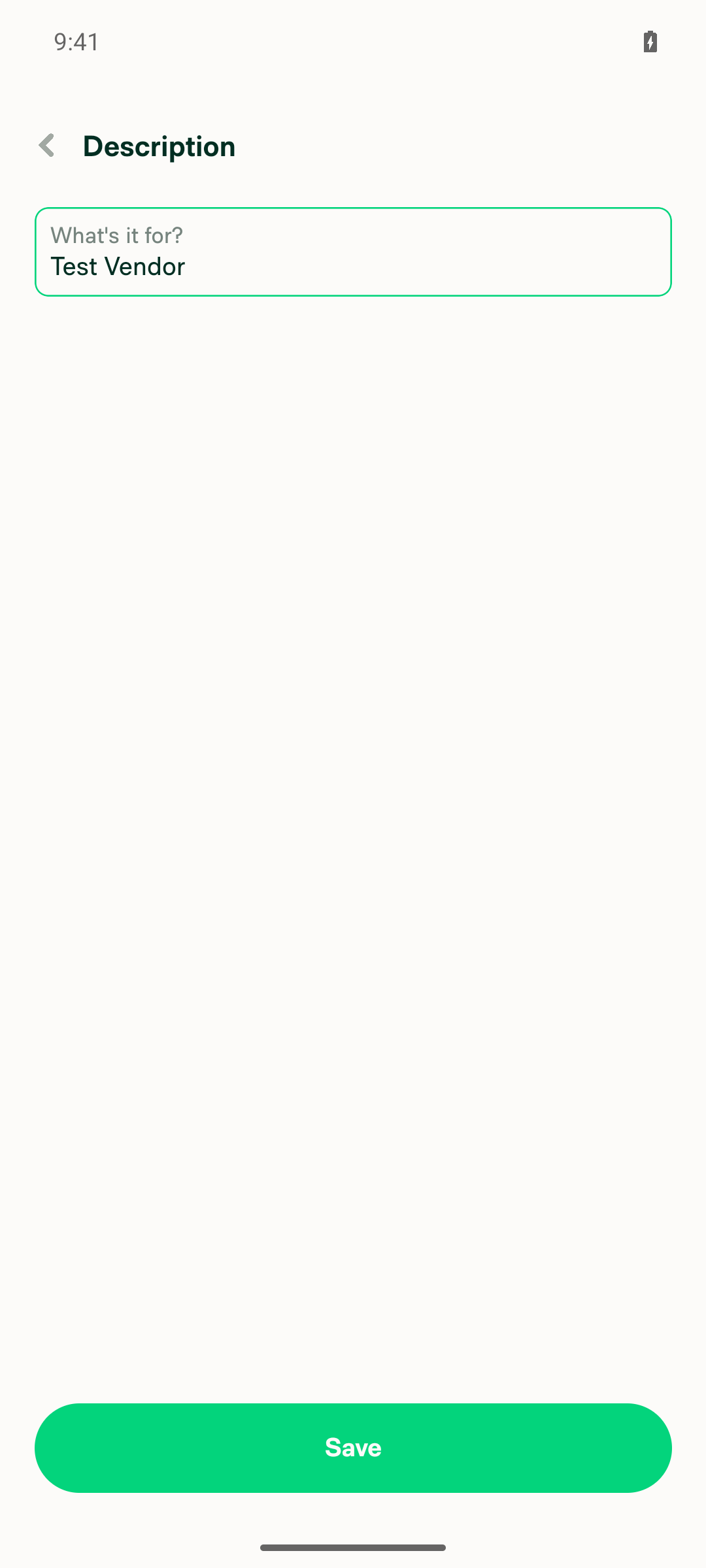
7. Switch to a category with no hint — hint is not stickyChanged the category to Benefits (no hint configured): the standalone Description step showed no hint text, and on a fresh creation confirmation panel the hint disappeared immediately when switching from Advertising to Benefits.
Standalone Description step with Benefits category, no hint shown
Creation confirmation screen with Benefits category, no hint shown

No console errors were observed during the run.


view run · no recording available

@MelvinBot

MelvinBot commented Sep 14, 2026

Copy link
Copy Markdown
Contributor Author

🤖 Android test steps verification results: ✅ pass

The Tests section of this PR is still a TODO, so I ran the documented steps from the linked issue #100527. All 7 steps passed on standalone Android NewDot: the category's description hint now shows on the expense creation confirmation screen and on the standalone Description step, and it correctly disappears when a category without a hint is selected.

Inline confirmation screen with Benefits category showing no hint

Step Status
1. Enable Rules (More features > Rules) in Workspace settingsToggled Rules under More features > Manage. The workspace upgraded from Collect to Control on toggle-on, since Rules requires Control. Rules now appears in the workspace's left nav.
Workspace nav showing Rules enabled
2. Workspace > Categories > Advertising > add a Description hint > SaveEntered "Enter the client name" and saved. The category settings page now shows "Description hint: Enter the client name".
Advertising category page showing saved description hint
3. Required fields > enable Require descriptionSet via Category rules > Create new rule > Set field requirements. The category page now lists "Require description" under Category rules.
Advertising category page showing Require description rule
4. Start manual expense creation > enter AmountFAB > Create expense > Manual on the workspace; entered the amount and landed on the confirmation screen. This app version combines amount entry and confirmation into a single "Create expense" screen, so no separate screenshot was taken for this step — see step 5.
5. Choose Advertising as Category — hint shows under the description fieldAfter selecting Category = Advertising, "Enter the client name" rendered directly beneath the (still empty) Description input on the confirmation screen. This is the core fix.
Confirmation screen showing description hint under Description field for Advertising category
6. Open the standalone Description step — same hint showsScope note: on this version the confirmation screen renders Description as an always-inline editable field, never a navigable row, so the standalone step isn't reachable pre-submission. I completed the expense, opened its detail view, and tapped the Description row to reach the standalone "Description" page ("What's it for?"), which showed the same "Enter the client name" hint under the input.
Standalone Description step showing the category hint
7. Switch to a category with no hint — hint is not stickyVerified in two places: on the standalone Description step, switching from Advertising to Benefits (no hint configured) removed the hint entirely; and on a fresh pre-submission confirmation screen, switching to Benefits immediately removed "Enter the client name" with no stale text left behind.
Standalone Description step with Benefits category showing no hint
Inline confirmation screen with Benefits category showing no hint

No console errors were observed during the run.


view run · no recording available

@trjExpensify

Copy link
Copy Markdown
Contributor

@Ollyws is this ready for review?

@Ollyws

Ollyws commented Sep 15, 2026

Copy link
Copy Markdown
Contributor

@trjExpensify not quite yet.

@Ollyws

Ollyws commented Sep 16, 2026

Copy link
Copy Markdown
Contributor

@MelvinBot add the following tests:

Precondition:

1. Enabled rules in Workspace

Steps:

1. Go to Workspace > Categories > Advertising
2. Add a Description Hint > Save
3. Go to Required fields > Enable Require description
4. Start manual Expense creation flow > Enter Amount
5. Choose Advertising as Category

@MelvinBot

Copy link
Copy Markdown
Contributor Author

🤖 Web test steps verification results: ✅ pass

Added your steps to the PR's Tests and QA Steps sections as Test 2 — Description hint shows alongside the "Require description" rule, and ran them on dev NewDot web first. All functional steps passed: with Require description enabled, the Advertising category's description hint still renders on the creation Description field, and description is still enforced as required. One precondition worth noting — Description hint and category-level Required fields rules are gated behind the Control plan, so the workspace needs to be on Control (not just Collect with Rules enabled) for these steps to be runnable. I added that to the test steps.

Standalone Description step showing campaign-name hint

Step Status
Enable Rules under More features; open Workspace > Categories > AdvertisingMore features > Rules toggle turned on and appeared in the left nav; the Advertising category detail page was reached. Required upgrading the trial workspace to the Control plan via the in-app free-trial Upgrade button (no payment).
Rules feature enabled in More features
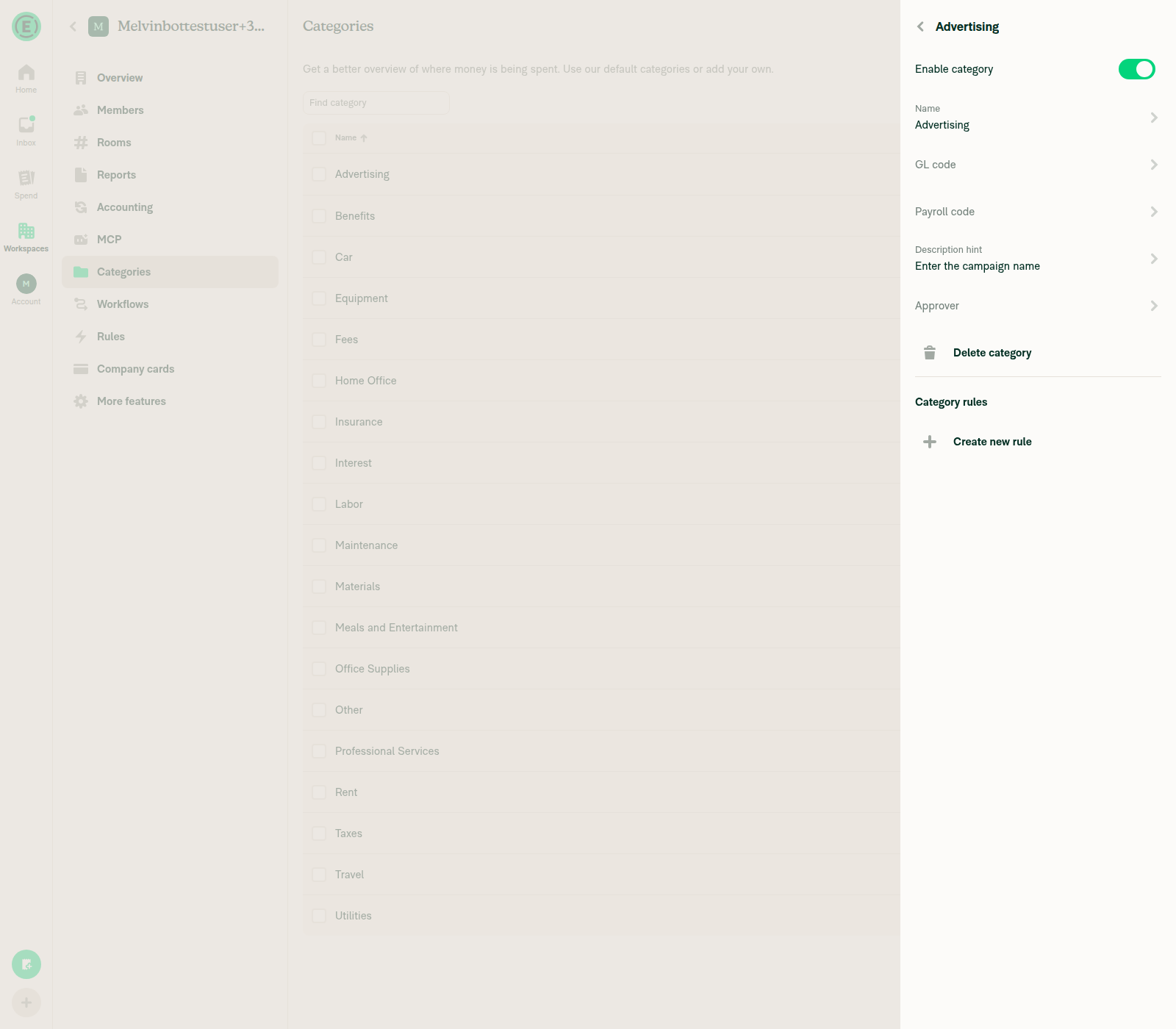
Add Description hint "Enter the campaign name" > Save, and confirm it persistsCategory detail page shows "Description hint / Enter the campaign name" after saving and re-navigating.
Description hint saved on Advertising category
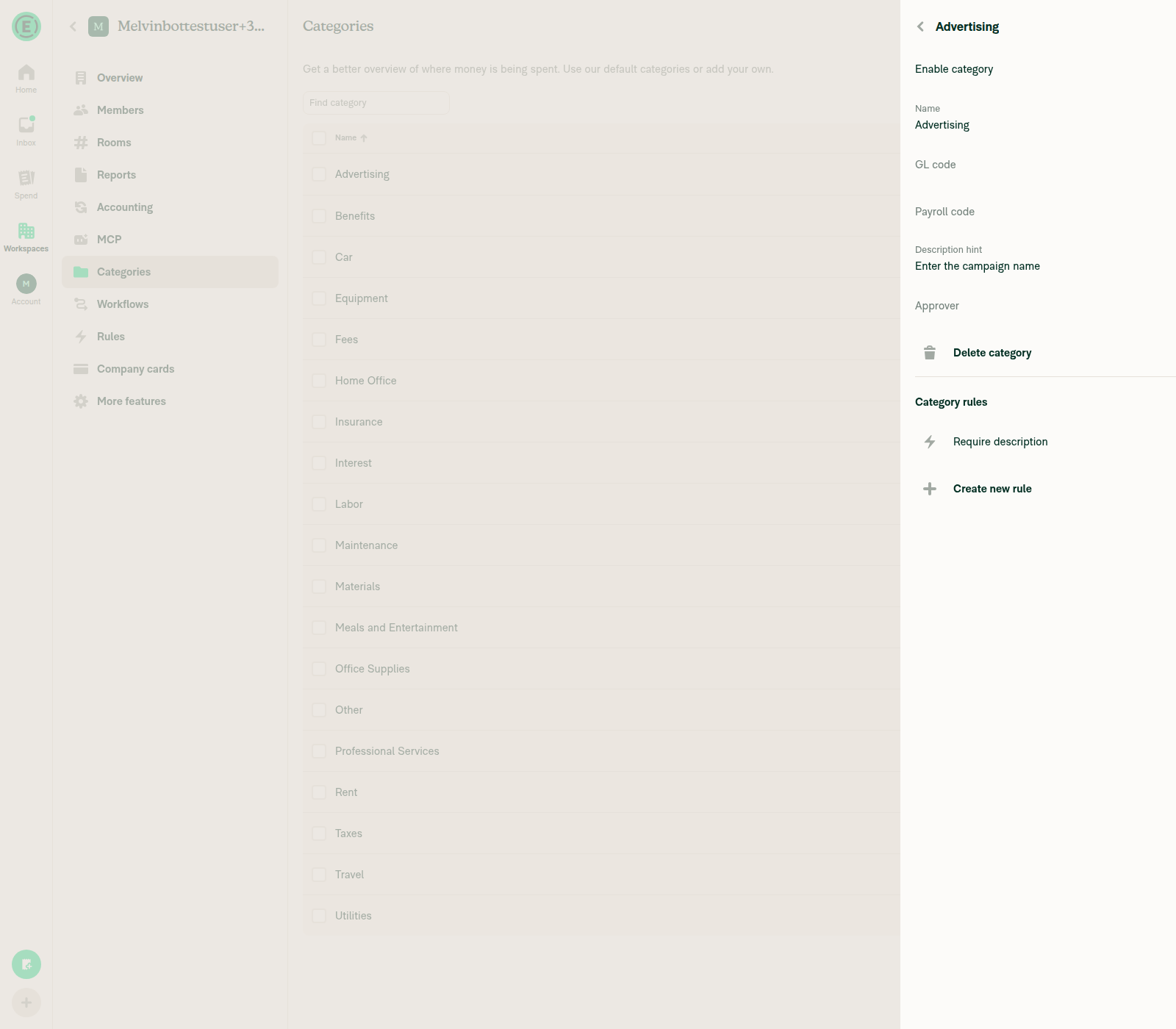
Go to Required fields > enable Require description, and confirm it stays onCreated a "Set field requirements" rule, toggled Description → Require, saved. The category page then lists "Require description" under Category rules.
Require description rule listed under Category rules
Start manual Expense creation flow > Enter AmountFAB > Create expense > Manual accepted amount 25 and it carried through to the confirmation form (Merchant, Description, Category, Date).
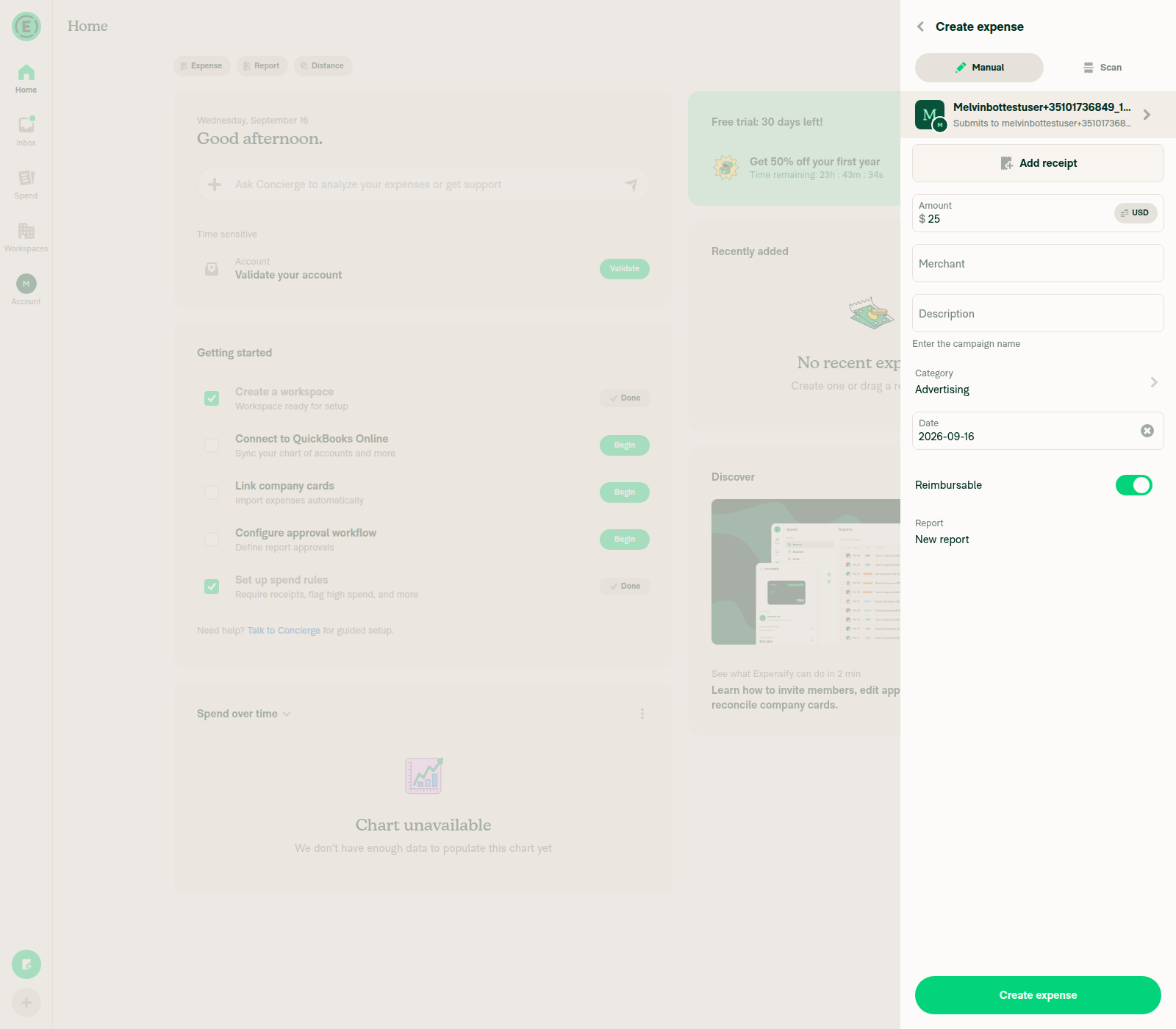
Choose Advertising as Category — hint shows and description is still requiredAfter selecting Category "Advertising" the Description field showed the helper text "Enter the campaign name". Leaving description empty flagged "Description required for selected category." on the Expenses list and as a red-dot required indicator on the report confirmation screen.
Hint text shown under Description after selecting Advertising category
Confirmation screen flags Description as required
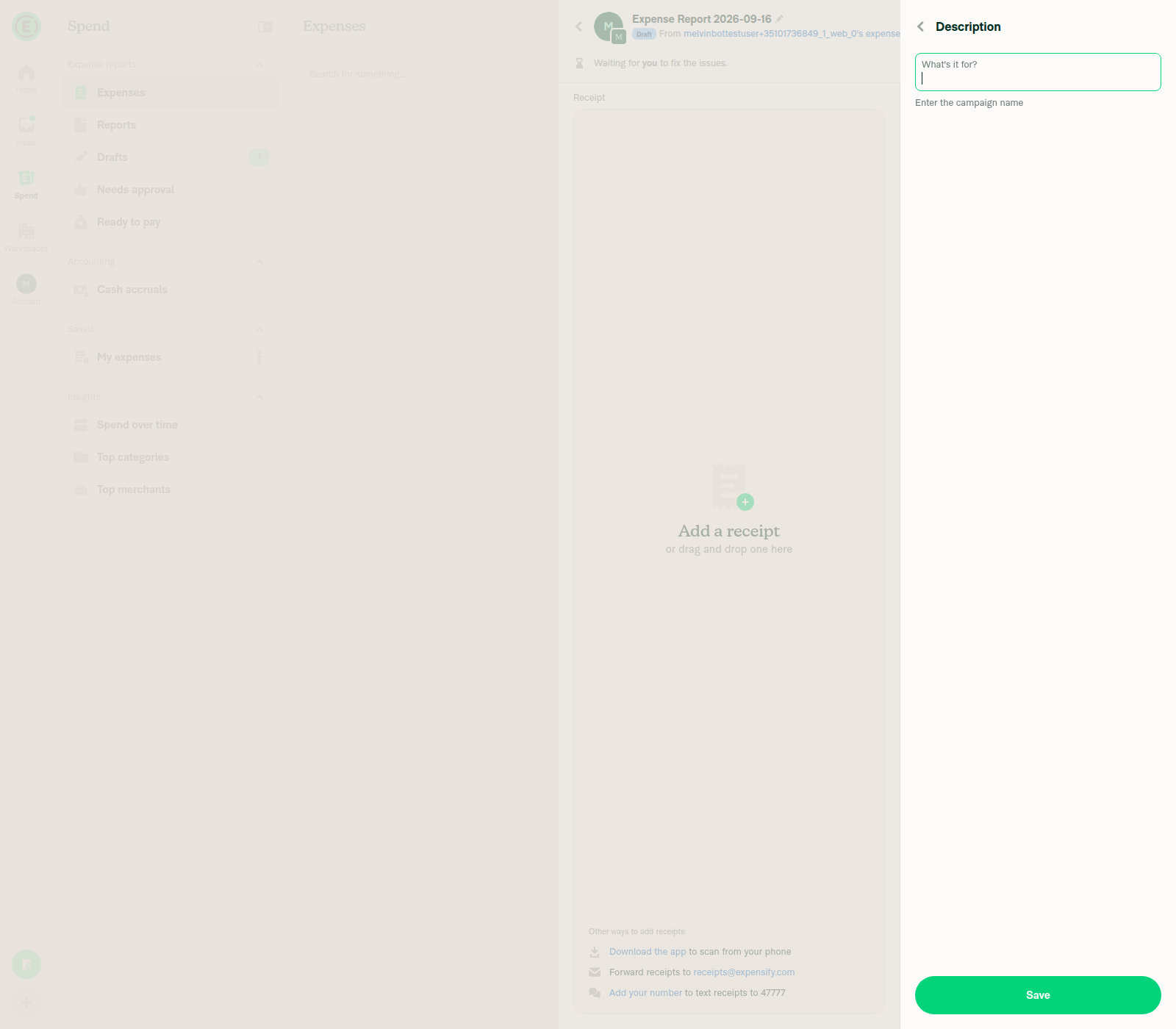
Standalone Description step shows the same hintOpening the Description field from the confirmation screen showed the "What's it for?" input with "Enter the campaign name" beneath it, matching the category's configured hint.
Standalone Description step showing campaign-name hint
No JS console errors during the flowNot verifiable in this session — the web driver has no console/log capture available. No error dialogs, crash screens, or broken UI states were observed at any point in the drive, but the console itself was not read.
⚠️

@Ollyws

Ollyws commented Sep 16, 2026

Copy link
Copy Markdown
Contributor

@MelvinBot add markdown support as we have in https://github.com/Expensify/App/blob/main/src/pages/workspace/categories/DynamicCategoryDescriptionHintPage.tsx

@MelvinBot

Copy link
Copy Markdown
Contributor Author

Markdown in the hint already renders on both creation-flow spots — so there's nothing to port from the hint page's display path, and I don't want to guess at a change you didn't mean. Can you confirm which of the three real gaps below you're after?

Why markdown already works. The hint page stores the admin's markdown as HTML, not as markdown source — DynamicCategoryDescriptionHintPage.tsx:74 runs getParsedComment(commentHint) before saving. Both places that show the hint pass shouldRenderHintAsHTML, which routes the value through FormHelpMessage's RenderHTML branch instead of a plain <Text>, so <strong>, <em> and <a href> come out styled:

The type="markdown" / excludedMarkdownStyles props on the hint page only style the editable input the admin types into (useMarkdownStyle) — they have no effect on a rendered hint, and the description inputs already set both.

The three gaps I did find — which one did you mean?

  1. The read-only row shows no hint at all. DescriptionField.tsx:130-151 passes no hint to MenuItemWithTopDescription. MenuItem does support it via hintText + shouldRenderHintAsHTML (MenuItem.tsx:1218-1225) and reuses the same HTML branch, so it's a two-prop change. The PR description currently calls this out as a deliberate product/design decision rather than a bug fix.
  2. A required-field error hides the hint. index.tsx:335 is errorText || hint, and line 615 gates the HTML branch on !errorText. That's exactly the Test 2 scenario you asked for earlier — with Require description on and the field empty, the category hint disappears behind the error. Pre-existing shared behaviour, but it's the one case where the hint genuinely doesn't show.
  3. No markdown test coverage. DescriptionField.test.tsx:35 uses a plain-text commentHint: 'Client name' and mocks TextInput down to {hint ? <Text>{hint}</Text> : null}, so it asserts nothing about HTML and would pass even if the render path broke.

Say the word on any of these and I'll implement it. If you were seeing literal *asterisks* or raw <em> tags on screen, tell me which screen — that would be a real bug and it contradicts the trace above, so I'd want to chase it rather than assume.

What I couldn't verify this run

I wrote the markdown regression test for gap 3 but didn't push it: npm/jest are unavailable in this run, so I couldn't execute it, and I'd rather not add an unrun test to your PR. I also couldn't get browser evidence — the web session was handed over mid-onboarding and the page rendered zero accessibility nodes (dev server itself was healthy), so that's an infra failure, not a PR failure. The markdown conclusion above is from a source trace, not a screenshot.

@Ollyws

Ollyws commented Sep 16, 2026

Copy link
Copy Markdown
Contributor

@MelvinBot mark as ready to review.

@MelvinBot
MelvinBot marked this pull request as ready for review September 16, 2026 21:00
@MelvinBot
MelvinBot requested a review from a team as a code owner September 16, 2026 21:00
@melvin-bot
melvin-bot Bot requested review from Ollyws and removed request for a team September 16, 2026 21:00
@melvin-bot

melvin-bot Bot commented Sep 16, 2026

Copy link
Copy Markdown

@Ollyws Please copy/paste the Reviewer Checklist from here into a new comment on this PR and complete it. If you have the K2 extension, you can simply click: [this button]

@melvin-bot
melvin-bot Bot requested review from a team and dylanexpensify and removed request for a team September 16, 2026 21:00
@MelvinBot

Copy link
Copy Markdown
Contributor Author

Done — this PR is out of draft and ready for review. PullerBear and Product-PR are on it as reviewers, so PullerBear will assign the engineering reviewer.

Two things left for you:

  • PR Author Checklist is still fully unchecked, so the PR Author Checklist / checklist check will fail until you fill it in. I won't check those boxes on your behalf — they're author/QA confirmations.
  • Screenshots/Videos: only MacOS: Chrome / Safari has evidence. The Android/iOS sections are still empty.

Every other check on the branch passes. The only failure is Check independent approval, which is expected until a reviewer approves.

I also read your "mark as ready" as closing out the markdown question from my last comment — I made no code change for it. If you did want one of the three gaps I listed there (hint on the read-only row, hint hidden behind the required-field error, or a markdown regression test), say which and I'll push it.


view run

Comment thread src/pages/iou/request/step/DynamicIOURequestStepDescription.tsx Outdated
@Ollyws

Ollyws commented Sep 16, 2026

Copy link
Copy Markdown
Contributor

Reviewer Checklist

  • I have verified the author checklist is complete (all boxes are checked off).
  • I verified the correct issue is linked in the ### Fixed Issues section above
  • I verified testing steps are clear and they cover the changes made in this PR
    • I verified the steps for local testing are in the Tests section
    • I verified the steps for Staging and/or Production testing are in the QA steps section
    • I verified the steps cover any possible failure scenarios (i.e. verify an input displays the correct error message if the entered data is not correct)
    • I turned off my network connection and tested it while offline to ensure it matches the expected behavior (i.e. verify the default avatar icon is displayed if app is offline)
  • I checked that screenshots or videos are included for tests on all platforms
  • I included screenshots or videos for tests on all platforms
  • I verified that the composer does not automatically focus or open the keyboard on mobile unless explicitly intended. This includes checking that returning the app from the background does not unexpectedly open the keyboard.
  • I verified tests pass on all platforms & I tested again on:
    • Android: HybridApp
    • Android: mWeb Chrome
    • iOS: HybridApp
    • iOS: mWeb Safari
    • MacOS: Chrome / Safari
  • If there are any errors in the console that are unrelated to this PR, I either fixed them (preferred) or linked to where I reported them in Slack
  • I verified proper code patterns were followed (see Reviewing the code)
    • I verified that comments were added to code that is not self explanatory
    • I verified that any new or modified comments were clear, correct English, and explained "why" the code was doing something instead of only explaining "what" the code was doing.
    • I verified any copy / text that was added to the app is grammatically correct in English. It adheres to proper capitalization guidelines (note: only the first word of header/labels should be capitalized), and is either coming verbatim from figma or has been approved by marketing (in order to get marketing approval, ask the Bug Zero team member to add the Waiting for copy label to the issue)
  • If a new code pattern is added I verified it was agreed to be used by multiple Expensify engineers
  • I verified that this PR follows the guidelines as stated in the Review Guidelines
  • I verified other components that can be impacted by these changes have been tested, and I retested again (i.e. if the PR modifies a shared library or component like Avatar, I verified the components using Avatar have been tested & I retested again)
  • If a new component is created I verified that:
    • A similar component doesn't exist in the codebase
    • All props are defined accurately
    • The component has a clear name that is non-ambiguous and the purpose of the component can be inferred from the name alone
    • The only data being stored in the state is data necessary for rendering and nothing else
    • The component has the minimum amount of code necessary for its purpose, and it is broken down into smaller components in order to separate concerns and functions
  • If a new CSS style is added I verified that:
    • A similar style doesn't already exist
    • The style can't be created with an existing StyleUtils function (i.e. StyleUtils.getBackgroundAndBorderStyle(theme.componentBG)
  • If the PR modifies code that runs when editing or sending messages, I tested and verified there is no unexpected behavior for all supported markdown - URLs, single line code, code blocks, quotes, headings, bold, strikethrough, and italic.
  • If the PR modifies a generic component, I tested and verified that those changes do not break usages of that component in the rest of the App (i.e. if a shared library or component like Avatar is modified, I verified that Avatar is working as expected in all cases)
  • If the PR modifies a component related to any of the existing Storybook stories, I tested and verified all stories for that component are still working as expected.
  • If the PR modifies a component or page that can be accessed by a direct deeplink, I verified that the code functions as expected when the deeplink is used - from a logged in and logged out account.
  • If the PR modifies the UI (e.g. new buttons, new UI components, changing the padding/spacing/sizing, moving components, etc) or modifies the form input styles:
    • I verified that all the inputs inside a form are aligned with each other.
    • I added Design label and/or tagged @Expensify/design so the design team can review the changes.
  • For any bug fix or new feature in this PR, I verified that sufficient unit tests are included to prevent regressions in this flow.
  • If the main branch was merged into this PR after a review, I tested again and verified the outcome was still expected according to the Test steps.
  • I have checked off every checkbox in the PR reviewer checklist, including those that don't apply to this PR.

Screenshots/Videos

Android: HybridApp Android_Native
Android: mWeb Chrome Android_Chrome
iOS: HybridApp iOS_Native
iOS: mWeb Safari iOS_Safari
MacOS: Chrome / Safari MacOS_Chrome

@Ollyws

Ollyws commented Sep 16, 2026

Copy link
Copy Markdown
Contributor

Will finish testing tomorrow.

@Ollyws

Ollyws commented Sep 17, 2026

Copy link
Copy Markdown
Contributor

@MelvinBot why not use usePolicyCategoriesForConfirmation instead of re-implementing that same logic in DynamicIOURequestStepDescription?

@Ollyws

Ollyws commented Sep 17, 2026

Copy link
Copy Markdown
Contributor

@MelvinBot Update the testing steps to exactly the following:

Precondition:

1. Enabled rules in Workspace

Steps:

1. Go to Workspace > Categories > Advertising
2. Add a Description Hint > Save
3. Start manual Expense creation flow > Enter Amount
4. Choose Advertising as Category
5. Verify description hint is displayed below the description field after choosing the Category

@MelvinBot

Copy link
Copy Markdown
Contributor Author

Done — the Tests and QA Steps sections now read exactly as you wrote them:

Precondition:

1. Enabled rules in Workspace

Steps:

1. Go to Workspace > Categories > Advertising
2. Add a Description Hint > Save
3. Start manual Expense creation flow > Enter Amount
4. Choose Advertising as Category
5. Verify description hint is displayed below the description field after choosing the Category

The template's - [ ] Verify that no errors appear in the JS console checkbox is kept at the end of both sections. Offline tests and the screenshots are unchanged — tell me if you want those trimmed to match.

@Ollyws

Ollyws commented Sep 17, 2026

Copy link
Copy Markdown
Contributor

@MelvinBot explain why we need the changes in DynamicIOURequestStepDescription...

@MelvinBot

Copy link
Copy Markdown
Contributor Author

We don't. You're right to push on it — that file's change fixes nothing reachable, and it should come out.

Why it's unnecessary. There are only three places that navigate to the standalone Description step, and none of them is the creation flow:

During creation the description is the inline TextInput on the confirmation screen, so DescriptionField.tsx is the entire fix. And in the edit flow the route report is the transaction thread, which inherits the parent report's policyID (ReportUtils.ts:9482) — so the old report?.policyID already resolved correctly there. That's exactly why the hint already worked when editing. The "standalone description step" screenshot in the PR description is that edit path, not creation.

It's also a small regression risk. policy and policyTags still come from the route report, while policyCategories now comes from the transaction-resolved policy. Those three are passed together to updateMoneyRequestDescription, which feeds them into ViolationsUtils.getViolationsOnyxData. On any edit where the two resolve differently (self-DM/track edits, unreported expenses, split-expense edits) the optimistic violations would be computed from one policy's categories against another policy.

Recommendation: revert DynamicIOURequestStepDescription.tsx entirely — back to useOnyx(POLICY_CATEGORIES + report?.policyID) — leaving DescriptionField.tsx plus its unit test as the whole PR. Say the word and I'll push that.

The one thing lost is a deep link like /create/expense/description/<transactionID>/<reportID>, which OldRoutes.ts:176-177 still rewrites with action=create. No UI produces that link, so I'd treat it as out of scope for this PR.

@Ollyws

Ollyws commented Sep 17, 2026

Copy link
Copy Markdown
Contributor

@MelvinBot

Recommendation: revert DynamicIOURequestStepDescription.tsx entirely — back to useOnyx(POLICY_CATEGORIES + report?.policyID) — leaving DescriptionField.tsx plus its unit test as the whole PR. Say the word and I'll push that.

Implement this.

…ion flow never reaches this step

The standalone description step is only reachable with action=EDIT, where the route report is the transaction thread and already inherits the parent policyID. Resolving the policy from the transaction instead risked policy/policyTags/policyCategories disagreeing when passed together to updateMoneyRequestDescription.

Co-authored-by: Olly <Ollyws@users.noreply.github.com>
@MelvinBot

Copy link
Copy Markdown
Contributor Author

Done — 8d9eea72 reverts DynamicIOURequestStepDescription.tsx to its main state (useOnyx(POLICY_CATEGORIES + report?.policyID)). The file is now byte-identical to main, so the PR is just the two files:

src/components/MoneyRequestConfirmationList/sections/DescriptionField.tsx  +10 -1
tests/unit/components/MoneyRequestConfirmationList/DescriptionField.test.tsx  +96  -0

I also updated the PR description — the old "Explanation of Change" claimed a second fix in that file, which no longer exists.

npm run typecheck and the React Compiler compliance check pass, and 7 related Jest suites / 55 tests pass (unit/components/MoneyRequestConfirmationList/*, MoneyRequestConfirmationListFooter.test, IOURequestStepConfirmationPageTest, IOURequestStepDescriptionTest). ESLint on both files is unchanged from main — the reverted file has zero delta, and DescriptionField.tsx wasn't touched by this commit.

One thing I could not re-confirm: I tried re-running your test steps on web after the revert and the test session never came up — it was handed over mid-onboarding and the app rendered a blank page with no accessible nodes, so the tester couldn't reach Workspace > Categories. That's a session/infra failure, not a signal about the PR. The earlier passing web run exercised exactly the code path that remains (the hint on the confirmation-screen Description field comes from DescriptionField.tsx), and the revert only touches a file the creation flow never reaches — but if you want a fresh screenshot against this commit before approving, re-trigger the web test and I'll rerun it.

@MelvinBot

Copy link
Copy Markdown
Contributor Author

🤖 Still nothing to fix in code — the latest commit is clean.

On 8d9eea72 (the newest commit), 35 checks pass and exactly one fails: Check independent approval. It fails only at its Verify peer review step, because the PR has no approving review — reviewDecision is REVIEW_REQUIRED.

This has been the only failure on every commit on this branch (af12bf49, 3b5a428c, 8d9eea72) — no test, lint, typecheck, or build has ever failed here. Pushing commits won't clear it; it needs an approval from a reviewer other than the author.


view run

@Ollyws Ollyws left a comment

Copy link
Copy Markdown
Contributor

Choose a reason for hiding this comment

The reason will be displayed to describe this comment to others. Learn more.

LGTM.

@mountiny mountiny left a comment

Copy link
Copy Markdown
Contributor

Choose a reason for hiding this comment

The reason will be displayed to describe this comment to others. Learn more.

Thanks

@mountiny
mountiny merged commit 6ecad68 into main Sep 17, 2026
44 of 46 checks passed
@mountiny
mountiny deleted the claude-descriptionHintOnExpenseCreation branch September 17, 2026 14:45
@github-actions

Copy link
Copy Markdown
Contributor

🚧 mountiny has triggered a test Expensify/App build. You can view the workflow run here.

@OSBotify

Copy link
Copy Markdown
Contributor

✋ This PR was not deployed to staging yet because QA is ongoing. It will be automatically deployed to staging after the next production release.

@OSBotify

Copy link
Copy Markdown
Contributor

🚀 Deployed to staging by https://github.com/mountiny in version: 9.4.82-0 🚀

platform result
🕸 web 🕸 success ✅
🤖 android 🤖 cancelled 🔪
🍎 iOS 🍎 cancelled 🔪

@MelvinBot

MelvinBot commented Sep 17, 2026

Copy link
Copy Markdown
Contributor Author

Yes — a help site update is needed, and the draft PR is up: Docs updates for E/A#101072 document category Description hint on expenses.

Why: the help site already named Description hint but never said how to set it or where members see it, and the one behavior it implied (the hint appearing on an expense) was exactly what was broken during creation before this PR.

What changed (2 files, docs only):

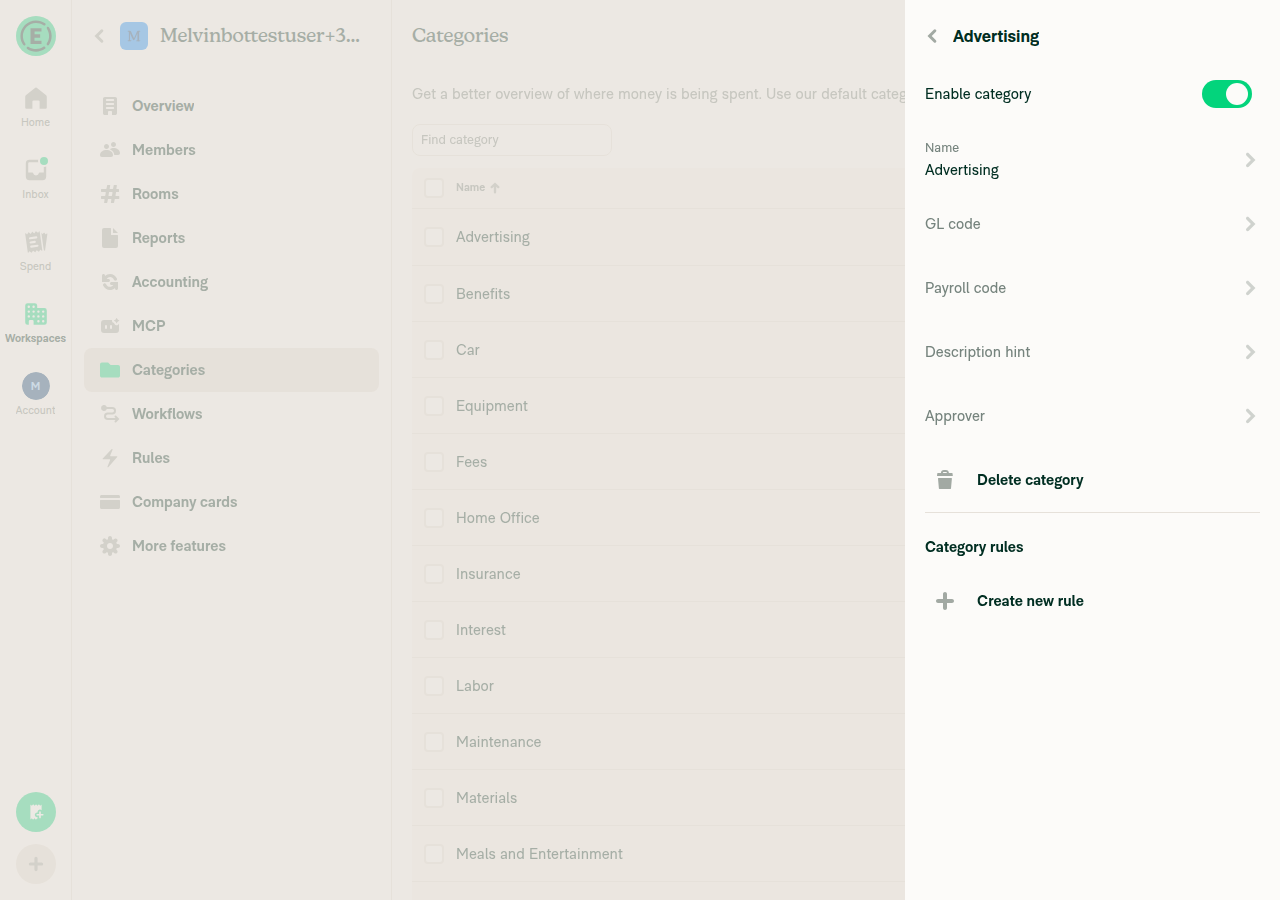
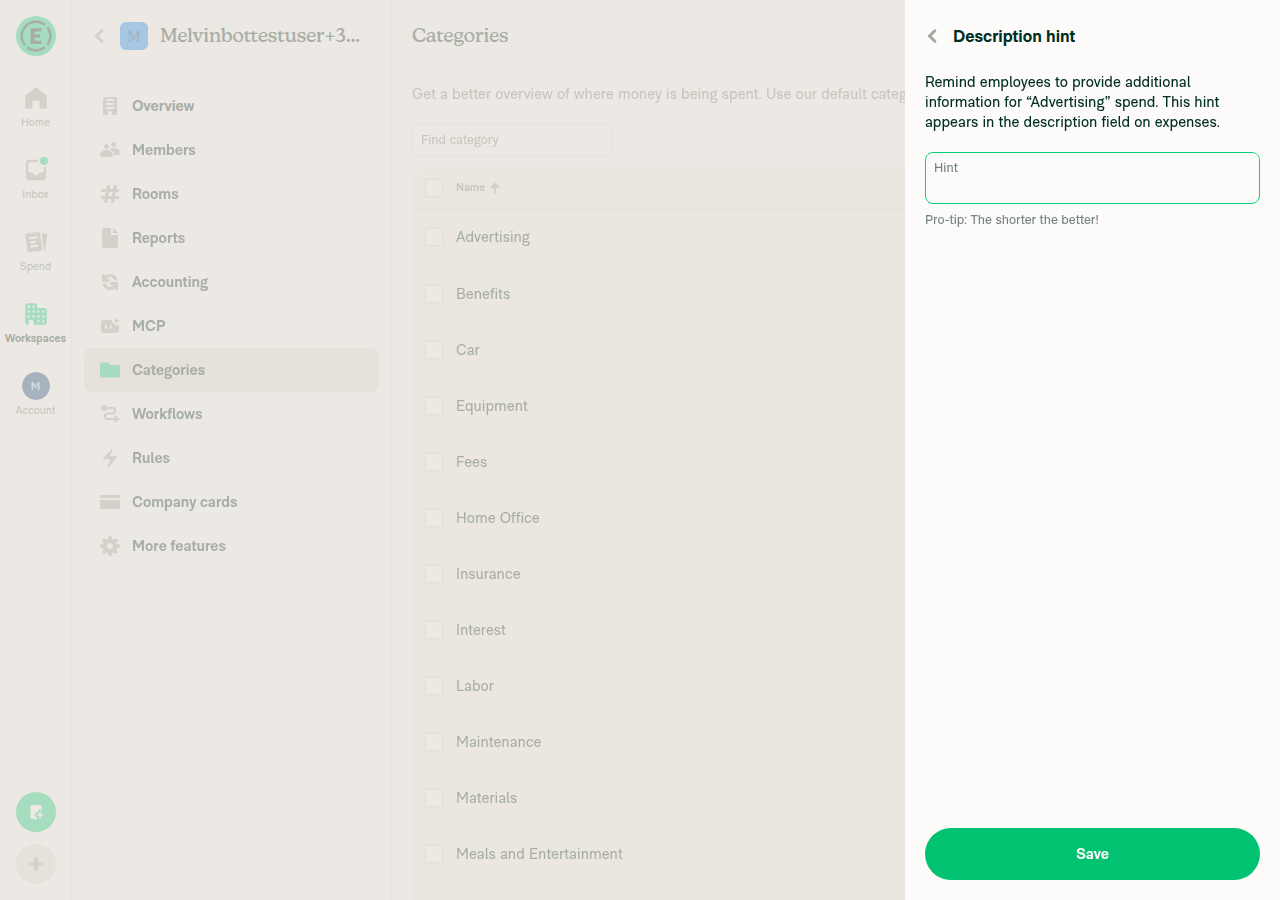
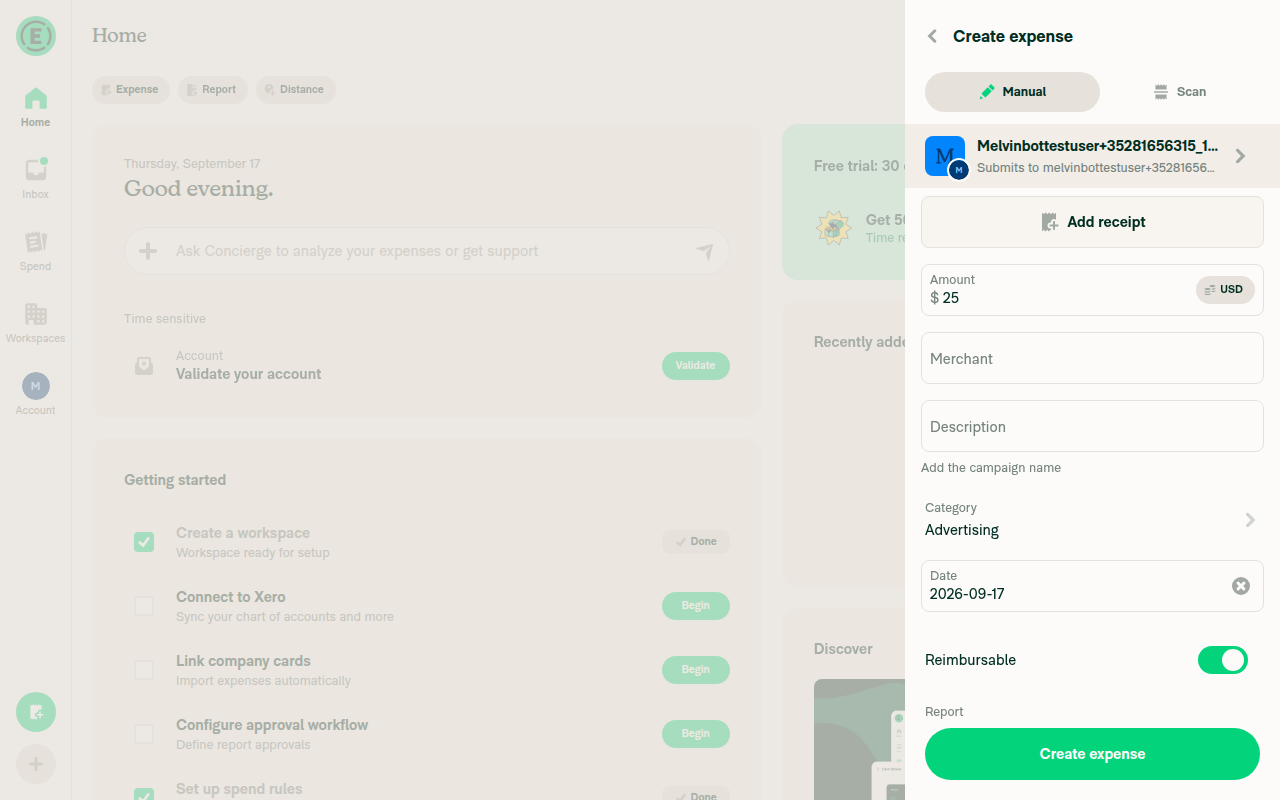
Every label was checked against dev NewDot web rather than the source strings: the category panel row is Description hint, the page's field is labeled Hint with the caption Pro-tip: The shorter the better! and a Save button, and the saved hint renders as plain gray text directly under the Description field on the confirmation screen once the category is selected. One detail worth your eye: the row only appears once Rules is enabled, and a Collect workspace hits the Upgrade paywall when opening it — the new docs state the Control plan requirement on that basis.

UI verification screenshots Advertising category detail panel showing the Description hint row Description hint page with the Hint field, pro-tip caption, and Save button Expense confirmation screen showing the hint below the Description field

The PR is a draft, labeled HelpDot, and assigned to you. npm run spell-changed passes on both files; no app code is touched.

@Ollyws, please review the linked help site PR and confirm it reflects the current behavior. Then mark the linked help site PR Ready for review


view run · view recording

@mitarachim

Copy link
Copy Markdown

Deploy Blocker #101512 was identified to be related to this PR.

@jponikarchuk

Copy link
Copy Markdown

This PR failing because of the issue #101519
This issue is reproducible in: All platforms

@jponikarchuk

Copy link
Copy Markdown

Deploy Blocker #101556 was identified to be related to this PR.

@OSBotify

Copy link
Copy Markdown
Contributor

🚀 Deployed to staging by https://github.com/mountiny in version: 9.4.86-0 🚀

platform result
🕸 web 🕸 success ✅
🤖 android 🤖 success ✅
🍎 iOS 🍎 success ✅

@OSBotify

Copy link
Copy Markdown
Contributor

🚀 Deployed to staging by https://github.com/mountiny in version: 9.4.89-0 🚀

platform result
🕸 web 🕸 success ✅
🤖 android 🤖 success ✅
🍎 iOS 🍎 success ✅

@OSBotify

Copy link
Copy Markdown
Contributor

🚀 Deployed to production by https://github.com/luacmartins in version: 9.4.89-0 🚀

platform result
🕸 web 🕸 success ✅
🤖 android 🤖 success ✅
🍎 iOS 🍎 failure ❌

Bundle Size Analysis (Sentry):

Sign up for free to join this conversation on GitHub. Already have an account? Sign in to comment

Labels

Melvin-Test-Android Melvin-Test-Web Triggers Melvin to run the testing steps of the PR on web

Projects

None yet

Development

Successfully merging this pull request may close these issues.

7 participants